1. Įvadas
Thank you for choosing the GOBOULT Fluid X Bluetooth Wireless Headphones. This manual provides essential information for the safe and efficient use of your new headphones. Please read it carefully before use and retain it for future reference.
The GOBOULT Fluid X headphones offer a premium audio experience with features such as 60 hours of playtime, a Zen ENC microphone for clear calls, 40mm bass drivers, Combat™ Gaming Mode, and Bluetooth 5.4 connectivity.
2. Kas yra dėžutėje
Patikrinkite pakuotės turinį, kad įsitikintumėte, jog yra visi reikalingi daiktai:
- GOBOULT Fluid X Headphones
- C tipo įkrovimo laidas
- Vartotojo vadovas
- Ausų pagalvėlės (iš anksto sumontuotos)
- Garantijos kortelė
3. Produktas baigtasview
Familiarize yourself with the components and controls of your GOBOULT Fluid X headphones.

Image: GOBOULT Fluid X Headphones, black color, showcasing the over-ear design and headband.
3.1 Valdikliai ir prievadai

Image: Close-up of the right earcup showing button controls for Voice Assistant, Volume Up, Volume Down, and Power.
- Maitinimo mygtukas: Used for powering on/off and pairing.
- Garsumo padidinimas (+): Padidina garso garsumą.
- Sumažinti garsumą (-): Sumažina garso garsumą.
- Daugiafunkcis mygtukas (MFB): Valdo atkūrimą, skambučius ir balso asistentą.
- C tipo įkrovimo prievadas: Ausinėms įkrauti.
- 3.5 mm garso lizdas: For wired connection (if applicable).
3.2 Dizaino ypatybės

Image: Demonstrates the adjustable headband and foldable design of the GOBOULT Fluid X headphones for portability and comfort.
- Reguliuojama galvos juosta: Patogiam ir saugiam prigludimui.
- Sulankstomas dizainas: Užtikrina kompaktišką saugojimą ir perkeliamumą.
- Movable Earcups: Designed for maximum comfort during extended use.
- Ausų pagalvėlės iš atminties putų: Provides enhanced comfort and passive noise isolation.
4. Sąranka
4.1 Ausinių įkrovimas
Before first use, fully charge your GOBOULT Fluid X headphones.

Image: Highlights the 60-hour playtime and Type-C fast charging feature, showing 10 minutes of charge provides 3 hours of playtime.
- Connect the Type-C charging cable to the charging port on the headphones.
- Kitą laido galą prijunkite prie USB maitinimo adapterio (nepridedamas) arba kompiuterio USB prievado.
- LED indikatorius rodys įkrovimo būseną (pvz., raudona spalva rodo įkrovimą, mėlyna/nešviečia, kai įrenginys visiškai įkrautas).
- A full charge provides up to 60 hours of playtime. Fast charging allows for 3 hours of playtime with just 10 minutes of charge.
4.2 Bluetooth poravimas
Susiekite ausines su savo įrenginiu, kad galėtumėte klausytis belaidžio garso.

Image: Illustrates the seamless Bluetooth 5.4 connectivity and fast pairing process with a smartphone.
- Įsitikinkite, kad ausinės yra įkrautos ir išjungtos.
- Paspauskite ir palaikykite maitinimo mygtuką maždaug 5–7 sekundes, kol LED indikatorius pakaitomis mirksės raudonai ir mėlynai, rodydamas susiejimo režimą.
- Savo įrenginyje (išmaniajame telefone, planšetiniame kompiuteryje, nešiojamajame kompiuteryje) įjunkite „Bluetooth“ ir ieškokite galimų įrenginių.
- Select "GOBOULT Fluid X" from the list of devices.
- Once connected, the LED indicator will turn solid blue or flash slowly.
- Įjungus ausines, jos automatiškai prisijungs prie paskutinio suporuoto įrenginio, jei yra diapazone.
5. Naudojimo instrukcijos
5.1 Maitinimo įjungimas/išjungimas
- Maitinimas: Paspauskite ir 3 sekundes palaikykite maitinimo mygtuką.
- Išjungti: Paspauskite ir 5 sekundes palaikykite maitinimo mygtuką.
5.2 Muzikos atkūrimas
- Leisti / pristabdyti: Vieną kartą paspauskite MFB.
- Kitas takelis: Press and hold Volume Up (+) for 2 seconds.
- Ankstesnis takelis: Press and hold Volume Down (-) for 2 seconds.
- Pagarsink: Short press Volume Up (+).
- Patildyti: Short press Volume Down (-).
5.3 Funkcijų iškvietimas

Image: Highlights the Zen ENC (Environmental Noise Cancellation) microphone for clear voice pickup and surround noise reduction during calls.
- Atsiliepti / Baigti skambutį: Vieną kartą paspauskite MFB.
- Atmesti skambutį: Paspauskite ir palaikykite MFB 2 sekundes.
- Perrink paskutinį numerį: Du kartus paspauskite MFB.
5.4 Combat™ Gaming Mode
Activate Combat™ Gaming Mode for ultra-low latency audio, optimized for gaming.

Image: Shows the headphones with a graphic indicating 50ms ultra-low latency, optimized for mobile gaming with Combat™ Gaming Mode.
- Activate/Deactivate Gaming Mode: Refer to the specific button combination in your quick start guide or product packaging. Typically, this is a triple-press of the MFB or a dedicated button.
5.5 Balso padėjėjas
Access your device's voice assistant (Siri, Google Assistant) directly from your headphones.
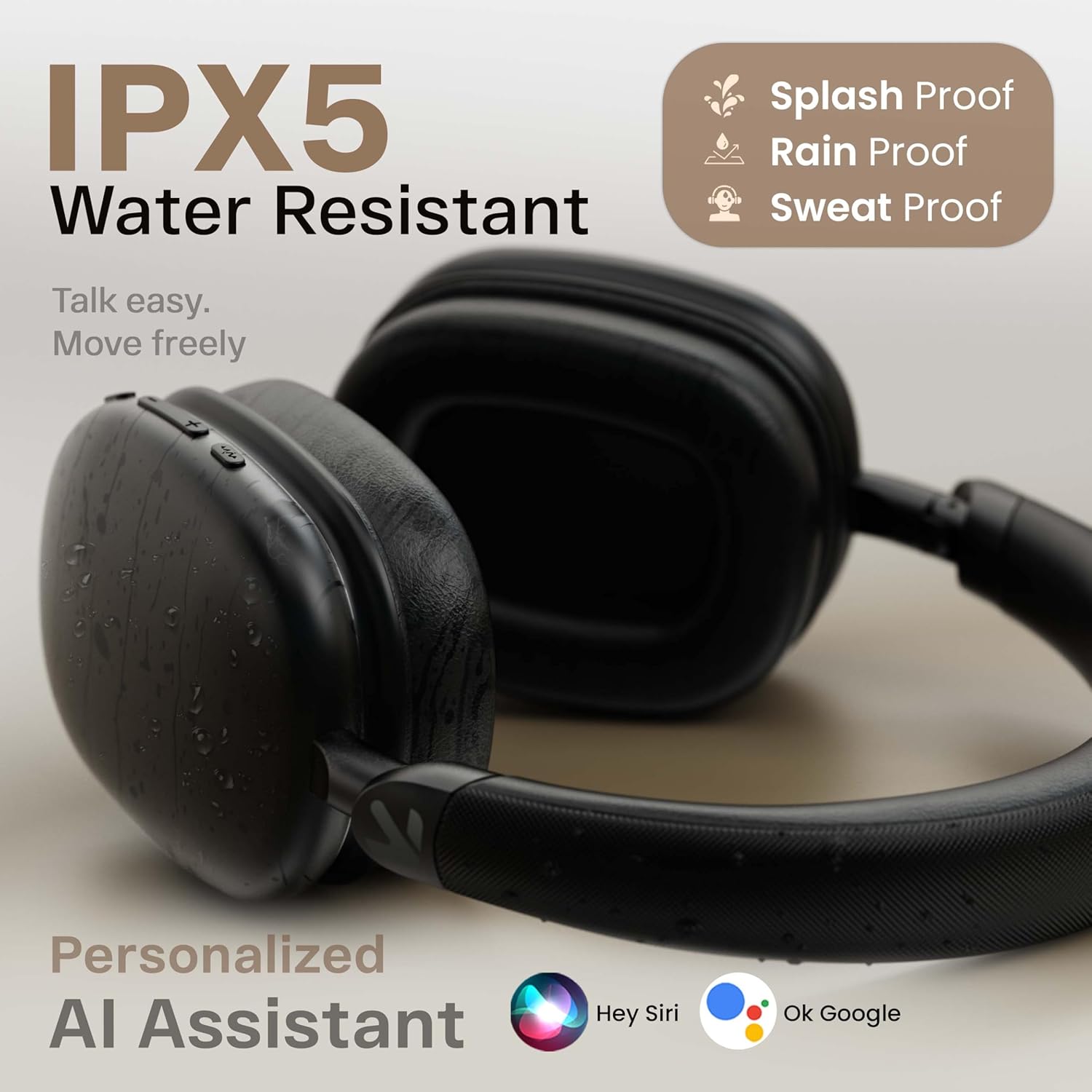
Image: Displays the headphones with icons for Hey Siri and Ok Google, indicating support for personalized AI assistants.
- Suaktyvinti „Voice Assistant“: Short press the Voice Assistant button (if available) or double-press the MFB (refer to product specific controls).
5.6 Laidinis režimas
For situations where Bluetooth is not available or preferred, you can use the headphones in wired mode.

Image: Shows the GOBOULT Fluid X headphones connected wirelessly to a phone and also with an optional wired connection, illustrating both modes of operation.
- Connect a 3.5mm audio cable (not included) from your device's audio output to the 3.5mm audio jack on the headphones.
- In wired mode, the headphones will function passively, and some electronic features (like ENC, Gaming Mode) may not be available.
6. Priežiūra
Proper care will extend the life of your GOBOULT Fluid X headphones.

Image: Details the refined ergonomic design, flexible headband, memory foam, exquisite twill fabric, and metallic hinge pivot of the headphones.
- Valymas: Ausines valykite minkštu, sausu skudurėliu. Nenaudokite abrazyvinių valiklių ar tirpiklių.
- Saugykla: Store the headphones in a cool, dry place, away from direct sunlight and extreme temperatures. Use the foldable design for compact storage.
- Atsparumas vandeniui: The headphones are IPX5 water resistant, meaning they can withstand splashes and sweat. Do not submerge them in water.
- Akumuliatoriaus priežiūra: Norėdami išsaugoti baterijos veikimo laiką, reguliariai kraukite ausines, net jei jų nenaudojate dažnai. Venkite ilgo visiško baterijos išsikrovimo.
7. Problemų sprendimas
Jei kyla problemų dėl ausinių, žr. toliau pateiktas dažniausiai pasitaikančias problemas ir sprendimus:
| Problema | Galima priežastis | Sprendimas |
|---|---|---|
| Ausinės neįsijungia | Senka baterija | Pilnai įkraukite ausines. |
| Nepavyksta susieti su įrenginiu | Ausinės neįjungtos susiejimo režimu; įrenginyje išjungtas „Bluetooth“; įrenginys per toli | Ensure headphones are in pairing mode (flashing red/blue). Turn on Bluetooth on your device. Move device closer to headphones (within 10 meters). Forget previous pairings on your device and try again. |
| Nėra garso ar mažas garsumas | Per mažas garsumas; neprijungtos ausinės; pasirinkta neteisinga garso išvestis | Padidinkite garsumą abiejose ausinėse ir įrenginyje. Iš naujo susiekite ausines. Patikrinkite įrenginio garso išvesties nustatymus. |
| Prasta skambučio kokybė | Environmental noise; weak signal | Ensure Zen ENC is active. Move to a quieter environment. Ensure strong Bluetooth connection. |
| Pertraukiamas ryšys | Trikdžiai; įrenginys per toli; išsikrovęs akumuliatorius | Move away from other wireless devices. Ensure device is within 10 meters. Charge headphones. |
8. Specifikacijos
Detailed technical specifications for the GOBOULT Fluid X Headphones:
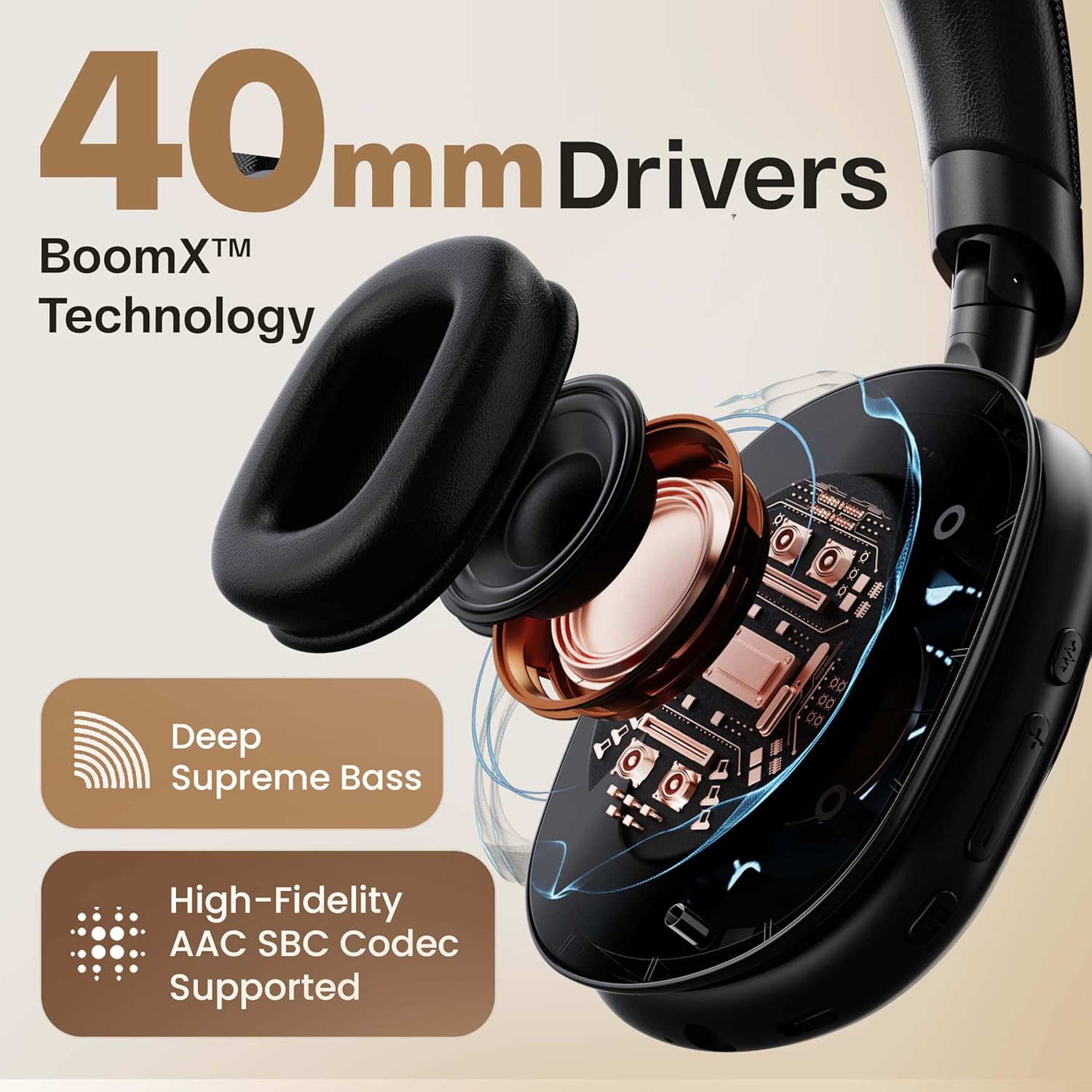
Paveikslėlis: Skerspjūvis view highlighting the 40mm drivers and BoomX™ Technology for deep supreme bass and high-fidelity AAC SBC codec support.
- Modelio pavadinimas: Fluid X
- Ryšio technologija: „Bluetooth“, belaidis
- Belaidžio ryšio technologija: Bluetooth 5.4
- „Bluetooth“ diapazonas: 10 metrų
- Garso tvarkyklės dydis: 40 milimetrų
- Garso tvarkyklės tipas: Dinaminis vairuotojas
- Garso delsa: 60 Milliseconds (50ms in Combat™ Gaming Mode)
- Baterijos veikimo laikas: Iki 60 valandų (reklamuojama), 40 valandų (specifikacija)
- Įkrovimo prievadas: C tipo greito įkrovimo lizdas
- Triukšmo valdymas: Passive Noise Cancellation (Zen ENC for Mic)
- Jautrumas: 118 dB
- Varža: 32 omų
- Atsparumo vandeniui lygis: IPX5 (atsparus vandeniui)
- Kontrolės metodas: Mygtukas
- Prekės svoris: 205 gramų
- Gaminio matmenys: 22 x 20 x 83 cm
- Įtraukti komponentai: Ear Cushions, Headphone, Type C Charging Cable, User Manual, Warranty Card
9. Garantija ir palaikymas
Your GOBOULT Fluid X Headphones come with a manufacturer's warranty.
- Garantinis laikotarpis: 1-Year Manufacturer Warranty.
- Garantijos aprėptis: Covers manufacturing defects. Please refer to the included Warranty Card for full terms and conditions.
- Klientų aptarnavimas: For technical assistance, warranty claims, or further inquiries, please visit the official GOBOULT website or contact their customer service as per the details on your Warranty Card.


