Įvadas
This manual provides detailed instructions for the safe and efficient operation of your Kuephom PM24 Portable CD Player with Speakers. Please read this manual thoroughly before using the device and retain it for future reference.
The Kuephom PM24 is a versatile audio device offering multiple playback options including CD, Bluetooth, FM Radio, USB, and TF card. It features built-in stereo speakers, a rechargeable battery for portability, and a remote control for convenient operation.

Image: The Kuephom PM24 Portable CD Player, showcasing its design with an open CD lid, remote control, and an indicator for its rechargeable battery.
Pakuotės turinys
Patikrinkite, ar pakuotėje yra visi reikalingi daiktai:
- Kuephom PM24 Portable CD Player with Speakers x 1
- Įkrovimo kabelis x 1
- Nuotolinio valdymo pultas x 1
- Vartotojo vadovas x 1
Produktas baigtasview
The PM24 offers a range of features for diverse audio playback. Familiarize yourself with the device's components and capabilities.

Image: A visual representation of the PM24's key features, including CD/MP3 playback, Bluetooth connectivity, USB and TF card support, FM radio, audio input, headphone jack, remote control, rechargeable battery, and sleep timer.
Pagrindinės funkcijos:
- CD/MP3 Playback: Supports standard audio CDs and MP3 fileiš CD-R/RW diskų.
- Bluetooth ryšys: Belaidis garso transliavimas iš suderinamų įrenginių.
- USB & TF Card Support: Play MP3/WMA audio files directly from USB flash drives or TF cards (up to 32GB).
- FM radijas: Built-in FM tuner with retractable antenna and programmable presets.
- Pagalbinė įvestis: Prijunkite išorinius garso šaltinius 3.5 mm garso kabeliu.
- Ausinių lizdas: Privačiam pasiklausymui.
- Nuotolinio valdymo pultas: Full function remote for convenient operation.
- Įkraunama baterija: Suteikia nešiojamą energiją ilgalaikiam naudojimui.
- Miego laikmatis: Automatically turns off the device after a set period.
- Stereo garsiakalbiai: Integruoti garsiakalbiai užtikrina aiškų garso išvestį.
Sąranka
1. Įrenginio įkrovimas
Before first use, fully charge the PM24. Connect the provided charging cable to the DC 5V input port on the device and the other end to a standard USB power adapter (not included) or a computer USB port.
- Įkrovimo metu užsidegs įkrovimo indikatoriaus lemputė.
- Pilnas įkrovimas paprastai trunka maždaug 4 valandas.
- The device provides approximately 5-8 hours of playback on a full charge, depending on volume and mode.

Image: Visual representation of the PM24's rechargeable nature, highlighting its play time and charge time.
2. Maitinimo įjungimas/išjungimas
Paspauskite ir palaikykite GALIA button on the device or remote control to turn the unit on or off.
3. Nuotolinio valdymo pulto baterijos įdėjimas
The remote control requires 2 AAA batteries (not included). Open the battery compartment on the back of the remote and insert the batteries, observing the correct polarity (+/-).
Naudojimo instrukcijos
1. Nuotolinio valdymo pulto naudojimas
The remote control allows for convenient operation of all functions from a distance.

Image: A user interacting with the PM24 using the remote control, illustrating various functions accessible from the remote.
- Maitinimo mygtukas: Įjungia arba išjungia įrenginį.
- Režimo mygtukas: Switches between CD, Bluetooth, FM, USB, TF, and AUX modes.
- Atkūrimo / pristabdymo mygtukas: Pradeda arba pristabdo atkūrimą.
- Ankstesnio / kito takelio mygtukai: Peršoka prie ankstesnio arba kito takelio / stoties.
- Garsumo +/- mygtukai: Reguliuoja garsumo lygį.
- Repeat/Shuffle Button: Changes playback repeat modes (e.g., repeat one, repeat all, shuffle).
- Miego mygtukas: Activates and sets the sleep timer.
2. CD grojimas
- Atidarykite CD skyriaus dangtelį.
- Carefully place a CD (audio CD or MP3 CD) onto the spindle with the label side facing up.
- Uždarykite CD skyriaus dangtį.
- Paspauskite REŽIMAS mygtuką, kol bus pasirinktas „CD“ režimas.
- Kompaktinis diskas pradės groti automatiškai. Jei ne, paspauskite PALEISTI / PAUZĖ mygtuką.

Image: Icons illustrating various CD playback options such as sequential play, random play, repeating a single track, repeating all tracks, and the play memory function.
3. „Bluetooth“ režimas
- Paspauskite REŽIMAS button until "BT" (Bluetooth) mode is selected. The display will show "bt" and flash, indicating it's in pairing mode.
- Įrenginyje su „Bluetooth“ funkcija (išmaniajame telefone, planšetiniame kompiuteryje ir kt.) įjunkite „Bluetooth“ ir ieškokite galimų įrenginių.
- Select "PM24" from the list of devices.
- Once paired, the "bt" indicator will stop flashing, and you can stream audio wirelessly to the PM24.

Image: A smartphone screen showing a successful Bluetooth connection to the PM24, with the player's display confirming 'bt' mode.
4. FM radijo režimas
- Extend the telescopic antenna on the back of the unit for optimal reception.
- Paspauskite REŽIMAS mygtuką, kol bus pasirinktas „FM“ režimas.
- Paspauskite ir palaikykite PALEISTI / PAUZĖ button to initiate an automatic station scan. The radio will scan and save available stations.
- Naudokite ANKSTESNĖ/KITAS TRASKAS mygtukus naršyti per išsaugotas stotis.

Image: A user enjoying FM radio on the PM24, with visual cues indicating different radio frequencies.
5. USB/TF kortelių atkūrimas
- Insert a USB flash drive into the USB port or a TF card into the TF card slot. Ensure the card is inserted correctly.
- Paspauskite REŽIMAS button until "USB" or "TF" mode is selected.
- The device will automatically detect and begin playing MP3/WMA audio fileiš įdėtos saugyklos.
- Naudokite ANKSTESNĖ/KITAS TRASKAS mygtukai, skirti naršyti tarp files.

Vaizdas: Stambus planas view of the USB and TF card slots on the PM24, indicating their function for playing media from external storage.
6. Pagalbinė įvestis (AUX)
- Connect one end of a 3.5mm audio cable (not included) to the AUX IN port on the PM24.
- Connect the other end to the headphone jack or audio output of an external audio device (e.g., smartphone, MP3 player).
- Paspauskite REŽIMAS mygtuką, kol bus pasirinktas „AUX“ režimas.
- Valdykite atkūrimą ir garsumą iš išorinio garso įrenginio.
7. Miego laikmačio funkcija
Miego laikmatis leidžia įrenginiui automatiškai išsijungti po nustatyto laiko.
- While the device is playing, press the MIEGAS nuotolinio valdymo pulto mygtuką.
- Pakartotinai paspauskite MIEGAS button to cycle through available timer settings (e.g., 10, 20, 30, 60, 90 minutes).
- The selected time will be displayed. The device will automatically power off once the timer expires.

Image: A visual demonstration of the sleep timer function, showing the PM24 on a nightstand while a person sleeps.
8. Ausinių naudojimas
For private listening, connect 3.5mm headphones (not included) to the AUSINIŲ TARPINIS on the device. The built-in speakers will automatically mute when headphones are connected.
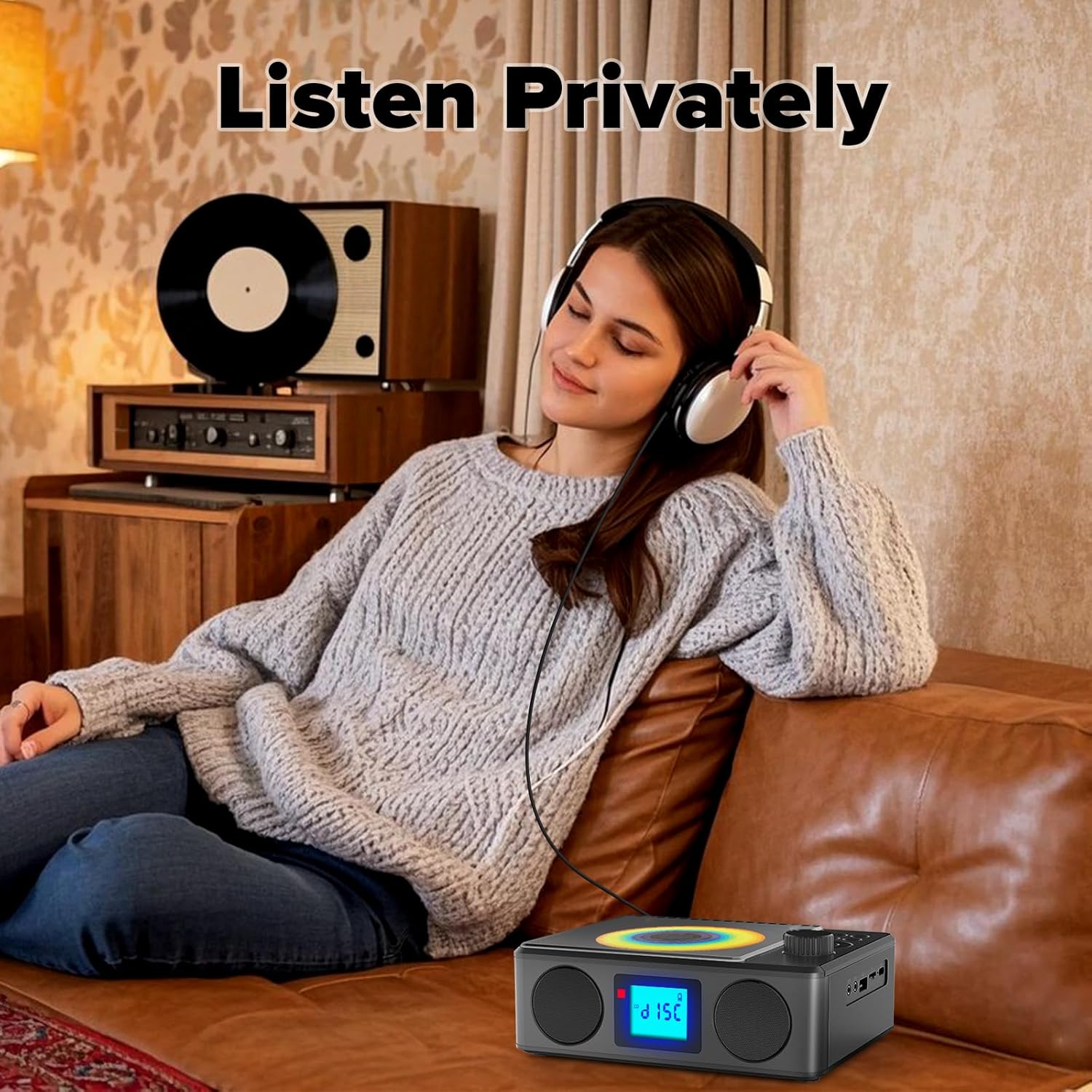
Image: A user enjoying private audio through headphones connected to the PM24.
Priežiūra
- Valymas: Įrenginio išorę valykite minkštu, sausu skudurėliu. Nenaudokite abrazyvinių valiklių ar tirpiklių.
- CD priežiūra: Kompaktinius diskus imkite už kraštų. Nešvarius kompaktinius diskus valykite minkštu, nepūkuotu skudurėliu, šluostydami nuo centro į išorę.
- Saugykla: Kai ilgesnį laiką nenaudojate prietaiso, laikykite jį vėsioje, sausoje vietoje, apsaugotoje nuo tiesioginių saulės spindulių ir ekstremalių temperatūrų.
- Baterija: Norėdami pailginti akumuliatoriaus veikimo laiką, venkite dažnai visiškai jį iškrauti. Reguliariai įkraukite įrenginį, net jei jo nenaudojate.
Trikčių šalinimas
| Problema | Galima priežastis | Sprendimas |
|---|---|---|
| Įrenginys neįsijungia. | Baterija išsikrovusi. | Connect the charging cable and allow the device to charge. |
| Nėra garso iš garsiakalbių. | Garsumas per mažas arba nutildytas. Prijungtos ausinės. | Increase volume. Disconnect headphones. |
| Kompaktinis diskas praleidžia arba negroja. | Kompaktinis diskas yra nešvarus, subraižytas arba neteisingai įdėtas. | Clean the CD. Ensure it is placed correctly. Try another CD. |
| „Bluetooth“ susiejimas nepavyksta. | Device is too far, not in pairing mode, or already paired. | Ensure PM24 is in BT mode and flashing. Move devices closer. Disconnect from other devices. |
| Prastas FM radijo priėmimas. | Antena nėra ištiesta arba silpnas signalo lygis. | Fully extend the telescopic antenna. Reposition the device for better signal. |
| Nuotolinio valdymo pultas neveikia. | Batteries are depleted or inserted incorrectly. Obstruction between remote and device. | Replace batteries, check polarity. Remove obstructions. Ensure remote is pointed at the device. |
Specifikacijos
- Modelis: PM24
- Prekinis ženklas: Kuefomas
- Gaminio matmenys: 7.5 x 6.3 x 2.5 colio (19.05 x 16.00 x 6.35 cm)
- Prekės svoris: 1.96 svaro (0.89 kg)
- Ryšio technologija: Pagalbinis, „Bluetooth“, USB
- Spalva: Juoda
- Garsiakalbio tipas: Stereo
- Baterijos: 1 nestandartinė baterija (į komplektą įeina)
- Žaidimo laikas: 5-8 valandos (apytiksliai)
- Įkrovimo laikas: 4 valandų (maždaug)
Garantija ir palaikymas
Kuephom products are designed for reliability and performance. For warranty information or technical support, please refer to the contact details provided on the product packaging or visit the official Kuephom websvetainę.
Išsaugokite pirkimo įrodymą, kad galėtumėte kreiptis dėl garantijos.


