Įvadas
Ačiū, kad pirkoteasing the WISCENT WTB-733 Retro Cassette Player Recorder. This device combines classic audio playback with modern features, including AM/FM/SW radio, Bluetooth connectivity, USB/Micro SD playback, and voice recording. Please read this manual thoroughly before use to ensure proper operation and to maximize your listening experience.
Saugos informacija
- Saugokite įrenginį nuo lietaus ar drėgmės, kad išvengtumėte gaisro ar elektros smūgio.
- Nestatykite įrenginio šalia šilumos šaltinių, tokių kaip radiatoriai, šildytuvai, viryklės ar kiti šilumą skleidžiantys prietaisai.
- Naudokite tik gamintojo nurodytus priedus/priedus.
- Atjunkite įrenginį žaibuojant arba kai nenaudojate ilgą laiką.
- Neatidarykite casing. Visus techninės priežiūros darbus patikėkite kvalifikuotiems techninės priežiūros darbuotojams.
- Laikyti vaikams nepasiekiamoje vietoje.
Produktas baigtasview
The WISCENT WTB-733 is a versatile audio system designed for both retro and modern listening. Key features include:
- Kasečių grotuvas / įrašymo įrenginys: Play and record audio cassettes.
- AM/FM/SW Radio: Multi-band radio tuner for various broadcasts.
- Bluetooth ryšys: Belaidis garso transliavimas iš suderinamų įrenginių.
- USB/Micro SD (TF) Playback: Groti MP3/WMA files from external storage.
- Integruotas mikrofonas: Balso įrašymui.
- RGB spalvingos lemputės: Dynamic lighting effects on speakers.
- Ausinių lizdas: Privačiam pasiklausymui.
- Dvi maitinimo parinktys: AC or battery powered.

1 pav.: priekis view of the WISCENT WTB-733 with key features highlighted.
Sąranka
Įrenginio maitinimas
The WTB-733 can be powered by AC electricity or batteries.
- Kintamosios srovės maitinimas: Connect the included AC power cord to the AC IN port on the back of the unit and then to a standard 120V AC, 60Hz wall outlet. The AC cord is typically stored in the battery compartment.
- Baterijos galia: For portable use, insert 6 UM-1 type batteries (not included) into the battery compartment located on the back of the unit. Ensure correct polarity. Alternatively, 2 rechargeable batteries (not included) can be used.
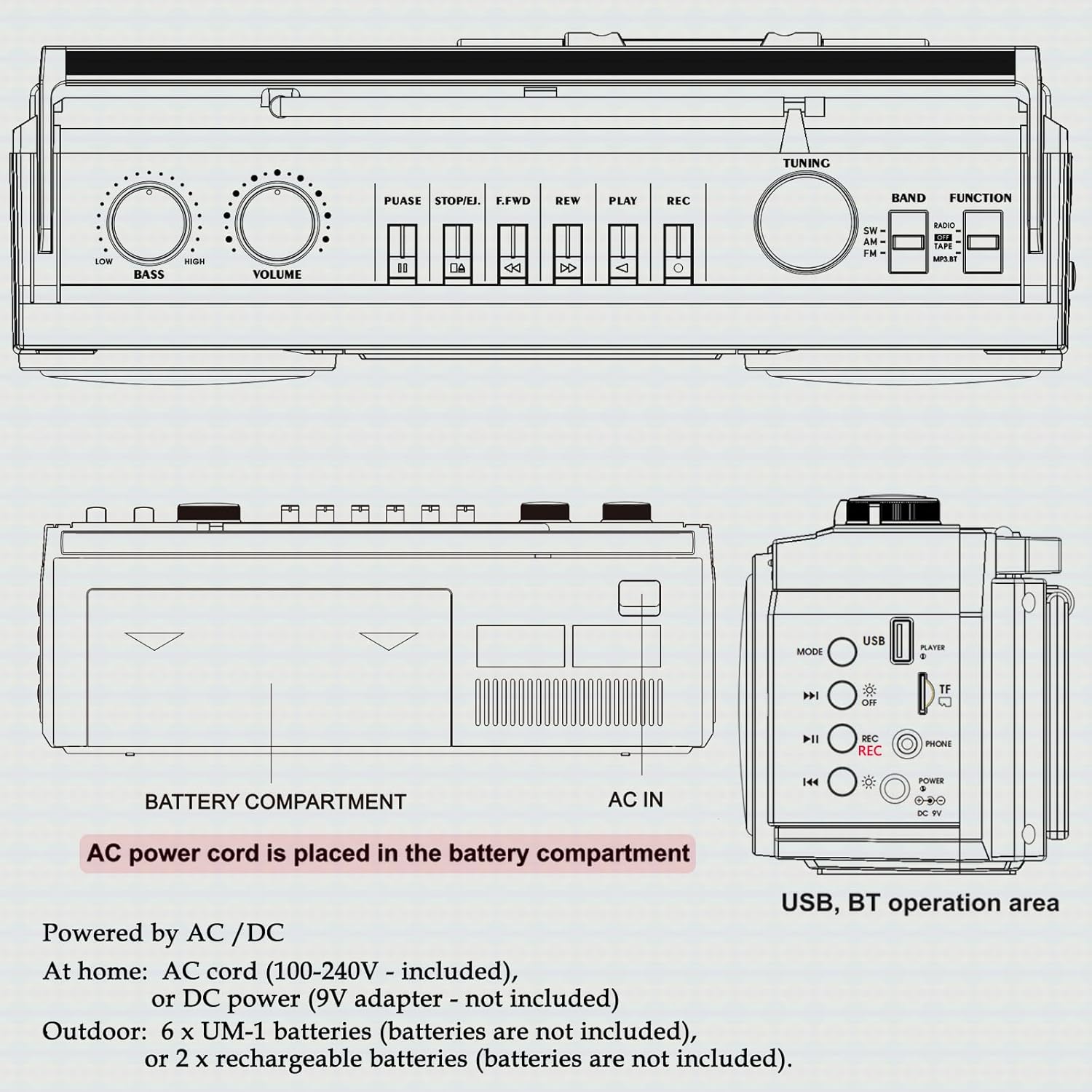
2 pav.: galinis view showing battery compartment and AC IN port.
Antenos sąranka
For optimal radio reception, extend the telescopic antenna fully. Adjust its position and angle to improve signal clarity.
Naudojimo instrukcijos
Bendrieji valdikliai

3 pav.: Viršutinio skydelio valdikliai.
- Maitinimo jungiklis: Įjungia/išjungia įrenginį.
- GARSUMO rankenėlė: Reguliuoja bendrą garso lygį.
- BASS rankenėlė: Reguliuoja žemųjų dažnių lygį.
- FUNKCIJOS parinkiklis: Switches between RADIO, TAPE, USB/TF, and BT (Bluetooth) modes.
- BAND Selector: In Radio mode, selects between FM, AM, and SW bands.
- DERINIMO rankenėlė: Tunes to desired radio stations.
Radijo veikimas (AM/FM/SW)
- Nustatykite FUNKCIJA parinkiklis į RADIJAS.
- Pasirinkite norimą diapazoną (FM, AM arba SW) naudodami BAND parinkiklis.
- Ištieskite teleskopinę anteną, kad signalas būtų geresnis.
- Pasukite TUNINGAS rankenėlę, kad rastumėte norimą stotį.
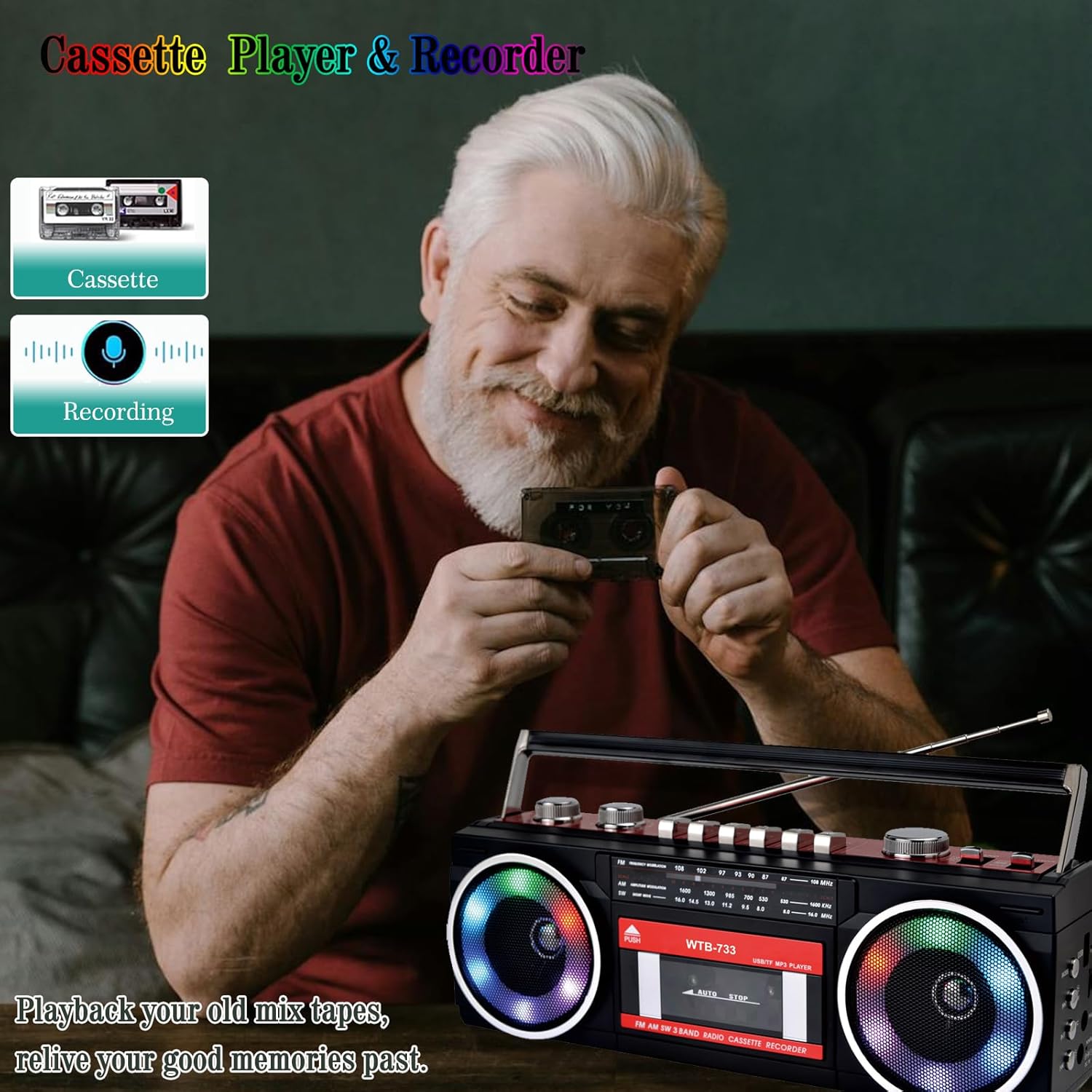
Figure 4: Radio tuning dial.
Kasečių grotuvas ir įrašymo įrenginys

Figure 5: Cassette player controls.
- Nustatykite FUNKCIJA parinkiklis į TAPE.
- Paspauskite PUSH/EJECT mygtuką, kad atidarytumėte kasetės dureles.
- Insert a cassette tape with the open edge facing upwards. Close the cassette door.
- Atkūrimas: Paspauskite ŽAISTI mygtuką, norėdami pradėti atkūrimą.
- Įrašas: Paspauskite REC button to begin recording. Ensure a blank tape is inserted. The built-in microphone will record ambient sound.
- Greitas atsukimas pirmyn/atgal: Naudokite F.FWD ir REW mygtukai.
- Pristabdyti: Paspauskite PASTABA button to temporarily stop playback/recording. Press again to resume.
- Sustabdyti/išstumti: Paspauskite STOP/IŠMESTI button to stop playback/recording and eject the tape.
Bluetooth ryšys
- Nustatykite FUNKCIJA parinkiklis į BT. The unit will enter pairing mode, indicated by a flashing light or audio prompt.
- Savo „Bluetooth“ įrenginyje (pvz., išmaniajame telefone, planšetiniame kompiuteryje) įjunkite „Bluetooth“ ir ieškokite galimų įrenginių.
- Select "WTB-733" from the list of devices to pair.
- Once paired, you can stream audio from your device to the boombox.
- Pastaba: This unit supports Bluetooth reception only and does not transmit Bluetooth signals to headphones or other speakers.

6 pav.: „Bluetooth“ transliacija iš mobiliojo įrenginio.
USB/Micro SD (TF) Playback
- Nustatykite FUNKCIJA parinkiklis į USB/TF.
- Insert a USB drive or Micro SD (TF) card into the corresponding slot on the side of the unit.
- The unit will automatically detect and begin playing MP3/WMA files iš saugojimo įrenginio.
- Use the playback control buttons (Play/Pause, Next, Previous) to navigate tracks.
RGB spalvingos lemputės
The speakers are equipped with RGB LED lighting that creates a dynamic visual effect.
- The lights are automatically turned off in Radio mode.
- In other modes (BT, Tape, USB/TF), the lights are on by default.
- To manually control the lights, press the 'OFF' button (often labeled with a lightbulb icon) twice continuously to toggle them on or off.

Figure 7: RGB colorful lights in operation.
Ausinių lizdas
Connect standard 3.5mm headphones (not included) to the headphone jack on the side of the unit for private listening. Audio will be muted from the main speakers when headphones are connected.
Priežiūra
- Valymas: Išorinį įrenginio paviršių valykite minkštu, sausu skudurėliu. Nenaudokite abrazyvinių valiklių ar tirpiklių.
- Kasečių grotuvo priežiūra: Reguliariai valykite juostos galvutes ir suspaudimo volelius vatos tamponėliu.amppraturtintas izopropilo alkoholiu, kad būtų užtikrinta optimali garso kokybė ir išvengta kasečių pažeidimų.
- Saugykla: Kai prietaisas ilgesnį laiką nenaudojamas, išimkite baterijas ir laikykite jį vėsioje, sausoje vietoje, apsaugotoje nuo tiesioginių saulės spindulių.
Trikčių šalinimas
| Problema | Galima priežastis | Sprendimas |
|---|---|---|
| Nėra galios | Neprijungtas kintamosios srovės laidas; Baterijos išsikrovusios arba neteisingai įdėtos. | Check AC connection; Replace or correctly insert batteries. |
| Nėra garso | Per mažas garsumas; Prijungtos ausinės; Neteisingas funkcijos režimas. | Increase volume; Disconnect headphones; Select correct function mode. |
| Prastas radijo priėmimas | Antena neištiesta; silpnas signalas. | Extend and adjust antenna; Try moving the unit to a different location. |
| Kasetė negroja / neįrašo | Tape damaged; Incorrect buttons pressed; Tape heads dirty. | Check tape condition; Ensure correct play/record buttons are pressed; Clean tape heads. |
| Bluetooth neprisijungia | Unit not in BT mode; Device not in pairing mode; "WTB-733" not selected. | Switch to BT mode; Ensure device Bluetooth is on and searching; Select "WTB-733" to pair. |
| RGB lemputės neveikia | In Radio mode; Lights turned off manually. | Lights are off in Radio mode by design; Press the 'OFF' button twice to toggle them on in other modes. |
Specifikacijos
- Modelio numeris: WTB-733
- Gaminio matmenys: 13 x 4.92 x 3.93 colio
- Prekės svoris: 3.63 svaro
- Radijo grupės: AM/FM/SW
- Ryšys: Bluetooth, USB, Micro SD (TF)
- Garsiakalbio tipas: Stereo
- Maitinimas: AC 120V, 60Hz or 6 x UM-1 batteries (not included)
- USB/TF Support: Iki 64 GB (FAT32 formatas)
Garantija ir palaikymas
WISCENT products are designed for reliability and performance. For warranty information or technical support, please refer to the documentation included with your purchase or contact WISCENT customer service through their official channels. Keep your purchase receipt as proof of purchase for warranty claims.


