1. Įvadas
This manual provides essential information for the setup, operation, and maintenance of your iFFALCON 55-Inch Class U85 Series QD-Mini LED 4K UHD Google Smart TV. Please read this manual thoroughly before using your television to ensure proper and safe operation. Keep this manual for future reference.
The iFFALCON U85 Series TV features advanced display technologies including QD-Mini LED for precise lighting, QLED for vibrant colors, 4K UHD resolution, HDR 1000 nits peak brightness, and a 144Hz native refresh rate. It integrates Google TV for smart entertainment and offers enhanced audio with Dolby Atmos and DTS Virtual X. Gaming is optimized with features like 240Hz DLG and FreeSync Premium Pro.
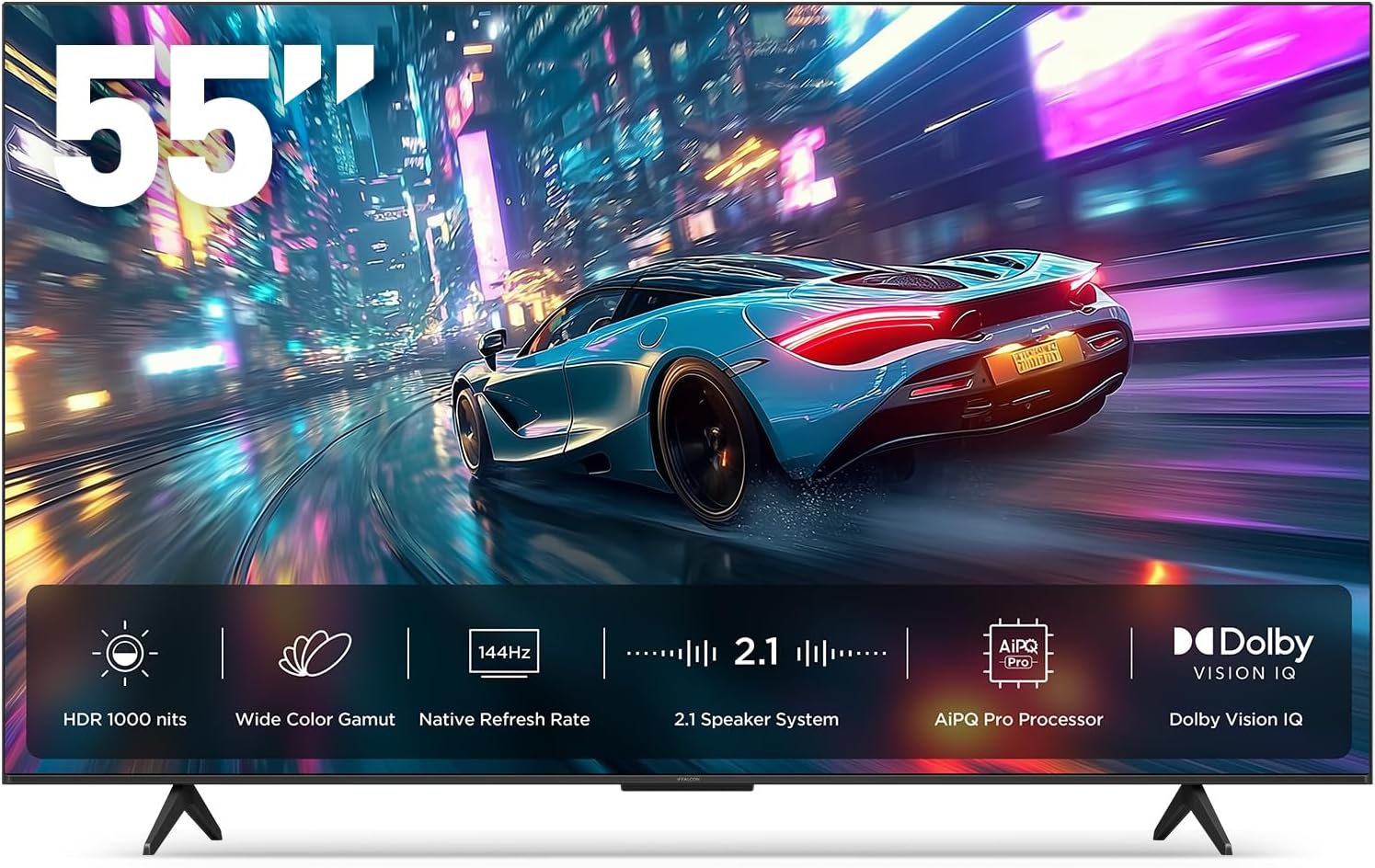
1.1 vaizdas: priekis view of the iFFALCON 55-Inch U85 Series TV, showcasing its display with a vibrant image of a car on a city street.
2. Kas yra dėžutėje
Atsargiai išpakuokite televizorių ir įsitikinkite, kad jame yra visi daiktai. Jei trūksta kokių nors daiktų arba jie yra pažeisti, kreipkitės į pardavėją.
- Mini LED televizorius
- Maitinimo kabelis
- 2 x AAA baterijos nuotolinio valdymo pultui
- 6 x stovo varžtai
- Table stands (2 pieces)
- 5 x kabelių laikikliai
- Greitos pradžios vadovas
- TV pultelis
3. Sąranka
3.1 Fizinė konfigūracija
Before proceeding, ensure the TV is placed on a stable, flat surface or securely mounted to a wall. Refer to the Quick Start Guide for detailed instructions on attaching the table stands or mounting the TV to a wall bracket (wall mount sold separately).
3.2 Išorinių įrenginių prijungimas
Connect your external devices such as cable boxes, gaming consoles, or Blu-ray players to the TV's HDMI ports. Ensure the power cable is securely connected to the TV and a power outlet.
3.3 Pradinis įjungimas ir „Google TV“ sąranka
- Įkiškite maitinimo laidą į elektros lizdą.
- Paspauskite maitinimo mygtuką ant nuotolinio valdymo pulto arba televizoriaus.
- Vykdykite ekrane pateikiamus nurodymus, kad atliktumėte pradinę sąranką, įskaitant tinklo ryšį, prisijungimą prie „Google“ paskyros ir kanalų nuskaitymą.
4. Televizoriaus valdymas
4.1 Nuotolinio valdymo pulto funkcijos
Pridedamas nuotolinio valdymo pultas leidžia naršyti meniu, reguliuoti garsumą, perjungti kanalus ir pasiekti išmaniąsias funkcijas. Susipažinkite su mygtukų išdėstymu, kad galėtumėte jį optimaliai naudoti.
4.2 Smart Features: Google TV, Google Assistant, and Alexa
Your iFFALCON U85 TV is equipped with Google TV, providing access to a wide range of streaming services and apps. Use the built-in Google Assistant or connect to an Alexa-enabled device for hands-free voice control.
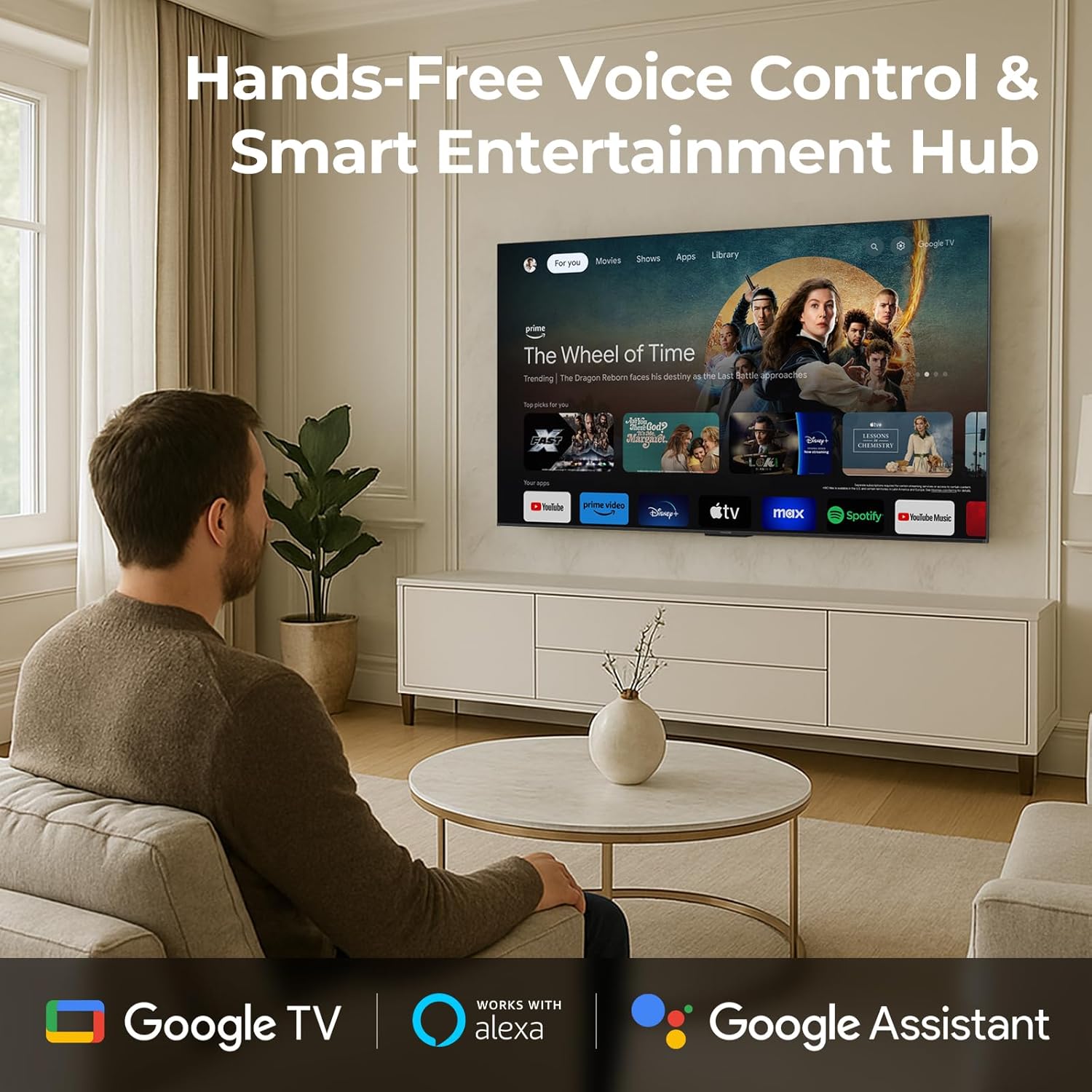
Image 4.1: A man interacting with the iFFALCON TV using voice commands, demonstrating the hands-free control feature.
4.3 Vaizdo nustatymai ir kokybė
The U85 Series TV offers exceptional picture quality through several advanced technologies:
- QD-Mini LED: Provides precise lighting control with up to 144 local dimming zones and 1000 nits peak brightness for bright highlights and deep blacks.
- QLED Wide Color: Quantum Dot technology delivers a 93% DCI-P3 wide color gamut for true-to-life images.
- „AiPQ Pro“ procesorius: Optimizes brightness, contrast, and detail in real-time for enhanced visual performance.
- Dolby Vision IQ: Automatically adjusts HDR brightness based on ambient light conditions.
- 6000:1 kontrasto santykis: Achieves deep blacks and vibrant colors with enhanced contrast.

Image 4.2: Visual comparison illustrating how Mini-LED technology enhances bright highlights and deep blacks compared to conventional TVs.
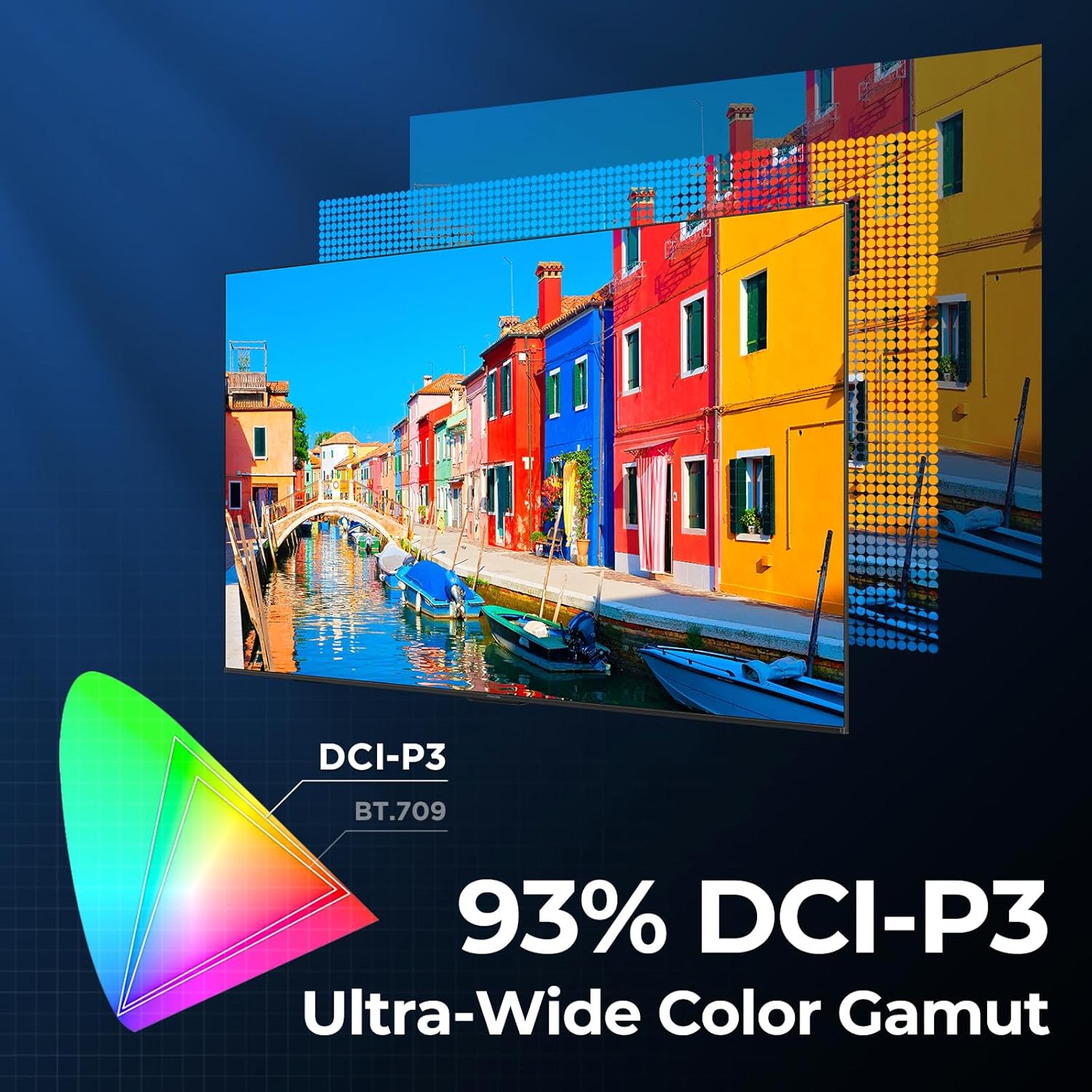
Image 4.3: Diagram showing the 93% DCI-P3 ultra-wide color gamut, indicating the TV's ability to display a broad spectrum of colors.
4.4 Audio Settings and Quality
Experience immersive sound with the TV's integrated audio features:
- 2.1-channel 50W Sound System: Delivers powerful stereo sound with deep bass.
- Dolby Atmos: Provides multi-dimensional audio that flows around and above you.
- DTS Virtual X: Creates expansive, room-filling sound with virtual height and surround effects.
- IMAX patobulintas: Optimizes audio and visual performance for a cinematic experience.

Image 4.4: A couple enjoying a movie on the iFFALCON TV, illustrating the immersive audio experience with sound waves emanating from the screen.
4.5 Žaidimų funkcijos
The iFFALCON U85 TV is designed for an optimal gaming experience:
- 4K 144Hz Panel with VRR: Ensures smooth, crystal-clear motion and reduces screen tearing.
- 240Hz DLG Acceleration: Boosts refresh rates for ultra-smooth action.
- „FreeSync Premium Pro“: Provides tear-free, low-latency HDR gaming.
- Game Mode & Game Bar: Dedicated settings and on-screen overlay for quick adjustments during gameplay.
- ALLM (automatinis mažos delsos režimas): Automatically switches to a low-latency mode for responsive gameplay.

Image 4.5: A gaming console connected to the iFFALCON TV, highlighting the 144Hz refresh rate and other gaming features.
4.6 Akių komforto funkcijos
Ilgesniam laikui viewing comfort, the TV incorporates multiple eye-care technologies:
- Žema mėlyna šviesa: Sumažina kenksmingos mėlynosios šviesos skleidimą.
- Flicker Reduction: Minimizes screen flicker for a more comfortable viewpatirtį.
5. Priežiūra
To ensure the longevity and optimal performance of your iFFALCON U85 TV, follow these maintenance guidelines:
- Ekrano valymas: Švelniai nuvalykite ekraną minkštu, sausu, nepūkuotu skudurėliu. Jei dėmės sunkiai pašalinamos, švelniai nuvalykiteampNuvalykite šluostę vandeniu arba specializuotu ekrano valikliu. Venkite stiprių cheminių medžiagų ar abrazyvinių medžiagų.
- Rėmo valymas: Televizoriaus rėmą ir stovą valykite minkšta, sausa šluoste.
- Vėdinimas: Užtikrinkite tinkamą vėdinimą aplink televizorių. Neužblokuokite ventiliacijos angų.
- Maitinimo laidas: Reguliariai tikrinkite maitinimo laidą, ar jis nepažeistas. Jei pažeistas, nutraukite naudojimą ir susisiekite su klientų aptarnavimo tarnyba.
- Venkite tiesioginių saulės spindulių: Do not expose the TV to direct sunlight or excessive heat.
6. Problemų sprendimas
If you encounter issues with your TV, refer to the following common solutions. If the problem persists, contact customer support.
| Problema | Galima priežastis | Sprendimas |
|---|---|---|
| Nėra galios | Maitinimo laidas neprijungtas; Maitinimo lizdas neveikia | Įsitikinkite, kad maitinimo laidas yra tvirtai prijungtas; išbandykite lizdą su kitu įrenginiu |
| Nėra vaizdo, bet yra garsas | Neteisingas įvesties šaltinis; Atsilaisvinęs HDMI kabelis | Select correct input source; Reconnect HDMI cable securely |
| Nėra garso, bet vaizdas yra | Garsas nutildytas arba per mažas; Išorinio garso įrenginio problema | Unmute or increase volume; Check connections to external audio devices |
| Nuotolinio valdymo pultas neveikia | Išsikrovusios baterijos; kliūtis tarp nuotolinio valdymo pulto ir televizoriaus | Pakeiskite baterijas; Pašalinkite visas kliūtis |
| Tinklo ryšio problemos | Silpnas „Wi-Fi“ signalas; Maršrutizatoriaus problema | Move TV closer to router or use Ethernet; Restart router |
7. Specifikacijos
| Funkcija | Detalė |
|---|---|
| Prekės ženklas | iFFALCON |
| Modelio numeris | 55U85 |
| Ekrano dydis | 55 colių |
| Ekrano technologija | Mini LED, QLED |
| Rezoliucija | 4K UHD |
| Atnaujinimo dažnis | 120 Hz (Native), 144Hz Game Mode Pro, 240Hz DLG |
| Didžiausias ryškumas | 1000 nitų |
| Kontrasto santykis | 6000:1 |
| Vietinės pritemdymo zonos | 144 |
| Ypatingos savybės | Dynamic Contrast Enhancer, Eye Comfort Mode, Game Mode, Intelligent Voice Recognition, Local Dimming, Dolby Vision IQ, Dolby Atmos, DTS Virtual X, IMAX Enhanced, Google TV, Google Assistant, Alexa Compatibility, FreeSync Premium Pro, ALLM |
| Ryšio technologija | „Bluetooth“, „Wi-Fi“ |
| Gaminio matmenys (D x P x A) | 10.8" x 48.3" x 30.2" |
| Prekės svoris | 27.3 svaro |
| Reikalingos baterijos | 2 AAA baterijos (nuotolinio valdymo pultui) |
8. Garantija ir palaikymas
Your iFFALCON 55-Inch Class U85 Series QD-Mini LED 4K UHD Google Smart TV is covered by a manufacturer's warranty. For specific warranty details and duration, please refer to the warranty card included with your product or visit the official iFFALCON support websvetainę.
For technical assistance, troubleshooting beyond this manual, or to inquire about warranty service, please contact iFFALCON customer support. Contact information can typically be found on the manufacturer's websvetainėje arba greitojo paleidimo vadove.
Išsaugokite pirkimo įrodymą, kad galėtumėte kreiptis dėl garantijos.


