1. Įvadas ir pabaigaview
This manual provides instructions for the Energizer Smart 2K Wired Indoor Camera, Model EIX1-1006. This device is designed for indoor monitoring, offering 2K HD video resolution, night vision, and two-way audio communication. Its foldable design allows for privacy when the camera is not in active use. The camera connects to your home Wi-Fi network (2.4GHz & 5GHz) and is managed via the Energizer Connect App.
Pagrindinės funkcijos:
- 2K HD raiška: Pateikiamas aiškus ir išsamus vaizdo įrašastage.
- 130° platus kampas View: Offers broad coverage of indoor spaces.
- Naktinis matymas: Integrated LED lights enable clear viewprasto apšvietimo sąlygomis.
- Dvipusis garsas: Leidžia bendrauti realiuoju laiku per kamerą.
- Momentiniai judesio įspėjimai: Notifies you of detected activity via the Energizer Connect App.
- Sulankstomas dizainas: Serves as a privacy cover when the camera is not in use.
- Lankstus saugojimas: Supports local microSD card storage (up to 128GB, not included) and optional cloud storage.
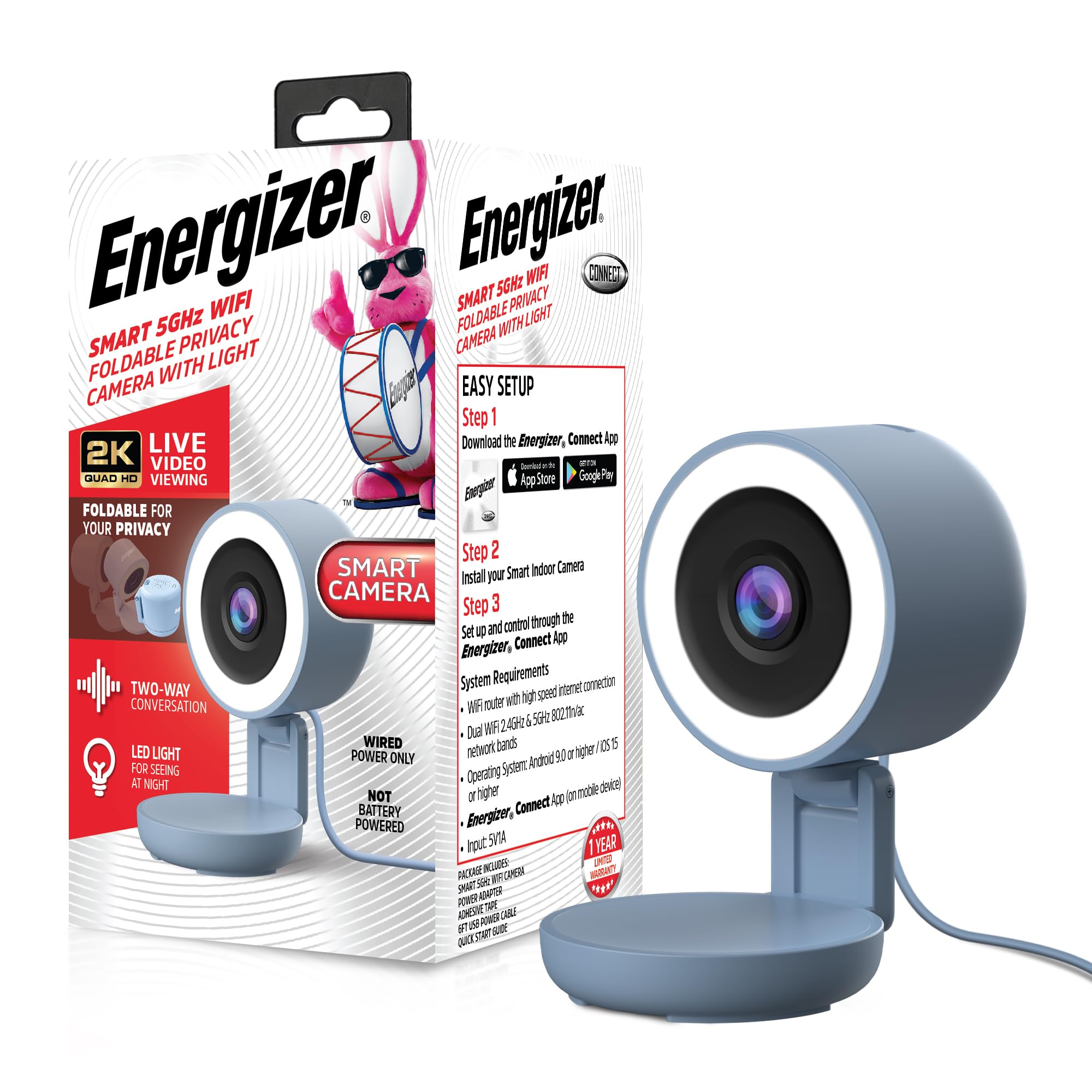
Image 1.1: Energizer Smart 2K Wired Indoor Camera with its foldable privacy feature.
2. Pakuotės turinys
Patikrinkite, ar pakuotėje yra visi reikalingi daiktai:
- Energizer Smart 2K Wired Indoor Camera
- USB maitinimo adapteris
- USB maitinimo laidas
- Greitos pradžios vadovas

Image 2.1: Product packaging illustrating included components and initial setup steps.
3. Sąrankos instrukcijos
Follow these steps to set up your Energizer Smart 2K Wired Indoor Camera:
- Download the Energizer Connect App: Ieškokite "Energizer Connect" on the Google Play Store (for Android devices) or the Apple App Store (for iOS devices) and install the application.
- Sukurti paskyrą: Open the Energizer Connect App and follow the on-screen prompts to create a new user account or log in if you already have one.
- Įjunkite fotoaparatą: Connect the provided USB power cable to the camera and the USB power adapter. Plug the adapter into a standard wall outlet. The camera's indicator light will begin to flash, indicating it is ready for pairing.
- Pridėti įrenginį programėlėje: In the Energizer Connect App, tap the "+" icon to add a new device. Select "Camera" or the specific camera model if prompted.
- Prisijunkite prie „Wi-Fi“: Follow the app's instructions to connect the camera to your home Wi-Fi network. Ensure your Wi-Fi network is 2.4GHz or 5GHz. You may need to scan a QR code displayed on your phone with the camera lens.
- Padėkite kamerą: Place the camera on a flat, stable surface. The foldable design allows for angle adjustment.
Sistemos reikalavimai:
- Wi-Fi router with high-speed internet connection
- Dual Wi-Fi 2.4GHz & 5GHz 802.11n/ac network bands
- Operating System: Android 9.0 or higher / iOS 15 or higher
- Energizer Connect App (on mobile device)

Image 3.1: The Energizer Connect App interface for managing the camera and receiving alerts.
4. Naudojimo instrukcijos
4.1 Tiesiogiai View
Open the Energizer Connect App and select your camera from the device list to view the live video feed. You can monitor your space in real-time from anywhere with an internet connection.
4.2 Dvipusis garsas
To use the two-way audio feature, tap the microphone icon within the live view interface of the app. You can then speak through your phone, and your voice will be projected through the camera's speaker. Release the icon to listen. This allows for communication with individuals or pets in the camera's vicinity.

Image 4.1: Demonstrating the two-way audio feature via the Energizer Connect App.
4.3 Judesio aptikimas ir įspėjimai
The camera is equipped with motion detection capabilities. When motion is detected, the camera can send instant notifications to your smartphone via the Energizer Connect App. You can customize alert sensitivity and schedules within the app settings.
4.4 Vaizdo įrašymas ir saugojimas
The camera supports two storage options for recorded video footage:
- MicroSD Card (Local Storage): Insert a microSD card (up to 128GB, not included) into the designated slot on the camera. The camera will automatically record events or continuous footage based on your app settings.
- Saugykla debesyje: An optional cloud storage service is available, often with a free trial period. This allows for remote access to recorded footage without the need for a local storage device. Details and subscription options are available within the Energizer Connect App.

Image 4.2: The camera supports microSD card for local video recording.
4.5 Naktinis matymas
The camera automatically switches to night vision mode in low-light conditions, utilizing its built-in LED lights to provide clear black and white video footage.
4.6 Privacy Mode (Foldable Design)
The camera features a foldable design. When you wish to ensure privacy, you can fold the camera head down, physically blocking the lens. This acts as a visual indicator and physical barrier for privacy.

Image 4.3: The camera's foldable design provides a privacy option.
5. Priežiūra
Norėdami užtikrinti optimalų fotoaparato veikimą ir ilgaamžiškumą:
- Valymas: Švelniai nuvalykite fotoaparato objektyvą ir korpusą minkštu, sausu skudurėliu. Venkite naudoti stiprias chemines medžiagas ar abrazyvines medžiagas.
- Programinės įrangos atnaujinimai: Regularly check the Energizer Connect App for firmware updates. Keeping the camera's software up-to-date ensures access to the latest features and security enhancements.
- Vieta: Ensure the camera is placed in a location where it is not exposed to extreme temperatures, direct sunlight, or moisture.
6. Problemų sprendimas
If you encounter issues with your Energizer Smart 2K Wired Indoor Camera, refer to the following common solutions:
- Fotoaparatas neprisijungia prie „Wi-Fi“:
- Įsitikinkite, kad jūsų „Wi-Fi“ tinklas yra 2.4 GHz arba 5 GHz dažnio.
- Patikrinkite, ar programoje teisingai įvestas „Wi-Fi“ slaptažodis.
- Perkelkite kamerą arčiau „Wi-Fi“ maršrutizatoriaus, kad pagerintumėte signalo stiprumą.
- Iš naujo paleiskite „Wi-Fi“ maršrutizatorių ir fotoaparatą.
- Ensure your mobile device meets the minimum operating system requirements (Android 9.0+ / iOS 15+).
- Nėra tiesioginio vaizdo transliacijos:
- Patikrinkite savo interneto ryšį.
- Confirm the camera is powered on and connected to Wi-Fi.
- Close and reopen the Energizer Connect App.
- Neveikia dvipusis garsas:
- Ensure your phone's microphone is enabled for the Energizer Connect App in your device settings.
- Patikrinkite garsumo nustatymus telefone ir programėlėje.
- Verify there are no obstructions blocking the camera's speaker or microphone.
- Judesio įspėjimai negaunami:
- Check the notification settings for the Energizer Connect App on your smartphone.
- Verify that motion detection is enabled and configured correctly within the app.
- Adjust motion detection sensitivity if necessary.
7. Specifikacijos
| Funkcija | Specifikacija |
|---|---|
| Modelio numeris | EIX1-1006 |
| Naudojimas viduje / lauke | Vidinis |
| Vaizdo įrašymo raiška | 2K |
| Ryšio protokolas | „Wi-Fi“ (2.4 GHz ir 5 GHz) |
| Maitinimo šaltinis | Su laidu elektra |
| Valdiklio tipas | App (Energizer Connect) |
| Montavimo tipas | Stalviršio laikiklis |
| Ypatingos savybės | 2-Way Audio, Built-In Light, Local Recording, Motion Sensor, Night Vision, Foldable for Privacy |
| Saugojimo parinktys | „MicroSD“ (iki 128 GB), debesies saugykla (pasirinktinai) |
| Gaminio matmenys (I x P x A) | 2.5 x 2.8 x 4.7 colio |
| Prekės svoris | 8 uncijos |
| UPC | 805106873219 |
8. Garantija ir palaikymas
The Energizer Smart 2K Wired Indoor Camera comes with a 1 metų ribota garantija. For warranty claims or technical assistance, please refer to the Energizer Connect App for support resources or visit the official Energizer Connect websvetainėje. Išsaugokite pirkimo kvitą kaip pirkimo įrodymą garantijos tikslais.


