1. Įvadas ir pabaigaview
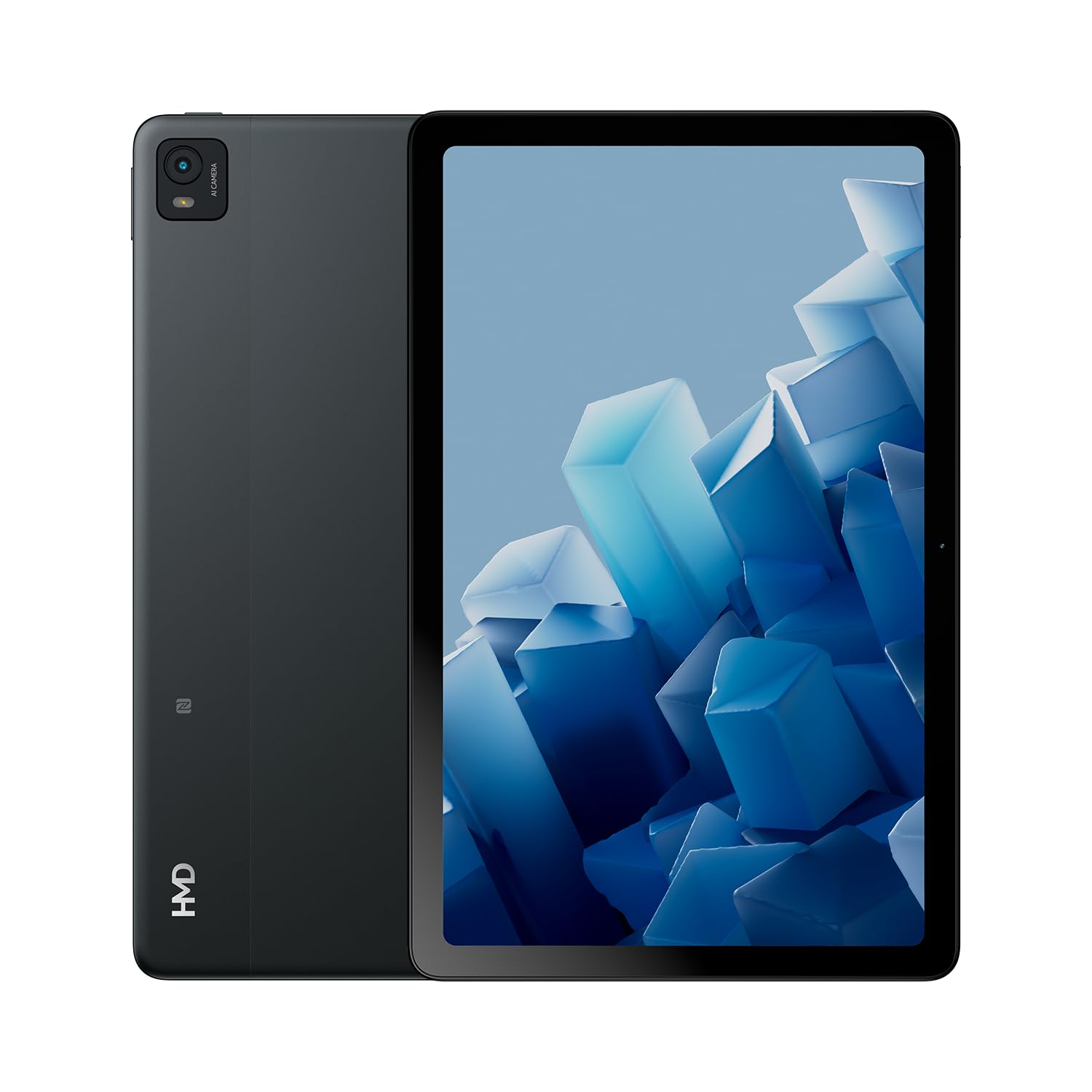
The HMD T21 tablet is designed for entertainment and productivity, featuring a clear 10.36-inch HD display and immersive audio. It supports an active pen for creative tasks and offers extended screen real estate for computer integration. Enjoy long-lasting battery performance with monthly security updates until summer 2027.
- Fortress of Security: Bank, surf, and shop online fearlessly with monthly security updates until the summer of 2027.
- Įtraukiančios pramogos: Dive deep into entertainment on the clear 10.36-inch cover glass display with immersive audio.
- Pailgintas akumuliatoriaus veikimo laikas: Stay powered up with an 8200 mAh battery, offering up to 3 days of usage and 18W fast charge support with 800 full charging cycles.
- Creative and Productive: Unleash your creativity with active pen support and enhance productivity by using the tablet as additional screen real estate for your computer.
- Crystal Clear Audio-Visuals: Enjoy HD video for calls and streaming, complemented by stereo speakers with OZO playback.

2. Kas yra dėžutėje
Your HMD T21 package includes the following items:
- HMD T21 Tablet
- USB kabelis
- Maitinimo adapteris
- Sim Pin
- Vartotojo vadovas
- Greitos pradžios vadovas
- Saugos knygelė

3. Sąranka
3.1 Pradinis įjungimas
- Press and hold the Power button (located on the side) until the HMD logo appears on the screen.
- Vykdykite ekrane pateikiamus nurodymus, kad pasirinktumėte kalbą, prisijunkite prie „Wi-Fi“ tinklo ir sukonfigūruotumėte „Google“ paskyrą.
3.2 Įrenginio įkrovimas
Before first use, it is recommended to fully charge your HMD T21 tablet.
- Prijunkite USB laidą prie planšetinio kompiuterio USB-C prievado.
- Kitą USB laido galą prijunkite prie maitinimo adapterio.
- Įkiškite maitinimo adapterį į sieninį lizdą.
- The battery icon on the screen will indicate charging status. The tablet supports 18W fast charging.
3.3 Inserting a SIM Card (if applicable)
If your model supports cellular connectivity, follow these steps:
- Planšetinio kompiuterio šone raskite SIM kortelės dėklą.
- Insert the provided SIM pin into the small hole on the tray to eject it.
- Įdėkite nano-SIM kortelę (-es) ir (arba) „microSD“ kortelę į dėklą auksiniais kontaktais žemyn.
- Atsargiai įstatykite dėklą atgal į planšetinį kompiuterį.
4. Naudojimo instrukcijos
4.1 Ekrano navigacija
The HMD T21 features a 10.36-inch HD display. Navigate the interface using touch gestures:
- Bakstelėkite: Pasirinkite elementą arba atidarykite programėlę.
- Perbraukimas: Slinkite per ekranus arba sąrašus.
- Žiupsnelis, norint priartinti: Priartinkite arba atitolinkite nuotraukas ir web puslapių.
- Ilgas paspaudimas: Pasiekite kontekstinius meniu arba perkelkite programų piktogramas.

4.2 Kameros naudojimas
The tablet is equipped with an 8MP rear camera and an 8MP front camera for photos and video calls.
- Pradiniame ekrane atidarykite programėlę „Kamera“.
- Norėdami nufotografuoti, palieskite užrakto mygtuką.
- Perjunkite priekinę ir galinę kameras naudodami kameros perjungimo piktogramą.
- Pasirinkite vaizdo įrašymo režimą, kad įrašytumėte vaizdo įrašus.
4.3 Garsas ir jungiamumas
Enjoy clear audio through the stereo speakers with OZO playback. Connect to the internet via Wi-Fi (802.11a/b/g/n/ac) or cellular data (if supported by your model).
- „Wi-Fi“: Eikite į Nustatymai > Tinklas ir internetas > „Wi-Fi“, kad prisijungtumėte prie galimų tinklų.
- Bluetooth: Eikite į Nustatymai > Prijungti įrenginiai > „Bluetooth“, kad susietumėte su „Bluetooth“ priedais.
- Ausinių lizdas: Use the 3.5mm audio jack for wired headphones.
5. Priežiūra
5.1 Akumuliatoriaus priežiūra
Norėdami pailginti baterijos veikimo laiką ir ilgaamžiškumą:
- Venkite ekstremalių temperatūrų.
- Optimaliam įkrovimui naudokite pridedamą įkroviklį.
- Periodically allow the battery to discharge below 20% before recharging.
5.2 Programinės įrangos naujiniai
HMD provides monthly security updates until summer 2027 to keep your device secure and up-to-date.
- Go to Settings > System > System update to check for and install available updates.
5.3 Įrenginio valymas
Planšetinio kompiuterio ekraną ir korpusą valykite minkštu, nepūkuotu audiniu. Venkite stiprių cheminių medžiagų ar abrazyvinių medžiagų.
6. Problemų sprendimas
If you encounter issues with your HMD T21, try the following basic troubleshooting steps:
- Iš naujo paleiskite įrenginį: Paspauskite ir palaikykite maitinimo mygtuką, tada palieskite Paleisti iš naujo.
- Patikrinkite, ar yra programinės įrangos atnaujinimų: Įsitikinkite, kad jūsų įrenginyje veikia naujausia programinės įrangos versija.
- Išvalyti programėlės talpyklą: If an app is misbehaving, go to Settings > Apps > [App Name] > Storage & cache > Clear cache.
- Gamyklinių parametrų atkūrimas (kraštutinė priemonė): If problems persist, you may need to perform a factory reset. Back up your data first. Go to Settings > System > Reset options > Erase all data (factory reset).
7. Specifikacijos
| Funkcija | Specifikacija |
|---|---|
| Modelio pavadinimas | T21 (TA-1597) |
| Operacinė sistema | Android 13 |
| Ekrano dydis | 10.36 colių |
| Ekrano raiška | 2000 x 1200 pikselių |
| Procesorius | 1.8 GHz Unisoc |
| Atmintis (RAM) | 4 GB |
| Sandėliavimo talpa | 64 GB (išplečiama naudojant „microSD“) |
| Galinis Webkumštelio raiška | 8 MP |
| Priekinės kameros skiriamoji geba | 8 MP |
| Baterijos veikimo laikas (vidutinis) | 24 Hours (up to 3 days with typical usage) |
| Greito įkrovimo palaikymas | 18W |
| Belaidis tipas | 802.11a, 802.11ac, 802.11b, 802.11g, 802.11n |
| Prekės svoris | 1.04 svaro |
| Gaminio matmenys | 6.19 x 9.75 x 0.3 colio |
| Spalva | Juodas Plienas |

8. Garantija ir palaikymas
Your HMD T21 tablet comes with a manufacturer's warranty. Please refer to the warranty card included in your package for specific terms and conditions.
For technical support, troubleshooting assistance, or warranty claims, please visit the official HMD support website or contact customer service through the details provided in your product documentation.


