1. Įvadas
Thank you for choosing the ILEBYGO Mini Projector B0F83Q1HHT. This portable projector is designed to provide a versatile entertainment experience with its Android 13 operating system, WiFi 6, Bluetooth 5.0, 1080P Full HD resolution with 4K support, 320 ANSI lumens brightness, 270-degree rotation, auto keystone correction, and autofocus. This manual provides essential information for setting up, operating, and maintaining your projector.
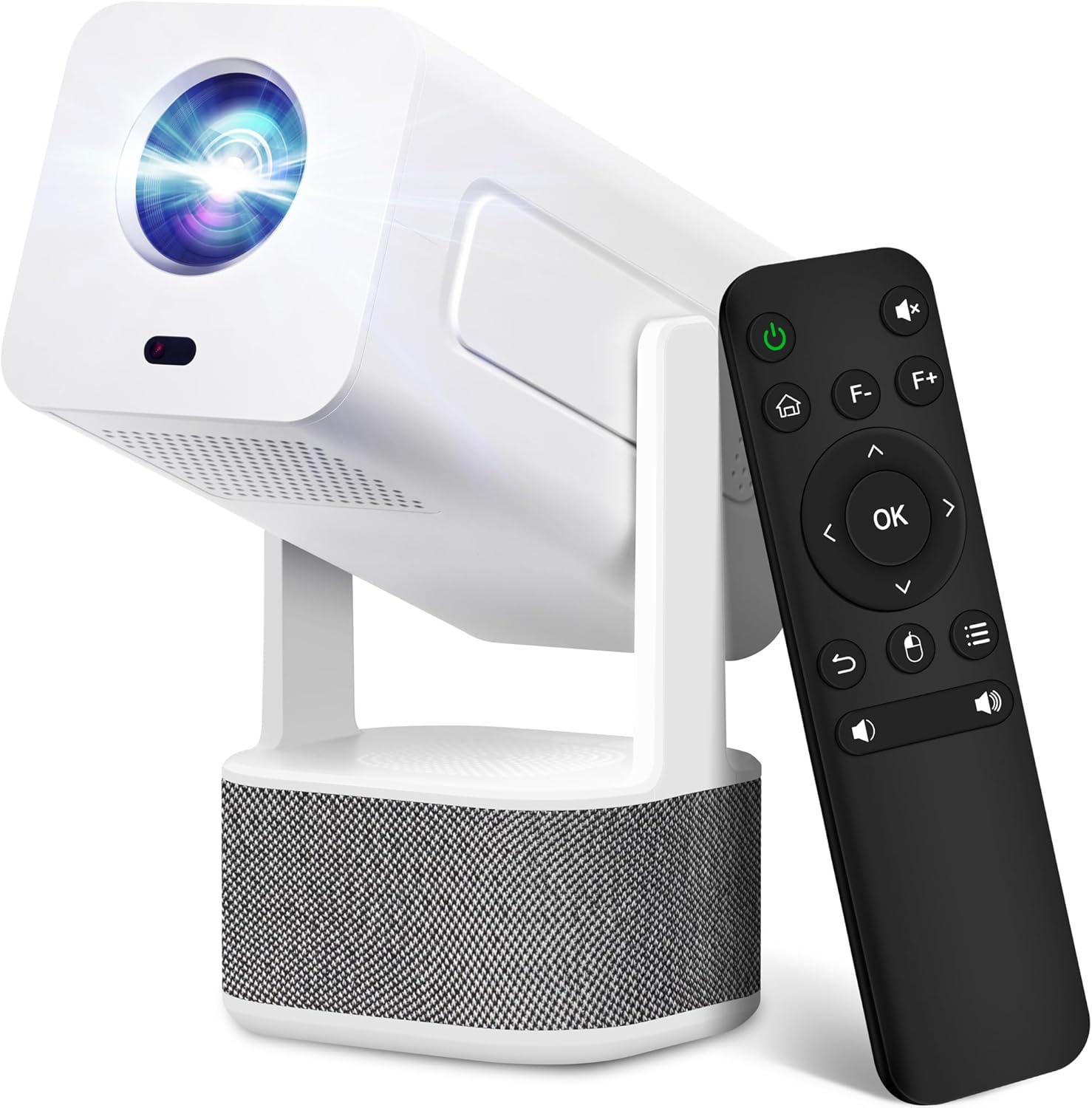
Image 1.1: ILEBYGO Mini Projector and Remote Control
The ILEBYGO Mini Projector B0F83Q1HHT offers a projection size ranging from 30 to 200 inches, making it suitable for various environments from small rooms to outdoor settings. Its dual 5W speakers deliver integrated audio, and multiple connectivity options ensure compatibility with a wide range of devices.
2. Kas yra dėžutėje
Patikrinkite siuntinio turinį. Jei trūksta kokių nors daiktų arba jie pažeisti, susisiekite su klientų aptarnavimo tarnyba.
- 1x ILEBYGO Mini Projector
- 1x vartotojo vadovas
- 1x maitinimo adapteris
- 1x nuotolinio valdymo pultas
3. Sąrankos vadovas
3.1. Įjungimas
- Prijunkite maitinimo adapterį prie projektoriaus nuolatinės srovės įvesties prievado.
- Įkiškite maitinimo adapterį į sieninį lizdą.
- Norėdami įjungti įrenginį, paspauskite projektoriaus arba nuotolinio valdymo pulto maitinimo mygtuką.

Image 3.1: Projector Connectivity Ports (DC, HDMI, USB, Audio)
3.2. Initial Placement and Adjustment
The projector features a 270-degree rotatable design, allowing flexible placement.
- Padėkite projektorių ant stabilaus paviršiaus.
- Adjust the projector's angle to direct the image onto your desired projection surface (wall, screen, ceiling).
- The projector will automatically perform keystone correction and autofocus to optimize the image clarity and shape.
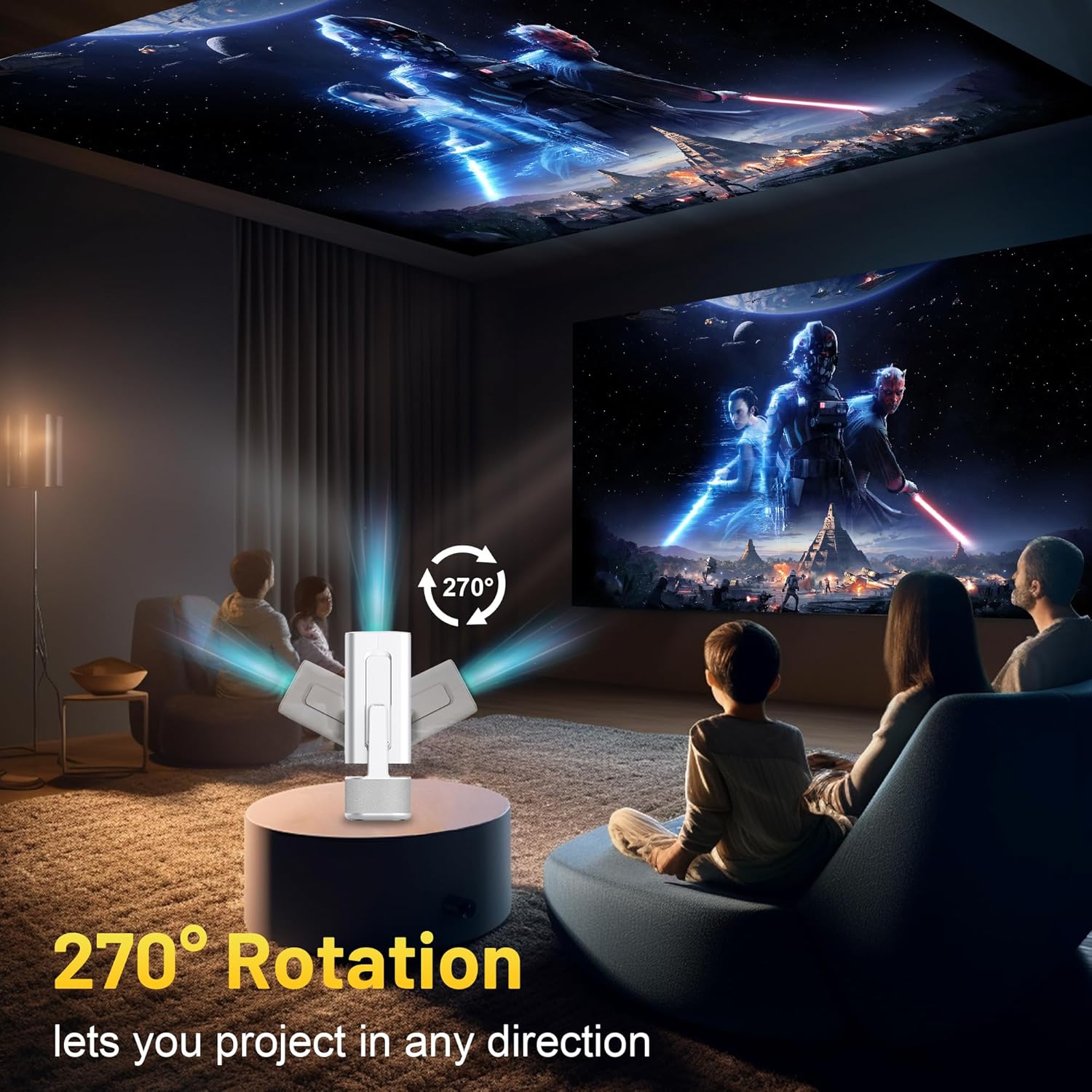
Image 3.2: 270-Degree Rotation Capability
3.3. Tinklo ryšys („Wi-Fi“)
To access online content and streaming services, connect the projector to a Wi-Fi network.
- From the home screen, navigate to 'Settings'.
- Pasirinkite „Tinklas ir internetas“.
- Įjunkite „Wi-Fi“ ir iš sąrašo pasirinkite norimą tinklą.
- Jei būsite paraginti, įveskite „Wi-Fi“ slaptažodį ir prisijunkite.

Image 3.3: Dual Band WiFi 6 and Bluetooth 5.0
3.4. „Bluetooth“ poravimas
Pair Bluetooth devices like external speakers or headphones for enhanced audio.
- From the home screen, navigate to 'Settings'.
- Select 'Connected Devices' or 'Bluetooth'.
- Įjunkite Bluetooth.
- Įjunkite „Bluetooth“ įrenginį į poravimo režimą.
- Select your device from the list of available devices on the projector screen to pair.
4. Naudojimo instrukcijos
4.1. Navigacija
Use the included remote control to navigate the projector's interface. The directional buttons, 'OK' button, 'Back' button, and 'Home' button are primary controls.
4.2. App Usage (Android 13)
The projector runs on Android 13 and comes with pre-installed streaming applications.
- From the home screen, select the desired application (e.g., Netflix, YouTube, Prime Video).
- Jei reikia, prisijunkite naudodami savo paskyros kredencialus.
- Browse and play content as you would on any Android smart device.
- Additional apps can be downloaded from the Google Play Store.

Image 4.1: Built-in Android 13 System with Apps
4.3. Screen Mirroring/Casting
Mirror content from your smartphone, tablet, or computer wirelessly.
- Ensure both the projector and your device are connected to the same Wi-Fi network.
- On the projector, select the screen mirroring/casting application (e.g., Miracast, AirPlay).
- On your mobile device, enable screen mirroring or casting and select the projector from the list of available devices.
4.4. External Device Connection (HDMI, USB)
Connect external devices such as laptops, gaming consoles, or USB drives.
- HDMI: Connect an HDMI cable from your device to the HDMI port on the projector. Select the HDMI input source from the projector's input menu.
- USB: Insert a USB drive into the USB port. The projector's file manager will typically open automatically, allowing you to browse and play media files.

Image 4.2: Multi-Device Compatibility
4.5. Vaizdo koregavimas
The projector features automatic adjustments for convenience.
- Auto Keystone korekcija: The projector automatically corrects vertical image distortion. If manual adjustment is needed, navigate to 'Settings' > 'Projection Settings' > 'Keystone Correction'.
- Automatinis fokusavimas: The image will automatically focus when the projector is moved or powered on. Manual focus adjustment can be found in 'Settings' > 'Projection Settings' > 'Focus'.
- Mastelio keitimas: Adjust the projection size from 50% to 100% without moving the projector. This setting is typically found in 'Settings' > 'Projection Settings' > 'Zoom'.

Image 4.3: Auto Keystone Correction and Autofocus
5. Priežiūra
5.1. Valymas
- Objektyvas: Naudokite minkštą, nepūkuotą šluostę, specialiai skirtą optiniams lęšiams. Venkite abrazyvinių medžiagų ar stiprių cheminių medžiagų.
- Išorė: Projektoriaus išorę nuvalykite minkšta, sausa šluoste. Nenaudokite skystų valiklių tiesiai ant įrenginio.
- Vėdinimas: Įsitikinkite, kad ventiliacijos angos nėra dulkės ir neužsikimšusios, kad išvengtumėte perkaitimo.
5.2. Sandėliavimas
When not in use, store the projector in a cool, dry place away from direct sunlight and extreme temperatures. Use the original packaging or a protective case to prevent dust accumulation and physical damage.
6. Problemų sprendimas
Dažniausiai pasitaikančias problemas ir jų sprendimus žr. toliau pateiktoje lentelėje.
| problema | Galima priežastis | Sprendimas |
|---|---|---|
| Nėra galios | Power cable not connected; Power outlet malfunction | Įsitikinkite, kad maitinimo laidas yra tvirtai prijungtas. Išbandykite kitą maitinimo lizdą. |
| Nėra vaizdo | Neteisingas įvesties šaltinis; Įrenginys neprijungtas; Projektorius veikia budėjimo režimu | Select correct input source (HDMI, USB). Ensure external device is powered on and connected. Press power button to wake projector. |
| Neryškus vaizdas | Out of focus; Keystone not corrected | Allow autofocus to adjust. Manually adjust focus in settings if needed. Check keystone correction settings. |
| Nėra garso | Volume too low; Muted; External audio device not connected/paired | Increase volume. Unmute projector. Ensure Bluetooth audio device is paired and connected, or external speakers are properly connected via audio jack. |
| „Wi-Fi“ ryšio problemos | Incorrect password; Network interference; Router issues | Patikrinkite „Wi-Fi“ slaptažodį. Perkelkite projektorių arčiau maršrutizatoriaus. Paleiskite maršrutizatorių iš naujo. |
| „Bluetooth“ susiejimo klaida | Device not in pairing mode; Interference; Device too far | Ensure Bluetooth device is in pairing mode. Keep devices close. Turn off other Bluetooth devices to reduce interference. |
7. Specifikacijos
| Funkcija | Detalė |
|---|---|
| Prekės ženklas | ILEBYGO |
| Modelis | B0F83Q1HHT |
| Ekrano raiška | 1920 x 1080 (Full HD), 4K Support |
| Ryškumas | 320 ANSI liumenai |
| Ryšio technologija | Bluetooth 5.0, HDMI, USB, Wi-Fi 6 (2.4G+5G) |
| Operacinė sistema | Android 13 |
| Ypatingos savybės | Auto Keystone Correction, Autofocus, 270° Rotation, Built-in Dual 5W Speakers |
| Projekcijos dydis | 30–200 colių |
| Krašto santykis | 16:9 / 4:3 |
| Prekės svoris | 2.72 svaro |
| Pakuotės matmenys | 13.54 x 5.39 x 5.2 colio |
8. Garantija ir palaikymas
The ILEBYGO Mini Projector B0F83Q1HHT comes with a standard manufacturer's warranty. Please refer to the warranty card included in your package for specific terms and conditions.
For technical support, troubleshooting assistance, or warranty claims, please contact ILEBYGO customer service through the retailer's platform or the contact information provided in your product documentation.


