Įvadas
Thank you for choosing the HWWR T25T Portable Bluetooth Karaoke Speaker. This manual provides essential information for the safe and efficient operation of your device. Please read it thoroughly before use and retain it for future reference.
The HWWR T25T is designed to deliver a powerful and immersive audio experience with its dual 5.25-inch full-range drivers and 360-degree sound projection. It includes two wireless microphones for enhanced vocal performance and dynamic lighting effects to complement your audio.
Pakuotės turinys
Patikrinkite, ar jūsų siuntinyje yra visi toliau išvardyti daiktai:
- 1 x HWWR T25T Karaoke Machine
- 2x belaidžiai mikrofonai
- 1x USB įkrovimo laidas
- 1 x AUX kabelis

Image: The HWWR T25T Karaoke Machine with its two accompanying wireless microphones, USB charging cable, and AUX cable.
Produktas baigtasview
Pagrindinis vienetas
The main unit features a control panel on the top for easy access to functions, a speaker grille on the front, and dynamic RGB lighting. It includes various input ports for versatile connectivity.

Paveikslėlis: detalus view of the HWWR T25T's control panel and various connection methods including Bluetooth, USB, TF Card, and AUX In.
Belaidžiai mikrofonai
The two included wireless microphones utilize 2.4G Bluetooth technology with APTX HD decoders for clear, low-latency sound transmission. They are designed for comfortable handling and reliable performance.

Image: A close-up of one of the wireless microphones, highlighting its design and controls.
Sąranka
1. Charging the Main Unit
- Connect the provided USB charging cable to the USB Type-C port on the karaoke machine and to a compatible USB power adapter (not included).
- Užsidegs įkrovimo indikatorius. Pilnas įkrovimas trunka maždaug 2 valandas.
- The unit provides over 12 hours of playback time on a full charge.
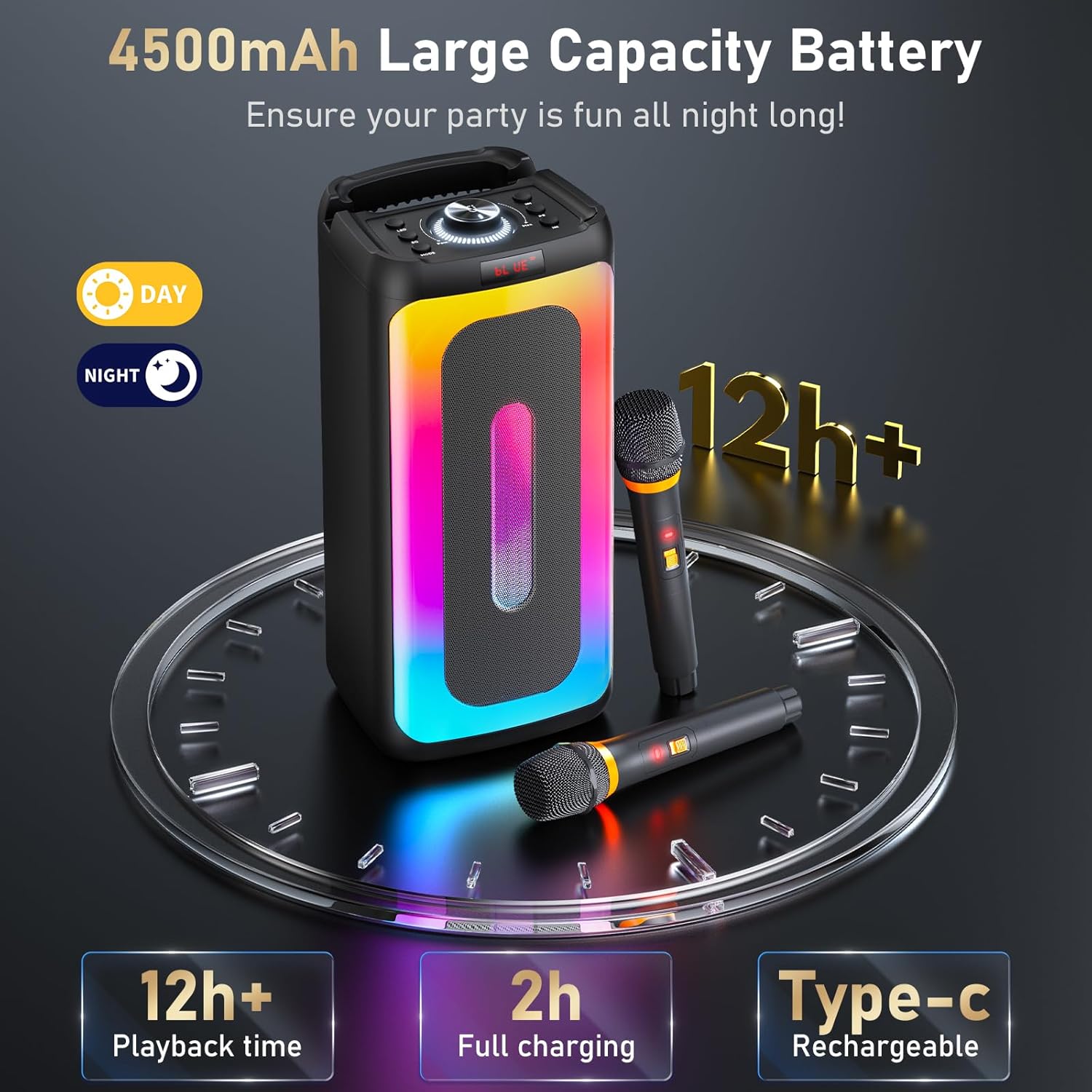
Image: Illustration of the 4500mAh large capacity battery, showing 2 hours for full charging and 12+ hours of playback time.
2. Mikrofono baterijų įdėjimas
- The wireless microphones do not come with batteries installed. Open the battery compartment on each microphone.
- Insert two AA batteries (not included) into each microphone, ensuring correct polarity.
- Saugiai uždarykite akumuliatoriaus skyrių.
3. Įjungimas
- Press and hold the Power button on the main unit to turn it on.
- Press the power button on each wireless microphone to turn them on. They will automatically pair with the main unit.
Naudojimo instrukcijos
Bluetooth ryšys
- Ensure the karaoke machine is powered on and in Bluetooth mode (indicated by 'BLUE' on the display). If not, press the 'MODE' button to switch modes.
- Įjunkite „Bluetooth“ savo išmaniajame telefone, planšetiniame kompiuteryje arba kompiuteryje.
- Ieškokite 'HWWR T25T' in the list of available devices and select it to pair.
- Prijungę, galite leisti garsą iš savo įrenginio per karaoke aparatą.
USB/TF kortelės atkūrimas
- Insert a USB drive or TF card containing audio files into the respective port on the main unit.
- The machine will automatically switch to USB or TF card mode and begin playing audio. If not, press the 'MODE' button to select the correct input.
- Use the control panel buttons to play, pause, skip tracks, and adjust volume.
AUX įvestis
- Connect one end of the provided AUX cable to the AUX In port on the karaoke machine.
- Connect the other end to the audio output jack of your external device (e.g., TV, MP3 player).
- Press the 'MODE' button to select AUX input. Audio from your external device will now play through the speaker.
Mikrofono naudojimas
- Ensure microphones are powered on and paired with the main unit.
- Adjust microphone volume using the dedicated controls on the main unit.
- The microphones feature intelligent noise reduction for clear vocal pickup.
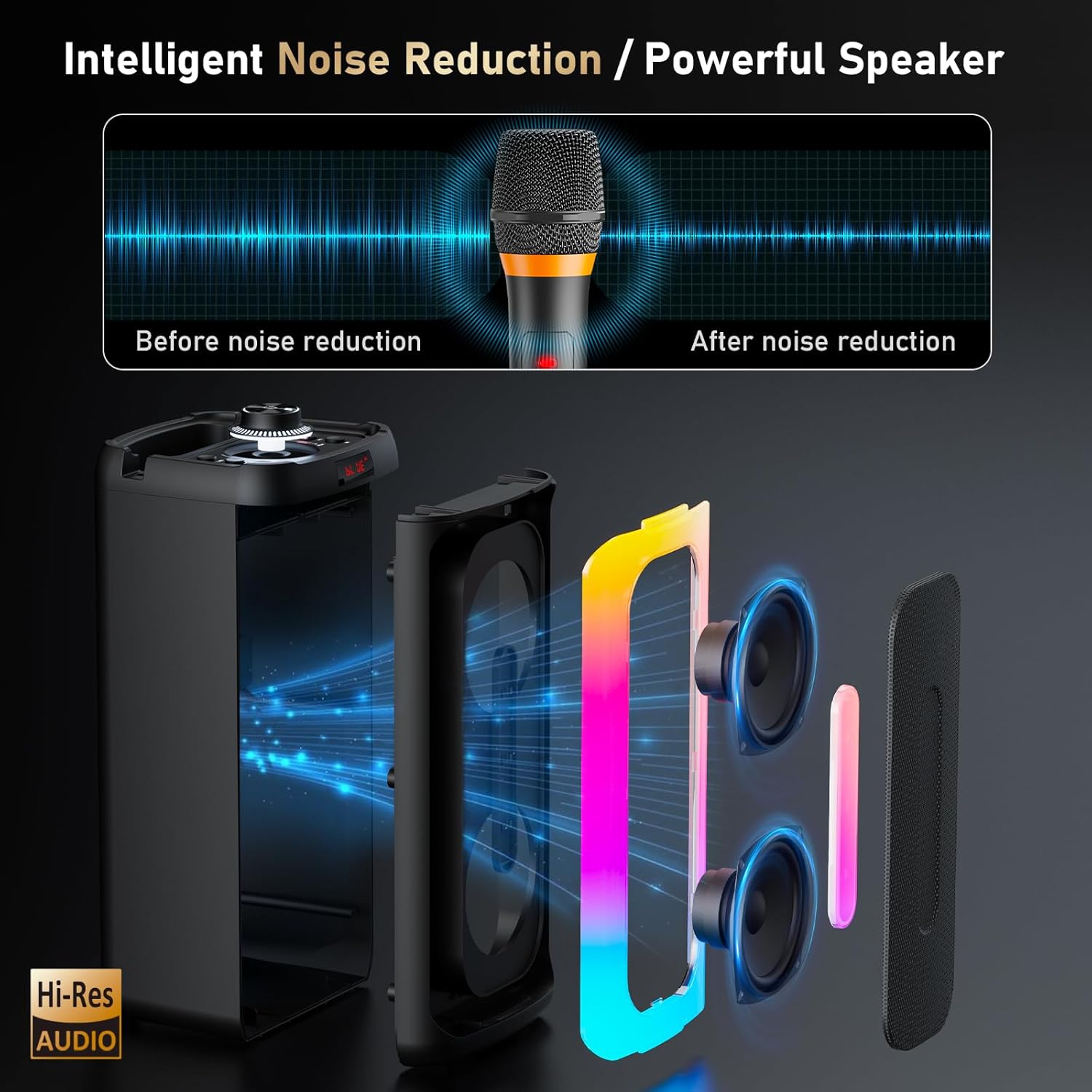
Image: A visual representation of the intelligent noise reduction feature, illustrating sound before and after processing by the microphone.
Dinaminiai apšvietimo efektai
- The karaoke machine features open passive light and a vibrant gradient light ring that syncs with your music.
- Press the 'LED' button on the control panel to cycle through different light modes or turn the lights off.

Image: Several HWWR T25T units showcasing different multicolor light patterns, demonstrating the dynamic lighting feature.
Priežiūra
- Valymas: Use a soft, dry cloth to clean the exterior of the karaoke machine and microphones. Do not use liquid cleaners or abrasive materials.
- Saugykla: Kai ilgesnį laiką nenaudojate prietaiso, laikykite jį vėsioje, sausoje vietoje, apsaugotoje nuo tiesioginių saulės spindulių ir ekstremalių temperatūrų.
- Akumuliatoriaus priežiūra: For optimal battery life, fully charge the unit before long-term storage and recharge it every 3 months. Remove batteries from microphones if not used for a long time.
- Venkite vandens: Saugokite prietaisą nuo vandens ir drėgmės, kad nesugadintumėte.
Trikčių šalinimas
| Problema | Galima priežastis | Sprendimas |
|---|---|---|
| Nėra galios | Battery drained; Power button not pressed | Charge the unit; Press and hold the Power button |
| Nėra garso iš garsiakalbio | Per mažas garsumas; Neteisingas įvesties režimas; Įrenginys neprijungtas | Increase volume; Select correct input mode (Bluetooth, USB, TF, AUX); Reconnect device |
| Mikrofonai neveikia | Microphone batteries low/dead; Microphones not powered on; Not paired | Replace microphone batteries; Power on microphones; Ensure microphones are within range and paired |
| „Bluetooth“ ryšys nestabilus | Įrenginys per toli; trukdžiai | Move device closer to speaker; Avoid obstacles; Turn off other Bluetooth devices |
Specifikacijos
- Modelis: „T25T“
- Prekės svoris: 5.29 svaro
- Gaminio matmenys: 8.5 x 8 x 16 colio
- Galia: 80W
- Ryšys: Bluetooth, USB, TF Card, AUX In
- Mikrofono tipas: 2.4G belaidis ryšys
- Baterijos talpa: 4500 mAh
- Įkrovimo laikas: Maždaug 2 val
- Atkūrimo laikas: Daugiau nei 12 XNUMX valandų
- Suderinami įrenginiai: Smartphones, Tablets, Computers, Bluetooth-enabled devices, Musical instruments with a 6.35 mm cable
- Įtraukti komponentai: Karaoke machine, 2 Wireless microphones, USB Cable, AUX Cable
Garantija ir palaikymas
Informacija apie garantiją
HWWR provides a 12-month warranty for any quality-related problems from the date of purchase. Please retain your proof of purchase for warranty claims.
Pagalba klientams
Should you encounter any questions or problems with your HWWR T25T Karaoke Machine, please do not hesitate to contact our support team. We are dedicated to assisting you.
- Telefonas: 757-943-7037
- El. paštas: service@hwwr.net
Image: A graphic illustrating customer support contact information, including phone and email.


