1. Įvadas
This manual provides detailed instructions for setting up, operating, and maintaining your Totolink X18 AX1800 Wi-Fi 6 Mesh Router System. This 3-pack system is designed to deliver extensive and reliable Wi-Fi coverage throughout your home, utilizing advanced Wi-Fi 6 technology for high-speed and efficient network performance.
The Totolink X18 system supports dual-band operation (2.4GHz and 5GHz), MU-MIMO, WPA3 security, and EasyMesh technology, ensuring a secure and seamless internet experience for multiple devices.
2. Pakuotės turinys
- 3 x Totolink X18 Mesh Routers
- 3 x maitinimo adapteriai
- 1 x Ethernet kabelis
- 1 x Quick Installation Guide (this manual serves as a comprehensive guide)
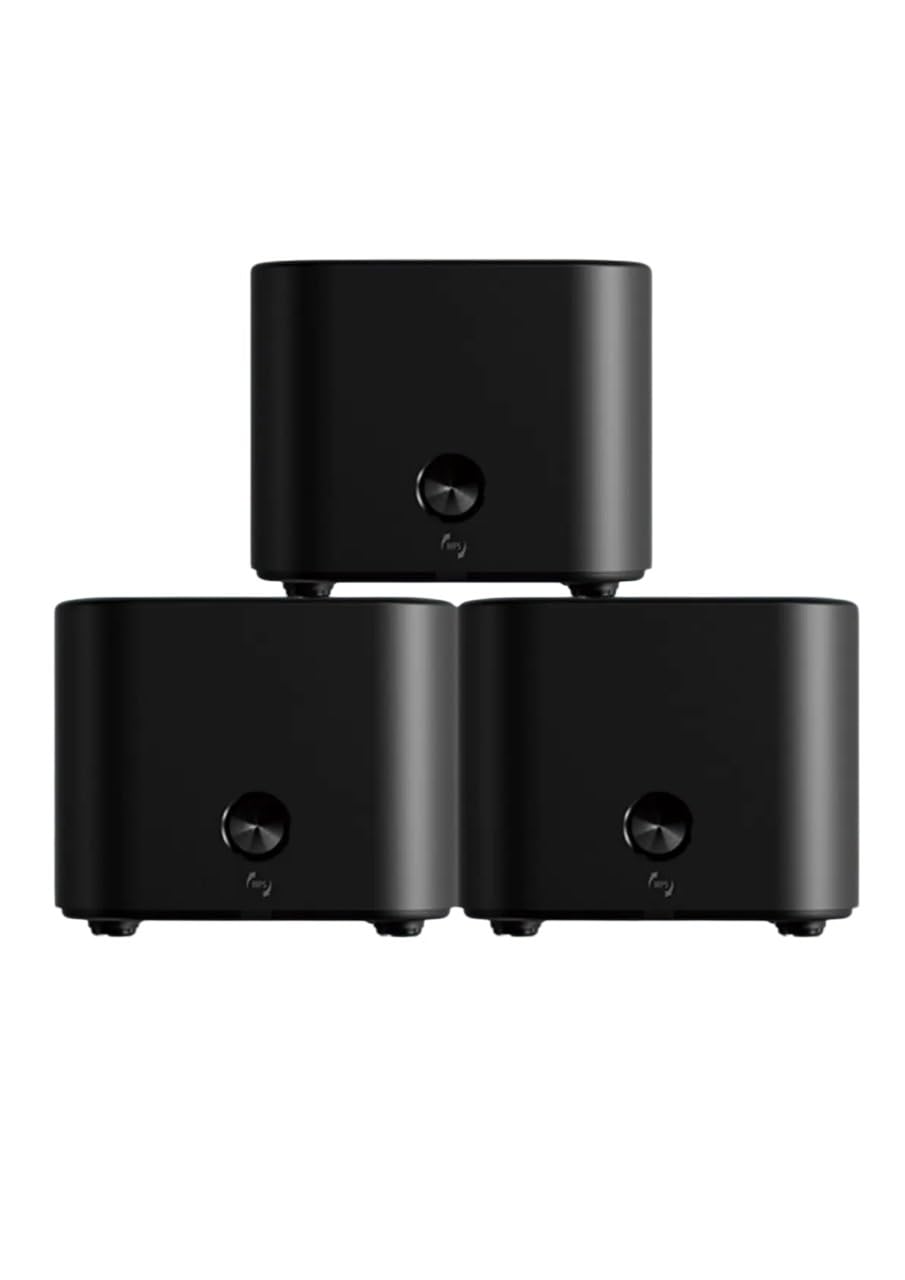
Image: The Totolink X18 Mesh Router system, showing three units and their compact design. This image represents the typical components included in the package.
3. Produktas baigtasview
Each Totolink X18 mesh router unit features a compact design with essential ports and indicators for easy management.
3.1 Priekinis skydelis
- LED indikatorius: Displays the status of the router (e.g., power, internet connection, mesh status).
- Prisijungimo mygtukas: Used for WPS or EasyMesh pairing.
3.2 Galinis skydelis
- WAN prievadas (geltonas): Prisijungia prie jūsų modemo arba interneto paslaugų teikėjo (IPT) įrangos.
- LAN prievadai (oranžiniai): Connects to wired devices such as computers, smart TVs, or gaming consoles. (Typically 2 LAN ports per unit).
- DC maitinimo įvestis: Jungiamas prie pridedamo maitinimo adapterio.
- Atkūrimo mygtukas: Naudojamas gamykliniams nustatymams atkurti (dažniausiai mažas mygtukas su skylute).

Vaizdas: Galinis view of a Totolink X18 mesh router unit, highlighting the WAN (yellow), LAN (orange), and DC power input ports. This illustrates the connectivity options available on each unit.
4. Sąrankos vadovas
Follow these steps to set up your Totolink X18 Mesh Router System.
4.1 Initial Router Setup (Main Unit)
- Išpakuoti: Remove all three X18 units and power adapters from the packaging.
- Padėtis: Place one X18 unit near your modem or internet service entry point. This will be your main router.
- Prisijungimas prie modemo: Connect one end of the provided Ethernet cable to the WAN port (yellow) of the main X18 unit and the other end to your modem's LAN port.
- Maitinimas: Connect the power adapter to the DC power input of the main X18 unit and plug it into a power outlet. The LED indicator will light up.
- Wait for Boot: Wait for the LED indicator to turn solid blue (or green, depending on model) which indicates a successful internet connection. This may take a few minutes.
4.2 Connecting Satellite Units (Mesh Pairing)
After setting up the main unit, you can add the other two units to create your mesh network.
- Padėties palydovų vienetai: Place the other two X18 units in locations where you need extended Wi-Fi coverage, ensuring they are within range of the main unit or another satellite unit.
- Maitinimas: Connect the power adapters to the satellite X18 units and plug them into power outlets.
- Automatinis susiejimas: The satellite units are designed to automatically detect and pair with the main unit. The LED indicator on the satellite units will change color (e.g., from blinking to solid blue/green) once successfully connected to the mesh network. This process may take a few minutes.
- Rankinis susiejimas (jei reikia): If automatic pairing fails, press the "Connect" button on the main unit, then within two minutes, press the "Connect" button on the satellite unit. The LEDs will flash during pairing and turn solid upon successful connection.
4.3 Pradinis „Wi-Fi“ ryšys
- Raskite tinklo pavadinimą (SSID): On your computer or smartphone, search for available Wi-Fi networks. The default SSID and password are usually printed on a label on the bottom of each X18 unit.
- Prisijunkite: Select your network name and enter the default password.
- Prieiga Web Sąsaja: Atidarykite a web naršyklę ir įveskite
http://itotolink.netor192.168.0.1into the address bar. Log in with the default username and password (usuallyadminabiem). - Tinkinti nustatymus: Follow the on-screen wizard to change your Wi-Fi name (SSID) and password for better security. It is highly recommended to change the default login credentials for the router's web interface as well.
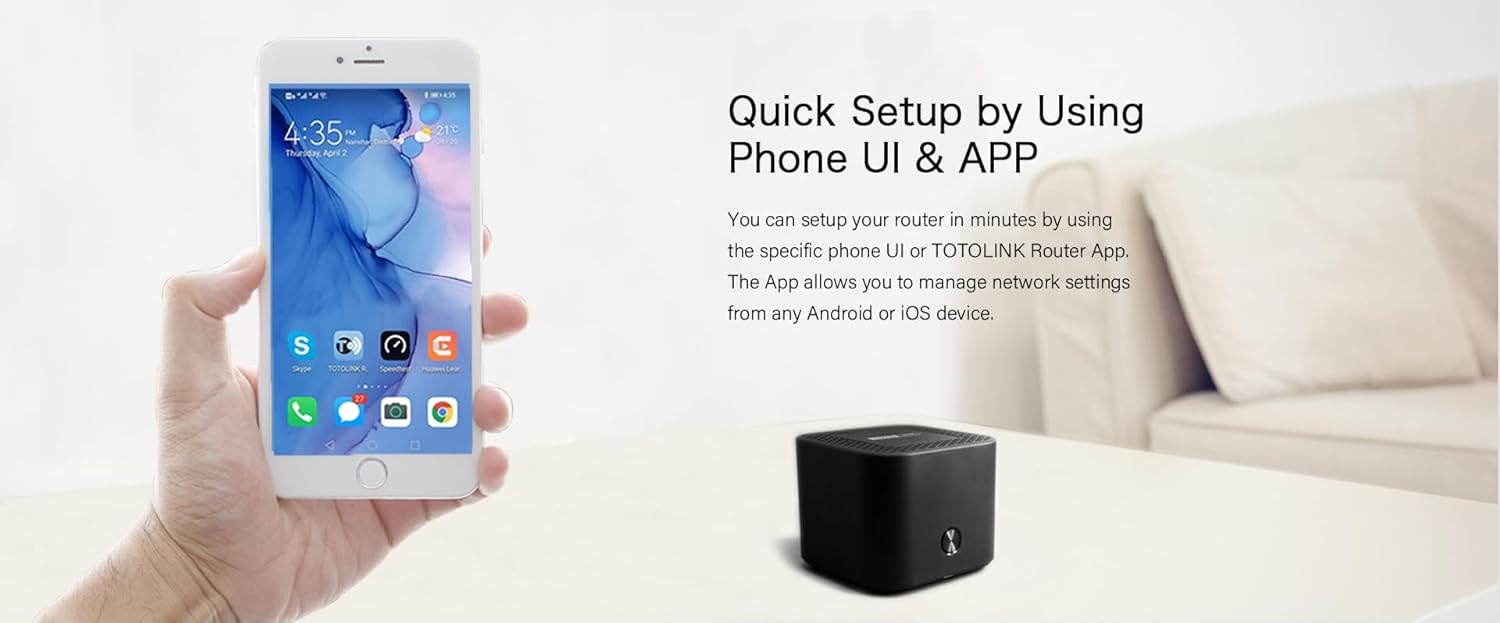
Image: A smartphone screen showing the Totolink router application, illustrating the quick setup process via a mobile app. This app allows for convenient network management from Android or iOS devices.
5. Naudojimo instrukcijos
Once your mesh network is set up, you can manage and optimize it using the web sąsają arba specialią mobiliąją programėlę.
5.1 Web Sąsajos valdymas
Prisijunkite prie web interface by opening a browser and navigating to http://itotolink.net or 192.168.0.1. Log in with your administrator credentials.
- Tinklo nustatymai: Configure WAN connection type (DHCP, Static IP, PPPoE), LAN settings, and DHCP server.
- Belaidžio ryšio nustatymai: Change Wi-Fi name (SSID), password, security type (WPA2/WPA3), and channel settings.
- Svečių tinklas: Create a separate Wi-Fi network for guests with isolated access.
- Tėvų kontrolė: Tvarkykite interneto prieigos laiką ir blokuokite konkrečius websvetainės prijungtiems įrenginiams.
- QoS (paslaugų kokybė): Prioritetizuoti tinklo srautą konkrečioms programoms ar įrenginiams.
- Sistemos įrankiai: Update firmware, backup/restore configuration, change login password, and view sistemos žurnalai.
5.2 Mobiliųjų programėlių valdymas
Download the "TOTOLINK Router App" from your device's app store (Android or iOS). The app provides a user-friendly interface for common network management tasks.
- Prietaisų skydelis: View network status, connected devices, and internet speed.
- „Wi-Fi“ nustatymai: Easily modify Wi-Fi name and password.
- Įrenginių valdymas: See connected devices, block unwanted devices, and set parental controls.
- Mesh Status: Monitor the connection status of your mesh units.
6. Išplėstinės funkcijos
The Totolink X18 system incorporates several advanced technologies to enhance your network experience.
- „Wi-Fi 6“ (802.11ax): Provides faster speeds (up to 1800Mbps), increased capacity, and improved efficiency, especially in device-dense environments.
- Dviejų dažnių diapazonas: Operates on both 2.4GHz (for wider coverage) and 5GHz (for higher speeds) frequencies, automatically steering devices to the optimal band.
- MU-MIMO: Multi-User, Multiple-Input, Multiple-Output technology allows the router to communicate with multiple devices simultaneously, reducing latency and improving overall network efficiency.
- WPA3 sauga: The latest Wi-Fi security protocol offering enhanced encryption and protection against brute-force attacks, ensuring a more secure network.
- IPv6 palaikymas: Supports the latest internet protocol, providing a larger address space and improved security features.
- EasyMesh Technology: Ensures seamless roaming and simplified network management across all mesh units, compatible with other EasyMesh certified devices.
- Tikslinis pabudimo laikas (TWT): An energy-saving feature of Wi-Fi 6 that allows devices to negotiate when and how often they will wake up to send or receive data, prolonging battery life for connected devices.

Image: A visual representation comparing the speed capabilities of AX1800 Wi-Fi 6 (up to 1775Mbps) against AC1200, demonstrating the significant performance improvement offered by Wi-Fi 6 technology for activities like 4K streaming and online gaming.

Image: A Totolink X18 unit accompanied by text explaining the energy-efficient aspects of Wi-Fi 6, specifically mentioning Target Wake Time (TWT) which helps devices conserve power and extend battery life.
7. Priežiūra
Regular maintenance ensures optimal performance and security for your mesh network.
7.1 Firmware atnaujinimai
Firmware updates often include performance improvements, new features, and security patches. It is recommended to keep your router's firmware up to date.
- Patikrinkite, ar nėra atnaujinimų: Prisijunkite prie web sąsaja (
http://itotolink.net) and navigate to "System Tools" > "Firmware Upgrade". - Atsisiųsti programinę aparatinę įrangą: If a new version is available, download it from the official Totolink websvetainę į savo kompiuterį.
- Upload and Upgrade: Įkelkite atsisiųstą programinę-aparatinę įrangą file per web interface and follow the on-screen instructions. Do not power off the router during the upgrade process.
7.2 Gamyklinių parametrų atkūrimas
A factory reset will erase all custom settings and restore the router to its default configuration. This can be useful for troubleshooting or when reconfiguring your network.
- Method 1 (Button): With the router powered on, use a paperclip or pin to press and hold the "Reset" button (usually a small pinhole on the rear panel) for approximately 5-10 seconds until the LED indicator flashes rapidly. Release the button and wait for the router to restart.
- 2 metodas (Web Sąsaja): Prisijunkite prie web interface and navigate to "System Tools" > "Factory Defaults" or "Backup & Restore". Select the option to restore factory settings.
8. Problemų sprendimas
This section addresses common issues you might encounter with your Totolink X18 Mesh Router System.
8.1 Nėra interneto prieigos
- Patikrinkite kabelius: Ensure the Ethernet cable from your modem is securely connected to the WAN port (yellow) of the main X18 unit.
- Modemo būsena: Patikrinkite, ar jūsų modemas veikia tinkamai ir ar yra aktyvus interneto ryšys. Jei reikia, paleiskite modemą iš naujo.
- Maršrutizatoriaus šviesos diodas: Check the LED indicator on the main X18 unit. If it's not solid blue/green, there might be an issue with the internet connection or router configuration.
- Interneto paslaugų teikėjo nustatymai: Confirm your WAN connection type (DHCP, Static IP, PPPoE) in the router's web interface matches your ISP's requirements.
8.2 Silpnas „Wi-Fi“ signalas arba neaktyvios zonos
- Vieneto išdėstymas: Adjust the placement of your satellite X18 units. Ensure they are not too far from the main unit or other satellite units. Avoid placing them near large metal objects, concrete walls, or interference sources (e.g., microwaves, cordless phones).
- Trikdžiai: Change the Wi-Fi channel in the router's wireless settings to avoid interference from neighboring networks.
- Mesh Status: Check the mesh status in the mobile app or web interface to ensure all units are properly connected.
8.3 Nepavyksta pasiekti Web Sąsaja
- IP adresas: Ensure your device is connected to the X18's Wi-Fi network or via an Ethernet cable to a LAN port. Try accessing
http://itotolink.netor192.168.0.1. - Naršyklės talpykla: Išvalykite naršyklės talpyklą ir slapukus arba išbandykite kitą naršyklę.
- Ugniasienė / Antivirusinė programa: Laikinai išjunkite bet kokią kompiuterio užkardą ar antivirusinę programinę įrangą, kuri gali blokuoti prieigą.
- Gamykliniai nustatymai: If all else fails, perform a factory reset (see Section 7.2) and try accessing the interface with default credentials.
9. Specifikacijos
| Funkcija | Specifikacija |
|---|---|
| Modelio pavadinimas | X18 |
| Standartinis belaidis internetas | IEEE 802.11ax („Wi-Fi 6“) |
| Wi-Fi greitis | AX1800 (1201Mbps on 5GHz, 573.5Mbps on 2.4GHz) |
| Dažnių juosta | Dviejų dažnių juosta (2.4 GHz ir 5 GHz) |
| Ethernet prievadai | 1 x WAN, 2 x LAN (per unit) |
| Saugumas | WPA2/WPA3 |
| Ypatingos savybės | Dual Band, EasyMesh, MU-MIMO, Wi-Fi 6, WPA3, IPv6, TWT |
| Aprėptis | Up to 600 square meters (with 3 units) |
| Matmenys | 12 x 12 x 15 cm (per unit) |
| Spalva | Juoda |
| Suderinami įrenginiai | All Networks, Laptops, Smart Home Devices, Smartphones |
10. Saugos informacija
- Naudokite tik su prietaisu pateiktą maitinimo adapterį.
- Saugokite įrenginį nuo vandens, ugnies, drėgmės ar karštos aplinkos.
- Nebandykite išardyti, taisyti ar modifikuoti įrenginio.
- Saugokite įrenginį nuo stiprių elektromagnetinių laukų.
- Užtikrinkite tinkamą vėdinimą aplink prietaisą, kad išvengtumėte perkaitimo.
- Laikyti vaikams nepasiekiamoje vietoje.
11. Garantija ir palaikymas
For warranty information and technical support, please refer to the official Totolink websvetainėje arba susisiekite su vietiniu pardavėju. Išsaugokite pirkimo kvitą, jei prireiktų pateikti pretenziją dėl garantijos.
Internetiniai ištekliai:
- Official Totolink Websvetainė: www.totolink.net (Please verify the actual official webpagalbos svetainė)
- Support Email/Phone: Refer to the webregioninės kontaktinės informacijos svetainė.


