1. Įvadas
This manual provides essential instructions for the setup, operation, and maintenance of your Saiyin Sound Bar DS6401PB. Please read this manual thoroughly before using the product to ensure proper functionality and to prevent damage.

Image 1.1: The Saiyin Sound Bar DS6401PB positioned below a television.
2. Pakuotės turinys
Patikrinkite, ar jūsų siuntinyje yra visi toliau išvardyti daiktai. Jei kurių nors daiktų trūksta arba jie pažeisti, susisiekite su klientų aptarnavimo tarnyba.
- Two Tower Speakers (forming the sound bar)
- Nuotolinio valdymo pultas
- Tower Speaker Base (for vertical setup)
- Maitinimo adapteris
- Optinis kabelis
- 3.5 mm garso laidas
- Montavimo prie sienos komplektas
- Vartotojo vadovas (šis dokumentas)
- Greitos pradžios vadovas
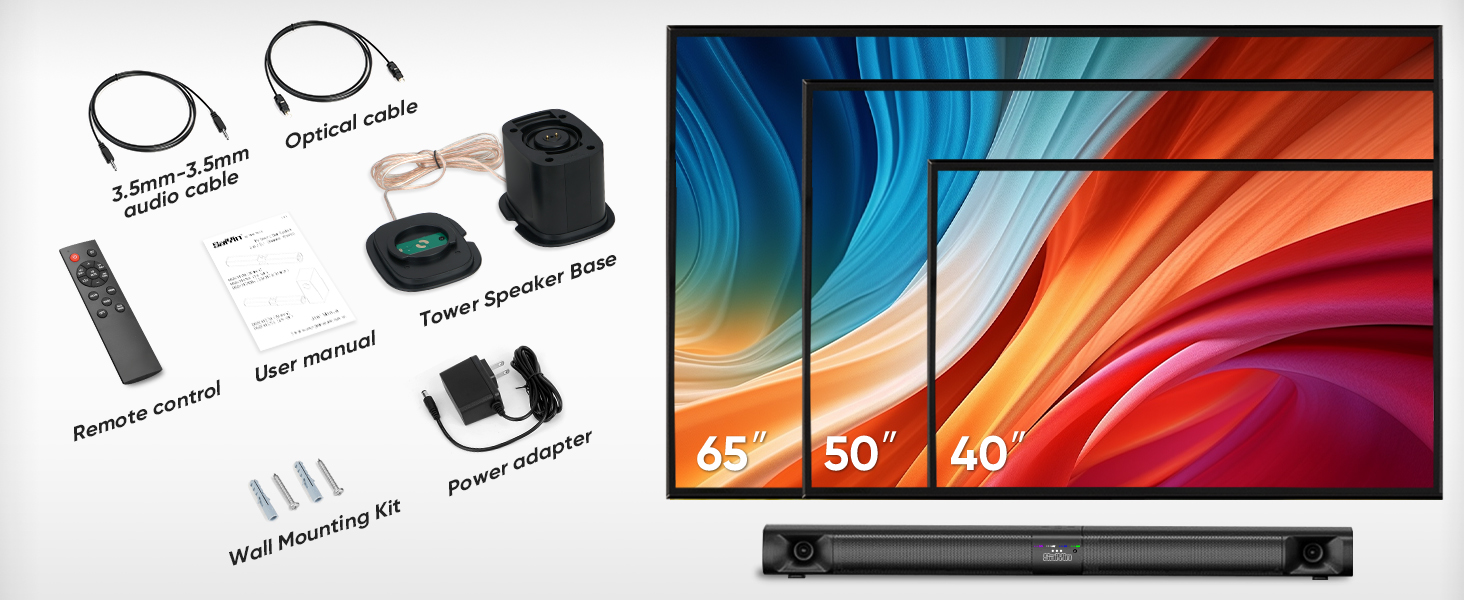
Image 2.1: All components included in the Saiyin Sound Bar DS6401PB package.
3. Produktas baigtasview
3.1. Savybės
- Nuimamas dizainas: The 31-inch sound bar can be used as a single horizontal unit or split into two vertical tower speakers.
- Garso komponentai: Features dual silk horn tweeters for clear high frequencies and four low-frequency drivers for extended bass response down to 65Hz.
- Ryšys: Supports Bluetooth 5.3 for wireless audio, and wired connections via TV ARC, Optical, and AUX. Includes an extra subwoofer interface.
- Garso režimai: Three optimized sound modes (News, Movie, Music) for various audio content.
- Paskirties vietos parinktys: Tinka pastatyti ant stalo arba tvirtinti prie sienos.
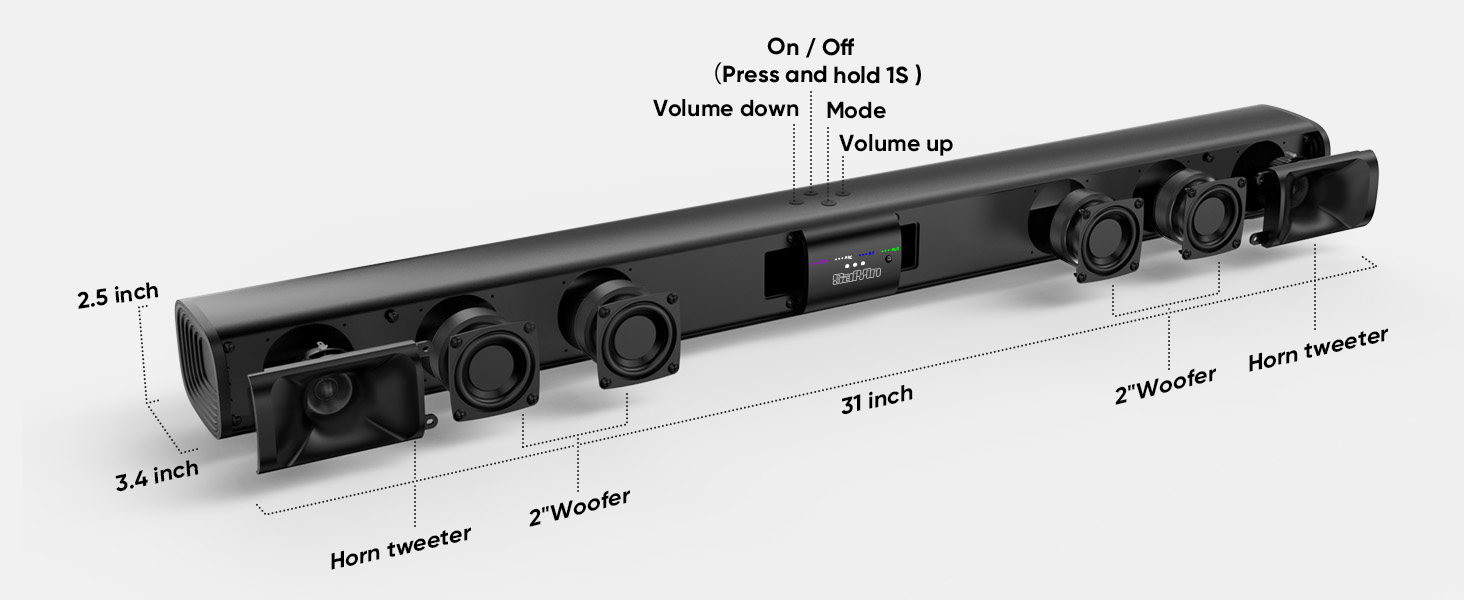
3.1 paveikslas: Išsklaidytas view illustrating the internal components and control buttons of the sound bar.
3.2. Valdikliai ir indikatoriai
The sound bar features intuitive controls and LED indicators for easy operation.
- Maitinimo mygtukas: Paspauskite ir palaikykite 1 sekundę, kad įjungtumėte / išjungtumėte.
- Garsumo mygtukai: Sureguliuokite garsumą aukštyn arba žemyn.
- Režimo mygtukas: Cycle through input modes (Optical, ARC, Bluetooth, AUX).
- LED indikatoriai: Display the active input mode (OPT, ARC, BT, AUX).
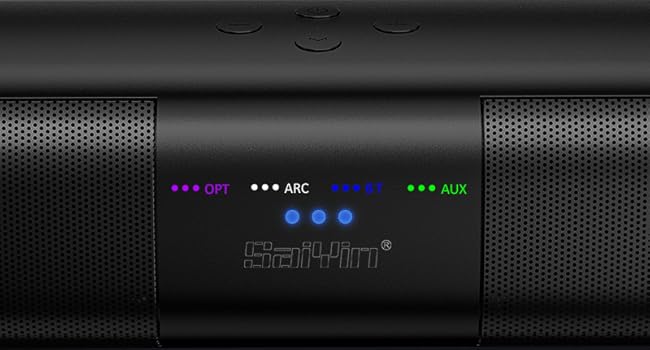
3.2 pav.: Išsamus view of the LED indicators showing active input modes (OPT, ARC, BT, AUX).
3.3. Galinio skydelio jungtys
The rear panel provides various ports for connecting to your audio sources.
- ARC: HDMI ARC input for TV connection.
- OPTINIS: Optical audio input.
- SUB OUT: Port for connecting an external powered subwoofer.
- DC in: Elektros įvestis.
- AUX: 3.5 mm pagalbinis įėjimas.
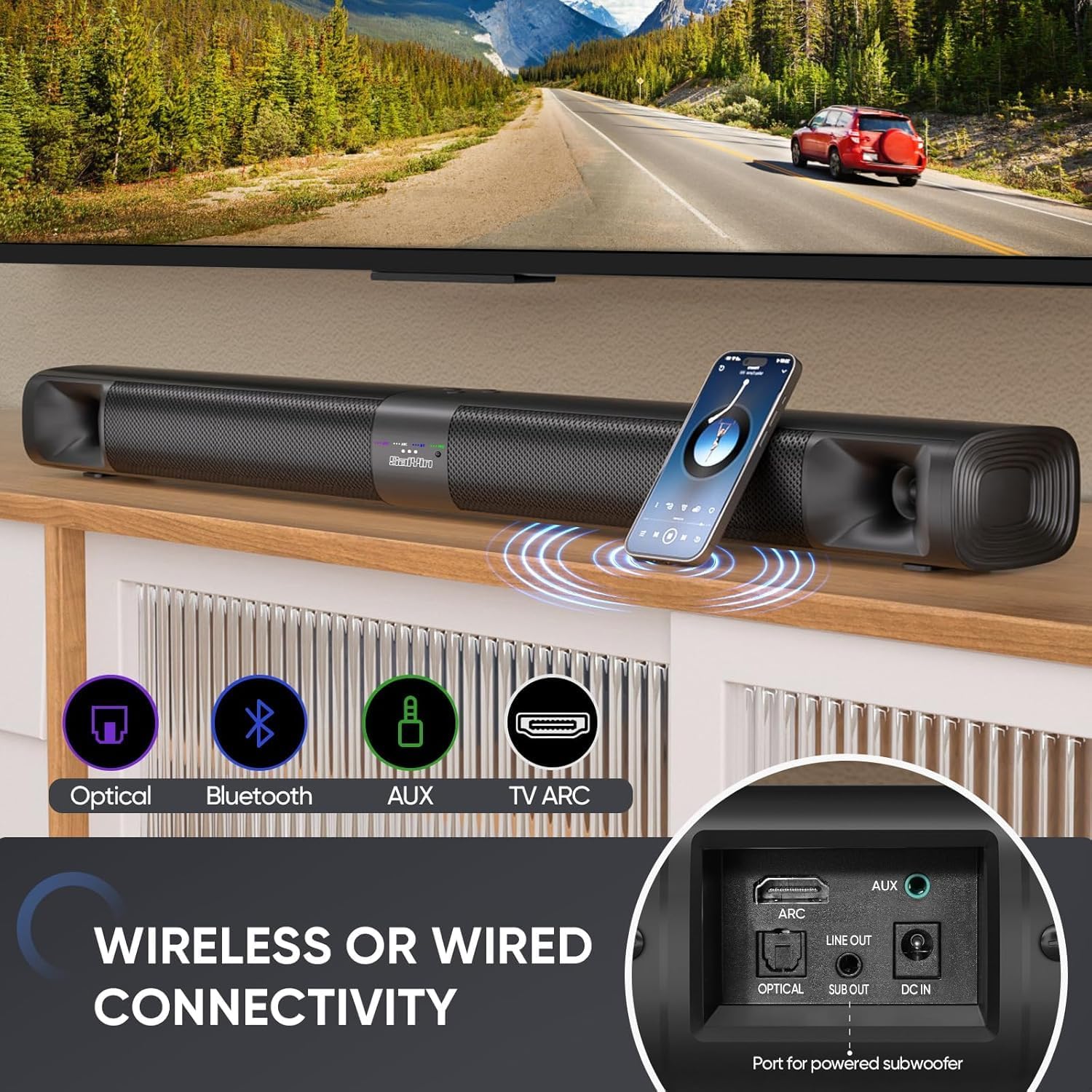
3.3 vaizdas: Baigtaview of the sound bar's connectivity ports, including Optical, Bluetooth, AUX, and TV ARC.
4. Sąranka
4.1. Assembly and Placement
The Saiyin Sound Bar DS6401PB offers flexible placement options: as a single horizontal sound bar or as two vertical tower speakers.
4.1.1. Detachable Assembly
To convert between the single sound bar and tower speaker configurations:
- Atsiskyrimas: Gently twist and pull the two halves of the sound bar apart.
- Assembling Tower Speakers: Attach each half to its respective tower speaker base. Ensure the 'A' and 'B' markings align. Rotate until securely locked.
- Assembling Sound Bar: Align the two halves of the sound bar, ensuring the 'A' and 'B' markings align. Twist and merge them into one unit.
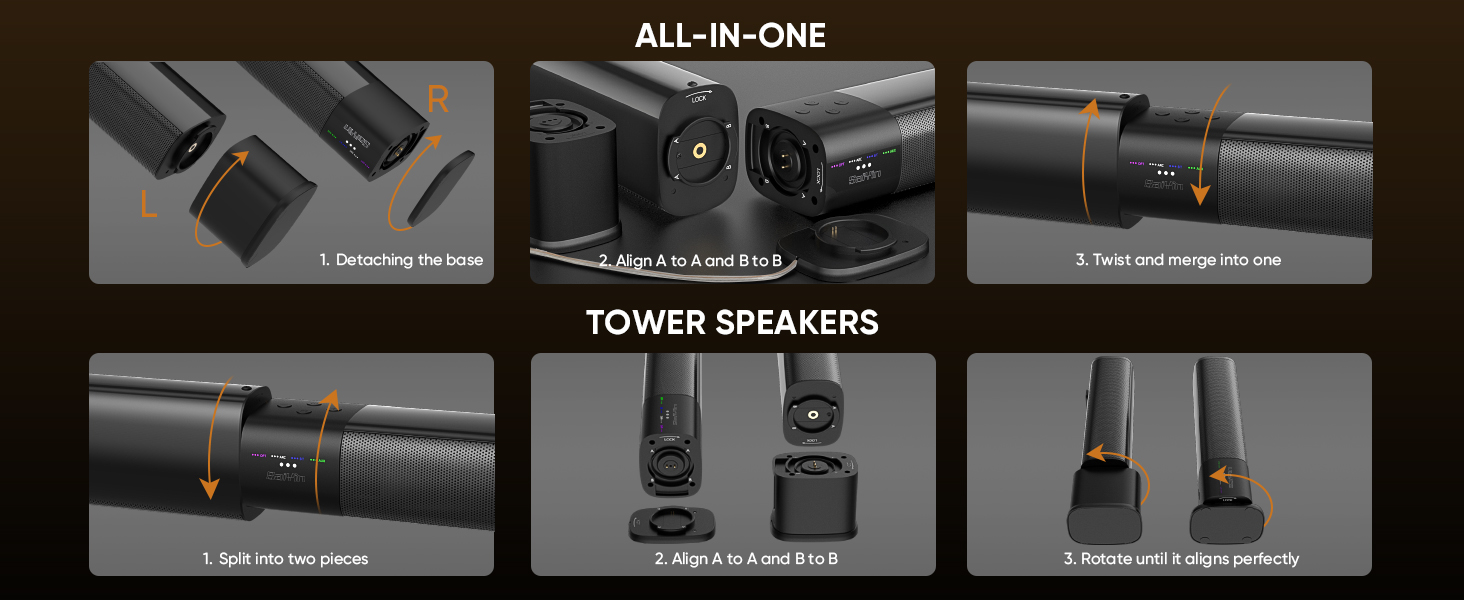
Image 4.1: Visual guide for converting the sound bar between its single unit and tower speaker configurations.
4.1.2. Įdėjimo parinktys
Choose the placement that best suits your environment and audio preference.
- Desktop Placement (Sound Bar): Place the assembled sound bar horizontally on a stable surface below your TV.
- Wall Mount (Sound Bar): Use the provided wall mounting kit to secure the sound bar horizontally to a wall.
- Desktop Placement (Tower Speakers): Place the two assembled tower speakers vertically on either side of your TV or monitor. The widened base provides stability.
- Wall Mount (Tower Speakers): Use the provided wall mounting kit to secure the two tower speakers vertically to a wall on either side of your TV.
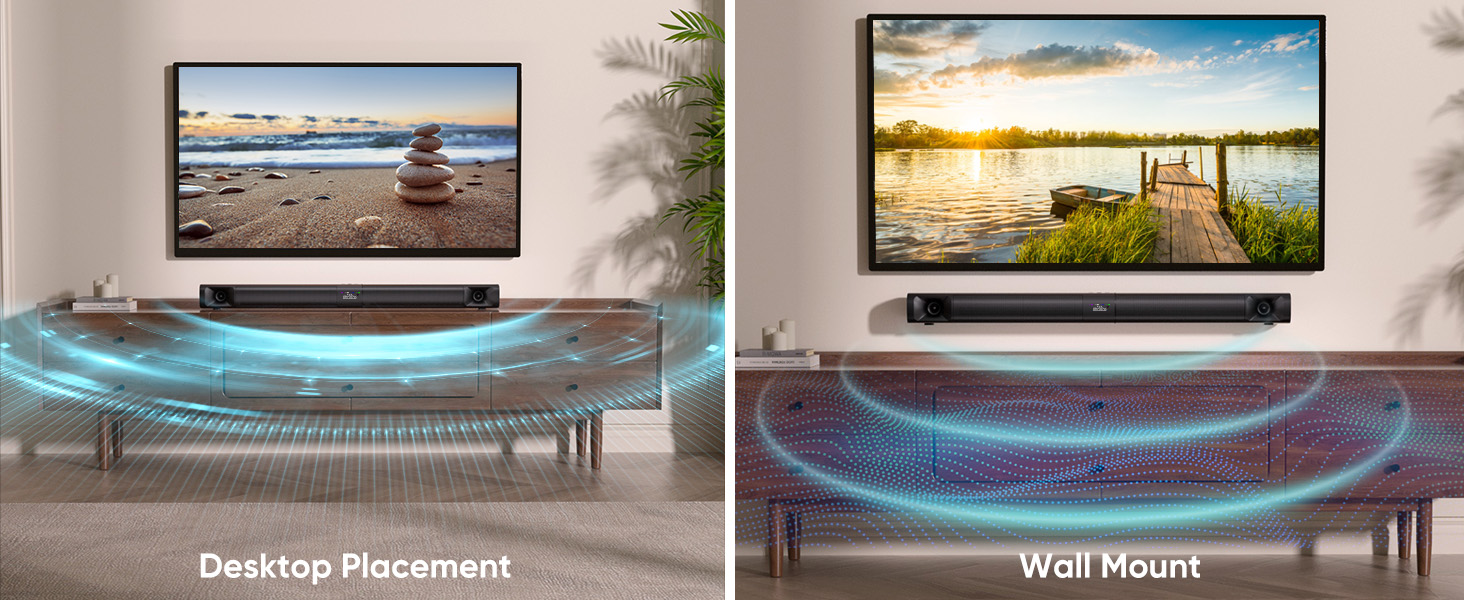
Image 4.2: Illustrates the sound bar in both desktop and wall-mounted horizontal positions.
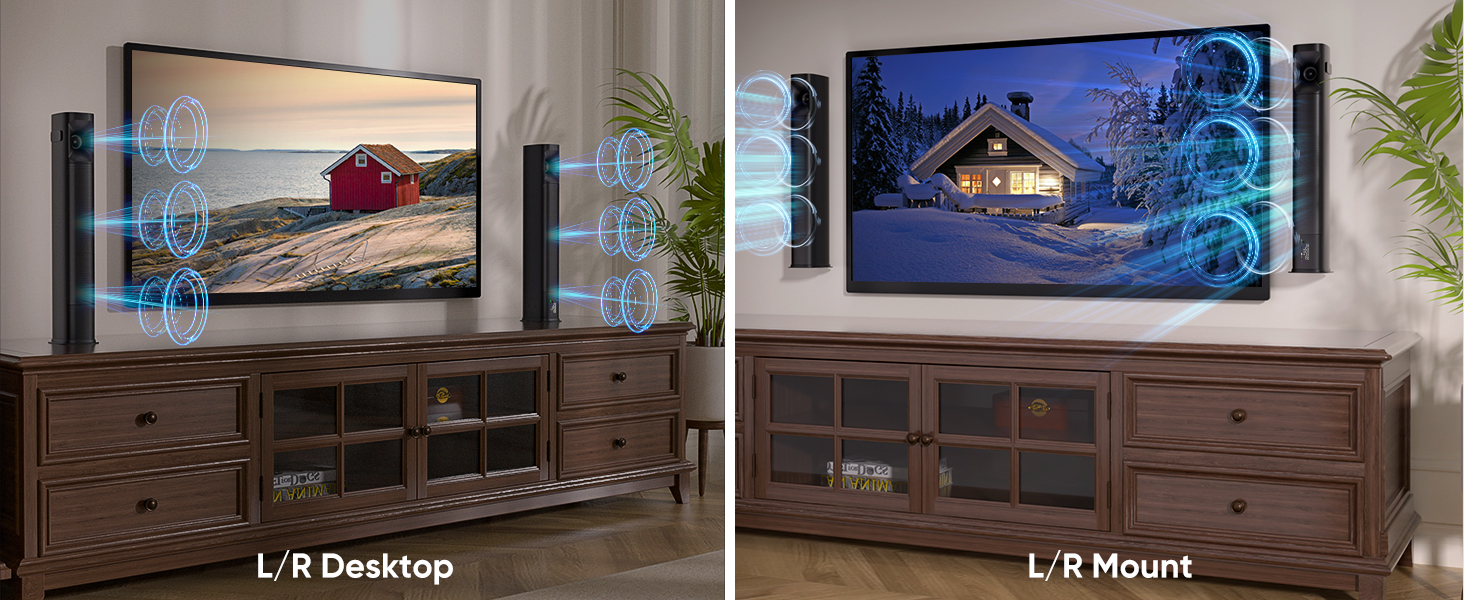
Image 4.3: Illustrates the tower speakers in both desktop and wall-mounted vertical positions.
4.2. Prijungimas prie garso šaltinių
Connect the sound bar to your TV or other devices using one of the available methods.
4.2.1. Optical Cable Connection
For high-quality digital audio, use the optical cable.
- Prijunkite vieną optinio kabelio galą prie garso juostos OPTICAL prievado.
- Connect the other end to the Optical Digital Audio Out port on your TV.
- Televizoriuje eikite į Settings > Sound Output > Optical.
- Adjust TV audio settings: Go to Settings > Sound > Expert Settings > Digital Output Audio Format ir pasirinkite PCM/Stereo Sound.
- To avoid silent or noisy output, disable Dolby/DTS on your TV and streaming apps (e.g., Netflix, Amazon Prime Video, Hulu).
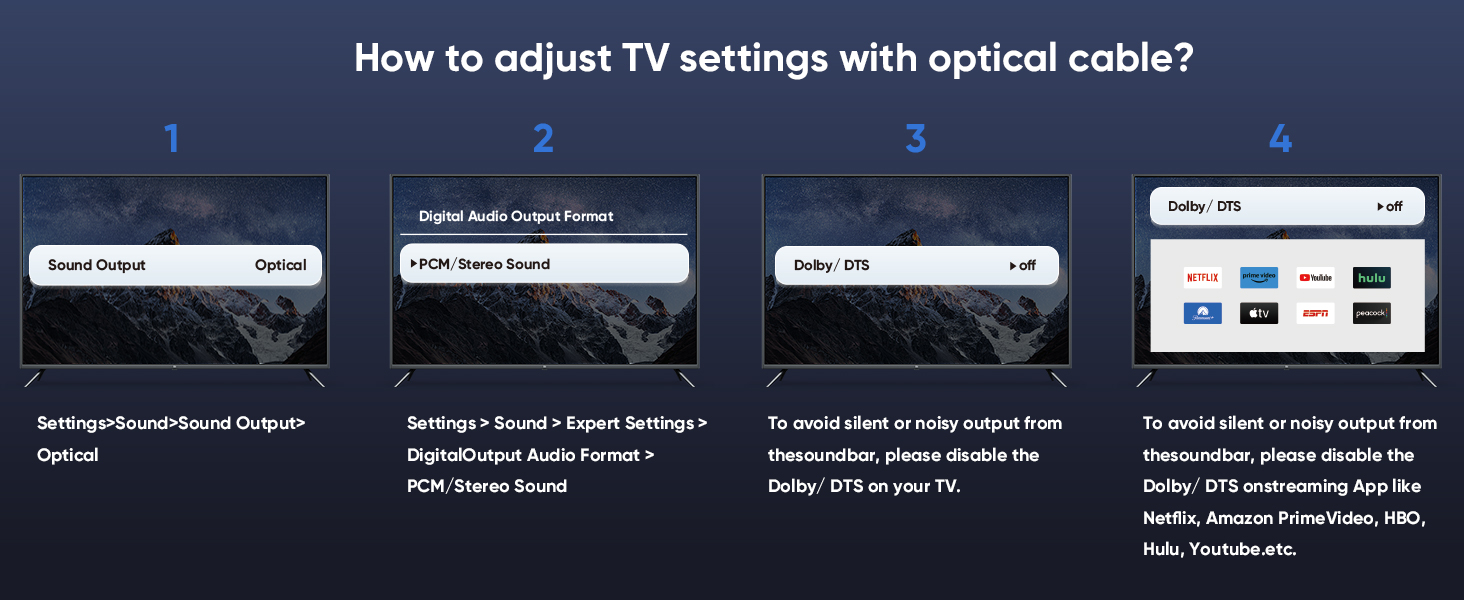
Image 4.4: Step-by-step guide for configuring TV audio settings when using an optical cable.
4.2.2. TV ARC Connection
Use an HDMI cable (not included) for TV ARC connection.
- Connect one end of an HDMI cable to the ARC port on the sound bar.
- Kitą galą prijunkite prie televizoriaus HDMI ARC prievado.
- Select the ARC input on the sound bar using the remote or control panel.
4.2.3. AUX jungtis
For analog audio devices, use the 3.5mm audio cable.
- Connect one end of the 3.5mm audio cable to the AUX port on the sound bar.
- Kitą galą prijunkite prie savo įrenginio 3.5 mm garso išvesties prievado.
- Select the AUX input on the sound bar.
4.2.4. „Bluetooth“ ryšys
Belaidžiam garso transliavimui iš suderinamų įrenginių.
- Turn on the sound bar and select Bluetooth mode (BT). The BT indicator will flash.
- Įjunkite „Bluetooth“ savo mobiliajame įrenginyje (išmaniajame telefone, planšetiniame kompiuteryje ir kt.).
- Ieškokite "Saiyin DS6401PB" in the list of available devices and select it to pair.
- Once paired, the BT indicator will stop flashing and remain solid.
4.2.5. Žemųjų dažnių garsiakalbio jungtis
To enhance bass, connect an external powered subwoofer (not included) to the SUB OUT port on the sound bar.
4.3. Įjunkite maitinimą
After connecting your audio source and power adapter:
- Prijunkite maitinimo adapterį prie garso juostos nuolatinės srovės įvesties prievado.
- Įkiškite maitinimo adapterį į sieninį lizdą.
- Press and hold the power button on the sound bar or remote control for 1 second to turn it on.
5. Naudojimo instrukcijos
5.1. Nuotolinio valdymo pulto naudojimas
The included remote control allows full functionality of the sound bar.
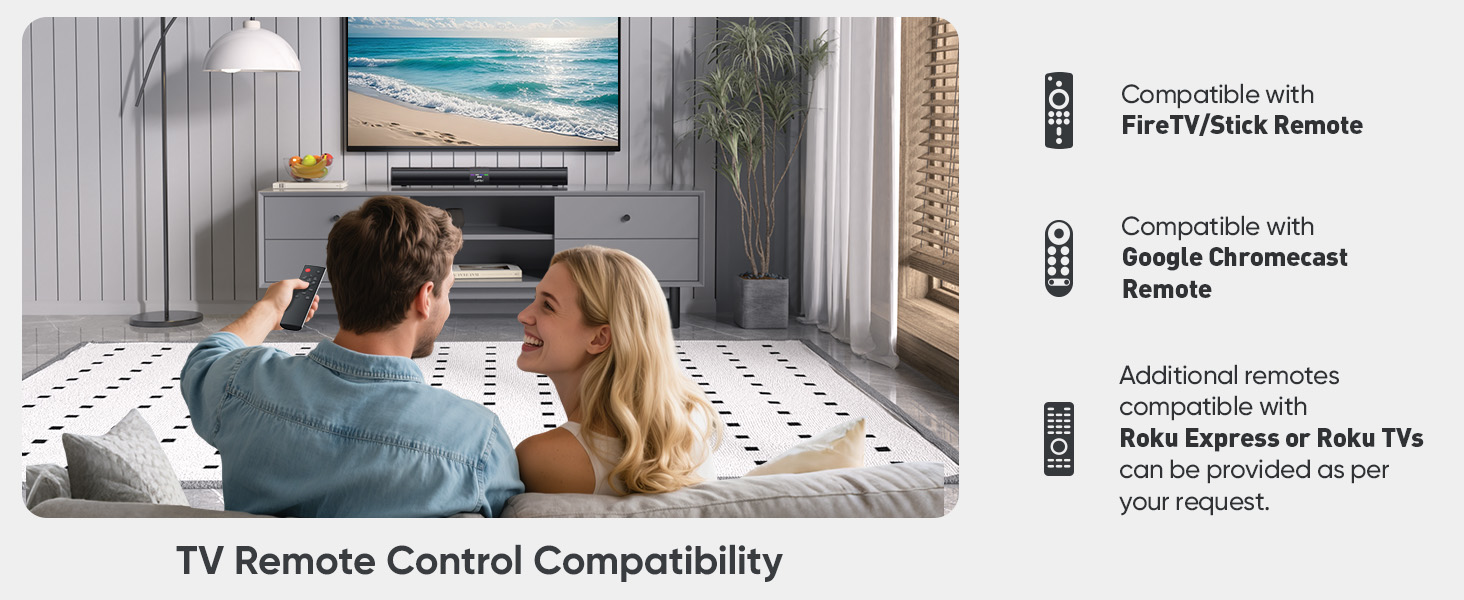
Image 5.1: The sound bar's remote control and its compatibility with FireTV/Stick, Google Chromecast, and Roku remotes.
5.2. Garso režimų pasirinkimas
Optimize your audio experience by choosing one of the three preset sound modes.
- Naujienų režimas: Enhances vocal clarity for dialogue-heavy content.
- Filmo režimas: Suteikia dinamišką ir įtraukiantį garsątage for films.
- Muzikos režimas: Delivers balanced audio reproduction for music listening.
Press the corresponding button on the remote control to switch between modes.
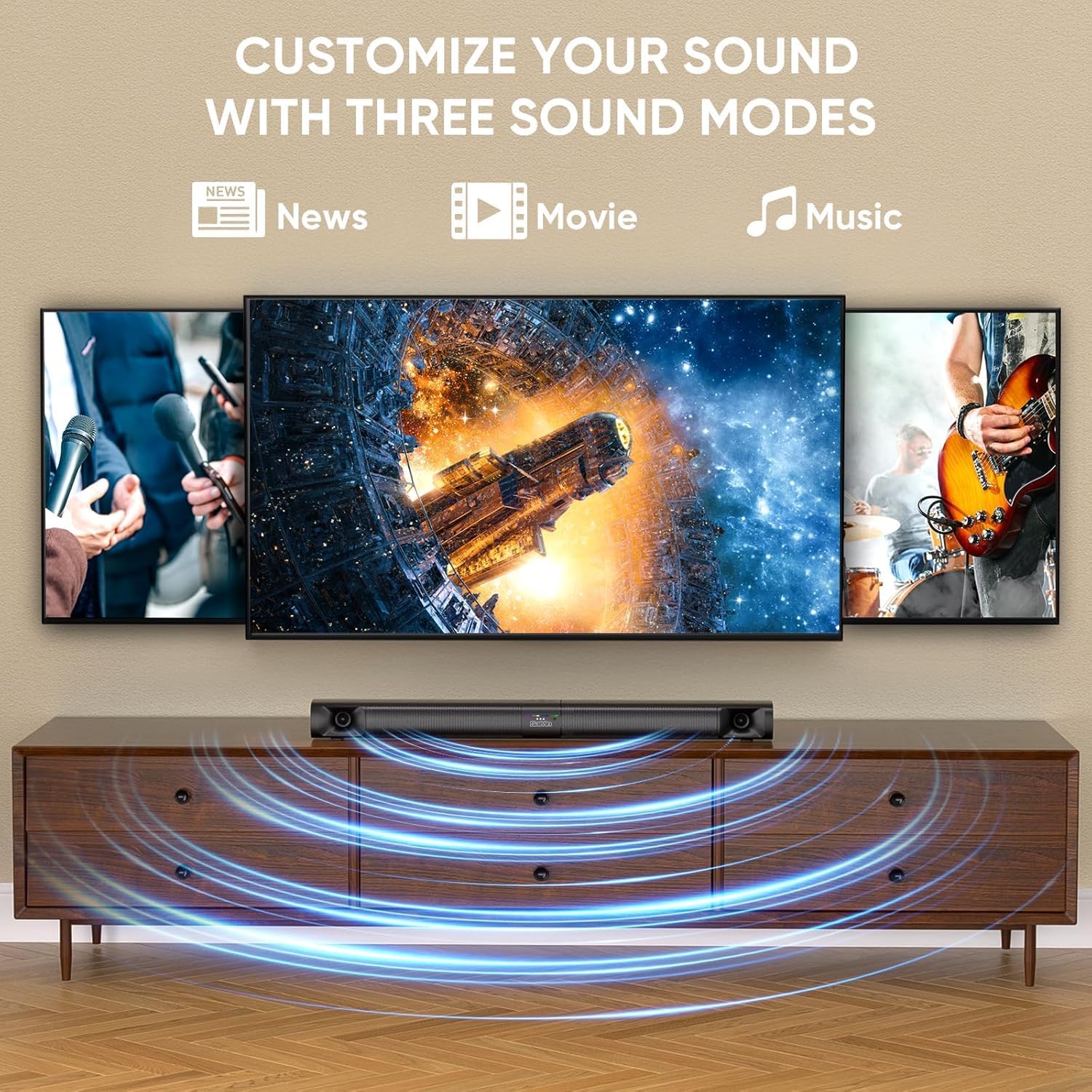
Image 5.2: Visual representation of the three customizable sound modes: News, Movie, and Music.
6. Priežiūra
Norėdami užtikrinti garso kolonėlės ilgaamžiškumą ir optimalų veikimą, laikykitės šių priežiūros nurodymų:
- Valymas: Garso juostos paviršių valykite minkštu, sausu skudurėliu. Nenaudokite skystų valiklių ar abrazyvinių medžiagų.
- Vėdinimas: Įsitikinkite, kad garso juostos ventiliacijos angos nėra užblokuotos, kad ji neperkaistų.
- Saugykla: Jei garso juostą ilgesnį laiką nenaudosite, atjunkite ją nuo maitinimo šaltinio ir laikykite vėsioje, sausoje vietoje.
- Venkite drėgmės: Garso juostą laikykite atokiau nuo vandens ir didelės drėgmės.
7. Problemų sprendimas
Jei kyla problemų dėl garso juostos, žr. toliau pateiktas dažniausiai pasitaikančias problemas ir sprendimus.
| Problema | Galima priežastis | Sprendimas |
|---|---|---|
| Nėra garso |
|
|
| „Bluetooth“ atjungimas |
|
|
| Nuotolinio valdymo pultas neveikia |
|
|
| Iškraipytas garsas |
|
|
8. Specifikacijos
| Funkcija | Specifikacija |
|---|---|
| Modelio pavadinimas | Saiyin Soundbar DS6401PB |
| Garsiakalbio tipas | Soundbar (Detachable) |
| Ryšio technologija | Bluetooth 5.3, TV ARC, Optical, AUX |
| Garso išvesties režimas | Stereo (2.0 kanalai) |
| Didžiausia garsiakalbio išėjimo galia | 90 vatų |
| Dažnio atsakas | Down to 65Hz (low-frequency drivers) |
| Kontrolės metodas | Nuotolinio valdymo pultas, mygtukai ant įrenginio |
| Montavimo tipas | Sieninis laikiklis, stalinis |
| Gaminio matmenys (garso juosta) | 31 inches (Length) x 3.4 inches (Depth) x 2.5 inches (Height) |
| Prekės svoris | 5.02 svaro |
| Gamintojas | Shenzhen Saiyin Electronics Co.,Ltd. |
9. Garantija ir palaikymas
9.1. Informacija apie garantiją
The Saiyin Sound Bar DS6401PB comes with a 12 mėnesių garantija from the date of purchase. This warranty covers manufacturing defects and workmanship under normal use. It does not cover damage caused by misuse, accidents, unauthorized modifications, or improper installation.
9.2. Pagalba klientams
For technical assistance, warranty claims, or any questions regarding your Saiyin Sound Bar DS6401PB, please contact our customer support team. Refer to the contact information provided in your quick start guide or on the official Saiyin websvetainę.


