1. Įvadas
The Ugoos SK2 TV Box is a high-performance streaming media player designed to transform your television into a smart entertainment hub. Running on Android 12.0 with Google TV, it offers seamless access to a vast library of movies, TV shows, and applications. Equipped with a Realtek RTD1325 ARM Cortex-A55 Quad-Core CPU, 4GB RAM, and 32GB ROM, the SK2 ensures smooth 4K HDR playback and efficient multitasking. Its advanced connectivity options, including WiFi 6 and Bluetooth 5.2, provide a stable and fast streaming experience.
2. Pakuotės turinys
Please verify that all items are present in the box:
- Ugoos SK2 TV Box
- BT + IR Remote Control
- 12V/1A Power Adapter (US Plug)
- HDMI kabelis
- Anglų kalbos vartotojo vadovas

Figure 2.1: Ugoos SK2 TV Box and its accompanying remote control.
3. Produktas baigtasview
The Ugoos SK2 TV Box features a compact design with essential ports for connectivity.
3.1 Priekinė ir šoninė dalys Views

3.1 pav.: šonas view of the Ugoos SK2 TV Box, showing the USB-C, Reset button, and USB 2.0 (5V===) port.
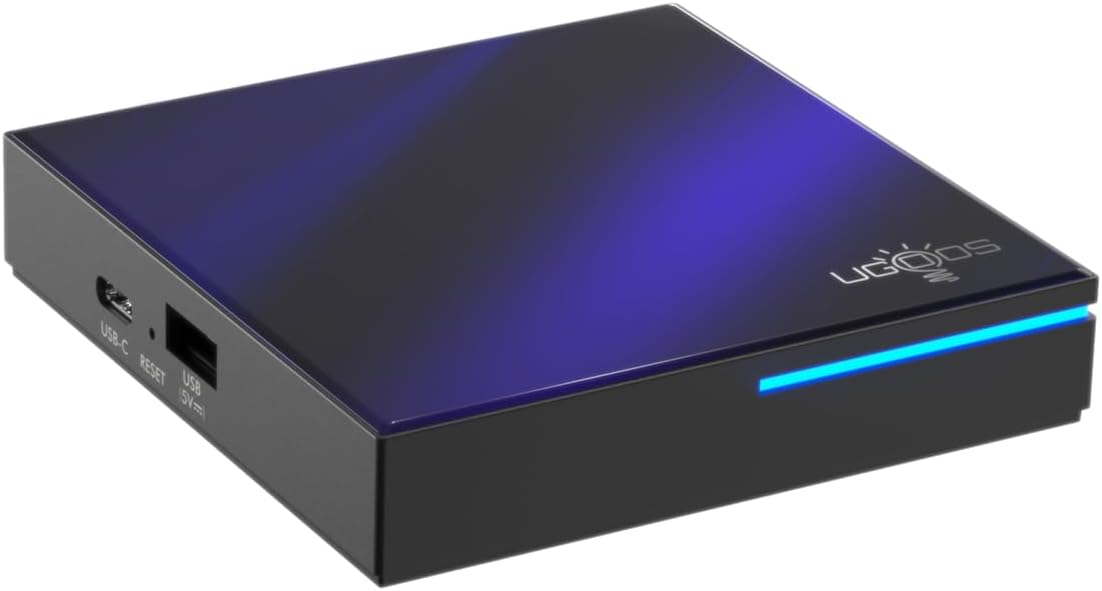
3.2 pav.: Priekinė ir šoninė dalys view highlighting the indicator light strip, which illuminates when the device is powered on.
3.2 Galinis View (Uostai)
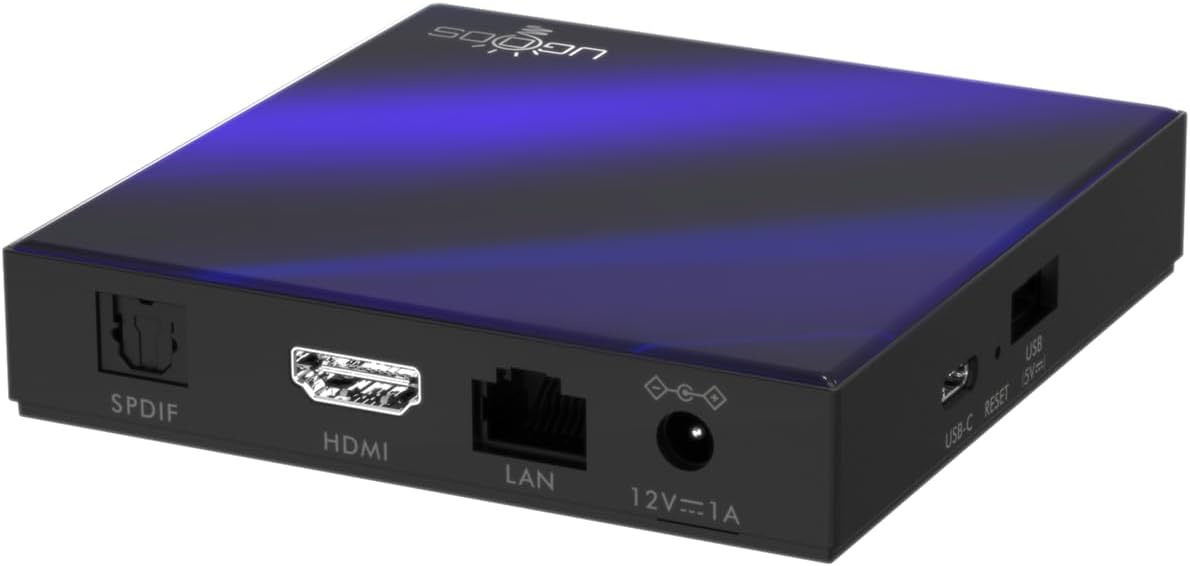
3.3 pav.: galinis view of the Ugoos SK2 TV Box, displaying the SPDIF, HDMI, LAN (Ethernet), and 12V/1A Power input ports.
3.1 vaizdo įrašas: išpakavimas ir viskasview of the Ugoos SK2 ATV Box, showcasing its design and available ports.
4. Sąrankos vadovas
Norėdami nustatyti „Ugoos SK2“ TV priedėlį, atlikite šiuos veiksmus:
- Prijungimas prie televizoriaus: Connect one end of the provided HDMI cable to the HDMI port on the Ugoos SK2 TV Box and the other end to an available HDMI input on your television.
- Prijunkite maitinimą: Plug the 12V/1A power adapter into the DC IN port on the TV Box and then plug the adapter into a wall outlet. The indicator light on the front of the device will illuminate.
- Įdėkite nuotolinio valdymo pulto baterijas: Open the battery compartment on the back of the BT + IR Remote Control and insert two AAA batteries (not included), ensuring correct polarity.
- Maitinimas: Power on your television and select the correct HDMI input source corresponding to where the TV Box is connected. The Ugoos SK2 TV Box should automatically power on.
- Pradiniai nustatymai: Follow the on-screen instructions to complete the initial setup, including language selection, region/country, and network connection (Wi-Fi or Ethernet).
- Suporuoti nuotolinio valdymo pultą: During the initial setup, you may be prompted to pair the remote control. Press and hold the 'Home' and 'Back' buttons simultaneously for 5 seconds until the indicator light on the remote flashes, indicating successful pairing.
- Prisijunkite prie tinklo: For optimal performance, connect the device to your home network. You can use either the built-in WiFi 6 (2.4/5/6Ghz) or connect an Ethernet cable to the LAN port for a wired connection.
5. Naudojimo instrukcijos
The Ugoos SK2 TV Box runs on Google TV, providing a user-friendly interface for content discovery and streaming.
5.1 Navigation and Apps
Use the remote control to navigate through the Google TV interface. The home screen provides personalized recommendations, quick access to installed apps like YouTube, Netflix, Prime Video, and Disney+, and a search function powered by Google Assistant.
5.2 Balso valdymas („Google Assistant“)
Press the Google Assistant button on your remote to activate voice control. You can use voice commands to search for content, control playback, get answers, and manage smart home devices.
5.3 Turinio perdavimas (integruota „Chromecast“)
The device features Chromecast built-in, allowing you to cast movies, shows, photos, and more directly from your phone or tablet to your TV.
5.4 4K HDR Playback
The Ugoos SK2 supports 4K 60fps resolution, H.265, AV1, and 4K HDR content, including Dolby Vision and HDR10+. This ensures a vibrant and detailed viewing experience with smooth playback.
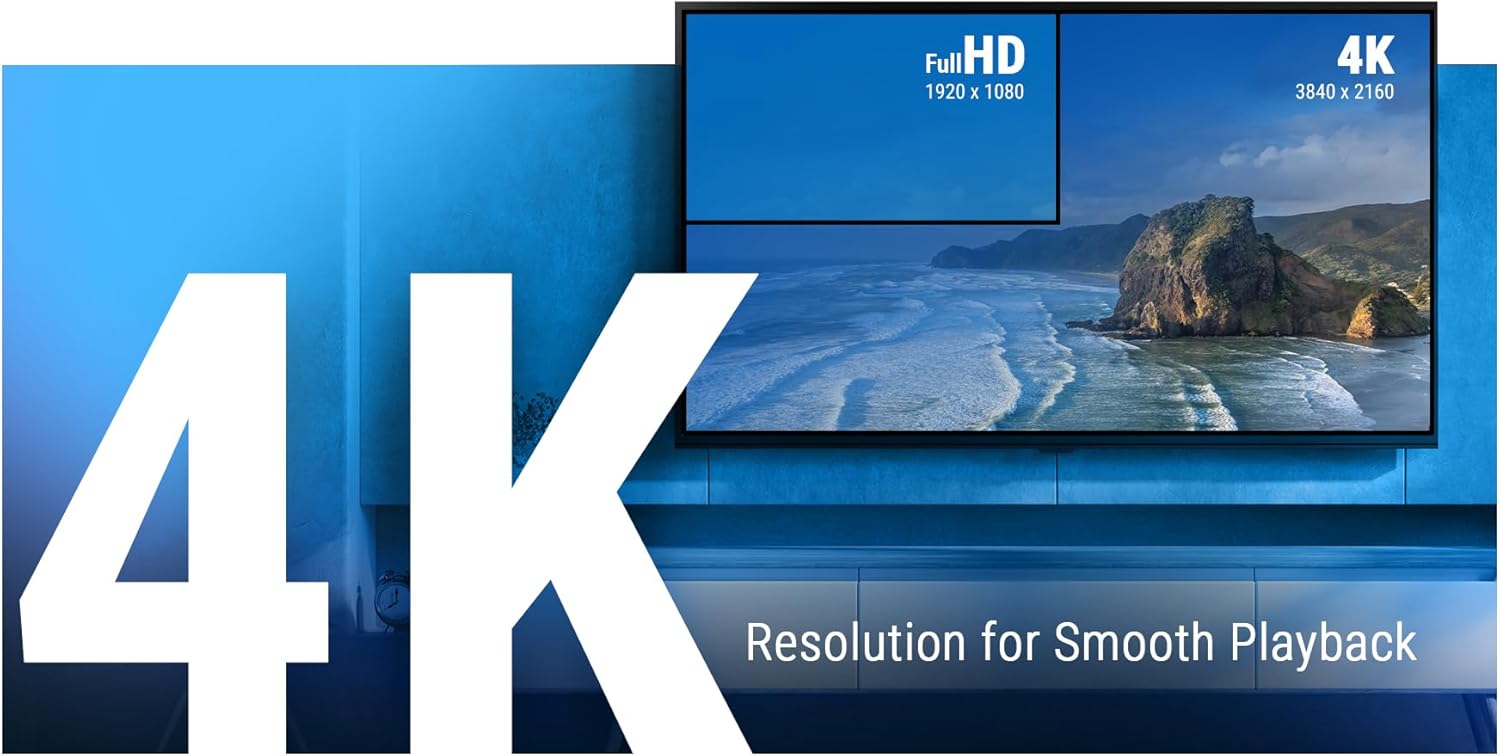
Figure 5.1: The Ugoos SK2 supports 4K resolution for smooth and high-quality video playback.

Figure 5.2: The device supports advanced video technologies like AV1, HDR10+, and Dolby Vision for enhanced visual fidelity.

Figure 5.3: The Automatic Frame Rate (AFR) system ensures optimal resolution and frequency matching for smooth video playback.
6. Priežiūra
To ensure the longevity and optimal performance of your Ugoos SK2 TV Box, follow these maintenance guidelines:
- Valymas: Įrenginio išorę valykite minkšta, sausa šluoste. Venkite naudoti skystus valiklius ar abrazyvines medžiagas.
- Vėdinimas: Įsitikinkite, kad prietaisas yra gerai vėdinamoje vietoje, kad jis neperkaistų. Neuždenkite ventiliacijos angų.
- Programinės įrangos atnaujinimai: Periodically check for and install software updates to ensure you have the latest features and security patches. This can usually be done through the device's settings menu.
- Saugyklos valdymas: While the device has 32GB of internal storage, regularly manage your installed apps and media to prevent performance degradation due to full storage.
7. Problemų sprendimas
If you encounter issues with your Ugoos SK2 TV Box, refer to the following common problems and solutions:
- Nėra galios:
- Įsitikinkite, kad maitinimo adapteris yra tvirtai prijungtas tiek prie įrenginio, tiek prie veikiančio maitinimo lizdo.
- Patikrinkite, ar maitinimo lizdas veikia, prijungdami prie jo kitą įrenginį.
- Nėra vaizdo / signalo:
- Patikrinkite, ar HDMI kabelis yra tvirtai prijungtas prie televizoriaus priedėlio ir televizoriaus.
- Įsitikinkite, kad jūsų televizorius nustatytas į tinkamą HDMI įvesties šaltinį.
- Išbandykite kitą HDMI kabelį arba HDMI prievadą savo televizoriuje.
- Nuotolinio valdymo pultas nereaguoja:
- Patikrinkite ir pakeiskite nuotolinio valdymo pulto baterijas.
- Re-pair the remote control by pressing and holding the 'Home' and 'Back' buttons simultaneously for 5 seconds.
- „Wi-Fi“ ryšio problemos:
- Įsitikinkite, kad jūsų „Wi-Fi“ maršrutizatorius įjungtas ir veikia tinkamai.
- Move the TV Box closer to the router or consider using an Ethernet connection.
- Restart both the TV Box and your Wi-Fi router.
- Programėlės užstrigimas / gedimas:
- Uždarykite ir vėl atidarykite probleminę programą.
- Išvalykite programos talpyklą ir duomenis per įrenginio nustatymus.
- Įsitikinkite, kad įrenginio programinė įranga yra atnaujinta.
For persistent issues, consider performing a factory reset (refer to the device settings for this option). Note that a factory reset will erase all personal data and installed applications.
8. Specifikacijos
Išsamios „Ugoos SK2“ televizoriaus priedėlio techninės specifikacijos:
| Funkcija | Aprašymas |
|---|---|
| Modelio pavadinimas | SK2 |
| Prekės ženklas | Ugoos |
| Operacinė sistema | Android 12.0 (Google TV) |
| Processor (SOC) | Realtek RTD1325, ARM Cortex-A55 Quad-Core CPU |
| GPU | Mali-G57 MC1 |
| RAM | 4GB DDR4 |
| Vidinė saugykla | 32 GB eMMC |
| Belaidis ryšys | WiFi 6 (2.4/5/6Ghz, IEEE 802.11 a/b/g/n/ac/ax 2x2 MIMO) |
| Bluetooth | Bluetooth 5.2 |
| Vaizdo išvestis | HDMI (4K 60fps, HDR, AV1, VP9, H.265) |
| Garso palaikymas | Dolby Vision-Atmos |
| Ethernet | 100M LAN prievadas |
| USB prievadai | USB-C, USB 2.0 |
| Kiti uostai | SPDIF, Reset |
| Maitinimo įvestis | 12V/1A |
| Matmenys | 3.78 x 3.78 x 0.75 colio |
| Prekės svoris | 1.35 svaro |
| Ypatingos savybės | Integruotas „Chromecast“, „Google Assistant“ |

8.1 pav. Baigtaview of the Ugoos SK2's core technical specifications.

Figure 8.2: Comparison illustrating the improved data transfer speed of Bluetooth 5.2 supported by the Ugoos SK2.
9. Saugos informacija
Kad nesugadintumėte įrenginio ar nesusižalotumėte, perskaitykite ir laikykitės šių saugos priemonių:
- Naudokite tik pateiktą maitinimo adapterį.
- Saugokite įrenginį nuo vandens, drėgmės ar ekstremalių temperatūrų.
- Nestatykite prietaiso šalia šilumos šaltinių arba tiesioginiuose saulės spinduliuose.
- Nebandykite ardyti ar modifikuoti įrenginio.
- Prietaisą ir priedus laikykite vaikams nepasiekiamoje vietoje.
10. Garantija ir palaikymas
The Ugoos SK2 TV Box is covered by a standard manufacturer's warranty. Please refer to the warranty card included in your package or contact Ugoos customer support for detailed information regarding warranty terms, service, and technical assistance.
For further support, visit the official Ugoos websvetainėje arba susisiekite su klientų aptarnavimo komanda.