1. Įvadas
This manual provides essential information for setting up, operating, maintaining, and troubleshooting your Roku Smart TV 2025 – 24-Inch Select Series 720p HD TV. Please read these instructions carefully before using your television.
The Roku Select Series HD TV offers a streamlined entertainment experience. It features bright HD picture quality, auto speech clarity, and a night mode. Access free live television directly from the home screen and utilize the voice remote for content discovery across various applications. This television is suitable for various rooms including bedrooms, living rooms, kitchens, or children's rooms.
2. Kas yra dėžutėje
Patikrinkite, ar pakuotėje yra visi komponentai:
- Roku Select Series 24" HD TV
- Stovai ir varžtai
- Roku Voice Remote with batteries
- Greitos pradžios vadovas

Image: The Roku Select Series TV box contents, showing the television, remote, and stand components.
3. Sąranka
3.1 Televizoriaus stovų pritvirtinimas
- Atsargiai padėkite televizorių ekranu žemyn ant minkšto, švaraus paviršiaus, kad nesubraižytumėte.
- Sulygiuokite kiekvieną stovą su atitinkamomis varžtų skylėmis televizoriaus apačioje.
- Pritvirtinkite stovus pridėtais varžtais. Įsitikinkite, kad jie tvirtai priveržti.
3.2 Išorinių įrenginių prijungimas
Your Roku TV includes multiple ports for connecting external devices:
- HDMI prievadai: Connect devices such as cable boxes, gaming consoles, or Blu-ray players. The HDMI 1 (ARC) port supports Audio Return Channel for simplified audio connections.
- USB prievadas: For media playback from a USB drive or powering compatible devices.
- Antenos / kabelinės televizijos įvestis: Prijunkite anteną, jei norite transliuoti belaidžiu būdu, arba kabelinės televizijos ryšį.
- Optinė garso išvestis: Skirta prijungti prie garso juostos arba garso imtuvo.
- AV įvestis: Skirta senesniems įrenginiams prijungti naudojant kompozicinį vaizdo ir stereo garso kabelius.

Image: Close-up of the back of the Roku TV, highlighting the HDMI, USB, optical, and AV input ports.
3.3 Pradinis įjungimas ir tinklo prijungimas
- Prijunkite maitinimo laidą prie televizoriaus, o tada – prie sieninio lizdo.
- Insert the included AAA batteries into the voice remote.
- Norėdami įjungti televizorių, paspauskite nuotolinio valdymo pulto maitinimo mygtuką.
- Vykdykite ekrane pateikiamus nurodymus, kad pasirinktumėte kalbą, prisijunkite prie „Wi-Fi“ tinklo ir suaktyvintumėte „Roku“ paskyrą.
4. „Roku“ televizoriaus valdymas
4.1 Balso nuotolinio valdymo pulto naudojimas
The Roku Voice Remote simplifies navigation and content search. It features dedicated buttons for popular streaming services and voice control capabilities.
- Balso mygtukas: Press and hold to speak commands for searching content, launching apps, or controlling playback.
- Naršymo skydelis: Norėdami naršyti meniu ir pasirinkti elementus, naudokite krypties rodykles ir mygtuką „Gerai“.
- Programos spartieji klavišai: Dedicated buttons provide quick access to services like Netflix, Disney+, and Prime Video.
- Garsumo valdikliai: Adjust TV volume directly from the remote.
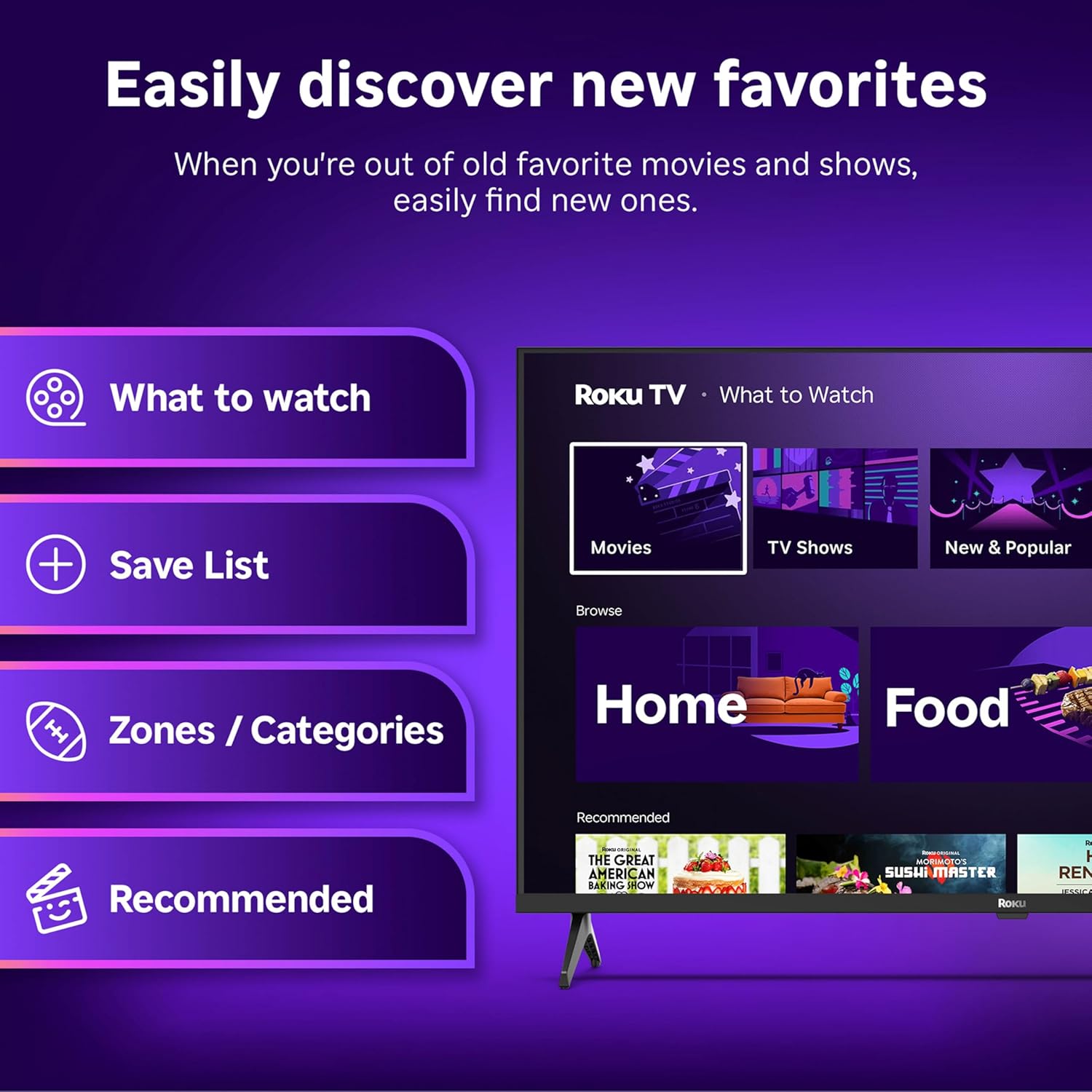
Image: The Roku Voice Remote, showing its layout and key functions.
4.2 Streaming and App Navigation
The Roku TV home screen provides quick access to all your streaming channels and inputs. You can customize the order of your apps for personalized access.
- Pagrindinis ekranas: Displays your installed apps, recommended content, and TV inputs.
- Srautinio perdavimo parduotuvė: Naršykite ir pridėkite naujų transliacijos kanalų.
- Tiesioginė TV: Access free live television channels directly from the home screen.
- Paieška: Use the search function or voice remote to find movies, shows, actors, or directors across various services.

Image: The Roku TV user interface, showing the home screen with app tiles and menu options.
4.3 Vaizdo ir garso nustatymai
Your Roku TV features Smart Picture technology to optimize viewing and offers enhanced audio features.
- Smart Picture: Automatically adjusts picture settings based on the content being viewed (e.g., movie, sports, vivid, standard).
- Garso aiškumas: Designed for clear speech and louder sound.
- „Bluetooth“ ausinių režimas: Prijunkite belaidės ausines, kad galėtumėte klausytis privačiai.

Image: A vibrant nature scene displayed on the Roku TV, demonstrating the clear picture quality.
4.4 Išmaniųjų namų integracija
The Roku TV integrates with various smart home ecosystems for convenient voice control and content sharing.
- Valdymas balsu: Compatible with Roku Voice, Siri, Alexa, and Google Assistant for hands-free operation.
- Apple AirPlay: Effortlessly share videos, photos, and music from your Apple devices to your TV.

Image: A Roku TV screen with a smart speaker nearby, illustrating voice control integration with smart home systems.
5. Priežiūra
5.1 Televizoriaus valymas
- Prieš valydami visada atjunkite televizorių nuo elektros tinklo.
- Minkšta, nepūkuota šluoste švelniai nuvalykite ekraną ir korpusą.
- Įsisenėjusioms dėmėms lengvai nuvalykiteampNuvalykite šluostę vandeniu arba švelniu, neabrazyviniu ekrano valikliu. Niekada nepurkškite valiklio tiesiai ant ekrano.
- Venkite naudoti stiprias chemines medžiagas, abrazyvinius kempinėlės ar tirpiklius.
5.2 Programinės įrangos naujiniai
Your Roku TV receives automatic software updates to provide new features and improve performance. Ensure your TV is connected to the internet to receive these updates.
6. Problemų sprendimas
If you encounter issues with your Roku TV, try the following basic troubleshooting steps:
- Nėra galios: Įsitikinkite, kad maitinimo laidas yra tvirtai prijungtas ir prie televizoriaus, ir prie veikiančio elektros lizdo. Išbandykite kitą lizdą.
- Nėra vaizdo / garso: Verify that the correct input source is selected. Check all cable connections (HDMI, AV, etc.) are secure.
- Nuotolinio valdymo pultas nereaguoja: Pakeiskite nuotolinio valdymo pulto baterijas. Įsitikinkite, kad tarp nuotolinio valdymo pulto ir televizoriaus nėra jokių kliūčių.
- Tinklo ryšio problemos: Restart your Wi-Fi router. Go to the TV's network settings to reconnect to your Wi-Fi.
- Programėlė neįkeliama: Try restarting the app. If the issue persists, remove the app and reinstall it from the Streaming Store.
- Gamykliniai nustatymai: As a last resort, a factory reset can resolve many software issues. This will erase all personal settings and installed apps. Access this option through the TV's Settings menu.
7. Specifikacijos
| Funkcija | Specifikacija |
|---|---|
| Prekės ženklas | Roku |
| Modelio numeris | 24R2D5 |
| Ekrano dydis | 24 colių |
| Ekrano technologija | LED |
| Rezoliucija | 720p |
| Atnaujinimo dažnis | 60 Hz |
| Krašto santykis | 16:9 |
| Ryšio technologija | „Bluetooth“, „Wi-Fi“ |
| Ypatingos savybės | Bluetooth Headphone Mode, Dolby Audio, Voice Remote |
| Prekės svoris | 5.7 svaro |
| Gaminio matmenys | 7 x 21.1 x 14.3 colio |
| Reikalingos baterijos | 2 AAA baterijos (nuotolinio valdymo pultui) |
8. Garantija ir palaikymas
For warranty information and technical support, please refer to the documentation included with your product or visit the official Roku support websvetainę. Išsaugokite pirkimo čekį garantiniams reikalavimams.
Roku offers various support resources, including online FAQs, troubleshooting guides, and customer service contact options.


