1. Įvadas
Thank you for choosing the WIWU OWS O300 Open-Ear Earbuds. These wireless earbuds are designed to provide a comfortable audio experience while maintaining situational awareness. This manual provides detailed instructions for setup, operation, maintenance, and troubleshooting to ensure optimal performance.

Image: The WIWU OWS O300 Open-Ear Earbuds in white, alongside their matching charging case.
2. Pakuotės turinys
Prašome patikrinti, ar pakuotėje yra visi reikalingi daiktai:
- WIWU OWS O300 Open-Ear Earbuds (Left and Right)
- Įkrovimo dėklas
- USB-C įkrovimo laidas
- Vartotojo vadovas

Image: The retail packaging for the WIWU OWS O300 Open-Ear Earbuds, showing the product and branding.
3. Sąranka
3.1 Ausinių ir dėklo įkrovimas
Prieš pirmą kartą naudodami, visiškai įkraukite ausines ir įkrovimo dėklą.
- Įdėkite ausines į įkrovimo dėklą, įsitikindami, kad jos tinkamai įstatytos.
- Connect the USB-C charging cable to the charging port on the case and the other end to a power source (e.g., USB wall adapter, computer USB port).
- The indicator light on the charging case will show the charging status. A full charge typically takes approximately 1.5 hours.

Image: The WIWU OWS O300 earbuds resting inside their open charging case, ready for charging.
3.2 Bluetooth poravimas
To connect the earbuds to your device:
- Įsitikinkite, kad ausinės yra įkrautos.
- Atidarykite įkrovimo dėklą. Ausinės automatiškai pereis į susiejimo režimą, tai nurodys mirksinti lemputė (konkrečius šviesų signalus žr. greito paleidimo vadove, jei yra).
- Savo įrenginyje (išmaniajame telefone, planšetiniame kompiuteryje ir kt.) įjunkite „Bluetooth“ ir ieškokite galimų įrenginių.
- Select "WIWU OWS O300" from the list of detected devices.
- Once connected, the earbuds will indicate successful pairing (e.g., a voice prompt or solid light).
- Ausinės automatiškai prisijungs prie paskutinio suporuoto įrenginio, kai bus išimtos iš dėklo, jei įrenginyje įjungtas „Bluetooth“.
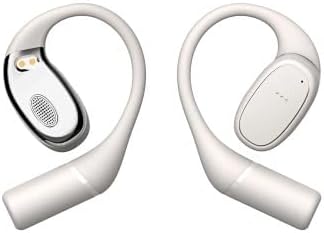
Image: The WIWU OWS O300 earbuds removed from their charging case, showcasing jų dizainą.
3.3 Ausinių dėvėjimas
The OWS O300 earbuds feature an open-ear design for comfort and awareness.
- Gently place each earbud over your ear, ensuring the speaker portion is positioned near your ear canal without entering it.
- Adjust the ear hook for a secure and comfortable fit.
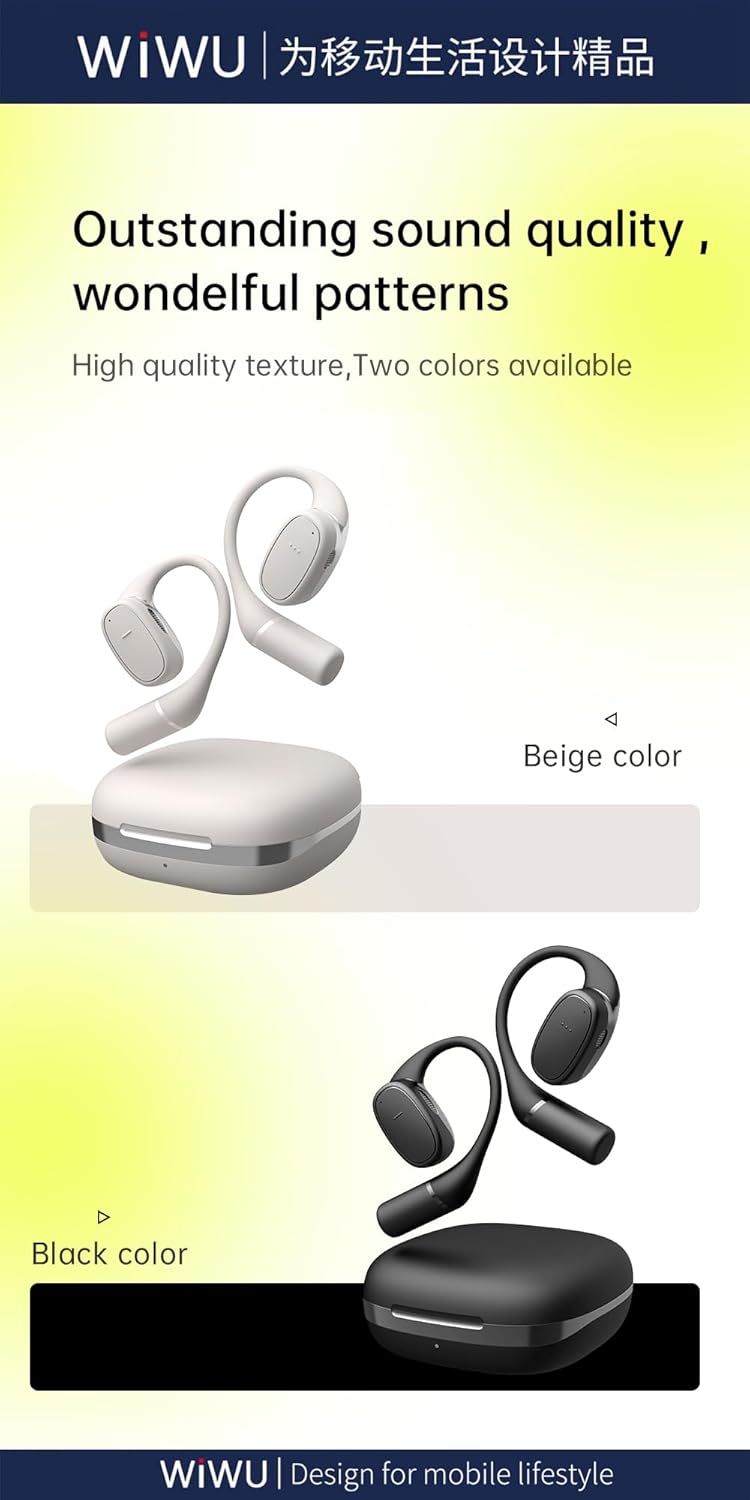
Paveikslėlis: Šoninė pusė view of the WIWU OWS O300 earbuds, highlighting their ergonomic open-ear design.

Image: A person wearing the WIWU OWS O300 earbuds while engaged in physical activity, demonstrating their secure fit.
4. Naudojimo instrukcijos
4.1 Maitinimo įjungimas/išjungimas
- Maitinimas: Ausinės automatiškai įsijungia, kai išimamos iš įkrovimo dėklo.
- Išjungti: The earbuds automatically power off and begin charging when placed back into the charging case and the lid is closed.
4.2 Muzikos atkūrimas
The earbuds feature touch controls for music management. Specific touch functions may vary slightly, but generally include:
- Leisti / pristabdyti: Vieną kartą bakstelėkite bet kurią ausinę.
- Kitas takelis: Dukart palieskite dešinįjį ausinės antgalį.
- Ankstesnis takelis: Dukart palieskite kairįjį ausinės antgalį.
- Garsumo valdymas: Volume adjustment is typically managed via your connected device.
4.3 Skambučių valdymas
- Atsiliepti / Baigti skambutį: Single tap on either earbud during an incoming call or an active call.
- Atmesti skambutį: Press and hold on either earbud for approximately 2 seconds during an incoming call.
5. Priežiūra
Tinkama priežiūra užtikrina ausinių ilgaamžiškumą ir našumą.
- Valymas: Ausinėms ir įkrovimo dėklui valyti naudokite minkštą, sausą, nepūkuotą šluostę. Nenaudokite abrazyvinių valiklių, alkoholio ar cheminių tirpiklių.
- Saugykla: Kai nenaudojate, laikykite ausines įkrovimo dėkle, kad apsaugotumėte jas nuo dulkių ir pažeidimų. Laikykite vėsioje, sausoje vietoje, toliau nuo tiesioginių saulės spindulių ir ekstremalių temperatūrų.
- Vandens ekspozicija: The earbuds are not waterproof. Avoid exposing them to water, rain, or excessive moisture.
6. Problemų sprendimas
If you encounter issues with your WIWU OWS O300 earbuds, try the following solutions:
- Ausinės nesusijungia:
- Įsitikinkite, kad abi ausinės yra įkrautos.
- Išjunkite ir įjunkite savo įrenginio „Bluetooth“.
- Forget "WIWU OWS O300" from your device's Bluetooth list and attempt to pair again.
- Įdėkite ausines atgal į dėklą, uždarykite dangtelį, palaukite 10 sekundes, tada atidarykite, kad vėl įjungtumėte susiejimo režimą.
- Nėra garso iš vienos ausinės:
- Įsitikinkite, kad abi ausinės yra įkrautos.
- Pabandykite įdėti abi ausines atgal į įkrovimo dėklą, uždaryti dangtelį ir vėl jas išimti.
- Perform a factory reset if available (refer to manufacturer's website for specific instructions if not in this manual).
- Įkrovimo problemos:
- Patikrinkite, ar USB-C laidas ir maitinimo adapteris nepažeisti.
- Įsitikinkite, kad dėklo įkrovimo prievadas yra švarus ir be šiukšlių.
- Patikrinkite, ar ausinės tinkamai įdėtos į įkrovimo dėklą.
- Mažas garsumas:
- Sureguliuokite prijungto įrenginio garsumą.
- Ensure the earbuds are clean and free from obstructions.
7. Specifikacijos
Detailed technical specifications for the WIWU OWS O300 Open-Ear Earbuds:
| Funkcija | Specifikacija |
|---|---|
| Modelis | OWS O300 |
| Bluetooth versija | V5.3 |
| „Bluetooth“ lustų rinkinys | Airohia AB1562M |
| Įkrovimo dėklo akumuliatoriaus talpa | 400 mAh |
| Ausinės akumuliatoriaus talpa | 50 mAh (vienai ausinei) |
| Įkrovimo prievadas | USB-C |
| Įkrovimo laikas | apytiksliai 1.5 valandas |
| Skambučio laikas | Iki 5 valandų |
| Muzikos atkūrimo laikas | Iki 8 valandų |
| Earbuds Standby Time | 12 mėnesių |
| Bendras budėjimo laikas (su dėklu) | Iki 40 valandų |
| Net Weight (solo earbud) | 7.5 g ± 0.2 g |
| Net Weight (charging case) | 52.6g |
| Ausinių matmenys | 16.10 mm x 41.51 mm x 49.60 mm |
| Įkrovimo dėklo matmenys | 66.71 mm x 66.28 mm x 28.97 mm |
| Ryšio technologija | Bevielis |

Image: A visual representation of the Bluetooth 5.3 chip, highlighting its advanced wireless connectivity.
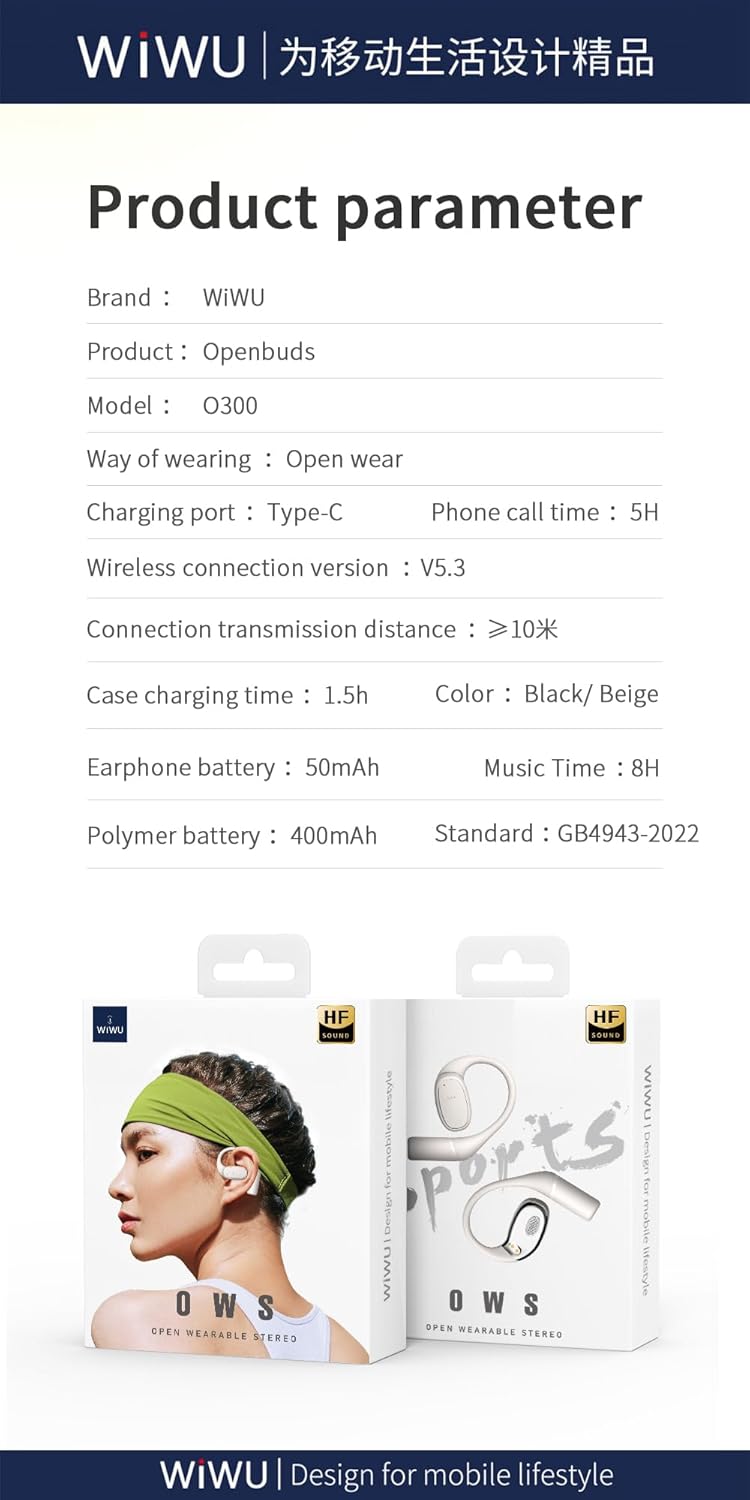
Image: A graphic displaying key product parameters and specifications for the WIWU OWS O300.
8. Garantija ir palaikymas
For warranty information and customer support, please refer to the documentation included with your purchase or visit the official WIWU websvetainėje. Išsaugokite pirkimo įrodymą garantiniams reikalavimams.
If you require further assistance, please contact WIWU customer service through their official channels.


