1. Įvadas
The Machenike G3V2 Bluetooth Controller is a versatile gaming peripheral designed for multi-platform compatibility, including Switch, iOS, Android, and Windows PC. It features Hall Effect joysticks and triggers, customizable buttons, RGB lighting, and a dedicated charging station for an enhanced gaming experience.
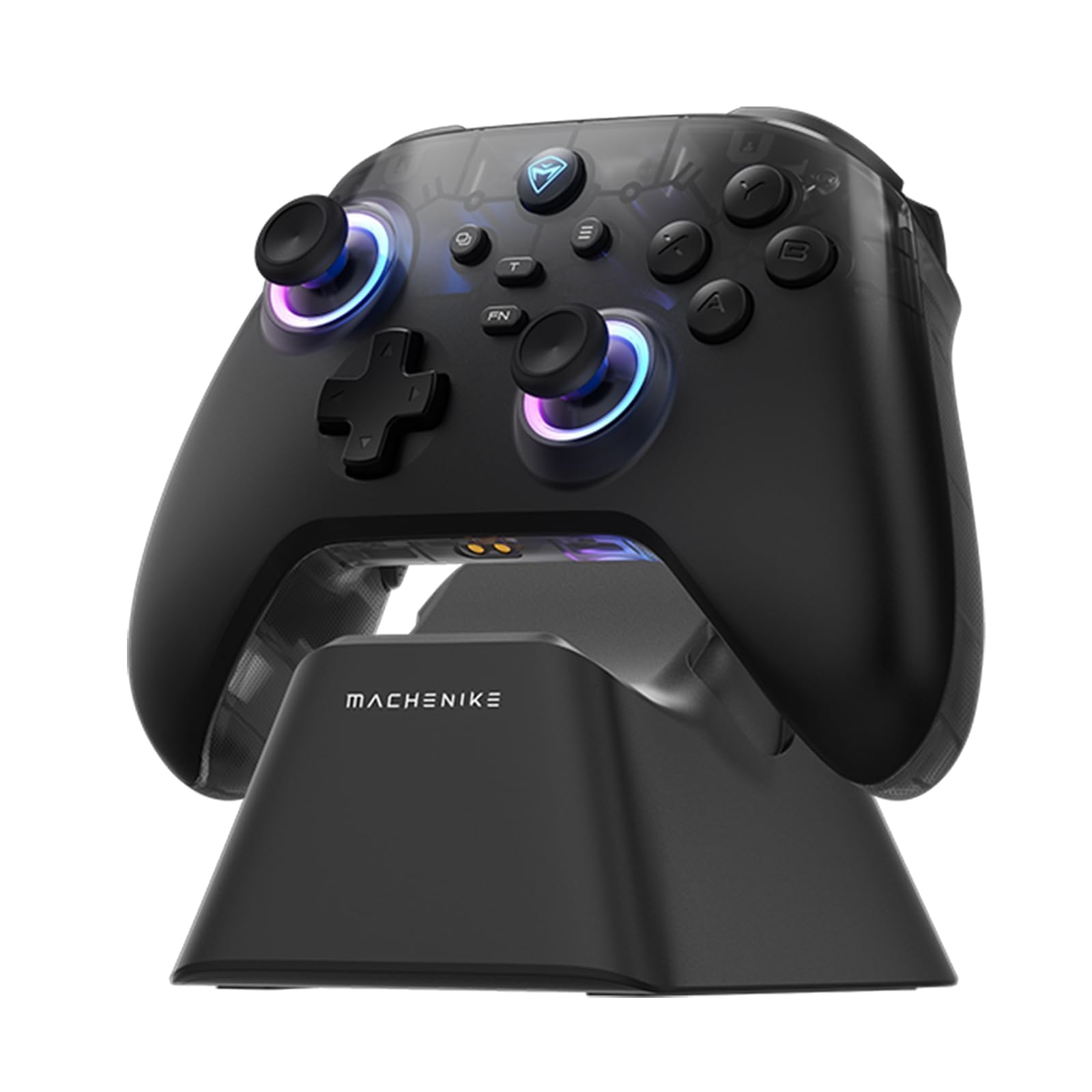
Image: The Machenike G3V2 Bluetooth Controller, showcasing its ergonomic design and vibrant RGB lighting around the joysticks.
2. Pagrindinės savybės
- Lightning-Fast 1000Hz Responsiveness: Equipped with ultra-high gaming responsiveness for instant command capture and millisecond-level feedback.
- Patogus įkrovimo dokas: Includes a dedicated charging dock for efficient and fast recharging via USB-C, protecting the controller and ensuring optimal performance.
- Dual Hall-Effect Joysticks and Triggers: Features newly upgraded Hall-Effect sensing joysticks and high-precision trigger buttons for superior control and durability, eliminating drift.
- Customizable Force Adjustable Stick Tension: Unique force adjustment feature allows customization of joystick feedback from lightweight to precise, adapting to various game needs.
- Fast Charging & Extended Playtime: Built-in 1000mAh high-capacity battery provides extended playtime with fast-charging technology.
- Palaikymas kelioms platformoms: Compatible with Switch/Switch 2, iOS, Android, and Windows PC.
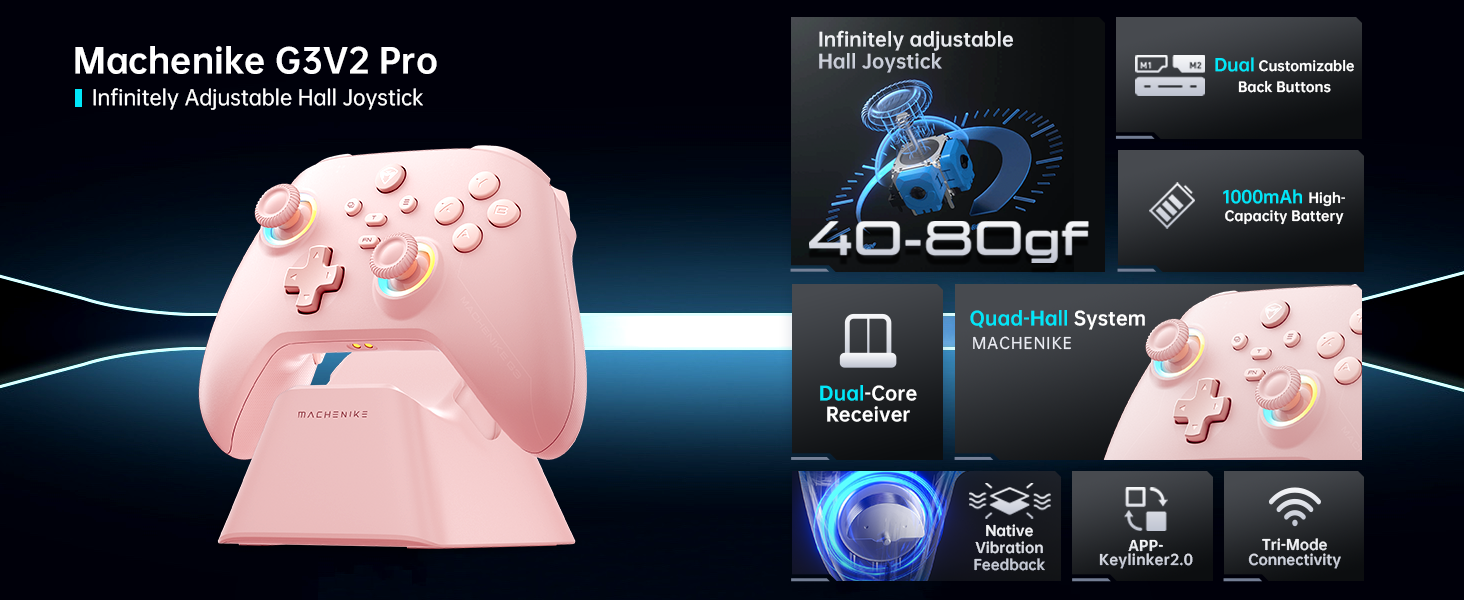
Paveikslėlis: Viršview of the Machenike G3V2 controller's key features, including its Hall Effect joysticks, customizable back buttons, and connectivity options.
3. Sąranka ir prijungimas
3.1 Connecting to Nintendo Switch (Bluetooth Mode)
- Ensure your controller is charged.
- Valdiklyje paspauskite ir palaikykite Y + Home buttons simultaneously until the indicator light flashes rapidly, changing from slow to fast flashing. This puts the controller into Switch pairing mode.
- „Nintendo Switch“ konsolėje eikite į HOME meniu.
- Select the 'Controllers' icon, then choose 'Change Grip/Order'.
- Wait for the controller to connect automatically. Once connected, the controller will vibrate, and its icon will appear on the Switch screen.
- Paspauskite A valdiklio mygtuką, kad patvirtintumėte.
- To toggle between Switch and Xbox button layouts (A/B, X/Y swap), press FN + A.
Video: A tutorial demonstrating how to connect the Machenike G3V2 controller to a Nintendo Switch console via Bluetooth mode, including button presses and on-screen confirmation.
3.2 Connecting to PC/iOS/Android (Bluetooth/Wired/2.4G)
The Machenike G3V2 controller supports multiple connection modes for various platforms:
- Bluetooth: For iOS, Android, and some PC setups. Activate Bluetooth on your device and search for 'Machenike G3V2' to pair.
- 2.4G belaidis ryšys: Use the included USB dongle for PC and other compatible devices. Plug the dongle into your device, then power on the controller.
- Laidinis: Connect the controller directly to your PC or compatible device using a USB-C cable.
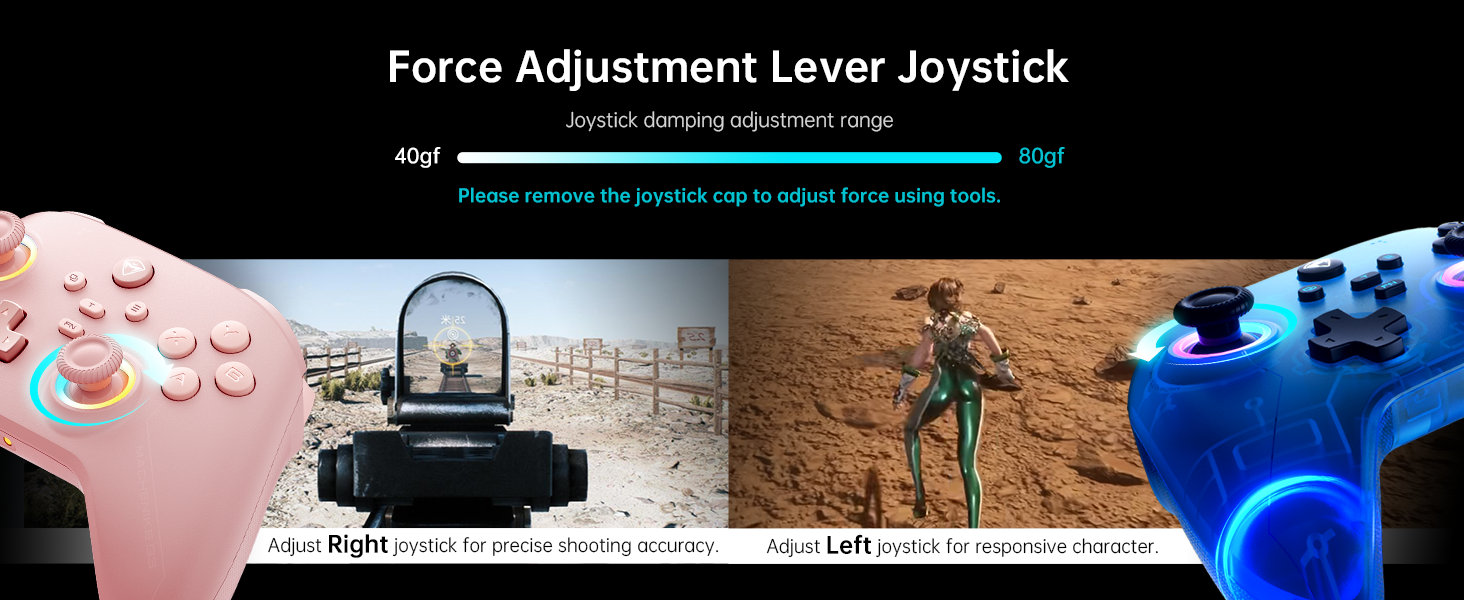
Image: The Machenike G3V2 controller highlighting its ergonomic design, anti-slip grip, and responsive triggers for comfortable and precise control.
4. Operation and Customization
4.1 Programuojami grįžimo mygtukai (M1/M2)
The controller features two customizable back buttons (M1 and M2) that can be assigned to single keys or complex macros. This is particularly useful for games requiring quick actions or combos.
- To Assign a Single Key:
a. paspauskite ir palaikykite FN + M1 (or M2) simultaneously until the joystick light ring glows with a soft blue breathing effect, indicating recording mode.
b. Press the desired button you wish to assign (e.g., 'A' button).
c. Paspauskite M1 (or M2) once to save the assignment. The light ring will flash three times, confirming successful saving. - To Clear an Assignment:
a. paspauskite ir palaikykite FN + M1 (or M2) simultaneously to enter recording mode.
b. Without pressing any other button, press M1 (or M2) again to save a blank input. The light ring will flash three times, clearing the previous assignment. - To Record a Macro (Multiple Keys):
a. paspauskite ir palaikykite FN + M1 (or M2) simultaneously to enter recording mode.
b. Press the sequence of keys you want to record (e.g., A, B, X, Y, RB, LB). The timing between key presses will be recorded.
c. Paspauskite M1 (or M2) once to save the macro. The light ring will flash three times.
Video: A detailed guide on how to set up and record keystroke macros using the programmable back buttons (M1/M2) on the Machenike G3V2 controller.
4.2 Valdymo svirties ir gaiduko kalibravimas
Calibration helps maintain accuracy and prevent drift in joysticks and triggers. This can be done whether the controller is off or connected.
- Vairasvirtės kalibravimas:
a. Paspauskite ir palaikykite B + Back + Home buttons simultaneously until the blue LED starts flashing.
b. Move both joysticks in full circles (about three rotations) slowly and steadily.
c. Paspauskite Pradėti button to save. The controller will power off, indicating successful calibration. - Trigerio kalibravimas:
a. Paspauskite ir palaikykite Y + Back + Home buttons simultaneously until the red LED starts flashing.
b. Press both triggers normally all the way down three times. Ensure gentle but full pressure.
c. Paspauskite Pradėti button to save. The controller will power off, indicating successful calibration.
After calibration, reconnect the controller to your device to test the new settings. Always use normal, gentle pressure during calibration for accurate results.
Video: A guide on how to calibrate the joysticks and triggers of the Machenike G3V2 controller to ensure optimal performance and accuracy.
4.3 RGB apšvietimas
The controller features dynamic RGB lighting around the joysticks. Specific controls for changing lighting modes or colors can often be found in the Keylinker 2.0 mobile application or through dedicated button combinations (refer to the app for advanced customization).
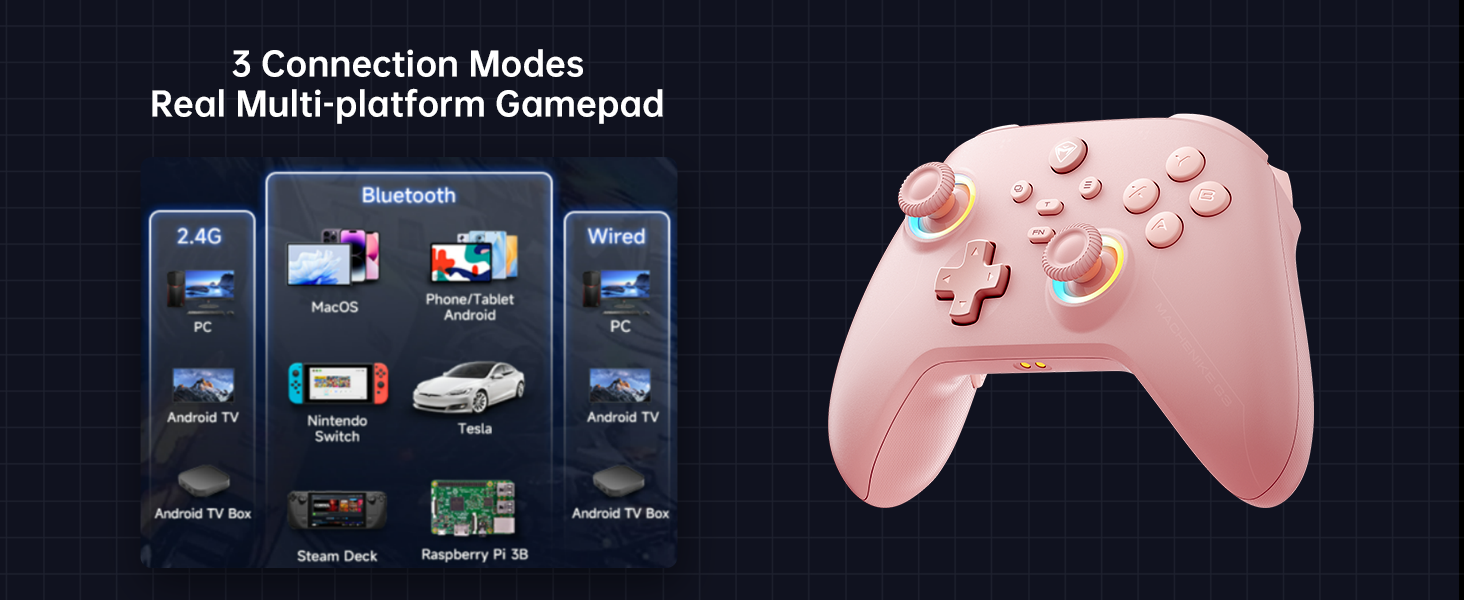
Image: The Machenike G3V2 controller illustrating its 4-level native vibration feedback, providing immersive experiences for various game genres.
5. Įkrovimas
The Machenike G3V2 controller comes with a 1000mAh high-capacity battery and a dedicated charging dock.
- Įkrovimo stotelės naudojimas: Simply place the controller onto the dedicated charging dock. The built-in USB-C port on the dock facilitates quick recharging.
- Tiesioginis įkrovimas per USB-C: You can also charge the controller directly using a USB-C cable connected to a power source.
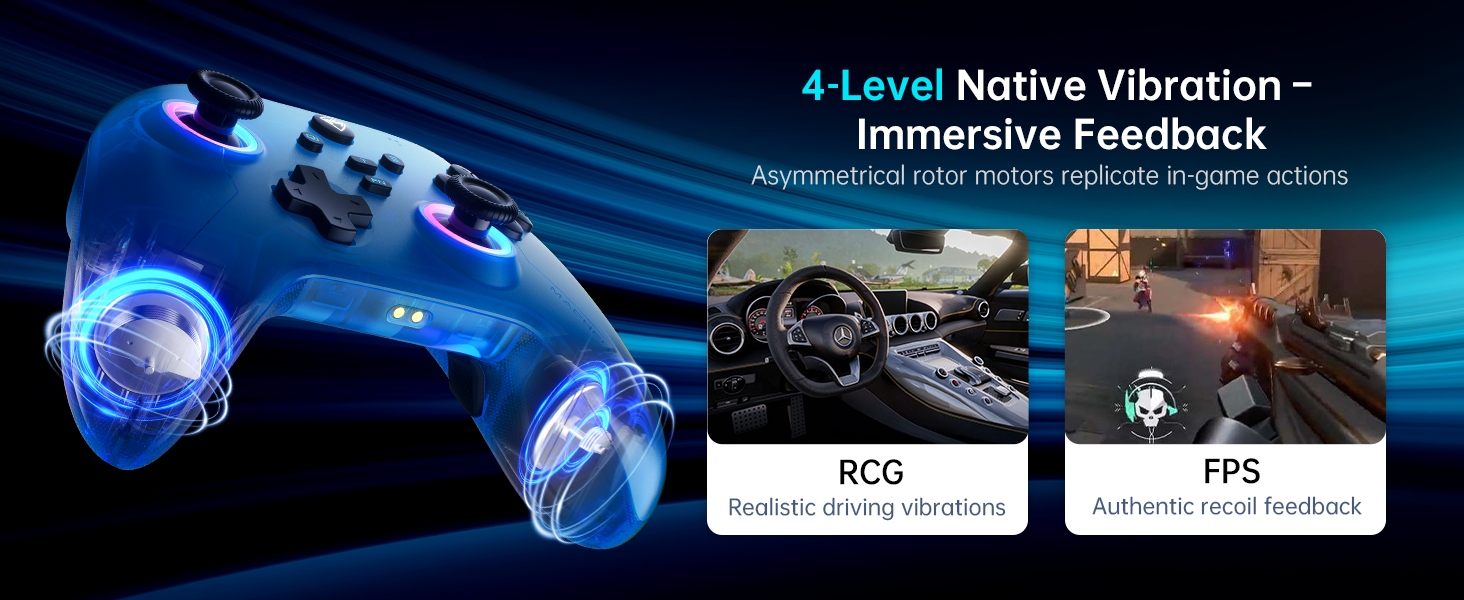
Image: The Machenike G3V2 controller resting on its dedicated charging dock, ready for an instant power boost.
6. Suderinamumas
- Palaikomos platformos: Nintendo Switch, Switch 2, iOS, Android, Windows PC.
- Nesuderinamas su: Xbox, PlayStation, or GeForce Now.
- For other game platforms not explicitly mentioned, please consult customer service before purchase.
7. Priežiūra
- Valymas: Valdiklį valykite minkšta, sausa šluoste. Venkite naudoti stiprias chemines medžiagas ar abrazyvines medžiagas.
- Saugykla: Laikykite valdiklį vėsioje, sausoje vietoje, apsaugotoje nuo tiesioginių saulės spindulių ir ekstremalių temperatūrų.
- Akumuliatoriaus priežiūra: Norėdami pailginti baterijos veikimo laiką, venkite dažnai visiškai iškrauti valdiklį. Reguliariai jį įkraukite, net jei ilgesnį laiką nenaudojate.
8. Problemų sprendimas
- Valdiklis neprisijungia:
- Įsitikinkite, kad valdiklis yra visiškai įkrautas.
- Verify the correct pairing mode is activated for your device (e.g., Y+Home for Switch).
- On your device, try forgetting the controller from Bluetooth settings and re-pairing.
- For PC, try connecting via the 2.4G dongle or wired connection. - Vairasvirtės poslinkis arba netikslumas:
- Perform joystick calibration as described in Section 4.2. - Trigger Issues:
- Perform trigger calibration as described in Section 4.2. - Mygtukai nereaguoja:
- Ensure the controller is properly connected.
- Check if any programmable back buttons (M1/M2) have unintended assignments (clear them if necessary).
- Reconnect the controller. - Įkrovimo problemos:
- Ensure the charging dock or USB-C cable is properly connected.
- Išbandykite kitą USB-C laidą arba maitinimo adapterį.
9. Specifikacijos
| Funkcija | Detalė |
|---|---|
| Modelio numeris | PE-Upgrade |
| ASIN | B0F93RPT5H |
| Gamintojas | Machenike |
| Prekės svoris | 0.529 uncijos |
| Pakuotės matmenys | 6.93 x 6.46 x 3.23 colio |
| Baterijos | 1 ličio polimero baterija (pridedama) |
| Ryšys | „Bluetooth“, 2.4G belaidis, laidinis (USB-C) |
| Apklausos rodiklis | 1000 Hz |
| Vairasvirtės | Hall Effect, Adjustable Tension (40-80gf) |
| Trigeriai | Hall Effect, 255 Levels, Millimeter Precision |
| Programuojami mygtukai | 2 Back Buttons (M1, M2) |
| Vibracija | 4-Level Native Vibration Feedback |
10. Garantija ir palaikymas
Machenike products are designed for durability and performance. For warranty information, technical support, or service inquiries, please refer to the official Machenike websvetainėje arba susisiekite tiesiogiai su jų klientų aptarnavimo tarnyba. Išsaugokite pirkimo kvitą garantiniams reikalavimams.
Internetiniai ištekliai ir DUK taip pat gali būti prieinami svetainėje „Machenike“ parduotuvė „Amazon“ platformoje.


