1. Įvadas
The EDIFIER MP330 is a portable Bluetooth speaker designed to deliver a high-quality audio experience with its retro aesthetic and advanced features. It supports Hi-Res audio and offers versatile connectivity options.

Image: The EDIFIER MP330 portable Bluetooth speaker, showcasing its brown finish and integrated leather handle.
2. Pakuotės turinys
Pažymėkite langelį prie šių elementų:
- EDIFIER MP330 Speaker x 1
- USB-C-USB-C kabelis x 1
- Greitas pradžios vadovas x 1
- Important Safety Information x 1

Image: A visual representation of the EDIFIER MP330 speaker and its included accessories: USB-C cable, quick start guide, and safety information.
3. Produktas baigtasview
3.1 Valdikliai ir prievadai
The EDIFIER MP330 features intuitive controls and essential ports for various audio sources.
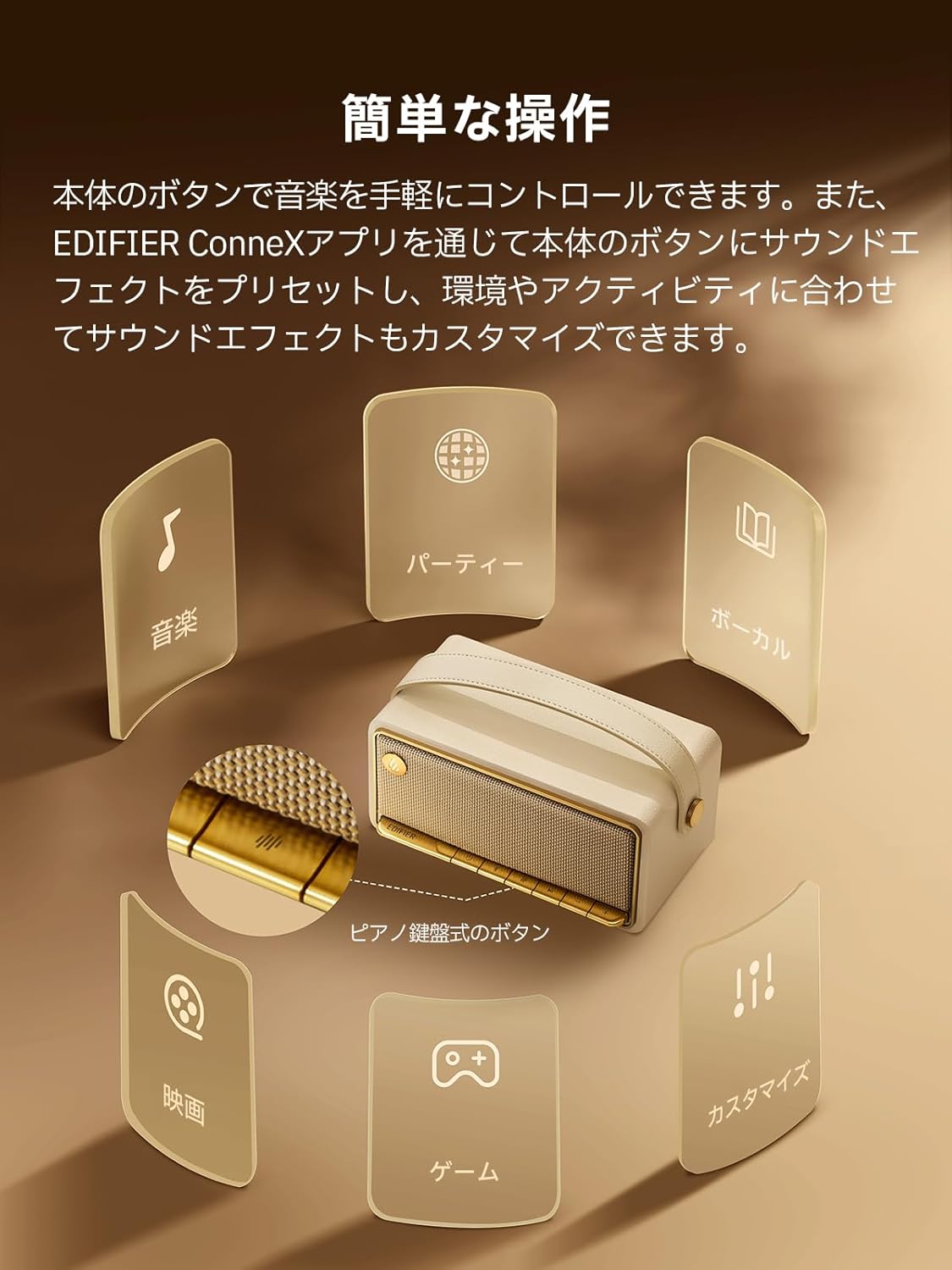
Image: A diagram illustrating the control buttons and indicator lights on the EDIFIER MP330 speaker, showing their functions for power, mode selection, playback, and volume.
- Maitinimo mygtukas: Paspauskite ir palaikykite, kad įjungtumėte/išjungtumėte.
- Režimo mygtukas: Short press to cycle through Bluetooth, USB-C, and microSD card input modes.
- Atkūrimo / pristabdymo mygtukas: Trumpas paspaudimas, norint paleisti arba pristabdyti garsą.
- Garsumo didinimo / kito takelio mygtukas: Trumpai paspauskite, kad padidintumėte garsumą, ilgai paspauskite kitą takelį.
- Garsumo mažinimo / ankstesnio takelio mygtukas: Trumpas paspaudimas – garsumui sumažinti, ilgas – ankstesniam takeliui.
- USB-C prievadas: For charging and audio input.
- „microSD“ kortelės lizdas: Garso įrašams leisti files directly from a microSD card.
4. Sąranka
4.1 Garsiakalbio įkrovimas
Before first use, fully charge the speaker using the provided USB-C cable and a compatible power adapter (not included). The indicator light will show charging status.
4.2 Maitinimo įjungimas/išjungimas
- Norėdami įjungti: paspauskite ir palaikykite maitinimo mygtuką, kol užsidegs indikatoriaus lemputė.
- Norėdami išjungti: paspauskite ir palaikykite maitinimo mygtuką, kol užges indikatoriaus lemputė.
4.3 Bluetooth poravimas
Norėdami prijungti įrenginį per Bluetooth:
- Power on the MP330 speaker. The Bluetooth indicator will flash, indicating it is in pairing mode.
- Savo įrenginyje (išmaniajame telefone, planšetiniame kompiuteryje ir kt.) įjunkite „Bluetooth“ ir ieškokite galimų įrenginių.
- Select "EDIFIER MP330" from the list of devices.
- Prijungus, „Bluetooth“ indikatorius liks šviesti.
4.4 Daugiataškis ryšys
The MP330 supports connecting to two Bluetooth devices simultaneously. After connecting the first device, put the speaker back into pairing mode and connect the second device. You can then switch between audio sources by pausing playback on one device and starting it on the other.

Image: Two mobile phones displaying music playback interfaces, indicating a multipoint Bluetooth connection to the EDIFIER MP330 speaker.
4.5 Stereo susiejimas (TWS)
For an enhanced stereo sound experience, you can pair two MP330 speakers together:
- Ensure both MP330 speakers are powered on and not connected to any Bluetooth device.
- On one speaker, press and hold the Bluetooth button until it enters TWS pairing mode (indicator light will flash a specific pattern).
- The two speakers will automatically connect to each other. One speaker will become the left channel and the other the right.
- Once paired, connect your device to the primary speaker via Bluetooth as described in section 4.3.

Image: Two EDIFIER MP330 speakers, one black and one ivory, positioned to illustrate stereo pairing, with a Bluetooth logo and arrows indicating connection.
5. Naudojimo instrukcijos
5.1 Switching Input Modes
Short press the Mode button to switch between Bluetooth, USB-C, and microSD card input modes. The indicator light will change color to reflect the active mode.
5.2 Garso atkūrimas per USB-C
Connect the MP330 to your computer using the provided USB-C cable. The speaker will automatically switch to USB-C audio mode. Select "EDIFIER MP330" as the audio output device on your computer.

Image: A diagram showing the EDIFIER MP330 speaker connected to a computer via a USB-C cable, indicating USB-C audio playback.
5.3 microSD Card Playback
Įdėkite „microSD“ kortelę su garso įrašu files into the microSD card slot. The MP330 will automatically switch to microSD card mode and begin playback.

Image: A diagram illustrating how to insert a microSD card into the dedicated slot on the EDIFIER MP330 speaker.
5.4 Using the EDIFIER Connex App
Download the EDIFIER Connex app to unlock extended features and customize your listening experience. The app allows you to:
- Perjungti įvesties šaltinius.
- Valdykite atkūrimą.
- Customize sound effects (equalizer presets or custom settings).
- Access the electronic user manual and other settings.

Image: Multiple smartphone screens displaying the EDIFIER Connex app interface, highlighting various control and customization options for the speaker.
6. Priežiūra
To ensure the longevity and optimal performance of your EDIFIER MP330 speaker, follow these maintenance guidelines:
- Valymas: Garsiakalbio paviršių valykite minkštu, sausu skudurėliu. Venkite naudoti abrazyvinius valiklius, tirpiklius ar stiprias chemines medžiagas, nes jos gali pažeisti apdailą.
- Saugykla: Garsiakalbį laikykite vėsioje, sausoje vietoje, toliau nuo tiesioginių saulės spindulių, ekstremalių temperatūrų ir didelės drėgmės.
- Vandens ekspozicija: The speaker is not waterproof. Avoid exposing it to water, rain, or excessive moisture.
- Tvarkymas: Elkitės su garsiakalbiu atsargiai. Venkite jo numesti ir stipriai sutrenkti.
- Akumuliatoriaus priežiūra: Norėdami optimalaus akumuliatoriaus veikimo laiko, venkite dažnai visiškai iškrauti akumuliatorių. Jei ilgesnį laiką laikysite akumuliatorių, kas kelis mėnesius įkraukite jį maždaug iki 50 %.
7. Problemų sprendimas
If you encounter issues with your EDIFIER MP330 speaker, refer to the following common troubleshooting steps:
- Nėra galios:
- Įsitikinkite, kad garsiakalbis visiškai įkrautas.
- Check if the power button is pressed and held correctly to turn on the device.
- Nėra garso:
- Verify the volume level on both the speaker and your connected device.
- Ensure the correct input mode (Bluetooth, USB-C, microSD) is selected.
- If using Bluetooth, ensure the speaker is properly paired and connected to your device.
- If using a microSD card, ensure the card is inserted correctly and contains playable audio files.
- „Bluetooth“ poravimo problemos:
- Make sure the speaker is in Bluetooth pairing mode (flashing indicator light).
- Išjunkite ir vėl įjunkite „Bluetooth“ savo įrenginyje.
- Perkelkite garsiakalbį arčiau savo įrenginio ir toliau nuo galimų trukdžių šaltinių.
- Try unpairing and re-pairing the speaker from your device's Bluetooth settings.
- Stereo Pairing Not Working:
- Ensure both speakers are not connected to any other Bluetooth device before initiating TWS pairing.
- Atidžiai atlikite TWS susiejimo veiksmus (4.5 skyrius).
- Programos ryšio problemos:
- Ensure Bluetooth is enabled and the speaker is connected to your device.
- Update the EDIFIER Connex app to the latest version.
- Iš naujo paleiskite garsiakalbį ir įrenginį.
If the problem persists after trying these steps, please contact Edifier customer support for further assistance.
8. Specifikacijos
Detailed technical specifications for the EDIFIER MP330 speaker:

Image: A comparison chart highlighting key specifications of the EDIFIER MP330 and MP230 models, including output power, Bluetooth version, battery capacity, playback time, and Hi-Res audio support.
| Funkcija | Specifikacija |
|---|---|
| Modelio pavadinimas | MP330 |
| Garsiakalbio tipas | Nešiojamasis garsiakalbis |
| Medžiaga | Mediena (MDF) |
| Spalva | Ruda |
| Išėjimo galia | 40W RMS |
| Bluetooth versija | 6.0 |
| Baterijos talpa | 4800 mAh |
| Atkūrimo laikas | Iki 19 valandų (esant 50% garsumui) |
| Dažnio atsakas | 53Hz-40kHz |
| Aukštos raiškos garsas | Supported (up to 24bit/96kHz) |
| Ryšys | Bluetooth, USB-C, microSD card |
| Matmenys (P x G x A) | 20.7 x 11.6 x 10.1 cm |
| Svoris | 1.13 kg |
| Kontrolės metodas | Programėlė, mygtukas |
| Signalo ir triukšmo santykis (S/N) | 85 dB |

Image: A technical drawing showing the dimensions (width, depth, height) and weight of the EDIFIER MP330 speaker.
9. Garantija ir palaikymas
For warranty information, please refer to the warranty card included in your product packaging or visit the official Edifier website. If you require technical support or have questions about your EDIFIER MP330 speaker, please contact Edifier customer service through their official channels.
Edifier Official Websvetainė: www.edifier.com


