Įvadas
This manual provides essential information for the safe and efficient use of your SUPVAN T50M Pro Label Maker. Please read these instructions carefully before operating the device and retain them for future reference.
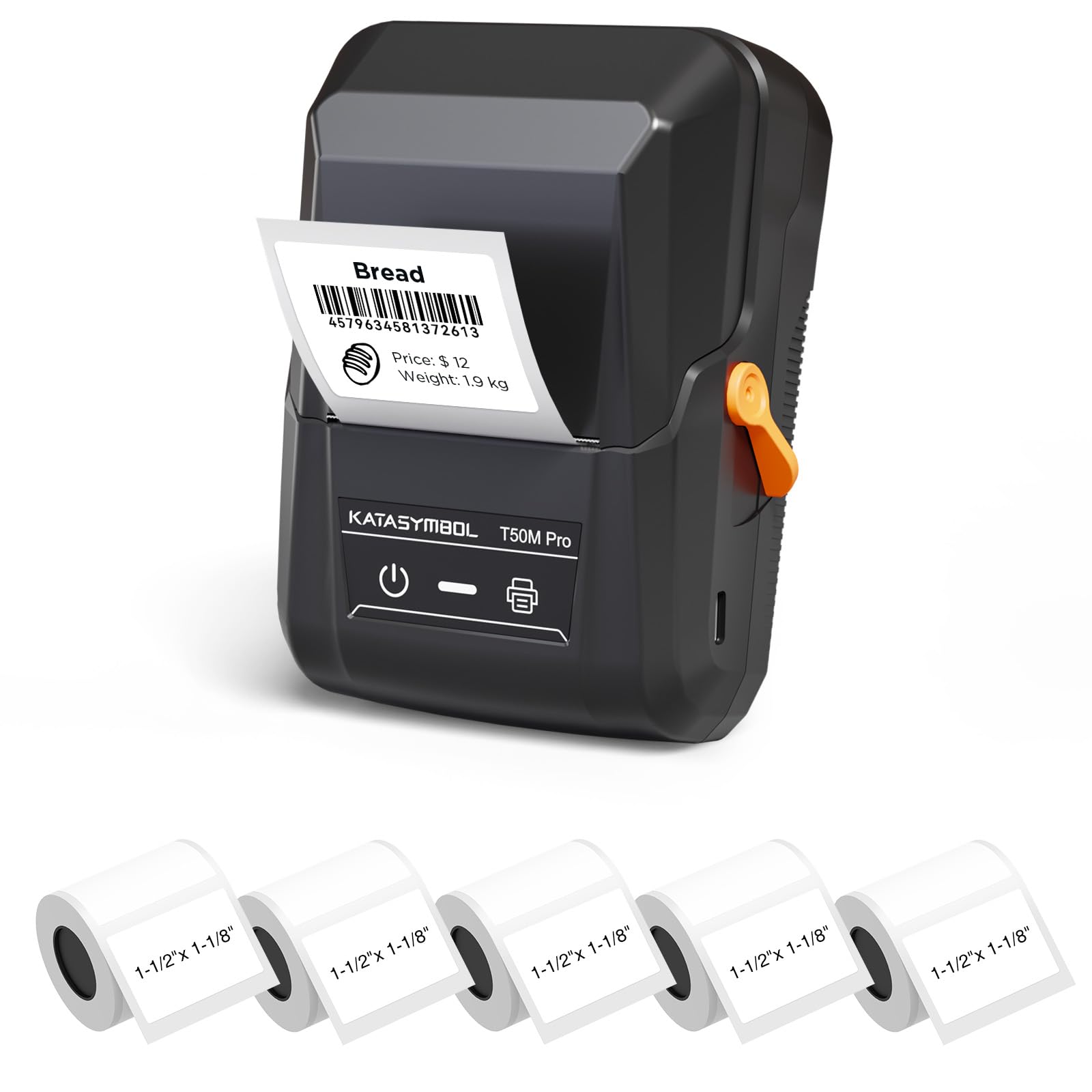
Image: The SUPVAN T50M Pro Label Maker, a compact thermal printer.
Pakuotės turinys
Patikrinkite, ar pakuotėje yra visi reikalingi daiktai:
- SUPVAN T50M Pro Label Maker
- 5 rolls of 1.57'' × 1.18'' (40mm × 30mm) white labels (250 labels/roll)
- USB Cable (for charging and connectivity)
- Vartotojo vadovas (šis dokumentas)
Sąrankos vadovas
1. Įrenginio įkrovimas
Before first use, fully charge the label maker using the provided USB cable. The device features a 1200 mAh built-in rechargeable battery, offering extended use on a single charge.
2. Installing the Label Roll
The T50M Pro uses thermal paper, eliminating the need for ink or toner. Follow these steps to install a label roll:
- Atidarykite etikečių skyriaus dangtelį.
- Insert the label roll with the printing surface facing upwards.
- Ensure the label edge is aligned with the printer's feed mechanism.
- Close the cover. The device's Smart RFID Auto-Detection will recognize the label size automatically.

Image: Illustration of loading thermal paper into the label maker. The device uses thermal printing technology, requiring no ink or toner.
3. Programėlės diegimas ir prijungimas
Download the official SUPVAN app from your device's app store. The app provides all editing functions and is free to use.
- Turn on the label maker.
- Open the SUPVAN app on your smartphone or tablet.
- Follow the in-app instructions to connect to your T50M Pro via Bluetooth or USB.
Naudojimo instrukcijos
1. Etikečių kūrimas naudojant programėlę
The SUPVAN app offers a comprehensive suite of editing tools:
- Teksto redagavimas: Choose from over 40 fonts.
- Image & Picture Integration: Add custom images and logos.
- Šablonai: Access over 140 free, constantly updated templates for various uses.
- Auto Label Size Recognition: The app automatically detects the loaded label size, reducing errors.

Image: The SUPVAN app's editing interface, demonstrating font choices, image integration, and automatic label size detection.

Image: A selection of over 140 free templates available within the SUPVAN app, suitable for diverse labeling needs.
2. Etikečių spausdinimas
After designing your label in the app, select the "Print" option. Ensure the label maker is connected and has sufficient battery. The T50M Pro supports various label styles and sizes, printing 3/4 to 2-inch wide labels.

Vaizdas: pvzamples of labels created with the T50M Pro, including address labels, price tags, and decorative labels, demonstrating support for various styles.

Image: A visual comparison highlighting the high-quality image output from the SUPVAN T50M Pro's app compared to other label makers.
3. Dažniausios taikymo sritys
The SUPVAN T50M Pro is suitable for a wide range of labeling tasks:
- Mažas verslas: Shipping addresses, product information, QR codes, brand logos.
- Biuras ir mokykla: Vardas tags, folder labels, documentation, asset tagišvyko.
- Namų organizavimas: Pantry labels, storage bins, personal items.

Image: Demonstrates diverse uses for the label maker, such as labeling containers in a pantry, creating product labels, printing shipping labels, and organizing school supplies.
Priežiūra
1. Spausdinimo galvutės valymas
Norėdami užtikrinti optimalią spausdinimo kokybę, periodiškai valykite terminio spausdinimo galvutę. Naudokite minkštą, nepūkuotą šluostę, lengvai nuvalytąampened with isopropyl alcohol. Do not use abrasive cleaners or sharp objects.
2. Akumuliatoriaus priežiūra
Recharge the device when the battery indicator is low. Avoid fully discharging the battery frequently to prolong its lifespan. Store the device in a cool, dry place when not in use for extended periods.
3. Etikečių saugojimas
Store label rolls in a cool, dry place away from direct sunlight and heat to prevent degradation of the thermal material.
Trikčių šalinimas
1. Įrenginys neįsijungia
- Įsitikinkite, kad įrenginys yra visiškai įkrautas. Prijunkite jį prie maitinimo šaltinio naudodami USB laidą.
- Paspauskite ir keletą sekundžių palaikykite maitinimo mygtuką.
2. Printing Issues (Blank or Faint Prints)
- Check if the label roll is installed correctly with the printing surface facing up.
- Ensure the label roll is not empty.
- Išvalykite spausdinimo galvutę, kaip aprašyta skyriuje „Priežiūra“.
- Verify that the label type is compatible with the T50M Pro.
3. Programėlės ryšio problemos
- Įsitikinkite, kad jūsų mobiliajame įrenginyje įjungtas „Bluetooth“.
- Make sure the label maker is turned on and within range.
- Restart both the label maker and the app.
- Jei problemos išlieka, pabandykite iš naujo įdiegti programėlę.
4. Label Misalignment
- Ensure the label roll is properly seated and aligned in the compartment.
- The Smart RFID Auto-Detection should prevent most misalignment issues; if not, try re-seating the roll.
Specifikacijos
| Funkcija | Detalė |
|---|---|
| Modelio pavadinimas | T50M Pro |
| Prekės ženklas | SUPVAN |
| Spausdinimo technologija | Šiluminis |
| Ryšio technologija | USB, Bluetooth |
| Techninės įrangos sąsaja | USB |
| Spausdintuvo išvestis | Monochrome (Black Ink Color) |
| Maksimalus laikmenos dydis | 1.57'' × 1.18'' (40mm × 30mm) - 3/4 to 2-inch wide labels supported |
| Ypatinga funkcija | Portable, Smart RFID Auto-Detection, BPA-free labels |
| Baterija | 1200 mAh įmontuota įkraunama baterija |
| Matmenys | Maždaug 5 cm x 3.7 cm x 2.3 cm |
| Svoris | Apytiksliai 0.6 svarai |
| Įtraukti komponentai | Label Maker, Labels, USB Cable |

Image: The compact design of the T50M Pro, highlighting its portability, lightweight nature, and 1200 mAh rechargeable battery.
Garantija ir palaikymas
Informacija apie garantiją
For detailed warranty information, please refer to the warranty card included with your product or visit the official SUPVAN websvetainėje. Garantijos sąlygos gali skirtis priklausomai nuo regiono ir mažmenininko.
Pagalba klientams
If you encounter any issues or have questions regarding your SUPVAN T50M Pro Label Maker, please contact SUPVAN customer support through their official websvetainę arba mažmenininką, iš kurio buvo pirktas produktas.
Taip pat galite apsilankyti SUPVAN Store on Amazon jei reikia papildomos informacijos apie produktą ir pagalbos išteklių.


