1. Įvadas
The Shelly Outdoor Plug S Gen3 is a compact and robust smart plug designed for outdoor environments. It enables intelligent control and monitoring of electrical appliances, making it ideal for managing outdoor lighting, patio heaters, and other external devices. Featuring a powerful 12A relay, it provides real-time energy consumption monitoring and supports automated power management. Its compatibility with Wi-Fi, Bluetooth, and the Matter standard ensures seamless integration into various smart home ecosystems.
2. Saugos informacija
- Read this manual carefully before installation and use.
- Nebandykite patys taisyti ar modifikuoti įrenginio. Visus techninės priežiūros darbus patikėkite kvalifikuotiems specialistams.
- Įsitikinkite, kad prietaisas naudojamas neviršijant nurodytų elektros vardinių verčių (volttage, srovė, galia).
- This device is designed for outdoor use and has an IPX4 rating, meaning it is protected against splashing water from any direction. However, do not immerse it in water.
- Keep the device away from direct heat sources, open flames, and extreme temperatures outside its operating range (-20°C to +40°C).
- Do not connect appliances that exceed the maximum load of 12A / 2500W.
- Prieš valydami arba atlikdami techninę priežiūrą, visada atjunkite įrenginį nuo maitinimo šaltinio.
3. Pakuotės turinys
Your Shelly Outdoor Plug S Gen3 package should contain:
- 1x Shelly Outdoor Plug S Gen3 Smart Wi-Fi and Bluetooth Plug
- 1x vartotojo vadovas
4. Produktas baigtasview
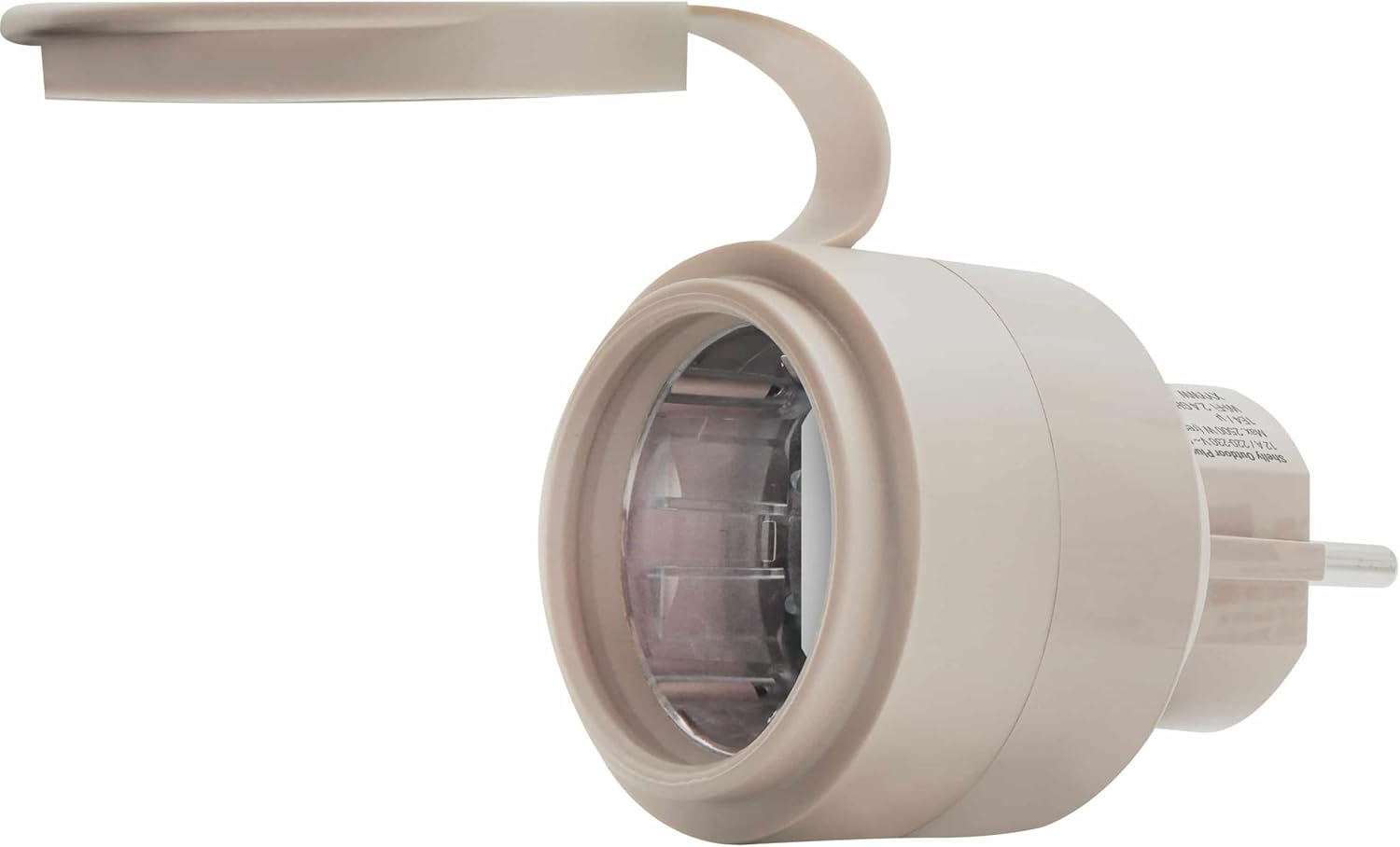
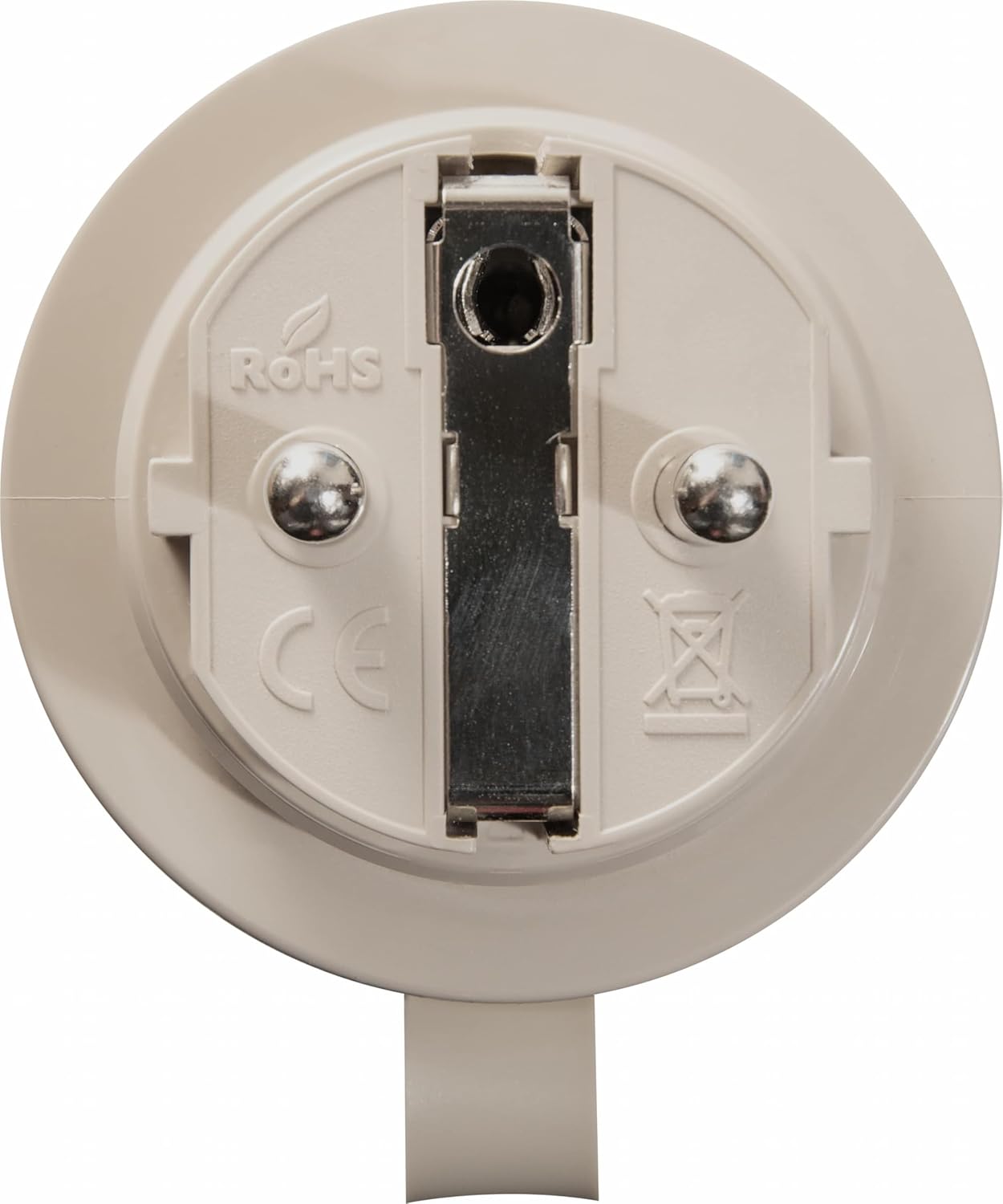
The Shelly Outdoor Plug S Gen3 is designed for durability and ease of use in outdoor settings. It features a robust casing and a protective cover for the socket to shield it from environmental elements.
5. Sąranka
5.1 Pradinis pastatymas ir maitinimo prijungimas
- Choose a suitable outdoor location for the plug, ensuring it is protected from direct heavy rain or prolonged submersion, consistent with its IPX4 rating.
- Plug the Shelly Outdoor Plug S Gen3 into a standard outdoor electrical socket (220-230V AC, 50/60Hz).
- Ensure the protective cover for the socket is properly closed when not in use or when an appliance is plugged in to maintain its water resistance.
5.2 Programėlės diegimas ir įrenginių susiejimas
- Download the Shelly Cloud App from your mobile device's app store (iOS or Android).
- Create a Shelly Cloud account or log in if you already have one.
- Open the app and follow the on-screen instructions to add a new device. The plug supports both Wi-Fi and Bluetooth for initial pairing.
- During the pairing process, the app will guide you to connect the plug to your Wi-Fi network.
5.3 Materijos integravimas
The Shelly Outdoor Plug S Gen3 is Matter-certified, allowing for seamless integration with other Matter-compatible smart home systems.
- Ensure your Matter controller (e.g., smart home hub) is set up and ready to add new devices.
- Follow the specific instructions provided by your Matter controller to add a new Matter device.
- The Shelly app may also provide an option to generate a Matter pairing code or QR code for easier integration.
6. Operacinis
6.1 Pagrindinis įjungimo/išjungimo valdymas
- Rankinis valdymas: The plug may have a physical button for manual on/off switching. Refer to the device for its exact location.
- Programos valdymas: Use the Shelly Cloud App to remotely switch the connected appliance on or off from anywhere with an internet connection.
6.2 Energijos stebėjimas
The Shelly Outdoor Plug S Gen3 features real-time energy monitoring. Through the Shelly Cloud App, you can view the current power consumption of the connected appliance, track historical usage, and identify energy-saving opportunities.
6.3 Automation and Scheduling
Leverage the automation features within the Shelly Cloud App to create schedules and rules for your connected devices:
- Laiko tvarkaraščiai: Set specific times for the plug to turn on or off daily or on selected days.
- Sunrise/Sunset Automation: Configure the plug to activate or deactivate based on local sunrise and sunset times, ideal for outdoor lighting.
- Individualios scenos: Create complex automation scenarios involving multiple Shelly devices or other smart home components.
6.4 Local vs. Cloud Control
The Shelly Outdoor Plug S Gen3 offers flexible control options:
- Vietinė kontrolė: The device can operate locally within your home network without requiring an internet connection, provided it is configured.
- Debesų valdymas: For remote access and advanced features like automation and integration with third-party services, connect the plug to the Shelly Cloud.
7. Priežiūra
- Valymas: Use a soft, dry cloth to clean the device. Do not use abrasive cleaners or solvents. Ensure the device is unplugged before cleaning.
- Aplinkos sąlygos: Regularly check that the protective cover for the socket is securely in place to maintain its IPX4 rating. Avoid exposing the device to conditions outside its specified operating temperature range.
- Firmware atnaujinimai: Periodically check for and install firmware updates via the Shelly Cloud App to ensure optimal performance and security.
8. Problemų sprendimas
If you encounter issues with your Shelly Outdoor Plug S Gen3, refer to the following common problems and solutions:
- Įrenginys nereaguoja:
- Check if the plug is securely connected to the power outlet.
- Verify that the connected appliance is working correctly.
- Restart the plug by unplugging it for a few seconds and plugging it back in.
- Nepavyksta prisijungti prie „Wi-Fi“:
- Ensure your Wi-Fi network is 2.4 GHz, as the plug does not support 5 GHz networks.
- Patikrinkite savo „Wi-Fi“ slaptažodžio tikslumą.
- Move the plug closer to your Wi-Fi router to improve signal strength.
- Paleiskite iš naujo „Wi-Fi“ maršrutizatorių.
- Materijos integravimo problemos:
- Ensure your Matter controller is updated to the latest firmware.
- Verify that the plug is within range of your Matter controller.
- Refer to the specific troubleshooting guide for your Matter controller.
- Energijos stebėjimas netikslus:
- Ensure the connected appliance is fully functional and drawing power.
- Check for any firmware updates for the plug.
If problems persist, contact Shelly support for further assistance.
9. Specifikacijos
Detailed technical specifications for the Shelly Outdoor Plug S Gen3:

| Funkcija | Specifikacija |
|---|---|
| Modelio numeris | SHELLY_O_PLUG_S_GEN3 |
| Veiklos ttage | 220-230 V~, 50/60Hz |
| Maks. Perjungimo srovė | 12 A |
| Maks. Galia | 2500 W |
| Belaidis protokolas | Wi-Fi 802.11 b/g/n (2.4 GHz) |
| Bluetooth versija | 4.2 |
| Darbinė temperatūra | -20°C iki +40°C |
| WLAN diapazonas | Up to 50 m (open air), up to 30 m (indoors) |
| Bluetooth diapazonas | Up to 30 m (open air), up to 10 m (indoors) |
| Matmenys (AxPxD) | 44 x 44 x 70 mm |
| Spalva | Baltas |
| Sertifikatai | Matter, CE, RoHS |
| Gamintojas | Shelly |
| Apsaugos nuo patekimo (IP) įvertinimas | IPX4 |
10. Garantija ir palaikymas
Shelly products are designed and manufactured to the highest quality standards. For warranty information, technical support, or service inquiries, please refer to the official Shelly websvetainėje arba susisiekite su vietiniu platintoju. Išsaugokite pirkimo įrodymą, jei prireiktų pateikti garantinį prašymą.