Įvadas
This manual provides comprehensive instructions for the setup, operation, and maintenance of your Lepro OE1 AI Smart RGBICW LED Corner Floor Lamp. Please read this manual thoroughly before use to ensure proper functionality and safety.
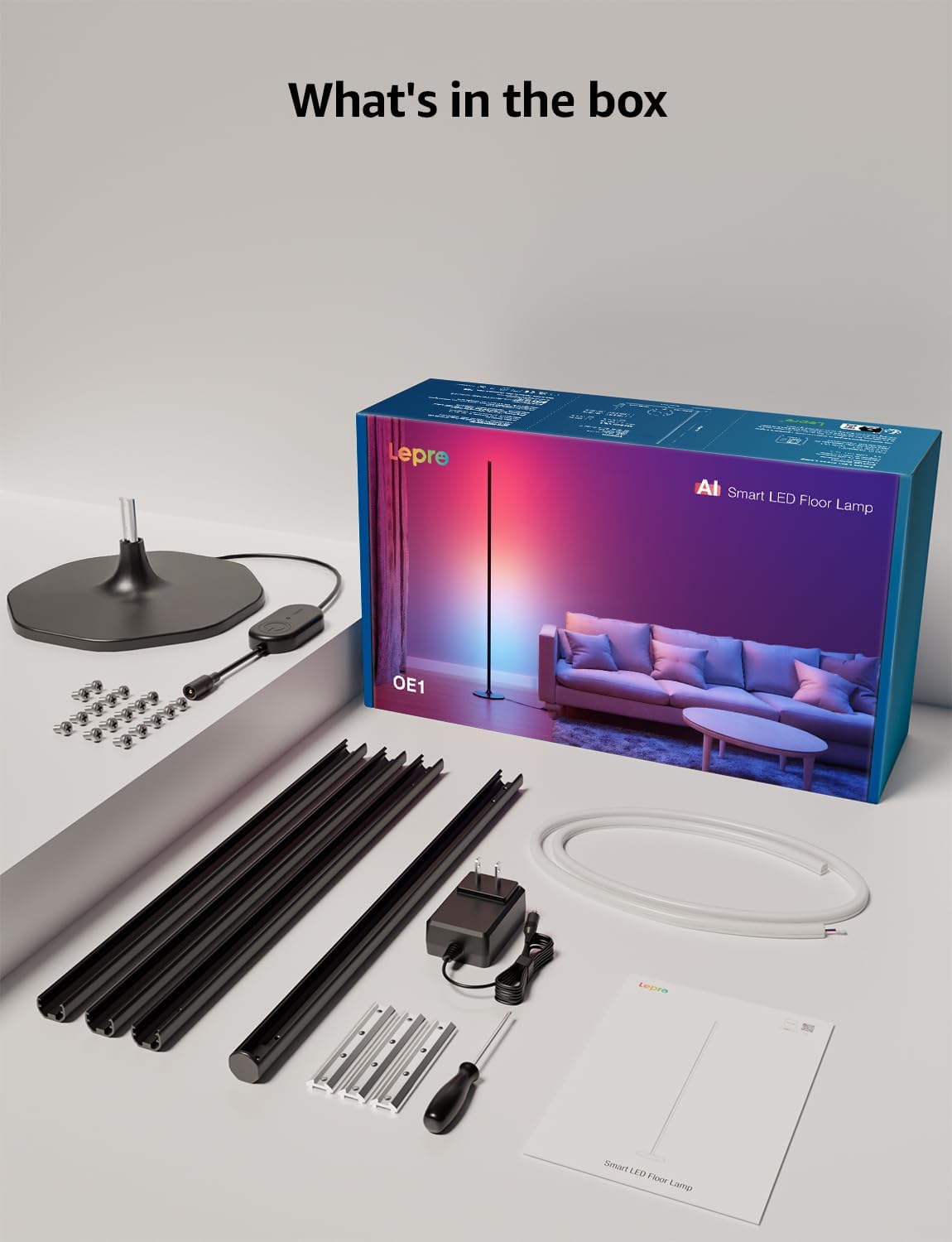
Pakuotės turinys
Patikrinkite, ar pakuotėje yra visi komponentai:
- Lamp Bazė
- Metal Poles (multiple sections)
- Metal Connecting Pieces
- LED juostiniai šviestuvai
- Varžtai ir atsuktuvas
- Maitinimo adapteris
- Vartotojo vadovas
Sąranka ir surinkimas
Follow these steps to assemble and set up your Lepro OE1 floor lamp:
- Assemble the Metal Poles: Align the metal slots of the pole sections with the connecting pieces. Use the provided screws and screwdriver to tighten them securely. Continue this process until all pole sections are connected to form the main lamp kūno.
- Pritvirtinkite prie pagrindo: Secure the assembled metal pole to the lamp base using the designated screws.
- Įdėkite LED juostelę: Carefully insert the LED strip light into the channel of the assembled metal pole. Ensure the strip's bottom connector aligns with the wire from the base.
- Prijunkite laidus: Connect the wire from the LED strip to the wire extending from the lamp bazę.
- Position the LED Strip: Gently press and adjust the LED strip from the middle outwards to ensure it sits flush and evenly within the pole's channel. Do not cut the strip lights, as this will cause damage.
- Maitinimo jungtis: Prijunkite maitinimo adapterį prie lamp ir tada prijunkite jį prie standartinio elektros lizdo.

Programėlės atsisiuntimas ir prisijungimas
The Lepro OE1 lamp is controlled via the Lepro app. It is compatible with 2.4GHz WiFi networks only. Ensure your phone's Bluetooth is enabled during the pairing process.
- Download the "Lepro" app from your device's app store. (Note: Not compatible with "Lepro Lampux" or "Smart Life" apps).
- Užregistruokite naują paskyrą arba prisijunkite.
- Ensure your phone's Bluetooth is on and connected to a 2.4GHz WiFi network.
- In the app, select "Add Device" and follow the on-screen instructions to pair your OE1 lamp.
Video 1: Step-by-step guide on how to assemble the Lepro OE1 AI floor lamp.
Video 2: Instructions on how to connect the OE1 AI floor lamp to the Lepro app.
Naudojimo instrukcijos
The Lepro OE1 lamp offers various control methods and lighting features:
1. Lepro App Control
The Lepro app provides full control over your lamp's functions:
- LightGPM 4 - Personalized AI Lighting Designer: Use voice or text prompts to describe your desired mood or scene. The AI will generate lighting effects tailored to your preferences. The more you use it, the more it adapts.
- DIY Lighting: Customize your ambiance with over 16 million RGB colors and various effects. Adjust colors, brightness, and speed. Save your custom settings and explore community ideas within the app.
- Muzikos sinchronizavimas: The RGB+ICW color-changing floor lamp reacts to music beats, creating dynamic lighting effects.
- Photo-to-Vibe: Upload a photo of your room, a movie poster, or a game character, and LightGPM will generate a lighting design to match the image's theme.
- Šiltai baltas apšvietimas: For daily use, the lamp provides 1000 lumens of warm white light at 2700K, adjustable from 1% to 100% brightness.
- Nuotolinis valdymas: Kontroliuokite savo lamp remotely via the Lepro App, even when away from home.
- Planavimas: Set automatic on/off timers for convenience.


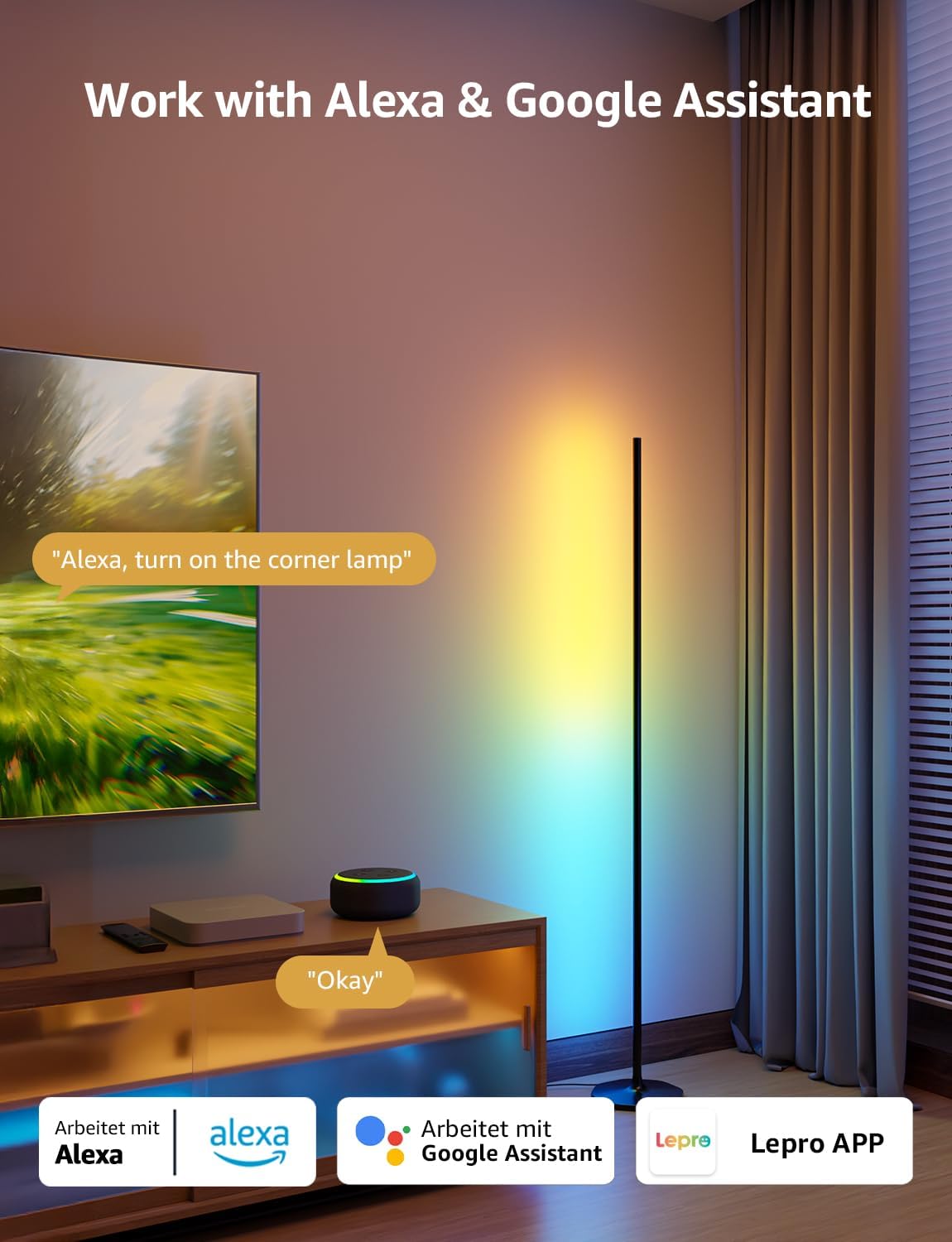
2. Balso valdymas („Alexa“ ir „Google Assistant“)
The OE1 lamp supports effortless voice control through Amazon Alexa and Google Assistant. Link your Lepro account with Alexa or Google Assistant in their respective apps to enable voice commands.
- Example commands: "Alexa, turn on the corner lamp," "Hey Google, set the floor lamp to blue," "Alexa, dim the floor lamp iki 50 procentų“.
3. Grupės valdymas
For multiple Lepro AI devices, simultaneous group control is supported through the Lepro app, allowing you to manage all your smart lights together.
Priežiūra
To ensure the longevity and optimal performance of your Lepro OE1 floor lamp:
- Valymas: Nuvalykite lamp with a soft, dry cloth. Avoid using abrasive cleaners or solvents that may damage the finish or LED strip.
- Vieta: Padėkite lamp on a stable, flat surface. Avoid areas with excessive moisture or direct exposure to sunlight, which can affect the LED lifespan.
- Galia: Prieš valydami ar atlikdami bet kokią techninę priežiūrą, visada atjunkite maitinimo adapterį.
Trikčių šalinimas
If you encounter issues with your Lepro OE1 floor lamp, žr. šiuos įprastus sprendimus:
- Lamp neįsijungia:
- Įsitikinkite, kad maitinimo adapteris yra tvirtai prijungtas prie abiejų lamp ir veikiantis elektros lizdas.
- Patikrinkite, ar maitinimo lizdas veikia, prijungdami prie jo kitą įrenginį.
- Unable to connect to the Lepro app:
- Patikrinkite, ar jūsų išmaniajame telefone įjungtas „Bluetooth“ ryšys.
- Confirm your WiFi network is 2.4GHz. The lamp does not support 5GHz WiFi.
- Ensure your phone is connected to the same 2.4GHz WiFi network as the lamp pradinės sąrankos metu.
- Pabandykite iš naujo nustatyti lamp (see "Resetting the Lamp" below).
- Balso valdymas neveikia:
- Ensure your Lepro account is correctly linked with your Alexa or Google Assistant app.
- Check your internet connection for both the lamp and your voice assistant device.
Iš naujo nustatant Lamp
If you experience persistent issues or need to re-pair your lamp, perform a factory reset:
- Locate the control button on the power cable.
- Paspauskite ir palaikykite mygtuką 5 sekundes.
- A flashing blue light on the lamp indicates a successful reset. The lamp is now ready for re-pairing with the Lepro app.
Video 3: Visual demonstration of how to reset the Lepro OE1 AI floor lamp.
Specifikacijos
| Funkcija | Detalė |
|---|---|
| Prekės ženklas | Lepro |
| Modelio numeris | OE1 |
| Gaminio matmenys | 7.87 "D x 7.87" P x 55.11" A |
| Prekės svoris | 2.86 svaro |
| Šviesos šaltinio tipas | LED |
| Ryškumas | 1000 liumenų |
| Spalvos temperatūra | 2700 kelvinų (šiltai balta) |
| Šviesios spalvos | RGB, šiltai balta |
| Vattage | 20 vatų |
| ttage | 120 voltai (kintamoji srovė) |
| Kontrolės metodas | Voice, App (Lepro App) |
| Ryšys | Bluetooth, 2.4G WiFi (5GHz not supported) |
| Vidutinis gyvenimas | 20000 valandų |
| Medžiaga | Aliuminis |
| Apdailos tipas | Matinis |
| Naudojimas viduje / lauke | Vidinis |
| Reikalingas surinkimas | Taip |
| UPC | 810168791135 |
Garantija ir palaikymas
For warranty information or technical support, please refer to the official Lepro websvetainėje arba susisiekite tiesiogiai su jų klientų aptarnavimo tarnyba. Išsaugokite pirkimo kvitą, jei prireiktų garantijos.
Optional protection plans may be available for purchase separately. Please check with your retailer for details.


