1. Įvadas
This manual provides detailed instructions for the proper use, setup, and maintenance of your WIWU OWS O300 Wireless Earbuds. Please read this manual thoroughly before using the product to ensure optimal performance and longevity.
2. Pakuotės turinys
Patikrinkite, ar jūsų gaminio pakuotėje yra visi toliau išvardyti daiktai:
- WIWU OWS O300 Wireless Earbuds (Left and Right)
- Įkrovimo dėklas
- USB-C įkrovimo laidas
- Vartotojo vadovas
3. Produktas baigtasview
The WIWU OWS O300 earbuds feature an open-ear design for comfort and situational awareness, paired with a compact charging case.

Figure 3.1: WIWU OWS O300 Wireless Earbuds and Charging Case

Figure 3.2: WIWU OWS O300 Charging Case open with earbuds inside
Ausinių komponentai
- Ausų kabliukas: Užtikrina saugų prigludimą prie ausies.
- Garsiakalbio blokas: Pateikia garsą.
- Lietimo valdymo sritis: For managing playback, calls, and other functions.
- Mikrofonas: Balso skambučiams.
- Įkrovimo kontaktai: Jungiamasi su įkrovimo dėklu.
Įkrovimo dėklo komponentai
- Ausinių lizdai: Laiko ir įkrauna ausines.
- USB-C įkrovimo prievadas: Dėklo įkrovimui.
- LED indikatorius: Rodo įkrovimo būseną ir akumuliatoriaus lygį.
4. Sąranka
4.1 Ausinių ir dėklo įkrovimas
Prieš pirmą kartą naudodami, visiškai įkraukite ir ausines, ir įkrovimo dėklą.
- Place the earbuds into the charging case, ensuring the charging contacts align.
- Connect the USB-C charging cable to the charging port on the case and the other end to a power source (e.g., USB wall adapter, computer USB port).
- The LED indicator on the case will show the charging status. A full charge typically takes approximately 1.5 hours.
- Visiškai įkrovę atjunkite įkrovimo kabelį.
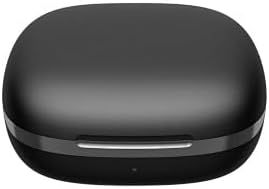
Figure 4.1: WIWU OWS O300 Charging Case in closed state
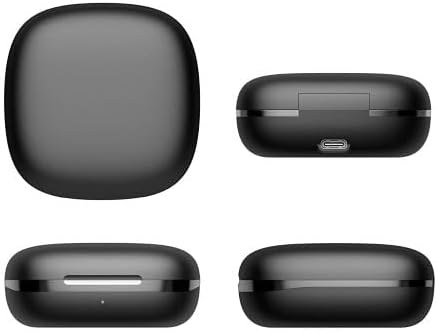
4.2 pav. Įvairūs views of the WIWU OWS O300 charging case, highlighting its design and USB-C charging port
4.2 Susiejimas su įrenginiu
- Ensure the earbuds are charged. Open the charging case; the earbuds will automatically enter pairing mode. The LED indicator on the earbuds may flash to indicate pairing readiness.
- Savo įrenginyje (išmaniajame telefone, planšetiniame kompiuteryje ir kt.) įjunkite „Bluetooth“.
- Ieškokite available Bluetooth devices and select "WIWU OWS O300" from the list.
- Once connected, a voice prompt will confirm successful pairing, and the earbud LED indicators will turn off or show a steady light.
- Jei susiejimas nepavyksta, įdėkite ausines atgal į dėklą, uždarykite jį ir pakartokite veiksmus.
5. Naudojimo instrukcijos
5.1 Maitinimo įjungimas/išjungimas
- Maitinimas: Atidarykite įkrovimo dėklą ir ausinės automatiškai įsijungs.
- Išjungti: Įdėkite ausines atgal į įkrovimo dėklą ir uždarykite dangtelį. Jos automatiškai išsijungs ir pradės krautis.
5.2 Muzikos atkūrimas
- Leisti / pristabdyti: Vieną kartą palieskite bet kurios ausinės jutiklinio valdymo sritį.
- Kitas takelis: Dukart palieskite jutiklinio valdymo sritį ant dešiniojo ausinio.
- Ankstesnis takelis: Dukart palieskite jutiklinio valdymo sritį kairiojoje ausinėje.
- Pagarsink: Tris kartus palieskite jutiklinio valdymo sritį ant dešiniojo ausinio.
- Patildyti: Tris kartus palieskite jutiklinio valdymo sritį kairiojoje ausinėje.
5.3 Skambučių valdymas
- Atsiliepti / Baigti skambutį: Vieną kartą palieskite bet kurios ausinės jutiklinio valdymo sritį.
- Atmesti skambutį: 2 sekundes palaikykite nuspaudę bet kurios ausinės jutiklinio valdymo sritį.
5.4 Balso padėjėjas
- Suaktyvinti „Voice Assistant“: Press and hold the touch control area on either earbud for 3 seconds (when not on a call).

Figure 5.1: The open-ear design of the WIWU OWS O300 earbuds allows for situational awareness while listening.

Figure 5.2: Ergonomic design of the WIWU OWS O300 earbuds for a secure and comfortable fit.

Figure 5.3: The WIWU OWS O300 earbuds are suitable for various activities and environments, including outdoor use, office work, leisure, and sports.
6. Priežiūra
Proper maintenance ensures the longevity and performance of your earbuds.
- Valymas: Ausinėms ir įkrovimo dėklui valyti naudokite minkštą, sausą, nepūkuotą šluostę. Nenaudokite stiprių cheminių medžiagų ar abrazyvinių medžiagų.
- Įkrovimo kontaktai: Periodically clean the charging contacts on both the earbuds and the case with a dry cotton swab to ensure a good connection.
- Saugykla: Kai nenaudojate, laikykite ausines įkrovimo dėkle, kad apsaugotumėte jas nuo dulkių ir pažeidimų. Laikykite vėsioje, sausoje vietoje, toliau nuo ekstremalių temperatūrų.
- Vandens ekspozicija: Avoid exposing the earbuds or case to water or excessive moisture.
7. Problemų sprendimas
If you encounter issues with your WIWU OWS O300 earbuds, refer to the following table for common problems and solutions.
| Problema | Sprendimas |
|---|---|
| Ausinės neįsijungia. | Įsitikinkite, kad ausinės ir įkrovimo dėklas yra visiškai įkrauti. Įdėkite ausines į dėklą, uždarykite dangtelį, tada vėl atidarykite. |
| Ausinės nesusijungia su įrenginiu. | Make sure Bluetooth is enabled on your device. Place earbuds back in the case, close, then open to re-enter pairing mode. Forget "WIWU OWS O300" from your device's Bluetooth list and try pairing again. |
| Nėra garso arba garsas per mažas. | Check the volume level on both your device and the earbuds. Ensure earbuds are properly connected. Try playing different audio. |
| Įkrovimo dėklas neįkraunamas. | Patikrinkite, ar USB-C laidas tvirtai prijungtas prie dėklo ir maitinimo šaltinio. Išbandykite kitą laidą arba maitinimo adapterį. |
| One earbud has no sound. | Ensure both earbuds are charged. Try placing both earbuds back into the case, closing it, and then taking them out again to re-establish connection. |
8. Specifikacijos
Technical specifications for the WIWU OWS O300 Wireless Earbuds:
| Funkcija | Detalė |
|---|---|
| Modelis | O300 |
| Bluetooth versija | V5.3 |
| „Bluetooth“ lustų rinkinys | Airohia AB1562M |
| Ausinės akumuliatoriaus talpa | 50 mAh (vienai ausinei) |
| Įkrovimo dėklo akumuliatoriaus talpa | 400 mAh |
| Įkrovimo prievadas | USB-C |
| Įkrovimo laikas | apytiksliai 1.5 valandas |
| Skambučio laikas | Iki 5 valandų |
| Muzikos atkūrimo laikas | Iki 8 valandų |
| Budėjimo laikas | Iki 12 mėnesių |
| Ausinių grynasis svoris | 7.5g ± 0.2g (per earbud) |
| Įkrovimo dėklo grynasis svoris | 52.6g |
| Ausinių matmenys | 16.10 mm x 41.51 mm x 49.60 mm |
| Įkrovimo dėklo matmenys | 66.71 mm x 66.28 mm x 28.97 mm |
| Ryšio technologija | Bevielis |
| Ausų išdėstymas | In Ear (Open-Ear Design) |
| Spalvų parinktys | Juoda, Balta |

Figure 8.1: The WIWU OWS O300 earbuds offer extended battery life for music playback, with additional charge provided by the charging case.
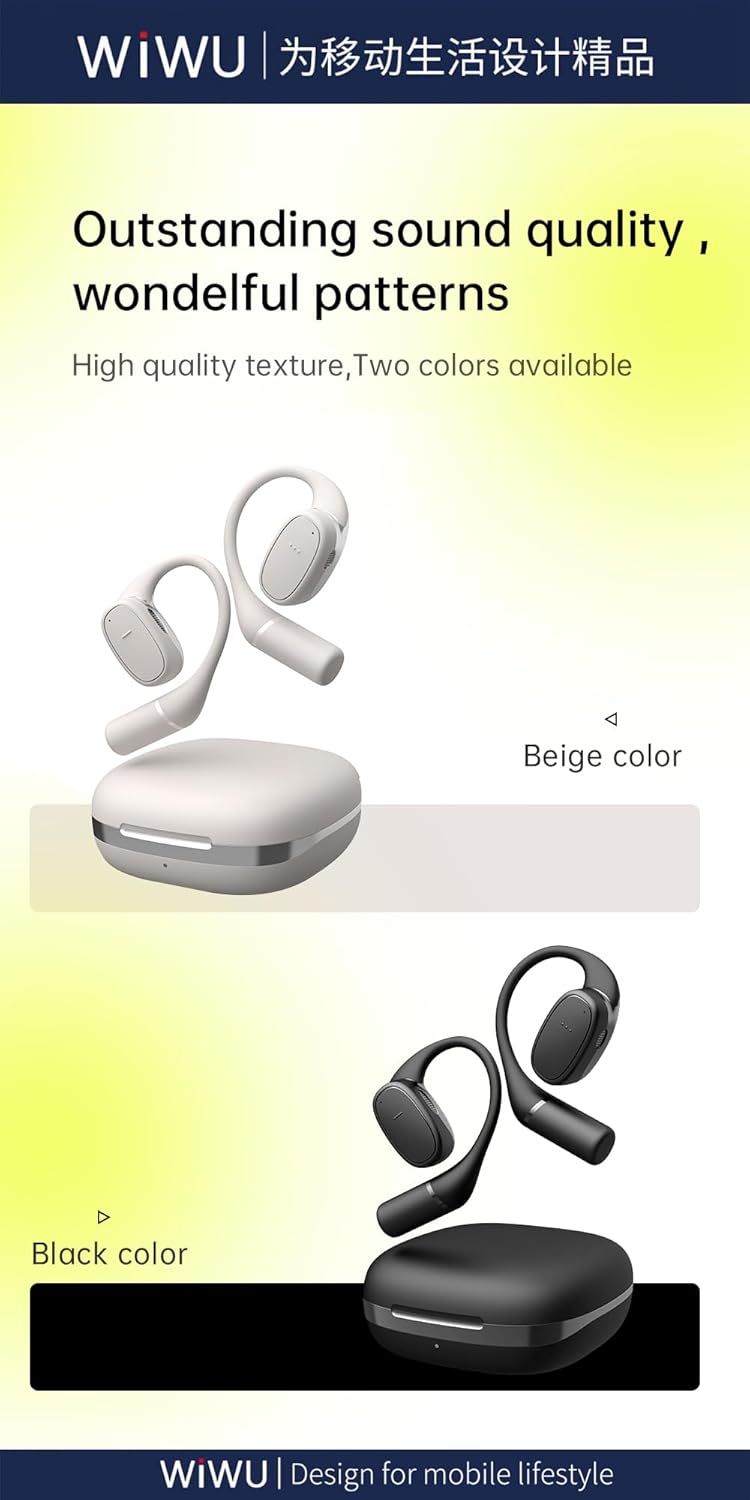
Figure 8.2: Available color options for the WIWU OWS O300 earbuds, including Black and White.
9. Informacija apie garantiją
WIWU products are covered by a limited warranty from the date of purchase. Please refer to the warranty card included in your package or visit the official WIWU website for detailed warranty terms and conditions. This warranty typically covers manufacturing defects but does not cover damage caused by misuse, accidents, or unauthorized modifications.
10. Parama
For further assistance, technical support, or inquiries regarding your WIWU OWS O300 Wireless Earbuds, please contact WIWU customer service through their official websvetainėje arba kontaktinę informaciją, pateiktą jūsų produkto pakuotėje.


