Įvadas
The Sony FX2 is a full-frame camera designed for cinema production, inheriting the visual philosophy of Sony's high-end VENICE series. It offers high mobility, operability, expandability, and reliability, making it suitable for solo shooting. The camera also features enhanced still image functions to support filmmaking workflows.
Kas yra dėžutėje
Atidarius pakuotę, patikrinkite, ar yra visi išvardyti daiktai:
- Camera Body (Sony FX2)
- Baterija
- Kūno dangtelis
- Accessory Shoe Cap
- Okuliaro taurė
- Lens Mount Cap
- Handle Shoe Cap
- Cold Shoe Kit
- Naudojimo vadovas (šis dokumentas)
- Garantijos knygelė

Image: The Sony FX2 camera body, as typically found in the box.
Video: An unboxing of the Sony FX2 Cinema Line Camera, showing the contents and initial handling.
Video: Another unboxing perspective of the Sony FX2, highlighting various components.
Sąranka
1. Attaching the Eyepiece Cup
Align the eyepiece cup with the electronic viewfinder (EVF) and gently push it into place until it clicks securely. This provides comfort and blocks ambient light during use.
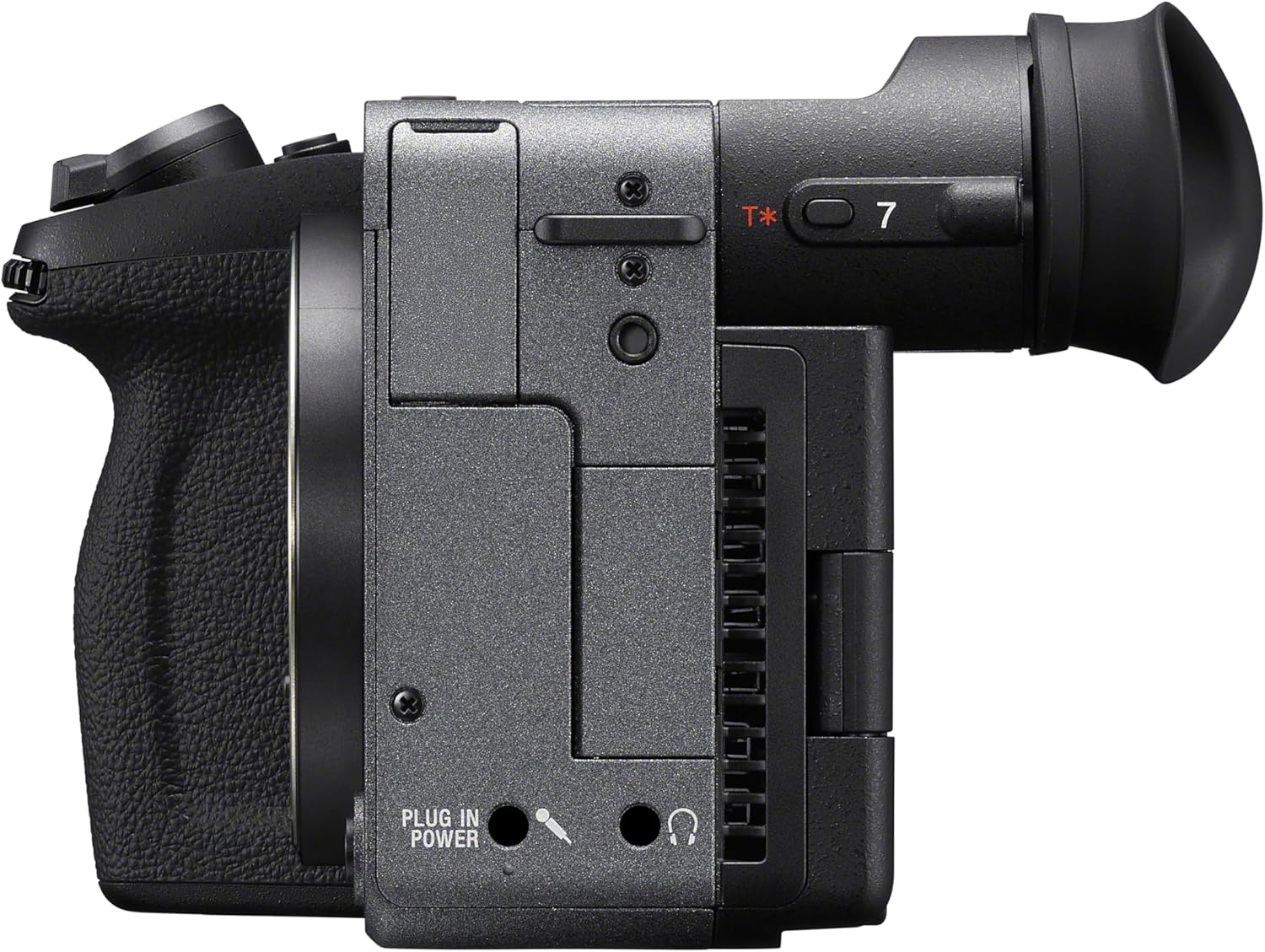
Vaizdas: Šoninė view of the Sony FX2 camera, showing the attached eyepiece cup on the electronic viewieškiklis.
2. Atminties kortelių įdėjimas
The FX2 supports Cfexpress Type A and SDXC memory cards. Open the memory card slot cover on the side of the camera. Insert the memory cards into the designated slots until they click. Ensure the cards are inserted correctly to avoid damage.

Vaizdas: Šoninė view of the Sony FX2 camera, illustrating the memory card slot cover.
3. Objektyvo pritvirtinimas
Remove the body cap from the camera and the rear lens cap from your E-mount lens. Align the white index mark on the lens with the white index mark on the camera body. Rotate the lens clockwise until it locks into place. Do not force the lens.
Vaizdas: priekis view of the Sony FX2 camera body, showing the E-mount for lens attachment.
4. Įjungimas ir pradiniai nustatymai
Press the power button to turn on the camera. Follow the on-screen prompts to set the language, date, and time. The camera features an angle-adjustable EVF and a flexible LCD screen for versatile viewing.
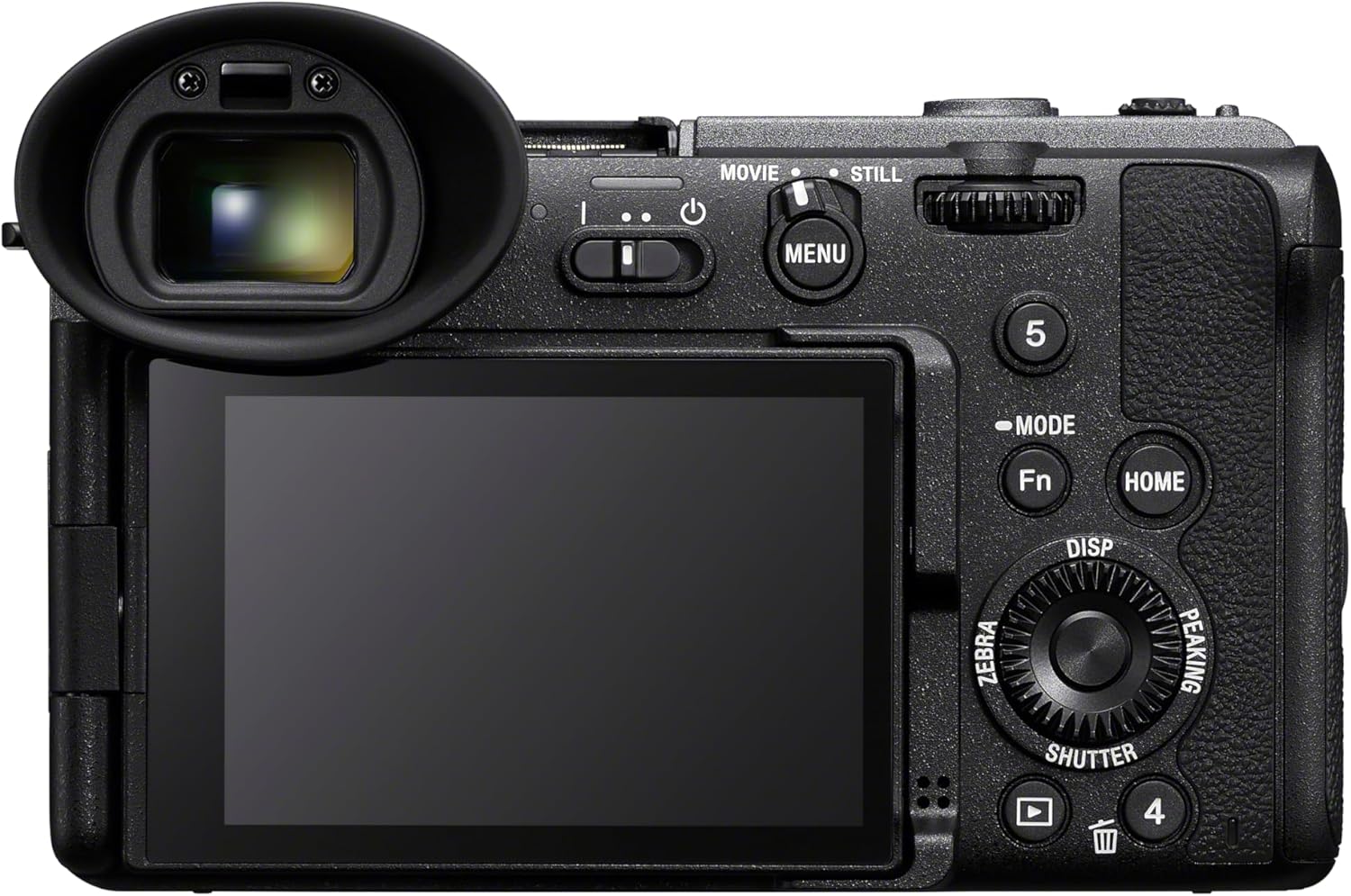
Vaizdas: Galinis view of the Sony FX2 camera, displaying the adjustable LCD screen and electronic viewieškiklis.

Vaizdas: Viršus view of the Sony FX2 camera, showing the various control buttons and dials.
Vaizdo įrašas: Viršijimasview of the Sony FX2 camera, demonstrating its physical features and initial handling.
Fotoaparato valdymas
Fotografavimo režimai
The FX2 offers various shooting modes including Bulb Mode, Aperture Priority, Auto, Manual, Program, and Shutter Priority. Select the appropriate mode using the mode dial or menu settings for your desired creative control.
Vaizdo įrašymas
The camera supports 4K UHD 2160p and HD 1080p video resolutions. Utilize the flexible Log shooting modes (Flexible ISO, Cine EI, and Cine EI Quick) to maximize dynamic range and color grading flexibility in post-production. The camera boasts 15+ stops of dynamic range in Log mode with Dual Base ISO (800/4000).

Image: The camera's LCD screen displaying various video recording settings, including FPS, ISO, Shutter, Iris, Look, and White Balance.
Dar Fotografija
Capture high-resolution still images with the 33MP Full-frame Exmor R CMOS sensor. The camera offers a continuous shooting speed of 10 FPS and supports JPEG image format. The angle-adjustable EVF enhances the photography experience.
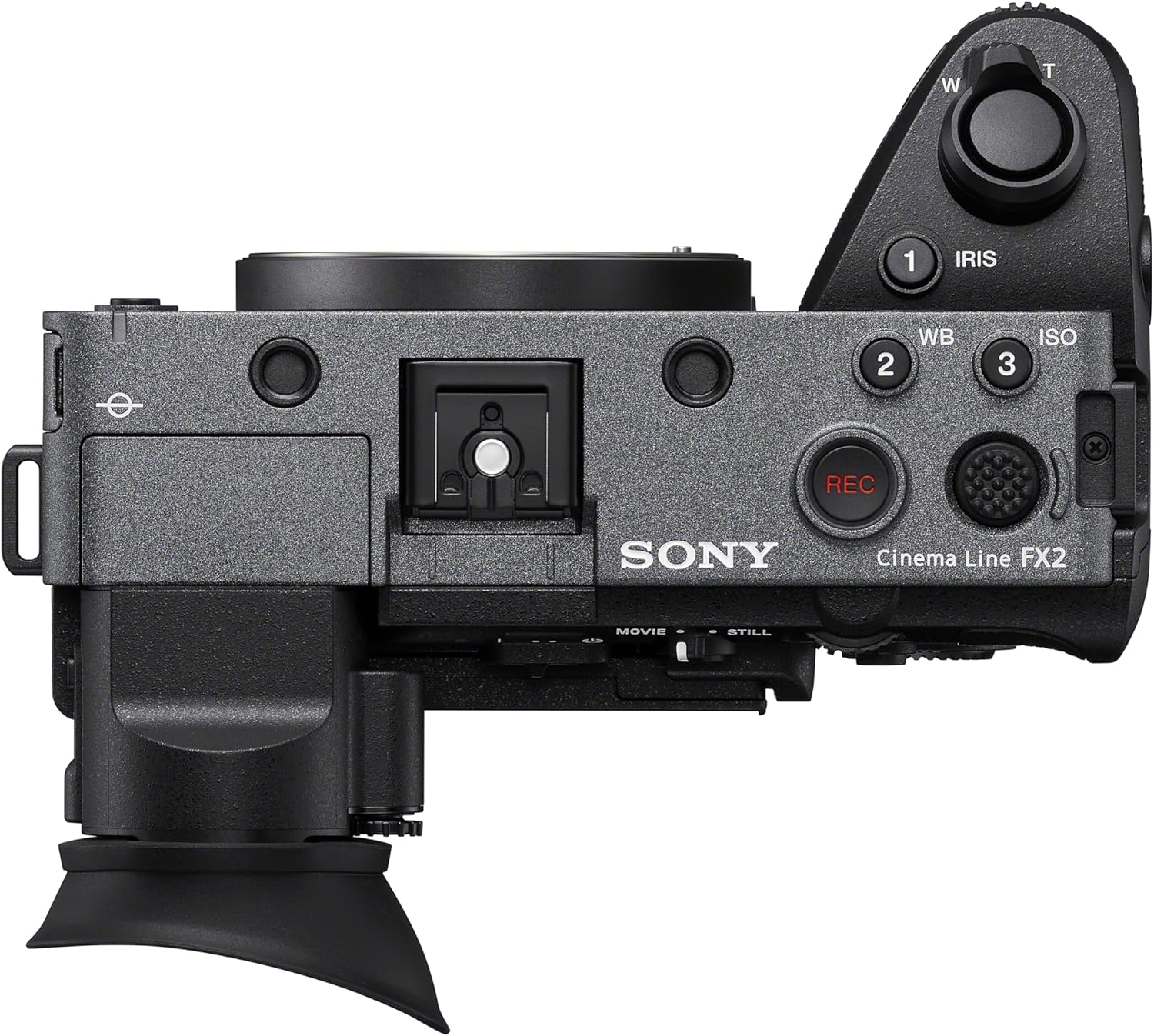
Image: A user operating the Sony FX2 camera, potentially connected to an external monitor or smartphone for enhanced control and viewing.

Image: A user looking through the electronic viewfinder (EVF) of the Sony FX2, demonstrating its use for precise framing and focus.
Automatinis fokusavimas ir vaizdo stabilizavimas
The FX2 features advanced autofocus with 759 autofocus points, utilizing both Contrast Detection and Phase Detection technologies for hybrid focusing. Sensor-shift image stabilization helps to reduce camera shake for sharper images and smoother video.
Priežiūra
Fotoaparato korpuso valymas
Kameros korpusą nuvalykite minkšta, sausa šluoste. Jei nešvarumai sunkiai įveikiami, šiek tiek pamirkykite.ampen the cloth with water. Avoid using harsh chemicals or solvents. Ensure all port covers are closed when not in use to prevent dust and moisture ingress.
Jutiklio valymas
If dust or smudges appear on images, the sensor may need cleaning. Use a blower brush to gently remove loose dust. For more persistent issues, consult a professional camera service center. Avoid touching the sensor directly.

Vaizdas: Stambus planas view of the Sony FX2's full-frame sensor, which requires careful handling during maintenance.
Akumuliatoriaus priežiūra
Always use genuine Sony batteries. Store batteries in a cool, dry place. Do not expose them to extreme temperatures or direct sunlight. Fully charge batteries before extended use.
Trikčių šalinimas
Fotoaparatas neįsijungia
- Įsitikinkite, kad akumuliatorius yra visiškai įkrautas ir teisingai įdėtas.
- Patikrinkite, ar akumuliatoriaus kontaktai švarūs.
- Jei įmanoma, pabandykite naudoti kitą, visiškai įkrautą bateriją.
Vaizdo kokybės problemos
- Neryškūs vaizdai: Check focus settings (autofocus/manual focus). Ensure image stabilization is active if shooting handheld. Verify shutter speed is appropriate for the scene.
- Noise/Grain: Adjust ISO sensitivity. High ISO settings can introduce noise, especially in low light.
- Dust Spots: Inspect the lens and sensor for dust. Refer to the "Sensor Cleaning" section under Maintenance.
Memory Card Errors
- Ensure the memory card is inserted correctly and fully.
- Pabandykite formatuoti atminties kortelę fotoaparate (pastaba: tai ištrins visus duomenis).
- Naudokite kitą atminties kortelę, kad išvengtumėte kortelės gedimo.
Specifikacijos
| Funkcija | Detalė |
|---|---|
| Modelio pavadinimas | ILMEFX2B |
| Jutiklio tipas | Full-frame Exmor R CMOS 33MP |
| Vaizdo procesorius | BIONZ XR |
| Dinaminis diapazonas | 15+ stops (in Log mode) |
| Dual Base ISO | 800/4000 |
| ISO diapazonas | 50–204800 (išplėstas) |
| Vaizdo raiška | 4K UHD 2160p, HD 1080p |
| Vaizdo stabilizavimas | Jutiklio poslinkis |
| Automatinio fokusavimo taškai | 759 (fazės aptikimas) |
| Nepertraukiamas fotografavimas | 10 FPS |
| aTMINTINĖS JUNGTYS | 2 (Cfexpress Type A, SDXC) |
| Ryšys | HDMI, USB, „Wi-Fi“ |
| Ekrano dydis | 3 Inches (Articulating LCD) |
| Viewieškiklis | Electronic (Angle-adjustable) |
| Prekės svoris | 1.3 svaro |
Garantija ir palaikymas
Informacija apie garantiją
The Sony FX2 Full-Frame Cinema Camera comes with a 1 metų gamintojo garantija. Please refer to the included Warranty Booklet for detailed terms and conditions, including coverage, limitations, and how to make a claim. Retain your proof of purchase for warranty service.
Pagalba klientams
For technical assistance, troubleshooting beyond this manual, or warranty service, please contact Sony Customer Support. Visit the official Sony websvetainėje, kurioje rasite kontaktinę informaciją ir papildomus išteklius.
Taip pat galite apsilankyti „Sony“ parduotuvė „Amazon“ platformoje dėl informacijos apie gaminį ir priedus.


