1. Įvadas
Thank you for choosing the CROSSIO 20 Inch Wall Mount Fan. This manual provides essential information for the safe installation, operation, and maintenance of your new fan. Please read these instructions thoroughly before use and retain them for future reference.
2. Saugos informacija
- Įsitikinkite, kad maitinimo šaltinis atitinka ventiliatoriaus galiątage reikalavimus.
- Prieš montuodami, valydami ar atlikdami techninę priežiūrą, visada atjunkite maitinimą.
- Mount the fan securely to a structural support to prevent falling.
- Keep fingers and other objects away from moving fan blades.
- Nenaudokite ventiliatoriaus, jei pažeistas laidas arba kištukas.
- This fan is rated for indoor use. Avoid exposure to direct water or extreme weather conditions.
3. Pakuotės turinys
Prieš pradėdami montavimą, patikrinkite, ar yra visi komponentai.
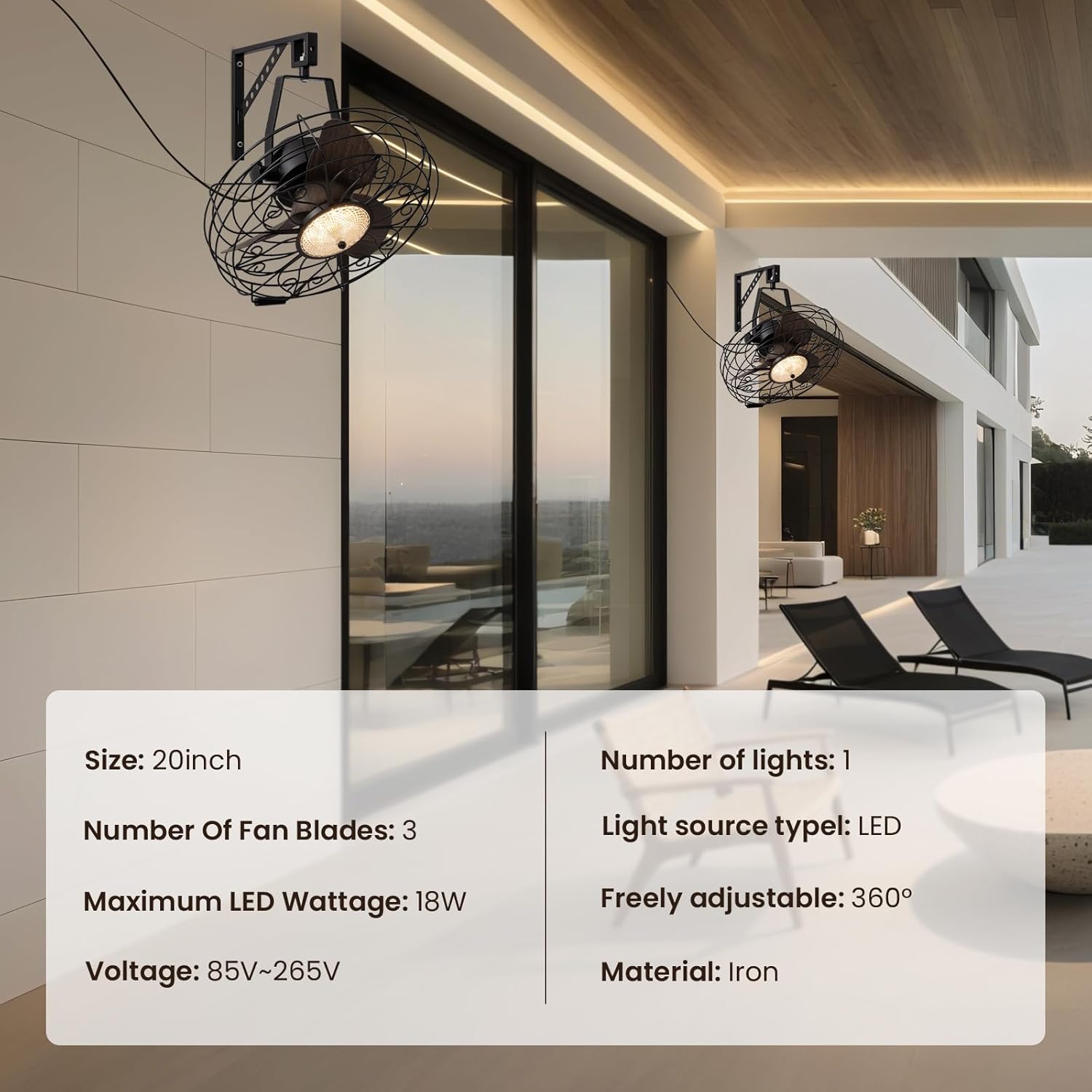
Image: Main product view showing the fan, remote control, and mounting hardware.
- Wall Mount Fan Unit
- Mounting Bracket
- Nuotolinio valdymo pultas
- Montavimo detalės (varžtai, inkarai)
- Vartotojo vadovas (šis dokumentas)
4. Sąranka ir diegimas
Follow these steps to properly install your wall mount fan.
4.1. Laikiklio montavimas
Select a suitable location on a sturdy wall, preferably into a wall stud. Use the mounting bracket as a template to mark drill holes. Drill pilot holes and secure the bracket using the provided screws and anchors.
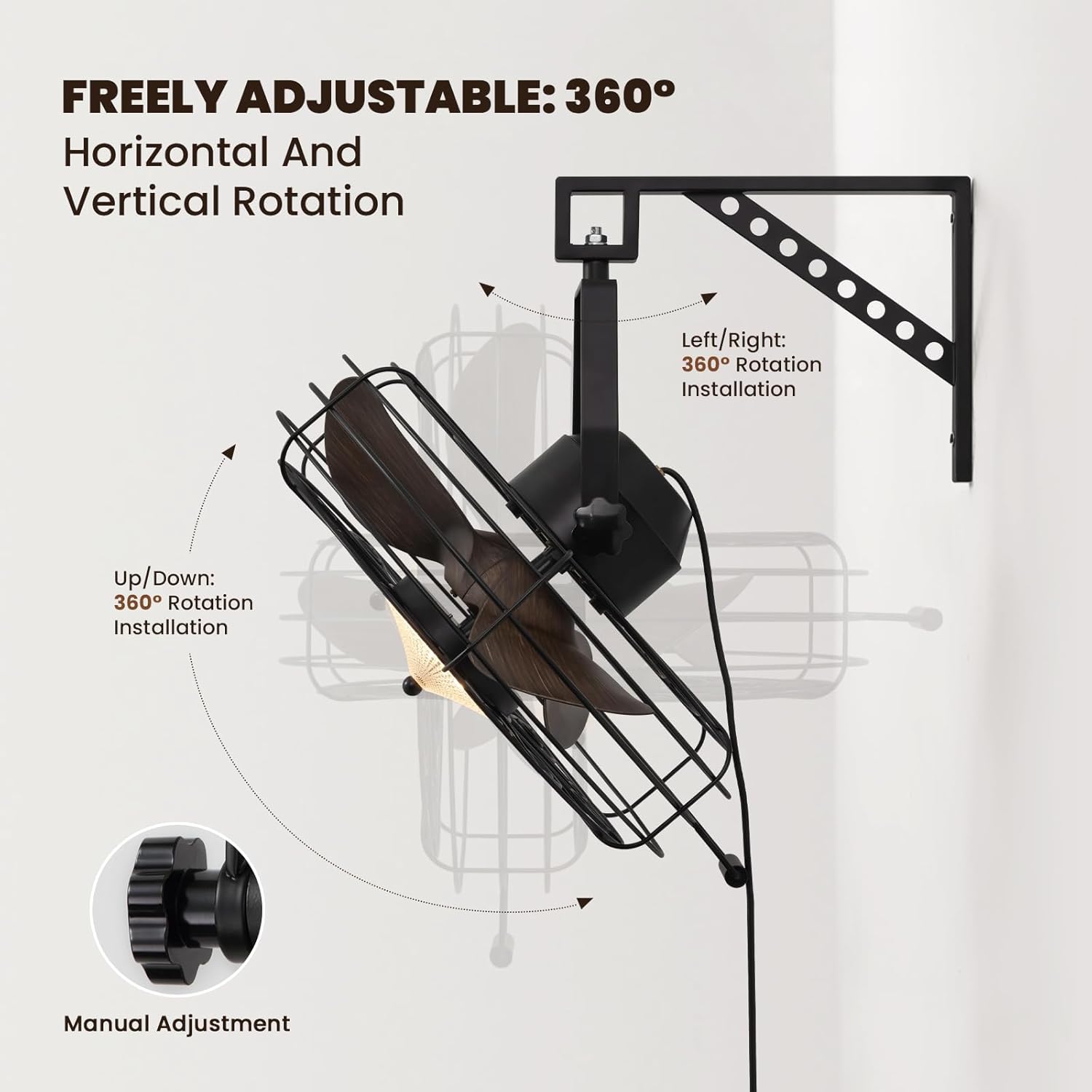
Image: The fan mounted on a wall, highlighting its 360° adjustable rotation.
4.2. Assembling the Fan Unit
Attach the fan unit to the mounted bracket. Ensure all connections are secure. The fan offers 360° manual adjustment for both vertical and horizontal rotation. Adjust the angle as desired and tighten the coupling knobs to secure its position.
4.3. Elektrinis sujungimas
Plug the fan's power cord into a standard electrical outlet. For hardwired installations, consult a qualified electrician.
4.4. Diegimo vaizdo vadovas
Video: Detailed installation instructions for the 20'' Wall Mount Fan.
Video: General wall mount fan installation guide, demonstrating common steps.
5. Naudojimo instrukcijos
Your fan can be operated using the included remote control or a compatible smart app.
5.1. Nuotolinio valdymo pultas
The remote control allows full functionality from a distance.
- Maitinimo įjungimas/išjungimas: Norėdami įjungti arba išjungti ventiliatorių ir apšvietimą, paspauskite maitinimo mygtuką.
- Ventiliatoriaus greitis: Select from 6 speed settings (1-6) to adjust airflow intensity.
- Šviesos valdymas: Adjust light brightness (10-100%) and choose between three color temperatures: Warm (3000K), Natural (4500K), and Cool (6000K).
- Grįžtamasis režimas: Switch between downward cooling airflow for summer and upward warm air circulation for winter.
- Laikmačio funkcija: Set the fan to automatically shut off after 1, 4, or 8 hours.

Image: Illustration of the three light color modes available.
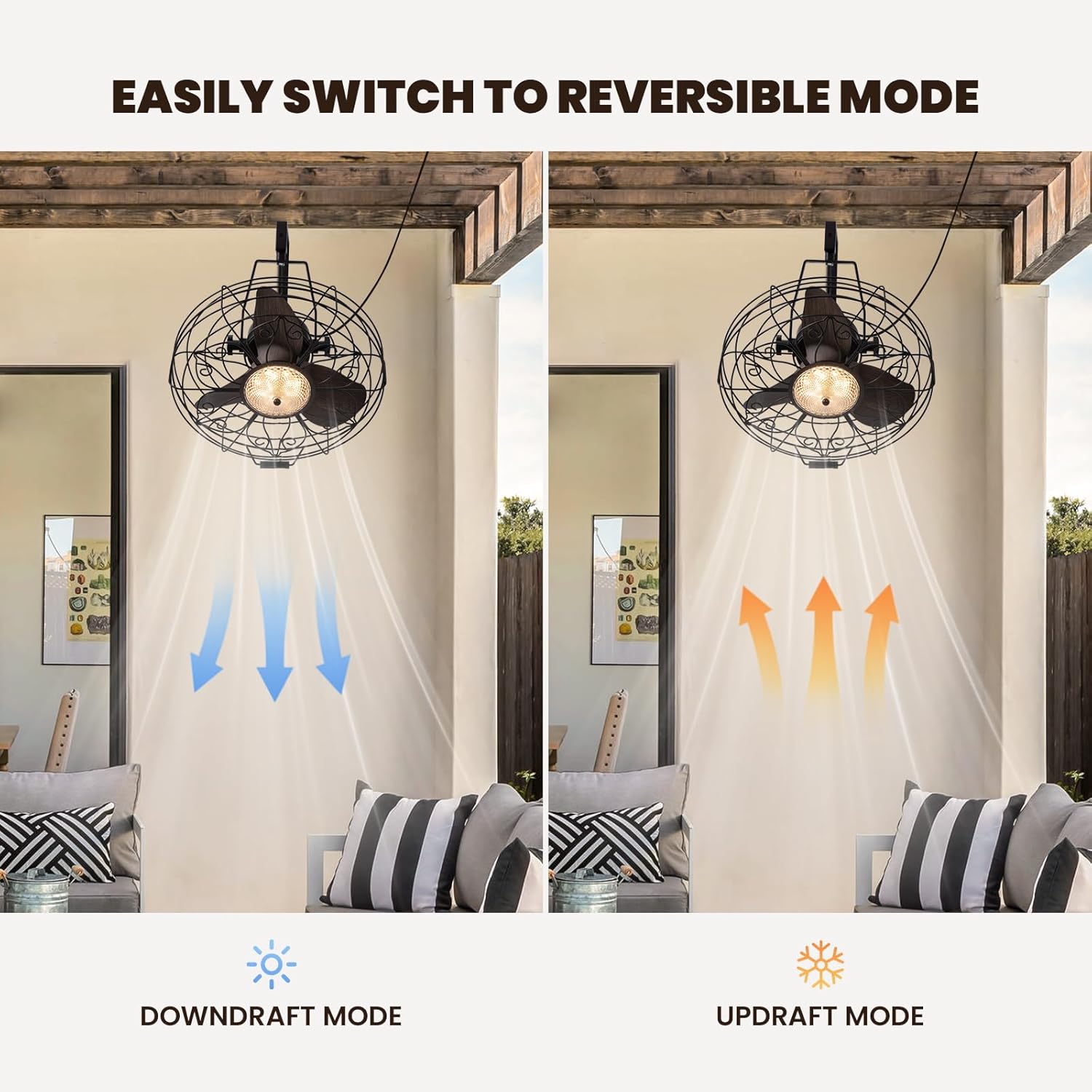
Image: Visual representation of the fan's reversible downdraft and updraft modes.

Image: Depiction of the fan's 6-speed settings, suitable for various environments.
5.2. Valdymas išmaniąja programėle
Download the compatible smart app to control your fan from your smartphone. The app provides additional features and convenience for managing fan speeds, light settings, and scheduling.
6. Priežiūra
Reguliarus ventiliatoriaus aptarnavimas užtikrina optimalų veikimą ir ilgaamžiškumą.
- Valymas: Wipe the fan blades and housing with a soft, damp audinys. Nenaudokite abrazyvinių valiklių ar tirpiklių.
- Patikra: Periodically check all mounting hardware for tightness.
- Tepimas: Ventiliatoriaus variklis yra nuolat tepamas ir nereikalauja papildomo tepalo.
7. Problemų sprendimas
Jei kyla problemų dėl ventiliatoriaus, žr. šias dažniausiai pasitaikančias problemas ir sprendimus:
- Ventiliatorius neveikia: Check if the power cord is securely plugged in and the wall switch (if applicable) is on. Ensure the remote control batteries are functional.
- Šviesa neveikia: Verify power connection. If using the app, ensure proper pairing.
- Per didelis triukšmas: Ensure all screws and mounting hardware are tightened. Check if fan blades are free from obstruction.
8. Specifikacijos
| Prekės ženklas | KRYŽIAUS |
| Modelio pavadinimas | CFL-1227-01 |
| Dydis | 20 colio |
| Gaminio matmenys | 21.25 "D x 19.68" P x 22.44" A |
| Prekės svoris | 18.29 svaro |
| Spalva | Juoda |
| Maitinimo šaltinis | DC |
| Vattage | 18 vatų |
| Triukšmo lygis | 35 decibelų |
| Galios lygių skaičius | 6 |
| Kontrolės metodas | Programėlė, nuotolinio valdymo pultas |
| Naudojimas viduje / lauke | Vidinis |

Image: Diagram showing the dimensions of the fan unit.
9. Garantija ir palaikymas
Your CROSSIO Wall Mount Fan comes with a standard manufacturer's warranty. For warranty claims, technical support, or replacement parts, please contact the seller or refer to the contact information provided with your purchase documentation. Keep your proof of purchase for warranty validation.


