1. Įvadas
This manual provides detailed instructions for the installation, operation, and maintenance of your PHORUS 48-inch Tropical Palm Leaf Ceiling Fan. Please read this manual thoroughly before installation and retain it for future reference. This ceiling fan is designed for both indoor and outdoor covered areas, offering a unique tropical aesthetic with modern functionality.
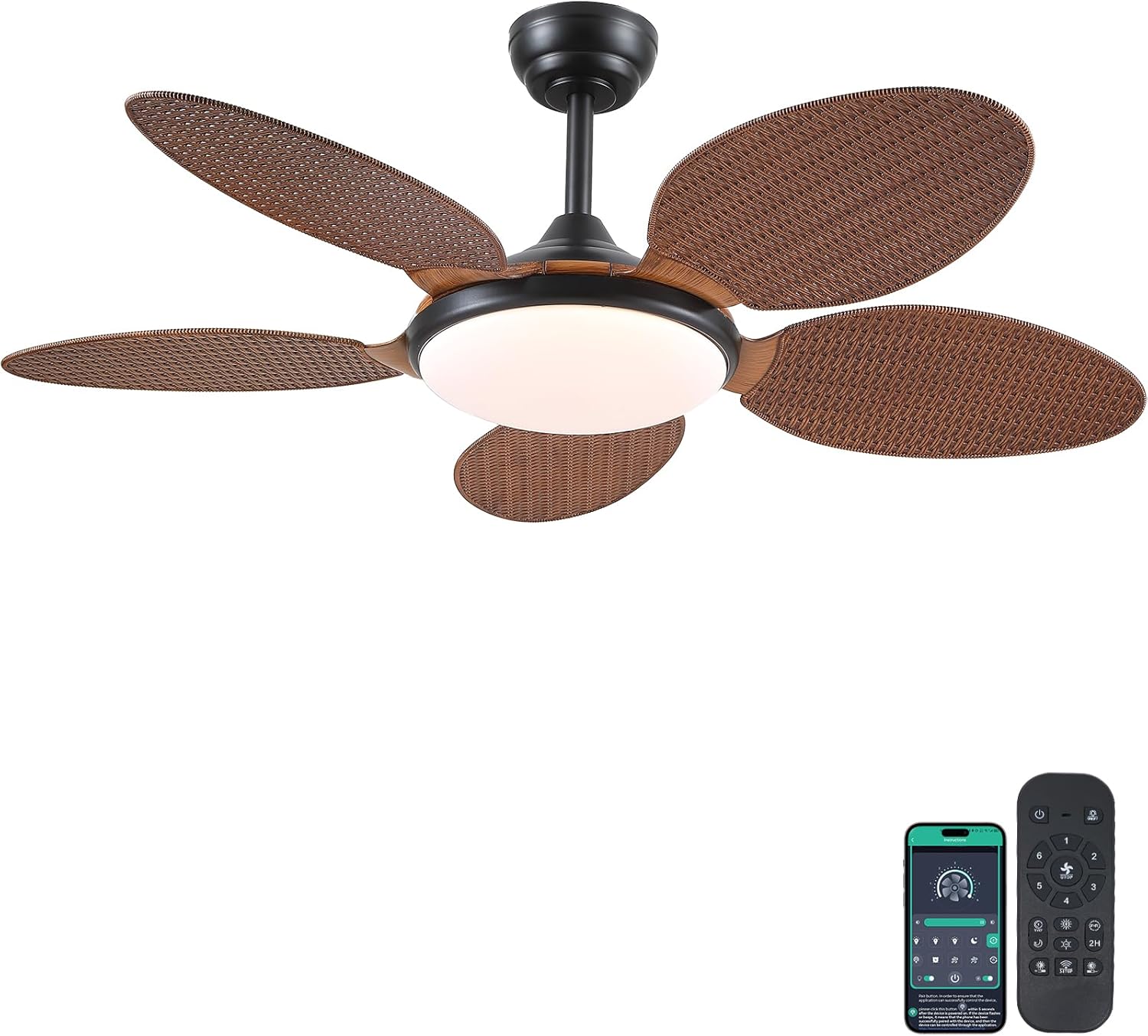
Image 1.1: PHORUS 48-inch Tropical Palm Leaf Ceiling Fan.
2. Saugos informacija
- Prieš montuodami, atlikdami techninę priežiūrą ar valymą, įsitikinkite, kad pagrindinis maitinimo šaltinis yra atjungtas.
- All electrical connections must comply with local codes and ordinances, as well as national electrical codes. If you are unfamiliar with electrical wiring, consult a qualified electrician.
- The mounting structure must be capable of supporting the weight of the fan (approximately 12.58 pounds) plus the dynamic load during operation.
- Montuodami ar valydami, nelenkite peilių laikiklių.
- Ensure there is adequate clearance between the fan blades and any obstacles.
- This fan is suitable for use in damp vietose, tačiau jos neturėtų būti tiesiogiai veikiamos vandens.
3. Pakuotės turinys
Patikrinkite, ar pakuotėje yra visi toliau išvardyti komponentai. Jei kokių nors dalių trūksta arba jos pažeistos, susisiekite su klientų aptarnavimo tarnyba.

3.1 vaizdas: Baigtaview of included components and fan dimensions.
- Ventiliatoriaus korpuso surinkimas
- 5 Palm Leaf Blades
- Baldakimas
- Strypai (4 colių ir 8 colių variantai)
- Lamp Šešėlis
- Nuotolinio valdymo pultas
- Nuotolinis imtuvas
- Mounting Bracket
- Aparatūros rinkinys (varžtai, vielinės veržlės ir kt.)
- Instrukcijų vadovas
4. Sąranka ir diegimas
Follow these steps carefully for proper installation. For a visual guide, please refer to the installation video provided below.
4.1. Diegimo vaizdo vadovas
Video 4.1: Detailed installation guide for the PHORUS 48-inch Palm Leaf Ceiling Fan with lights.
4.2. Žingsnis po žingsnio diegimas
- Paruoškite ventiliatoriaus korpusą: Attach the LED light board to the fan body assembly using the provided screws.
- Pritvirtinkite ventiliatoriaus mentes: Secure each of the five palm leaf blades to the fan body. Ensure the correct side of the blade is facing upwards as indicated in the video.
- Surinkite strypą: Insert the downrod through the canopy and secure it to the fan body. Feed the electrical wires through the downrod.
- Įdiekite montavimo laikiklį: Secure the mounting bracket to your ceiling junction box. Ensure it is firmly attached and can support the fan's weight.
- Laidų jungtys: Connect the fan's electrical wires to your household wiring. Typically, this involves connecting the black live wire, white neutral wire, and yellow ground wire. Refer to the wiring diagram in the installation video for precise connections.
- Pakabinkite ventiliatorių: Atsargiai pakelkite ventiliatoriaus bloką ir pakabinkite jį ant tvirtinimo laikiklio.
- Įdiekite nuotolinį imtuvą: Place the remote receiver within the canopy, ensuring wires are not pinched. Connect the receiver to the fan and household wiring as per the diagram.
- Saugus stogelis: Slide the canopy up to the ceiling and secure it to the mounting bracket with screws.
- Įdiegti Lamp Atspalvis: Pritvirtinkite lamp shade to the bottom of the fan body.
The fan is equipped with 4-inch and 8-inch downrods to accommodate various ceiling heights. It can also be used with sloped ceilings up to 15 degrees.
5. Naudojimo instrukcijos
Your PHORUS ceiling fan can be controlled via the included remote control or a smart application on your mobile device.
5.1. Nuotolinio valdymo pultas

Image 5.1: Remote control layout with function descriptions.
The remote control allows you to adjust the following settings:
- Maitinimo įjungimas/išjungimas: Įjunkite arba išjunkite ventiliatorių ir šviesą.
- Ventiliatoriaus greitis: Select from 6 wind speeds (1-6).
- Šviesos įjungimas / išjungimas: Control the integrated LED light independently.
- Spalvos temperatūra: Adjust between 3 light colors: 3000K (Warm Light), 4500K (Natural Light), and 6000K (White Light).
- Ryškumo reguliavimas: Pritemdykite arba pašviesinkite šviesą nuo 10 % iki 100 %.
- Atvirkštinė funkcija: Change the direction of the fan blades for summer (downdraft) or winter (updraft) modes. Press the F\R key and wait 5-8 seconds for the fan to stop completely and then automatically reverse.
- Laikmatis: Set a 2-hour timer for automatic shutdown.
Remote Code Pairing:
If your remote control is not responding, you may need to pair it with the fan. Follow these steps:
- Turn off the main power supply to the fan for one minute.
- Turn on the main power supply and simultaneously long-press the code key on the remote control for 3-5 seconds.
- The fan light will blink 2-3 times to indicate successful code matching.
Video 5.2: Instructions for remote code pairing.
5.2. Valdymas išmaniąja programėle
The fan supports control via a smart application. Scan the QR code in Image 5.1 or visit https://www.jasonghost.com/fanlamppro/ to download the "Fan Lamp Pro" app.
Video 5.3: Guide for setting up and using the smart app control.
The app provides comprehensive control over fan speeds, light settings (color temperature and brightness), and the reverse function, similar to the remote control. All settings will be remembered after power cycling.

Image 5.4: Customizable light effects and dimming range.

Image 5.5: Fan airflow modes (summer/winter) and 6-speed settings.
6. Priežiūra
Reguliarus valymas užtikrina optimalų jūsų lubų ventiliatoriaus veikimą ir ilgaamžiškumą.
- Valymas: Periodically clean the fan blades and light cover with a soft, damp šluoste. Nenaudokite abrazyvinių valiklių ar tirpiklių, kurie gali pažeisti apdailą.
- Priveržkite tvirtinimo detales: Check all screws and fasteners on the fan body and mounting bracket annually. Tighten any loose connections to prevent wobbling or noise.
- Dulkės: Dust the fan motor housing and canopy regularly to prevent dust buildup, which can affect performance.
7. Problemų sprendimas
Jei kyla problemų dėl ventiliatoriaus, žr. šias dažniausiai pasitaikančias problemas ir sprendimus:
| Problema | Galima priežastis | Sprendimas |
|---|---|---|
| Ventiliatorius neįsijungia | No power supply; Loose wire connections; Remote not paired. | Check circuit breaker/wall switch; Verify all wire connections are secure; Perform remote code pairing (refer to Section 5.1). |
| Šviesa neveikia | Loose wire connection; LED driver issue. | Patikrinkite šviesos diodų laidų jungtis; Jei įtariate, kad LED valdiklis neveikia, susisiekite su klientų aptarnavimo tarnyba. |
| Ventiliatoriaus virpėjimas | Atsilaisvinę peiliai arba tvirtinimo detalės; nesubalansuoti peiliai. | Ensure all blade screws and mounting bracket screws are tight; Use a balancing kit (not included) if necessary. |
| Nuotolinio valdymo pultas nereaguoja | Išsikrovusi baterija; nuotolinio valdymo pultas nesuporuotas. | Replace AAA batteries (2 required, included); Perform remote code pairing (refer to Section 5.1). |
| Per didelis triukšmas | Atsilaisvinę varžtai; Variklio problema. | Check and tighten all screws; Ensure blades are securely attached. If noise persists, contact customer support. |
8. Specifikacijos
- Prekinis ženklas: FORAS
- Modelis: B0FC1SY1B2
- Spalva: 48" Dark Brown
- Medžiaga: Akrilas, plastikas
- Stilius: Atogrąžų
- Kambario tipas: Bedroom, Dining Room, Garage, Kids Room, Kitchen
- Naudojimas viduje / lauke: Vidinis (tinka naudotiamp vietos)
- Maitinimo šaltinis: DC
- Ypatingos savybės: Valdomas programėle, LED lemputė, tylus veikimas, nuotolinio valdymo pultas, laikmatis
- Kontrolės metodas: Programėlė, nuotolinio valdymo pultas
- Šviesos šaltinių skaičius: 1
- Įtraukti komponentai: Light Kit, Remote Control
- Prekės svoris: 12.58 svaro
- Prekių skaičius: 1
- Vattage: 60 vatų
- Valdiklio tipas: Programėlių valdymas, nuotolinis valdymas
- Vienetų skaičius: 1.0 Skaičius
- Montavimo tipas: Montavimas ant lubų
- Reikalingas surinkimas: Taip
- Dydis: Medium (48 inches)
- Rekomenduojami gaminio naudojimo būdai: Oro cirkuliacija
- Gaminio matmenys: 48 x 48 x 15.15 colio
- Baterijos: Reikalinga 2 AAA baterija (yra komplekte)
9. Garantija ir palaikymas
PHORUS provides a one-year quality warranty for this product. We also offer free replacement service for any damage and quality problems encountered during the warranty period. If you have any questions or require assistance, please contact PHORUS customer support for a satisfactory answer within 24 hours.