1. Įvadas
This manual provides essential information for the setup, operation, and maintenance of your HP Z2 G1i Workstation. Designed for technical and creative professionals, this workstation delivers high performance for demanding workloads. Please read this manual thoroughly before using your device.
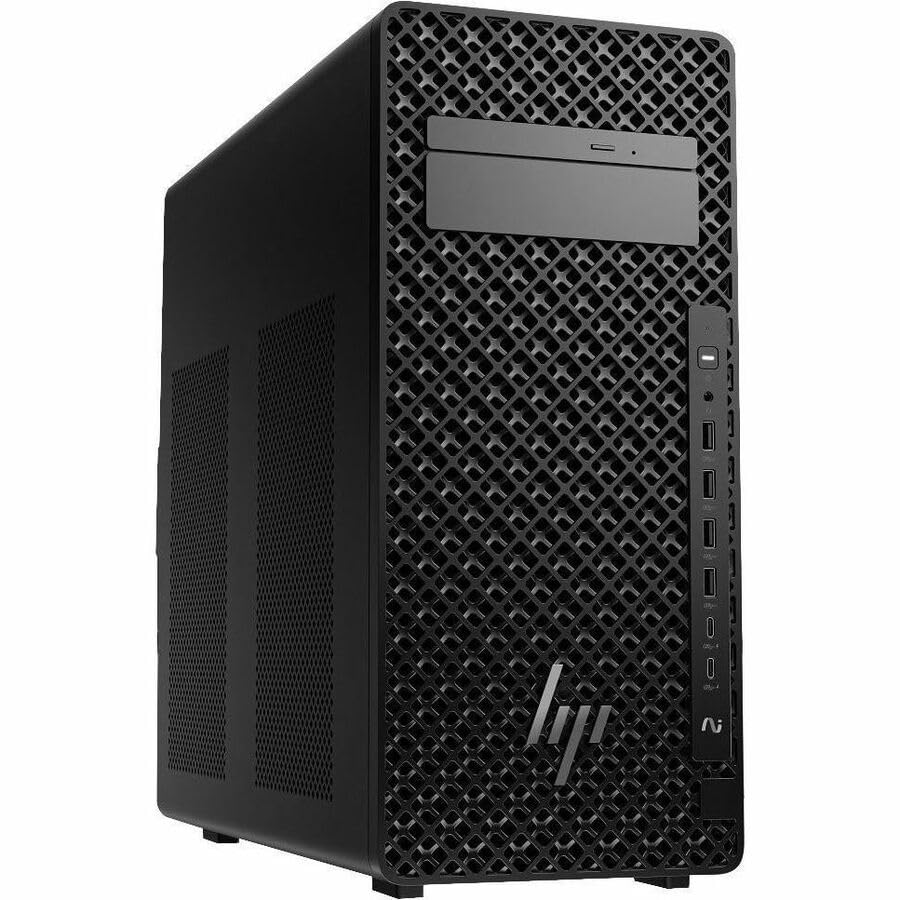
Figure 1.1: HP Z2 G1i Workstation in a professional setting, demonstrating its use for demanding tasks.
2. Kas yra dėžutėje
Patikrinkite, ar pakuotėje yra visi komponentai:
- Z2 Tower G1i Workstation Desktop PC Wolf Pro Security Edition
- HP 320K Wired Keyboard
- HP laidinė 320M pelė
3. Sąrankos instrukcijos
3.1 Išpakavimas ir įdėjimas
Carefully remove the workstation and its accessories from the packaging. Place the workstation on a stable, flat surface with adequate ventilation to prevent overheating. Ensure no vents are obstructed.
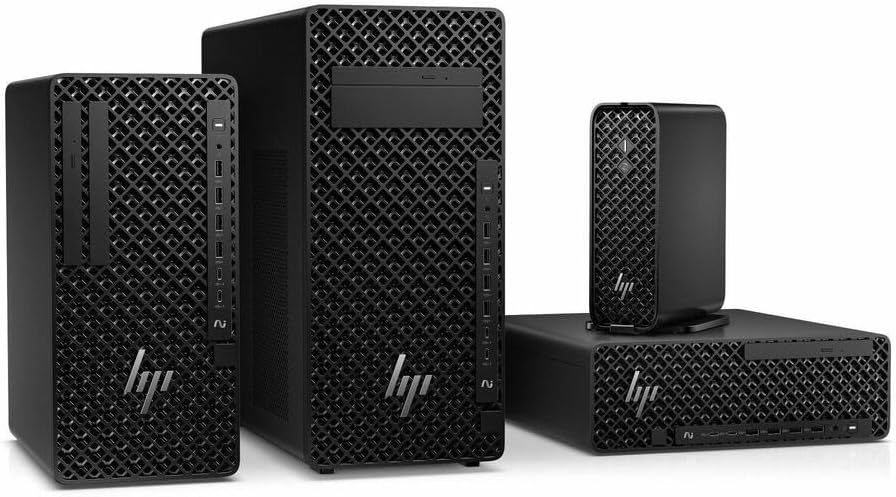
3.1 pav.: priekis view of the HP Z2 G1i Workstation tower, showing its design and front panel ports.
3.2 Išorinių įrenginių prijungimas
- Monitorius: Connect your monitor(s) to the appropriate video output ports (e.g., DisplayPort, HDMI) on the rear of the workstation.
- Klaviatūra ir pelė: Connect the supplied HP 320K Wired Keyboard and HP Wired 320M Mouse to the available USB ports.
- Tinklas: Connect an Ethernet cable to the RJ-45 port for wired network access, or configure Wi-Fi after initial setup.
- Galia: Connect the power cord to the workstation's power input and then to a grounded electrical outlet.

3.2 pav.: galinis view of the workstation, highlighting the various connectivity ports for peripherals and power.
3.3 Pradinis įjungimas
Press the power button on the front of the workstation. The system will boot into Windows 11 Pro. Follow the on-screen instructions to complete the initial operating system setup, including user account creation and network configuration.
4. Operating the Workstation
4.1 Pagrindinės operacijos
Your HP Z2 G1i Workstation comes pre-installed with Windows 11 Pro. Utilize the familiar Windows interface for launching applications, managing files, and accessing system settings. The Intel Core Ultra 5 processor and NVIDIA RTX A400 graphics card provide robust performance for demanding software.
4.2 Programinės įrangos diegimas
Install necessary software applications for your professional tasks. Ensure that all software is compatible with Windows 11 Pro and meets the system requirements for optimal performance. Always download software from trusted sources.
4.3 Sistemos našumas
For optimal performance, regularly check for and install updates for Windows, drivers (especially graphics drivers), and your professional applications. Close unnecessary programs to free up system resources when running intensive tasks.
5. Priežiūra
5.1 Valymas
To maintain proper airflow and prevent dust buildup, regularly clean the exterior of the workstation with a soft, dry cloth. Use compressed air to gently clear dust from vents and fan openings. Negalima use liquid cleaners directly on the components.
5.2 Programinės įrangos naujiniai
Keep your operating system and all installed software up to date. This ensures security patches, performance improvements, and compatibility with new applications. Windows Update can be accessed via the Settings menu.
5.3 Duomenų atsarginė kopija
Regularly back up your important data to an external drive or cloud storage. This protects against data loss due to hardware failure, software corruption, or other unforeseen events.
6. Problemų sprendimas
This section addresses common issues you might encounter with your HP Z2 G1i Workstation.
6.1 Nėra galios
- Įsitikinkite, kad maitinimo laidas yra tvirtai prijungtas tiek prie darbo stoties, tiek prie veikiančio elektros lizdo.
- Patikrinkite, ar maitinimo lizdas veikia, prijungdami prie jo kitą įrenginį.
- Check the power supply unit (PSU) indicator light, if available.
6.2 Monitoriuje nėra vaizdo
- Confirm the monitor is powered on and its video cable is securely connected to the workstation.
- Try connecting the monitor to a different video port on the workstation, if available.
- Išbandykite monitorių su kitu kompiuteriu ar įrenginiu, kad atmestumėte monitoriaus problemas.
6.3 Sistemos sulėtėjimas
- Uždarykite nereikalingas programas, veikiančias fone.
- Patikrinkite užduočių tvarkytuvę (Ctrl+Shift+Esc), ar nėra procesų, kurie sunaudoja daug procesoriaus, RAM ar disko išteklių.
- Įsitikinkite, kad jūsų operacinė sistema ir tvarkyklės yra atnaujintos.
- Paleiskite sistemos nuskaitymą, ar nėra kenkėjiškų programų ar virusų.
Dėl sudėtingesnių problemų kreipkitės į HP palaikymo tarnybą websvetainėje arba susisiekite su klientų aptarnavimo tarnyba.
7. Specifikacijos
Detailed technical specifications for the HP Z2 G1i Workstation (Model: BN5J2UT#ABA).
| Funkcija | Specifikacija |
|---|---|
| Procesoriaus gamintojas | Intel |
| Procesoriaus tipas | Core Ultra 5 |
| Procesoriaus modelis | 235 |
| Procesoriaus branduolys | Tetradeka branduolys (14 branduolių) |
| Procesoriaus greitis | 4.4 GHz |
| RAM | 16 GB DDR5 |
| Kietasis diskas | 512 GB SSD |
| Grafikos koprocesorius | NVIDIA RTX A400 |
| Vaizdo plokštės Ram Dydis | 4 GB |
| Operacinė sistema | Windows 11 Pro |
| Prekės svoris | 15 svaro |
| Gaminio matmenys (IxPxH) | 12 x 23.23 x 20 colio |
| Spalva | Juoda |
| AI varomas | Taip |
8. Garantija ir palaikymas
8.1 Gaminio garantija
Your HP Z2 G1i Workstation is covered by a standard manufacturer's warranty. For specific terms and conditions, please refer to the warranty documentation included with your product or visit the official HP support websvetainėje. Išsaugokite pirkimo įrodymą garantiniams reikalavimams.
8.2 Techninė pagalba
For technical assistance, driver downloads, and additional resources, please visit the official HP palaikymas Websvetainę. You can also find contact information for customer service and support channels there.