1. Įvadas
This manual provides essential instructions for the safe and efficient operation of your ICERIVER KS7 LITE 4.2TH Kaspa Miner. Please read this manual thoroughly before installation and use to ensure proper functionality and to prevent damage to the device or injury to personnel. This device is designed for Kaspa cryptocurrency mining.
2. Saugos informacija
- Elektros sauga: Ensure the power supply unit (PSU) is connected to a grounded outlet. Do not overload electrical circuits. Use only the provided power cables or certified replacements.
- Vėdinimas: The miner generates heat. Ensure adequate airflow around the device. Do not block ventilation openings. Maintain a clear space of at least 20 cm (8 inches) around all sides of the miner.
- Veikimo aplinka: Operate the miner within the specified temperature range of 0°C to 40°C (32°F to 104°F). Avoid high humidity, dust, and corrosive environments.
- Tvarkymas: Elkitės su įrenginiu atsargiai. Venkite jo numesti ir stipriai sutrenkti.
- Išardymas: Do not attempt to disassemble or modify the miner. This will void the warranty and may cause damage or injury.
3. Pakuotės turinys
Patikrinkite, ar pakuotėje yra visi reikalingi daiktai:
- ICERIVER KS7 LITE 4.2TH Kaspa Miner Unit
- Maitinimo blokas (PSU)
- Maitinimo laidas (priklausomai nuo regiono)
- Šis naudojimo vadovas
4. Produktas baigtasview
Familiarize yourself with the components of your ICERIVER KS7 LITE miner.
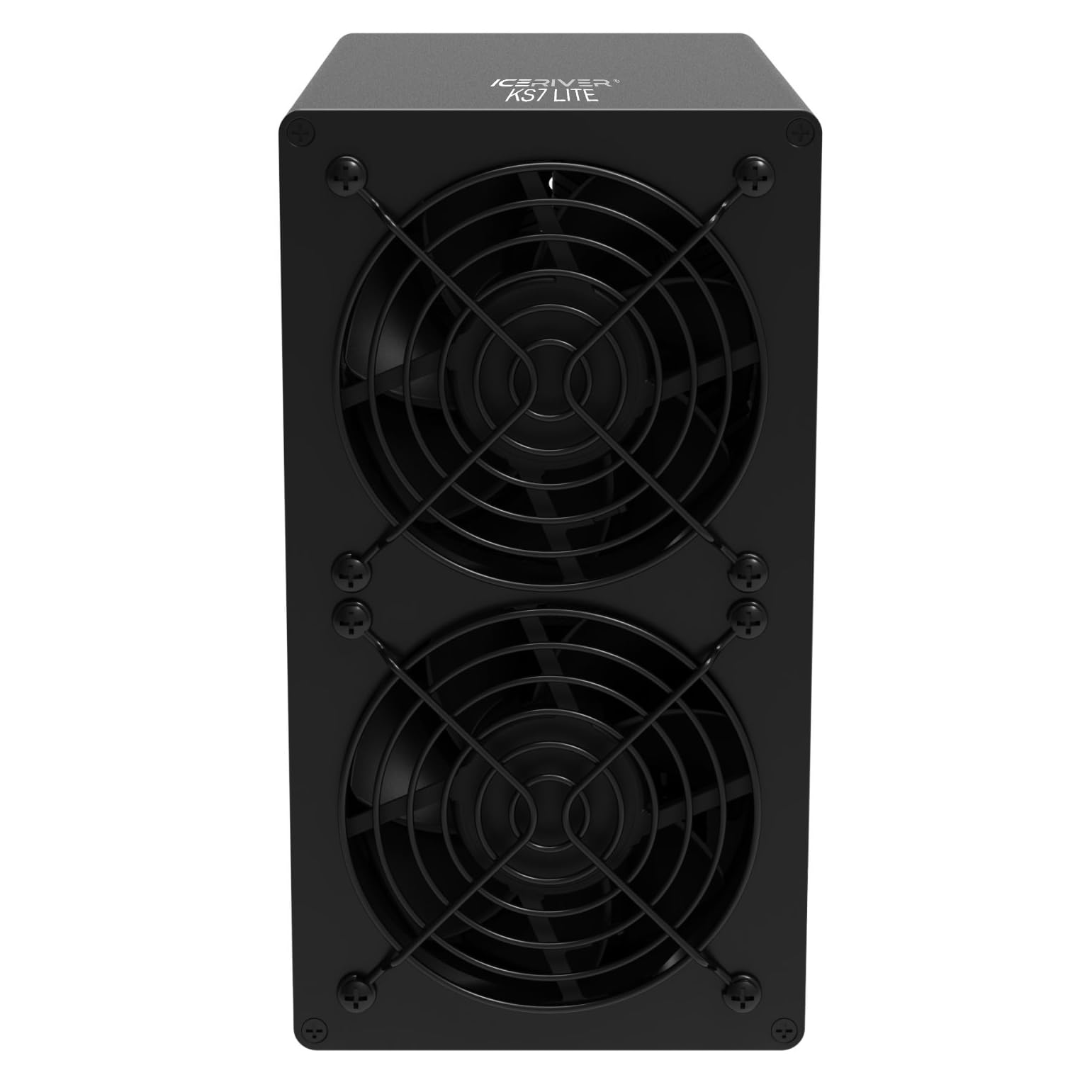
4.1 pav.: priekis View - This image displays the front of the ICERIVER KS7 LITE Kaspa Miner, featuring two prominent cooling fans with protective grilles. The fans are crucial for dissipating heat generated during operation.
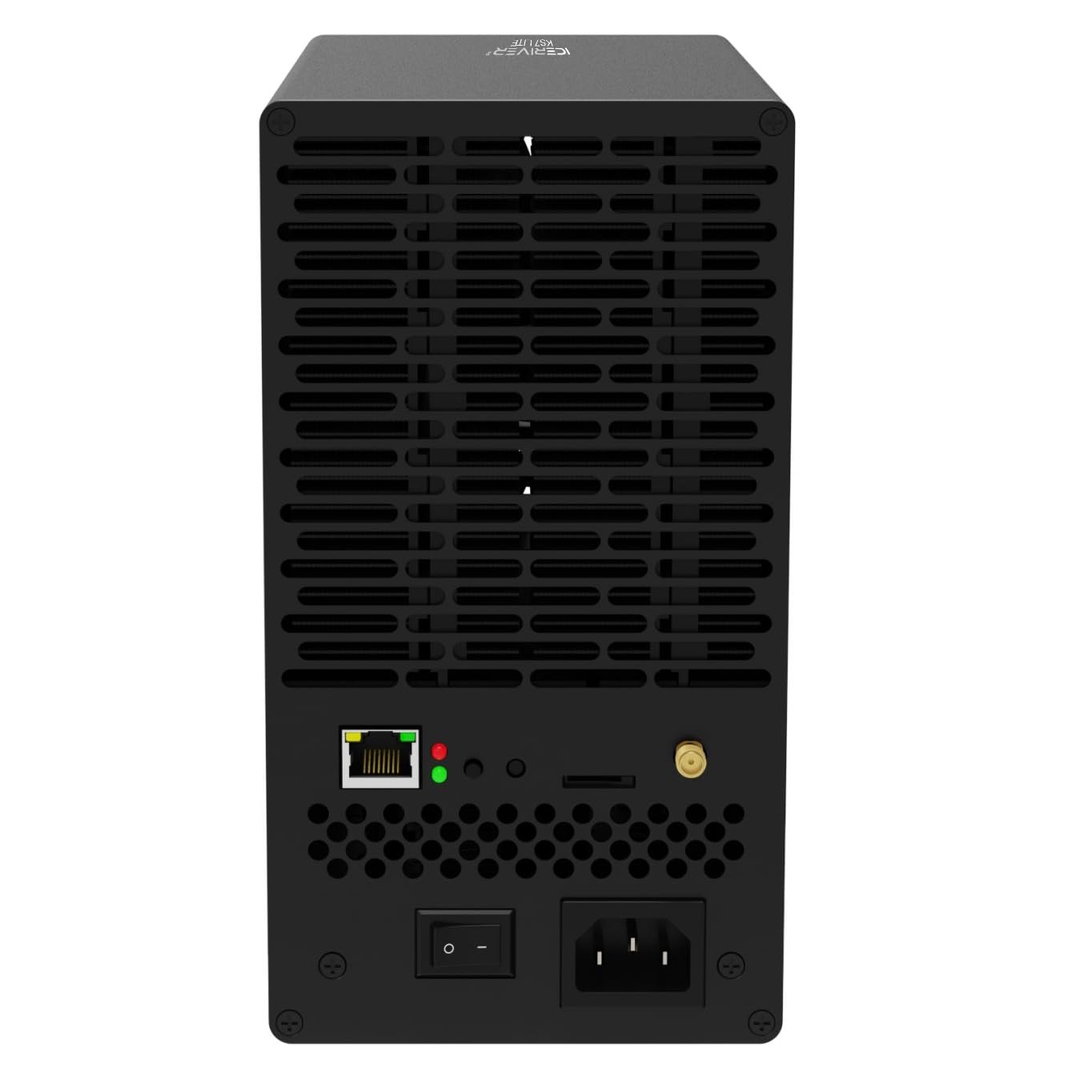
4.2 pav.: galinis View - The rear panel of the miner is shown, highlighting the Ethernet port for network connectivity, LED indicator lights for status, a power on/off switch, and the AC power input socket. Also visible are ventilation grilles and a small antenna connector, likely for Wi-Fi (if applicable).
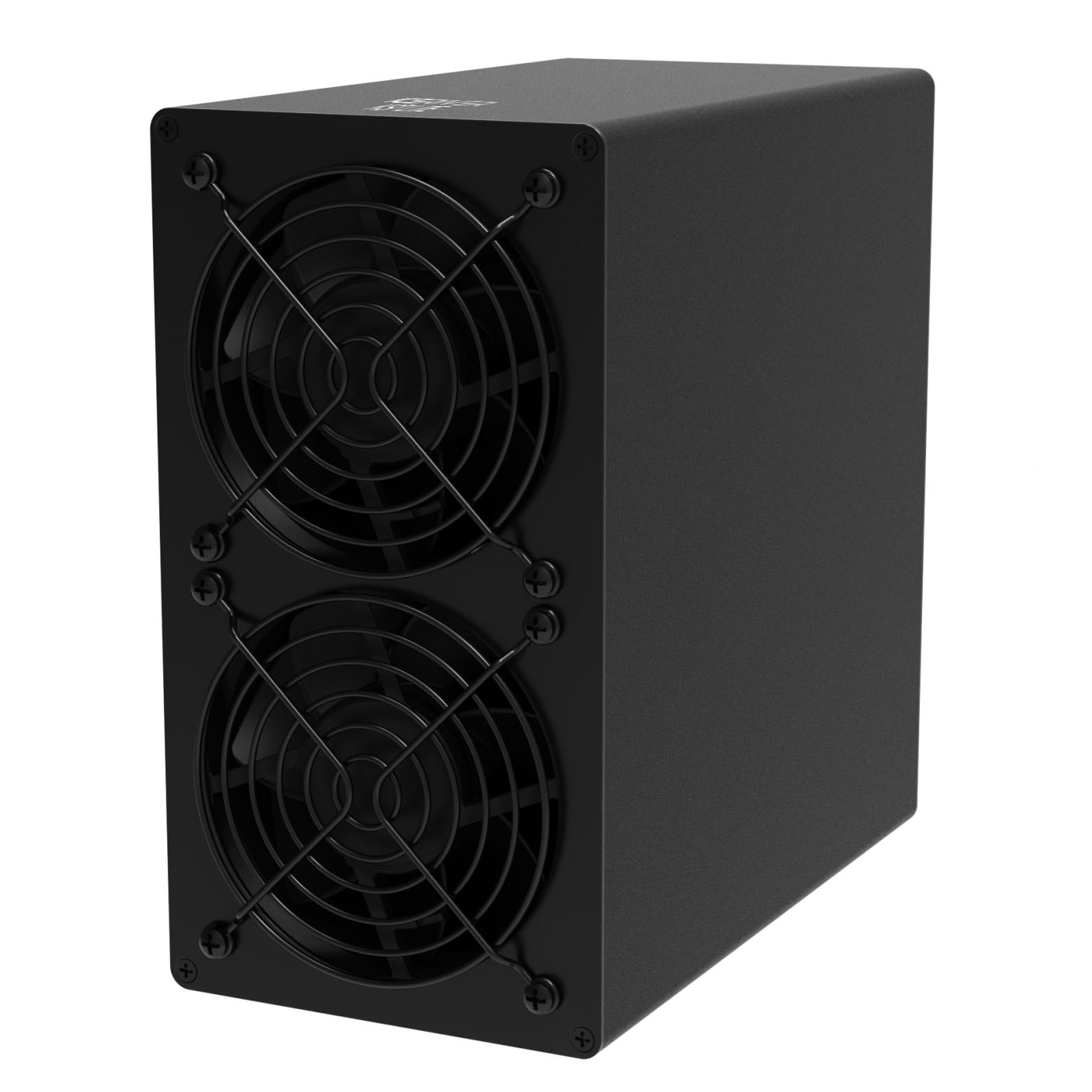
Figure 4.3: Side-Front View - This perspective shows the compact, black rectangular casing of the ICERIVER KS7 LITE miner, with a clear view of the two cooling fans on the front panel and the smooth side panel.
Pagrindiniai komponentai:
- Aušinimo ventiliatoriai: Located at the front, these fans ensure optimal operating temperature.
- Ethernet prievadas: For network connection to your router or switch.
- Indikacinės lemputės: Provide status feedback (e.g., power, network activity).
- Maitinimo jungiklis: Norėdami įjungti arba išjungti įrenginį.
- Kintamosios srovės įvestis: Jungiamas prie maitinimo bloko.
5. Sąranka
5.1 Įdėjimas
- Choose a stable, flat surface in a well-ventilated area.
- Ensure the ambient temperature is within 0°C to 40°C.
- Keep the miner away from direct sunlight, heat sources, and excessive dust or moisture.
- Maintain at least 20 cm (8 inches) of clear space around all sides for proper airflow.
5.2 Maitinimo prijungimas
- Prijunkite maitinimo laidą prie maitinimo bloko (PSU).
- Connect the PSU output cables to the corresponding power input ports on the miner. Ensure all connections are secure.
- Prijunkite maitinimo laidą į įžemintą elektros lizdą (100–240 V kintamoji srovė).
5.3 Tinklo prijungimas
- Connect an Ethernet cable from your router or network switch to the Ethernet port on the rear of the miner.
- Ensure the network connection is active and stable.
5.4 Pradinis įjungimas
- After connecting power and network, flip the power switch on the rear of the miner to the "ON" position.
- The indicator lights will illuminate, and the fans will start.
- Allow a few minutes for the miner to boot up and connect to the network.
6. Naudojimo instrukcijos
6.1 Prieiga prie Web Sąsaja
- Once the miner is powered on and connected to the network, you will need to find its IP address. This can typically be done through your router's administration page or by using an IP scanner tool on your network.
- Atidarykite a web browser on a computer connected to the same network and enter the miner's IP address into the address bar.
- Log in using the default credentials (refer to manufacturer documentation or the device label for default username/password).
6.2 Configuration for Mining
- Per web interface, navigate to the mining settings.
- Enter your Kaspa mining pool URL, worker name, and password (if required by your pool).
- Save the settings and restart the miner if prompted.
- Monitor the status page to confirm that the miner has started hashing and is submitting shares to the pool.
7. Priežiūra
- Dulkių šalinimas: Regularly inspect the cooling fans and ventilation grilles for dust accumulation. Use compressed air or a soft brush to gently clean them. Ensure the miner is powered off and unplugged before cleaning.
- Aplinkos stebėjimas: Periodically check the operating temperature and humidity of the environment to ensure it remains within the recommended range.
- Firmware atnaujinimai: Patikrinkite gamintojo oficialią informaciją website for any available firmware updates. Follow the provided instructions carefully for updating firmware to ensure stability and performance.
- Kabelio apžiūra: Periodically inspect all power and network cables for any signs of wear or damage. Replace damaged cables immediately.
8. Problemų sprendimas
| Problema | Galima priežastis | Sprendimas |
|---|---|---|
| Kalnakasys neįsijungia. | No power, faulty cable, power switch off. | Check power cable connections, ensure outlet is live, verify power switch is ON. |
| Nėra tinklo ryšio. | Atsilaisvinęs Ethernet kabelis, maršrutizatoriaus problema, neteisingi tinklo nustatymai. | Ensure Ethernet cable is securely connected. Restart router. Check network settings in web sąsaja. |
| Low hashing rate or no shares. | Incorrect pool settings, network issues, overheating. | Verify mining pool URL, worker name, and password. Check network stability. Ensure adequate ventilation and operating temperature. |
| Perkaitimas. | Poor ventilation, high ambient temperature, dust accumulation. | Improve airflow around the miner. Reduce ambient temperature. Clean fans and grilles. |
9. Specifikacijos
| Funkcija | Detalė |
|---|---|
| Modelio pavadinimas | KS7 LITE 4.2TH |
| Hašratas | 4.2 TH/s (±5 %) |
| Sienų galia | 500 W/val. (±10 %) |
| ttage Įvestis | 100-240V kintamosios srovės |
| Ryšys | Ethernet |
| Darbinė temperatūra | nuo 0°C iki 40°C (32°F iki 104°F) |
| Gaminio matmenys (I x P x A) | 4.33 x 7.95 x 8.07 colio (205 x 110 x 202 mm) |
| Grynasis svoris | 4.02 KG (Approximately 8.86 lbs) |
| Aušinimo būdas | Oro aušinimas |
| Gamintojas | ICERIVER |
10. Garantija ir palaikymas
For warranty information, technical support, or service inquiries, please contact your original seller or the manufacturer, ICERIVER, directly. Retain your proof of purchase for warranty claims. Do not attempt to repair the device yourself, as this may void the warranty.


