1. Produktas baigtasview
The TANLANIN CD-005WW is a versatile rechargeable portable CD player designed with a vintage aesthetic and modern connectivity. It features upgraded speakers, Bluetooth input/output, USB playback, and AUX input, all housed in a sophisticated walnut wood grain finish.
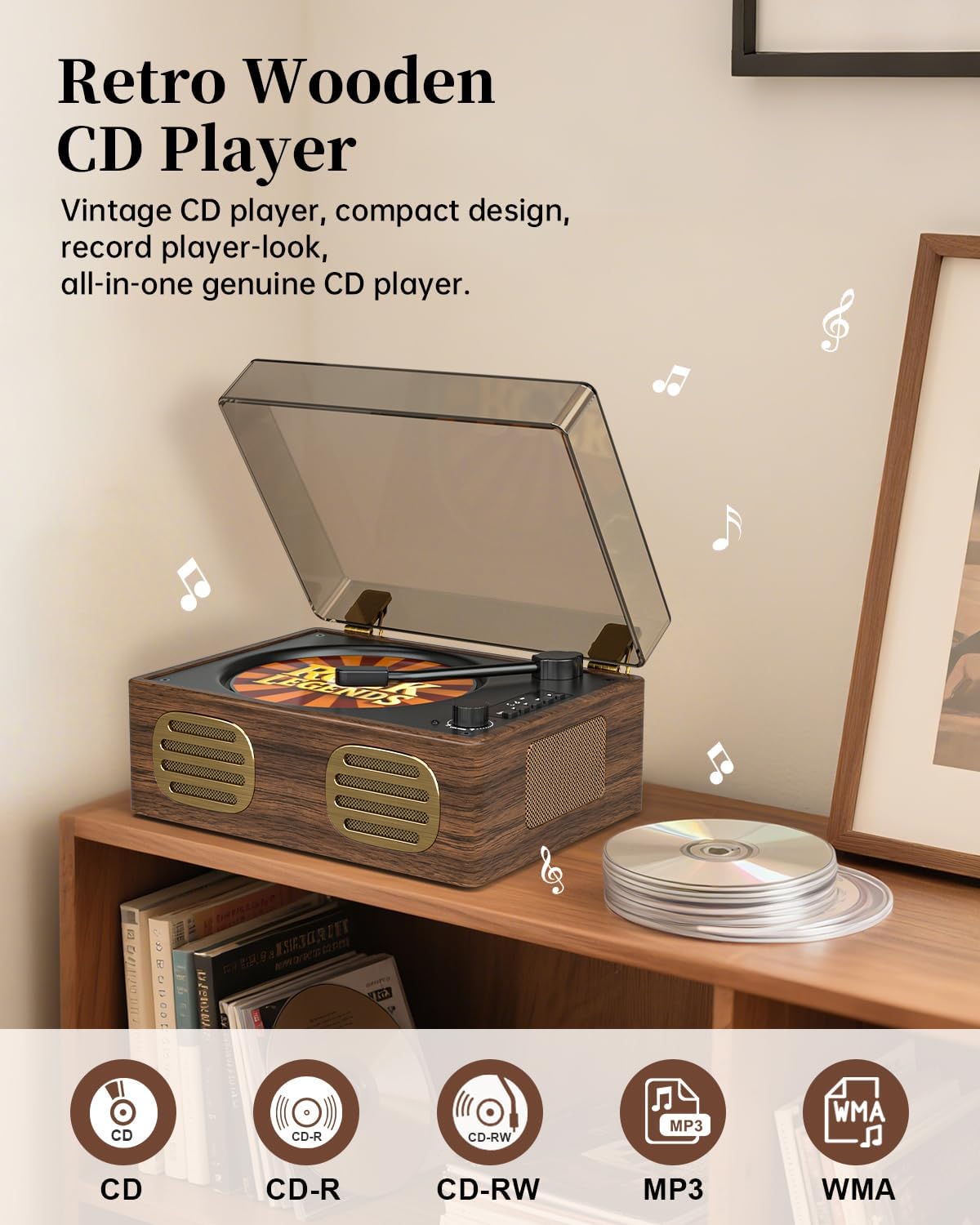
Image: TANLANIN CD-005WW Portable CD Player in Walnut Brown. This image shows the overall design of the CD player, highlighting its vintage aesthetic and compact form factor.
2. Pakuotės turinys
Įsitikinkite, kad pakuotėje yra visi daiktai:
- 1 x TANLANIN CD-005WW CD Player
- 1x maitinimo adapteris
- 1 x Vartotojo vadovas
3. Sąranka
3.1 Pradinis įkrovimas
The unit comes with a built-in 2000mAh rechargeable Lithium Ion battery. Before first use, fully charge the device using the provided power adapter. The indicator light will show charging status.
3.2 Komponento identifikavimas
Susipažinkite su grotuvo valdikliais ir prievadais:
- CD skyrius: Located under the lid for disc insertion.
- Valdymo mygtukai: Play/Pause, Stop, Skip Forward/Backward, Mode selection.
- Garsumo rankenėlė: Reguliuoja garso išvesties lygį.
- Skystųjų kristalų ekranas: Shows track information and playback status.
- USB prievadas: USB atmintinės įrašų atkūrimui.
- AUX Input/Output: 3.5 mm lizdas išoriniams garso įrenginiams.
- Ausinių lizdas: 3.5 mm lizdas privačiam klausymuisi.
- Maitinimo įvestis: DC 5V-1A for charging.
- Įjungimo / išjungimo jungiklis: Įsikūręs galiniame skydelyje.

Image: TANLANIN CD-005WW Dimensions and Controls. This image illustrates the product dimensions, the precision volume knob, and the vintage walnut wood grain finish.
4. Naudojimo instrukcijos
4.1 Maitinimo įjungimas/išjungimas
- To power on, slide the On/Off switch on the rear panel to the 'ON' position.
- To power off, slide the On/Off switch to the 'OFF' position.
4.2 CD atkūrimas
- Open the top lid of the CD player.
- Gently place a CD (CD, CD-R, CD-RW) onto the spindle, ensuring it is seated correctly.
- Uždarykite viršutinį dangtį.
- Norėdami pradėti atkūrimą, paspauskite mygtuką „Groti / pristabdyti“.
- Use the 'Skip Forward' or 'Skip Backward' buttons to navigate tracks.
- Sureguliuokite garsumą naudodami garsumo rankenėlę.
- The unit supports 3 kinds of loop play: repeat one, repeat all, normal.

Image: TANLANIN CD-005WW CD Reading Laser Head. This image provides a close-up view of the high-precision CD reading laser head, essential for accurate playback.
4.3 „Bluetooth“ ryšys
The CD player supports Bluetooth input and output, allowing you to stream music from your device or output audio to Bluetooth headphones/speakers.
- „Bluetooth“ įvestis: Turn on the CD player. The unit will automatically enter Bluetooth mode. On your external device, search for the Bluetooth name 'CD-005WW' and pair.
- Bluetooth išvestis: When playing a CD, press the Bluetooth output button to transmit audio wirelessly to compatible Bluetooth headphones or speakers.

Image: TANLANIN CD-005WW Bluetooth Transmitter. This image demonstrates the Bluetooth output feature, showing the CD player wirelessly connected to headphones and external speakers.
4.4 USB atkūrimas
- Insert a USB flash drive (MP3, WMA format) into the USB port.
- The player will automatically switch to USB mode and begin playback.
- Use the control buttons to manage playback.
4.5 AUX įvestis / išvestis
- Connect an external audio device to the 3.5mm AUX input port using an audio cable (not included).
- The player will automatically switch to AUX mode.
- For headphone use, plug 3.5mm headphones into the dedicated headphone jack.
5. Priežiūra
- Keep the unit clean by wiping with a soft, dry cloth.
- Nenaudokite abrazyvinių valiklių ar tirpiklių.
- Store the CD player in a cool, dry place away from direct sunlight and extreme temperatures.
- Saugokite įrenginį nuo vandens ar drėgmės.
6. Problemų sprendimas
- Nėra galios: Ensure the unit is fully charged or connected to the power adapter. Check the On/Off switch.
- Nėra garso: Check the volume level. Ensure the correct mode (CD, Bluetooth, USB, AUX) is selected. If using headphones, ensure they are properly plugged in.
- CD negrojamas: Ensure the CD is clean and free of scratches. Make sure the CD is inserted correctly.
- „Bluetooth“ poravimo problemos: Ensure the CD player is in Bluetooth mode. Turn off and on both the CD player and your Bluetooth device, then try pairing again.
7. Specifikacijos
| Gaminio matmenys | 8.07 x 6.1 x 4.13 colio |
| Prekės svoris | 3.21 svaro |
| Prekės modelio numeris | CD-005WW |
| Baterijos | Reikalingos 1 ličio jonų baterijos (pridedamos) |
| Prekės ženklas | TANLANINAS |
| Modelio pavadinimas | CD-005WW |
| Spalva | Ruda |
| Ryšio technologija | Bluetooth |
| Ypatinga funkcija | Bluetooth, CD-R/RW Compatible, Rechargeable |
8. Garantija ir palaikymas
For warranty information or technical support, please refer to the contact details provided in your purchase documentation or visit the TANLANIN official websvetainę. Išsaugokite pirkimo čekį garantiniams reikalavimams.


