Įvadas
Thank you for choosing the GOBOULT Crown Smart Watch. This manual provides essential information for the proper setup, operation, and maintenance of your device. Please read it thoroughly to ensure optimal performance and longevity of your smartwatch.
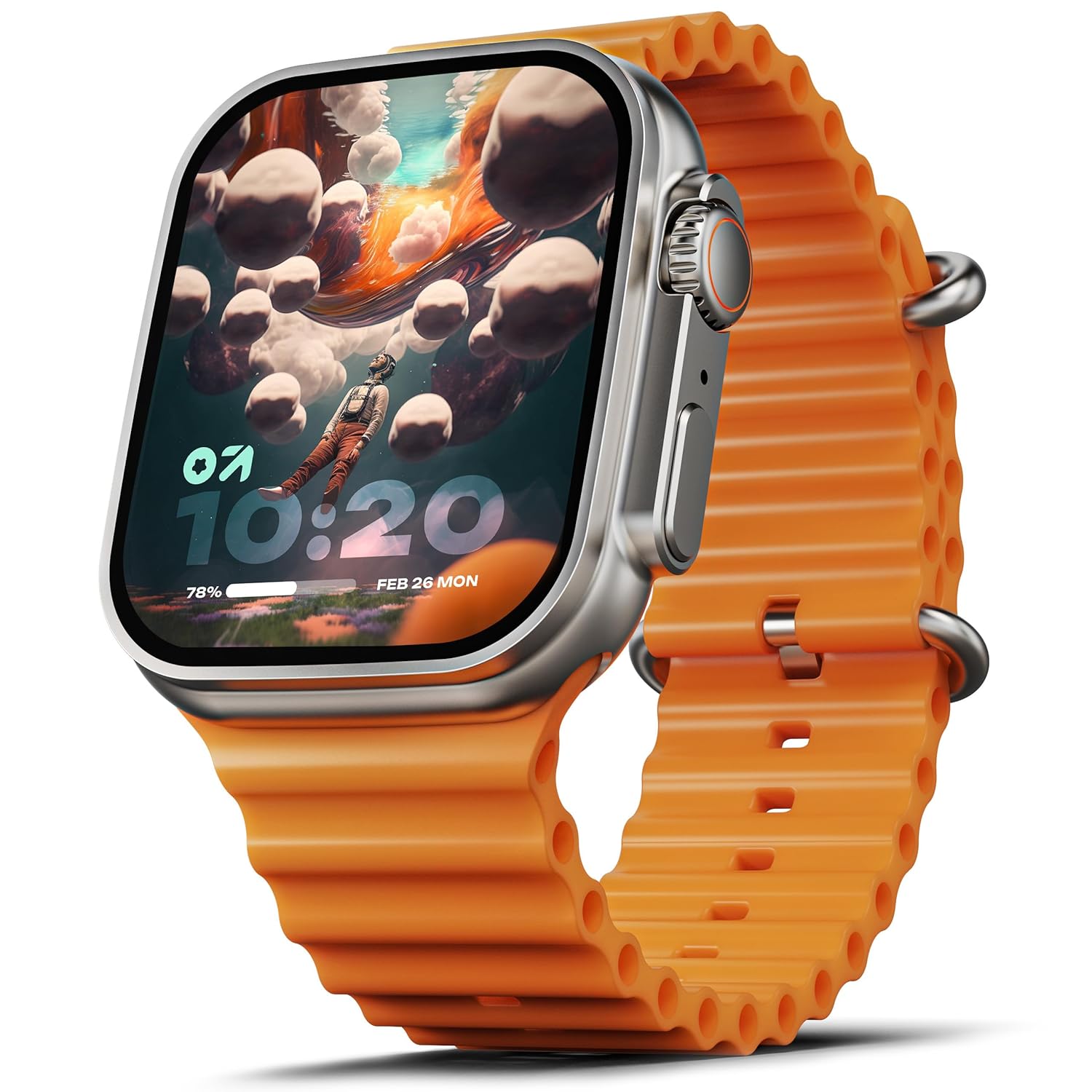
Image: The GOBOULT Crown Smart Watch, featuring a large display and an orange silicone strap.
Kas yra dėžutėje
Išpakuodami patikrinkite, ar yra visi šie daiktai:
- GOBOULT Crown Smart Watch
- Įkrovimo kabelis
- Vartotojo vadovas
- Garantijos kortelė
Darbo pradžia
1. Išmaniojo laikrodžio įkrovimas
Before initial use, fully charge your GOBOULT Crown Smart Watch. Connect the provided charging cable to the charging port on the back of the watch and to a standard USB power adapter. The watch display will indicate charging status.
2. Įjungimas/išjungimas
To power on, press and hold the side button until the GOBOULT logo appears. To power off, navigate to the settings menu on the watch, select 'Power Off', and confirm.
3. Susiejimas su išmaniuoju telefonu
- Download the official GOBOULT companion app from your smartphone's app store (available for Android and iOS).
- Įsitikinkite, kad jūsų išmaniajame telefone įjungtas „Bluetooth“.
- Open the GOBOULT app and follow the on-screen instructions to search for and pair with your Crown Smart Watch.
- Patvirtinkite susiejimo užklausą ir telefone, ir laikrodyje.
Naudojimo instrukcijos
Ekranas ir navigacija

Image: Close-up of the smartwatch display, highlighting its 1.95-inch size and 900 Nits brightness for clear visibility.
- 1.95 colio HD ekranas: The large, high-definition screen provides clear visuals and responsive touch interaction.
- 900 nitų ryškumas: Užtikrina puikų matomumą net ir ryškiomis lauko sąlygomis.
- Working Rotating Crown: Use the functional rotating crown on the side of the watch to scroll through menus, zoom in/out, and switch watch faces.
Paveikslėlis: sprogęs view illustrating the internal mechanism of the working rotating crown, used for navigation and control.
„Bluetooth“ skambinimas

Image: The smartwatch screen showing an incoming call, alongside diagrams explaining Bluetooth 5.2 calling features like call answer/reject, dial pad, and contact sync.
The GOBOULT Crown Smart Watch supports Bluetooth Calling 5.2, allowing you to make and receive calls directly from your wrist. It features a built-in speaker and microphone for clear communication.
- Skambučių atsiliepimas / atmetimas: Tap the green icon to answer or the red icon to reject an incoming call.
- Skambinimo klaviatūra: Access the dial pad on the watch to make outgoing calls.
- Sync Contacts: Sync your phone's contacts to the watch via the companion app.
Sveikatos stebėjimas
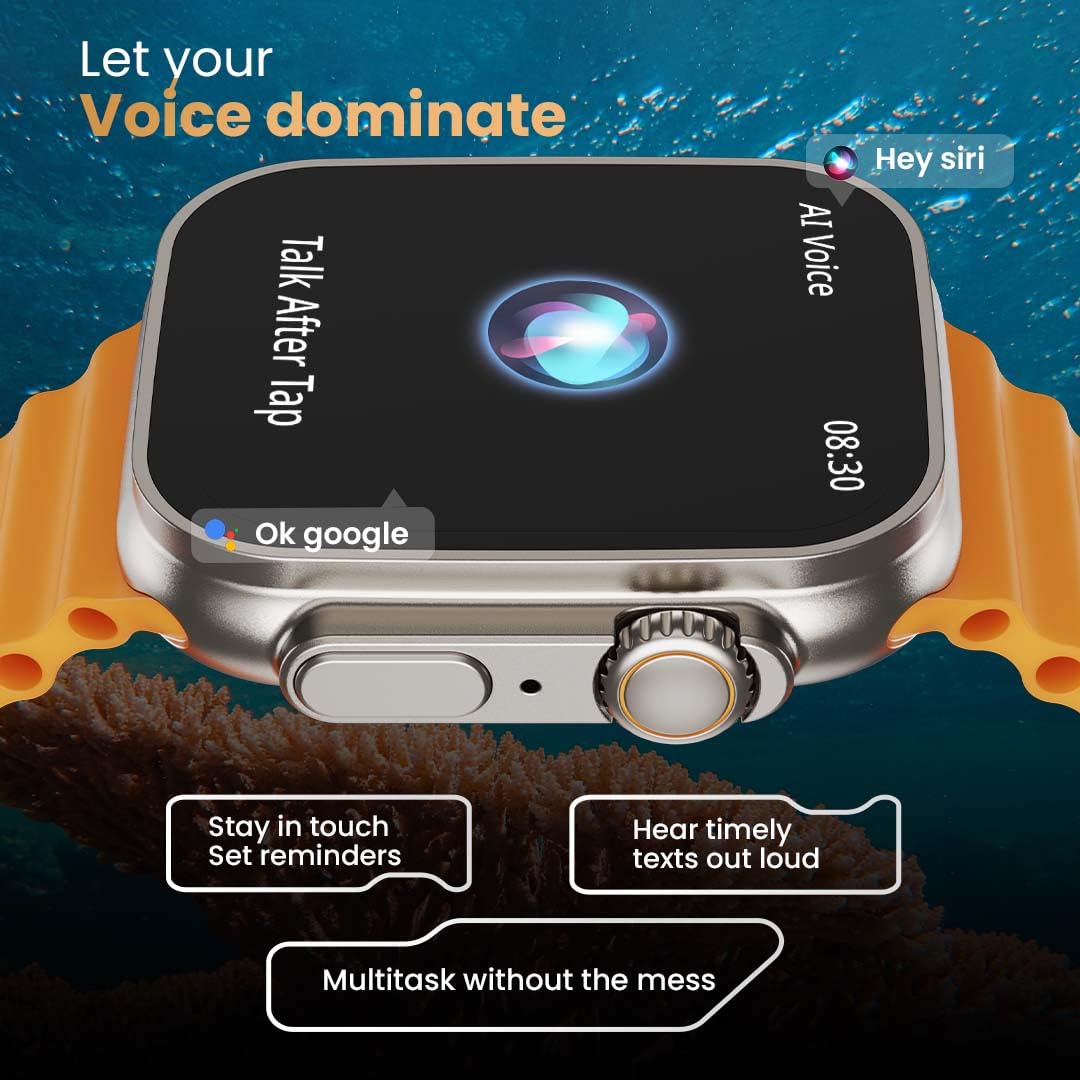
Image: The rear of the smartwatch showing its health sensors, accompanied by a list of health metrics it tracks, including heart rate, SpO2, and sleep.
The watch is equipped with an advanced health suite to help you monitor your well-being:
- 24/7 Heart Rate Monitor: Nuolat stebi jūsų širdies ritmą visą dieną.
- SpO2 Blood Oxygen Saturation Monitor: Matuoja deguonies kiekį kraujyje.
- Miego stebėjimas: Analizuoja jūsų miego įpročius ir kokybę.
- Veiklos stebėjimo priemonė: Įrašo žingsnius, atstumą ir sudegintas kalorijas.
- Moterų menstruacinio ciklo stebėjimas: Pateikia įžvalgų ir prognozių apie menstruacinius ciklus.
- Kvėpavimo treniruotės: Vadovaujami kvėpavimo pratimai atsipalaidavimui.
Sporto režimai
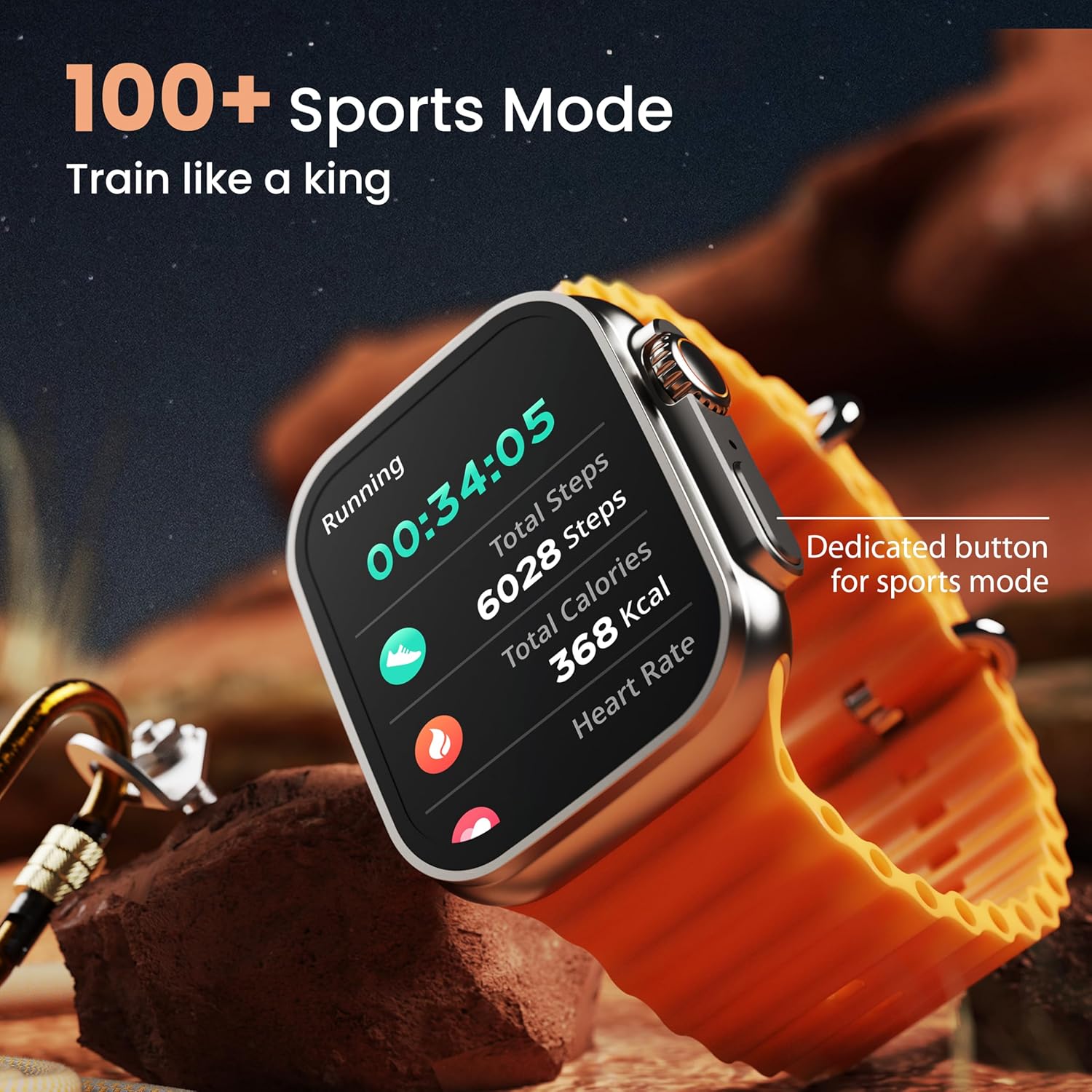
Image: The smartwatch screen showing a 'Running' sports mode with real-time metrics like duration, total steps, calories, and heart rate. A dedicated button for sports mode is also visible.
With over 120 sports modes, the GOBOULT Crown Smart Watch can track a wide range of physical activities. Select your desired sport from the watch menu to record real-time metrics, performance insights, and track your progress.
Tinkinimas

Paveikslėlis: koliažo parodaasing various watch faces, including custom and animated options, along with different UI styles available for personalization on the smartwatch.
Suasmeninkite savo išmaniojo laikrodžio patirtį:
- 100+ Cloud-Based Watch Faces: Choose from a wide selection of watch faces available through the companion app.
- Tinkinimo parinktys: Customize your screen with widgets, backgrounds, and layouts to match your style.
- 8 UI Styles: Select from different user interface styles for menu navigation.
Papildomos funkcijos
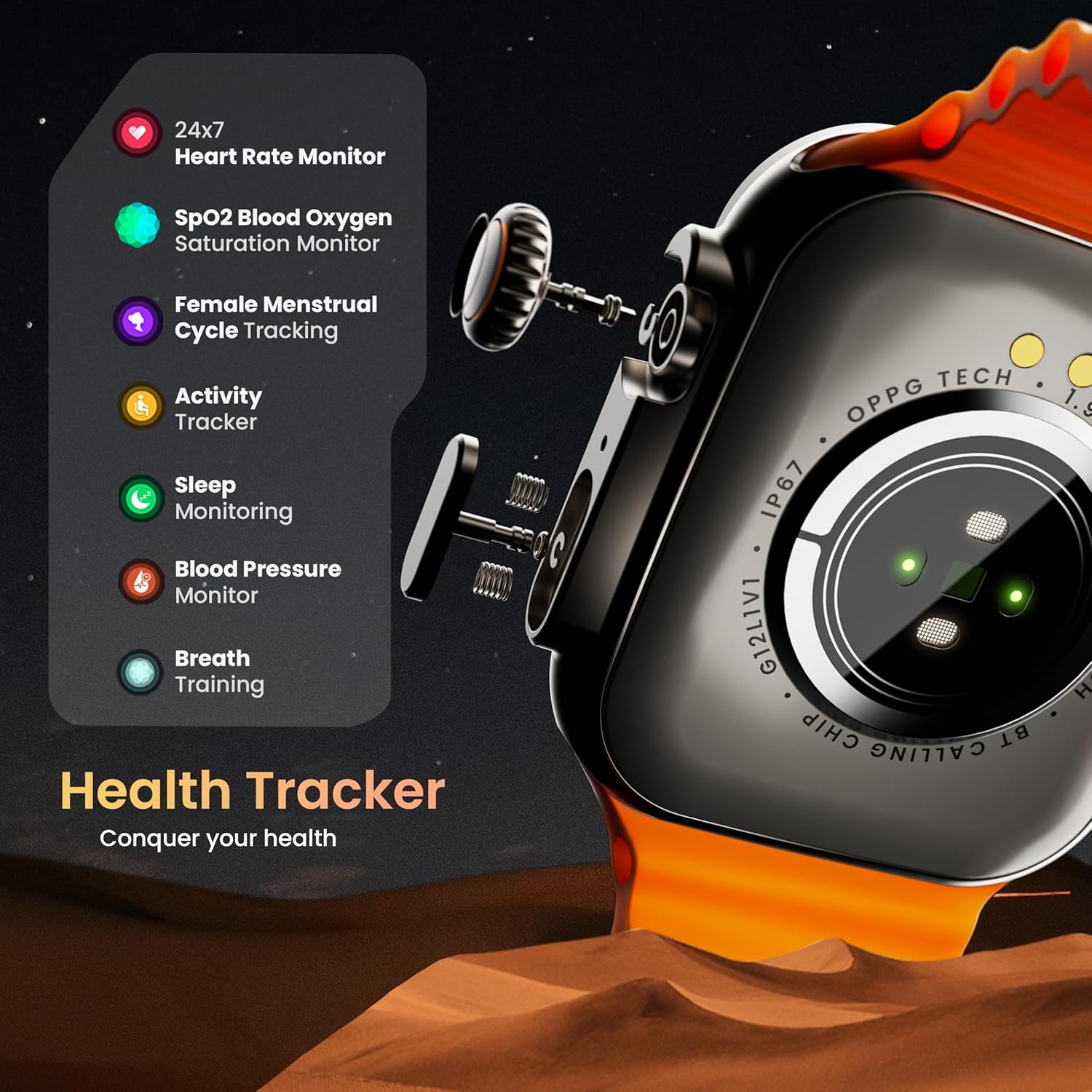
- AI balso asistentas: Interact with your watch using voice commands (e.g., "Hey Siri" or "Ok Google") for tasks like setting reminders or hearing texts aloud.
- Rasti mano telefoną: If your paired phone is misplaced, use this feature on your watch to make it ring/vibrate.
- Mini žaidimai: Enjoy pre-installed mini-games directly on your watch.
- Pranešimai ir priminimai: Receive SMS, WhatsApp, social media, and mail notifications. Set goal achievement reminders.
- Skaičiuotuvas: Laikrodyje yra pagrindinė skaičiuotuvo funkcija.
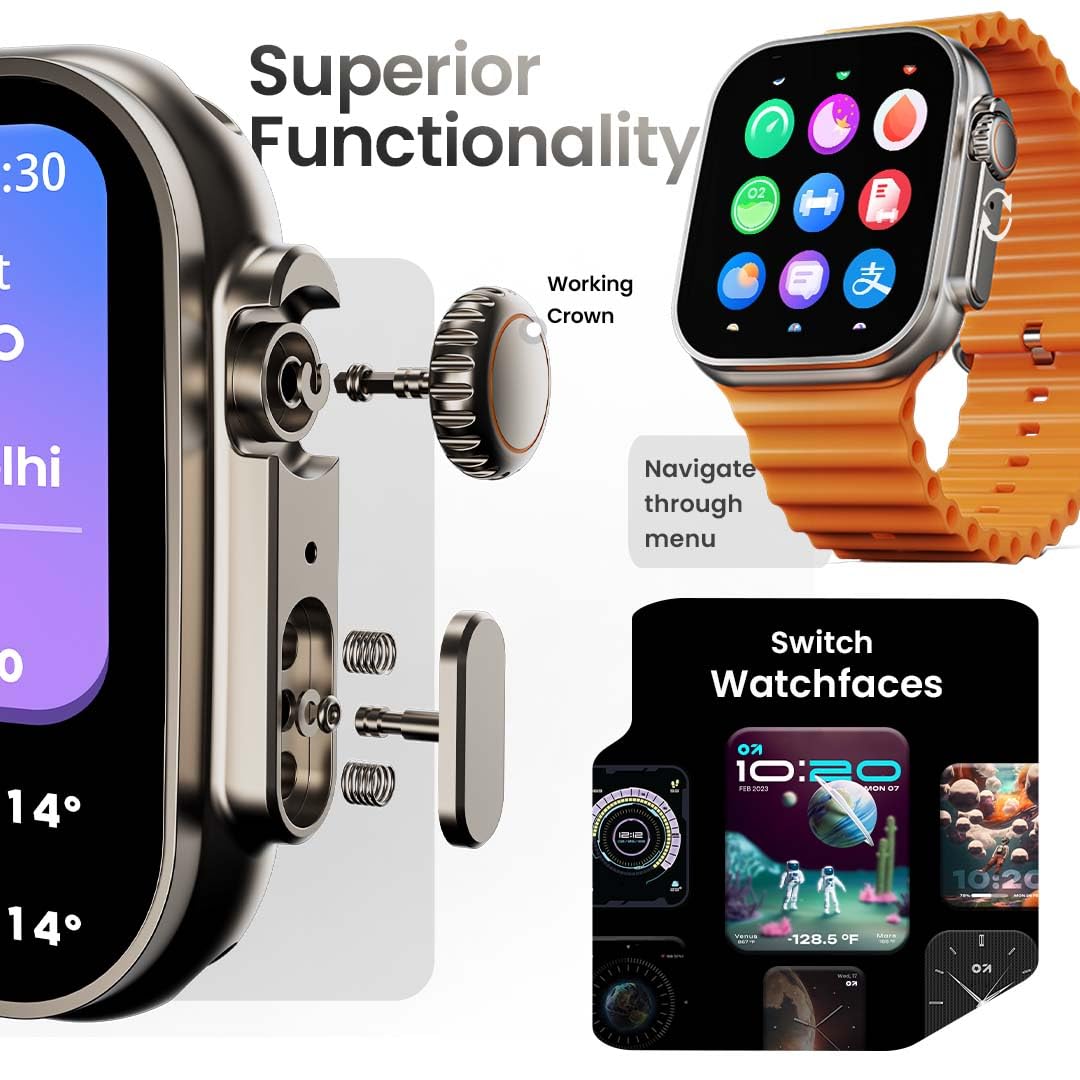
Image: The smartwatch screen showing the AI Voice Assistant interface, indicating support for voice commands like "Hey Siri" and "Ok Google".
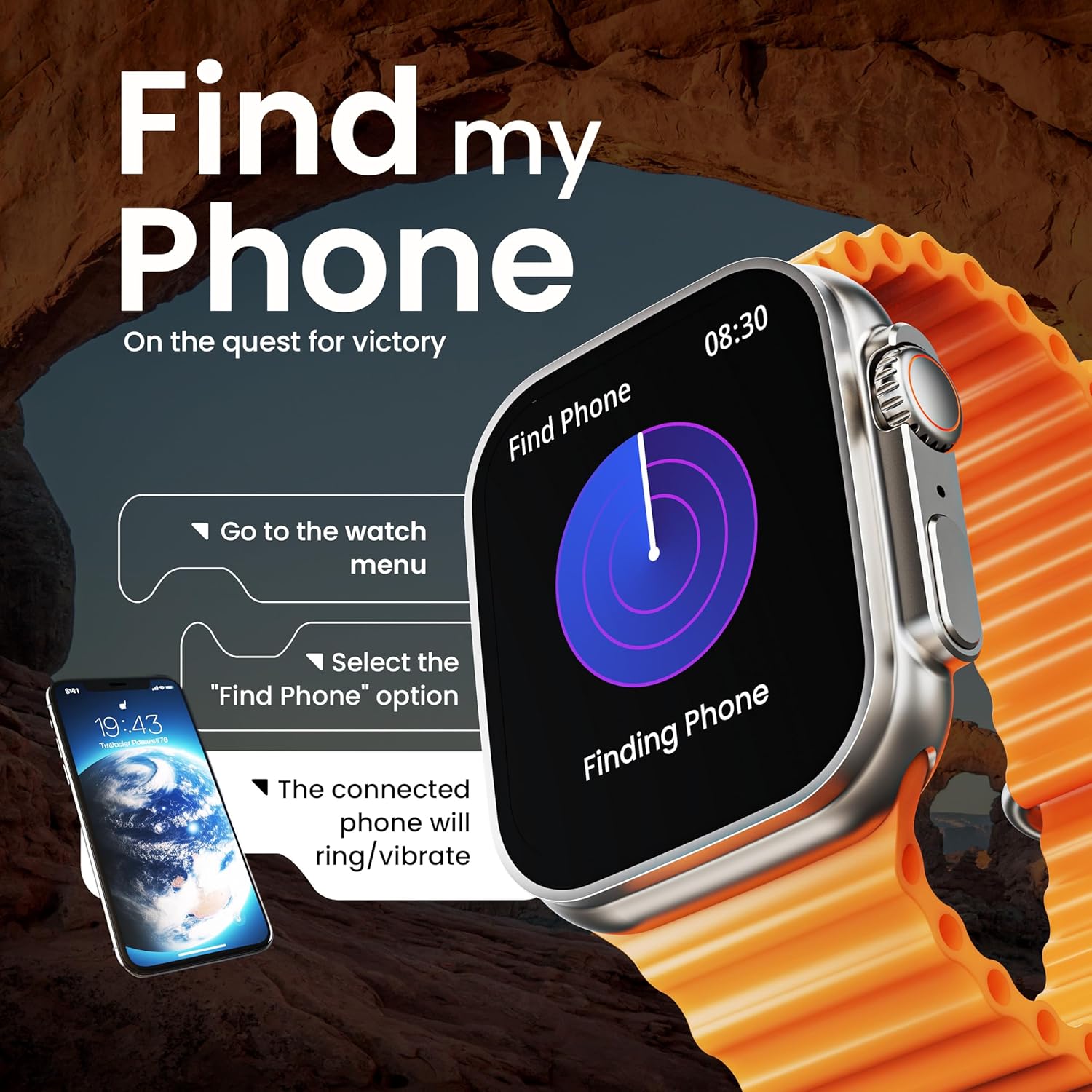
Image: The smartwatch screen illustrating the 'Find Phone' feature, with instructions on how to activate it to locate a connected smartphone.
Paveikslėlis: išmaniojo laikrodžio ekranasasing a selection of mini-games available on the device, such as 'Young Bird', 'Hamster', and 'Battleships'.

Image: The smartwatch screen showing a calculator interface, along with a pop-up notification and a list of reliable and robust features like sync notifications and reminders.
Priežiūra
Valymas
Regularly clean your smartwatch and strap to prevent skin irritation and maintain device hygiene. Use a soft, lint-free cloth. If necessary, slightly dampNuvalykite šluostę vandeniu. Venkite stiprių cheminių medžiagų ar abrazyvinių medžiagų.
Atsparumas vandeniui
The GOBOULT Crown Smart Watch is IP67 water resistant. This means it is protected against dust and can withstand immersion in water up to 1 meter for up to 30 minutes. It is suitable for daily use and light splashes but not recommended for swimming, showering, or diving.
Dirželių priežiūra
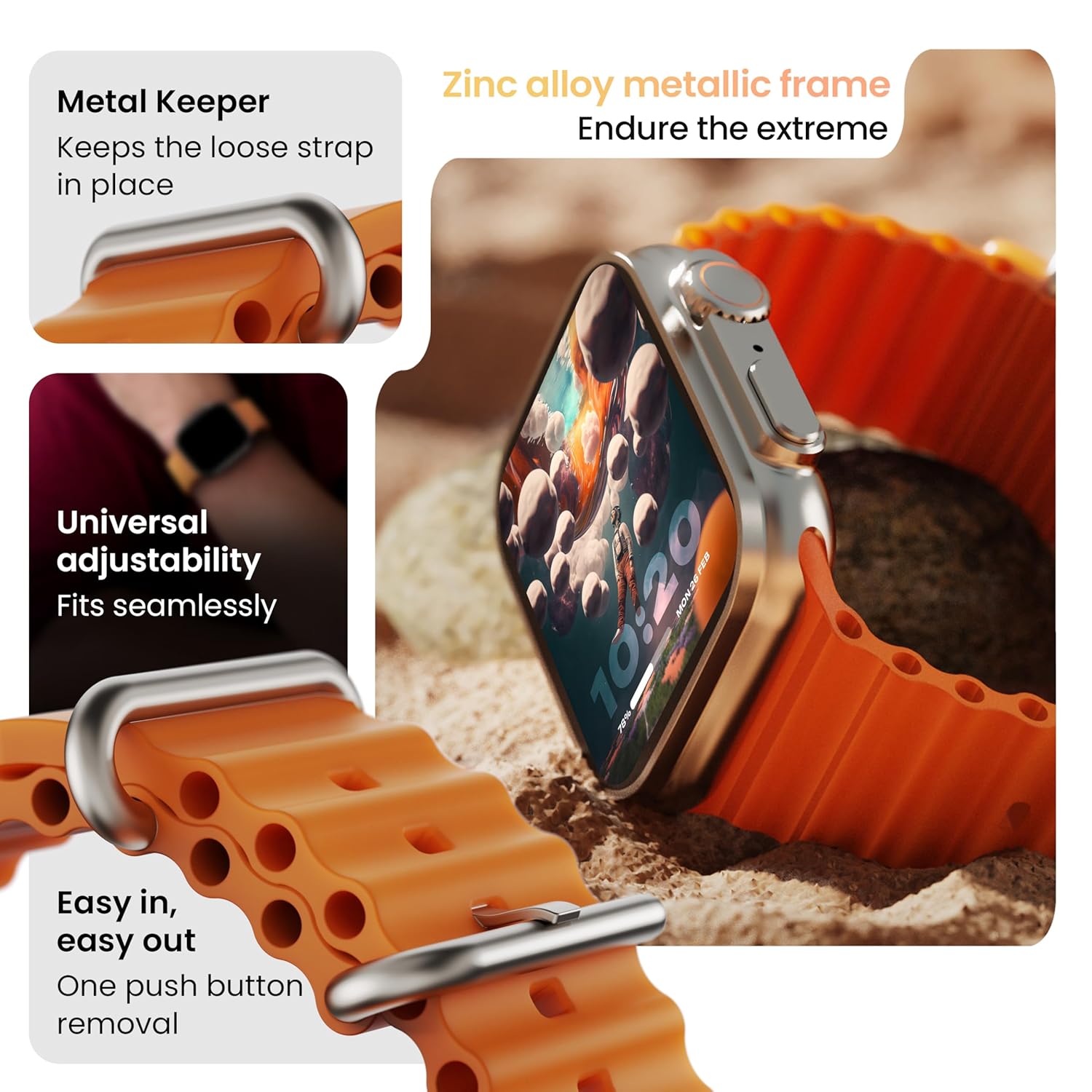
Vaizdas: Išsamus view of the smartwatch strap, highlighting features such as the metal keeper for securing the loose end, universal adjustability for a seamless fit, and a push-button mechanism for easy removal.
The skin-friendly silicone strap is designed for comfort. Ensure it is not too tight or too loose for accurate health tracking. Clean the strap regularly, especially after workouts, to remove sweat and dirt.
Trikčių šalinimas
Laikrodis neįsijungia
- Įsitikinkite, kad laikrodis yra visiškai įkrautas. Prijunkite jį prie įkroviklio bent 30 minučių.
- Norėdami bandyti priverstinai paleisti iš naujo, 10–15 sekundžių palaikykite nuspaudę šoninį mygtuką.
Poravimo problemos
- Įsitikinkite, kad telefone ir laikrodyje įjungtas „Bluetooth“ ryšys.
- Ensure the watch is within the Bluetooth range (approximately 10 meters).
- Iš naujo paleiskite ir telefoną, ir laikrodį.
- Išvalykite „Bluetooth“ talpyklą telefone arba pamirškite įrenginį ir bandykite susieti dar kartą.
Netikslūs sveikatos duomenys
- Įsitikinkite, kad laikrodis tvirtai prigludęs prie riešo, bet ne per stipriai.
- Nuvalykite jutiklius laikrodžio gale.
- Avoid excessive movement during measurements for better accuracy.
Pranešimai nerodomi
- Check if the watch is properly connected to your phone via Bluetooth.
- Verify notification permissions for the GOBOULT app in your phone's settings.
- Ensure 'Do Not Disturb' mode is not active on either your phone or watch.
Specifikacijos
| Funkcija | Detalė |
|---|---|
| Prekės ženklas | GOBOULT |
| Modelis | Išmanusis laikrodis „Crown“ |
| Ekrano dydis | 1.95 colių |
| Ekrano ryškumas | 900 nitų |
| Ryšys | Bluetooth 5.2 |
| Operacinė sistema | Android Wear 1.0, iOS compatible |
| Baterijos veikimo laikas (vidutinis) | 7 dienų |
| Akumuliatoriaus įkrovimo laikas | 150 minučių |
| Baterijos talpa | 300 milijonųamp Valandos |
| Atsparumas vandeniui | IP67 |
| Prekės svoris | 40 g |
| Įtraukti komponentai | Smartwatch, Charging Cable, User Manual, Warranty Card |
Garantija ir palaikymas
Your GOBOULT Crown Smart Watch comes with a Warranty Card included in the box. Please refer to this card for detailed information regarding warranty coverage and terms. For technical support or further assistance, please contact GOBOULT customer service through the contact information provided on the warranty card or the official GOBOULT websvetainę.


