1. Įvadas
This manual provides essential information for the setup, operation, and maintenance of your Thunderobot Zero 18 Pro 5080 Gaming Laptop. Please read this manual thoroughly before using the device to ensure proper functionality and to maximize your user experience. Keep this manual for future reference.
2. Pagrindinės savybės
2.1. Performance Hardware
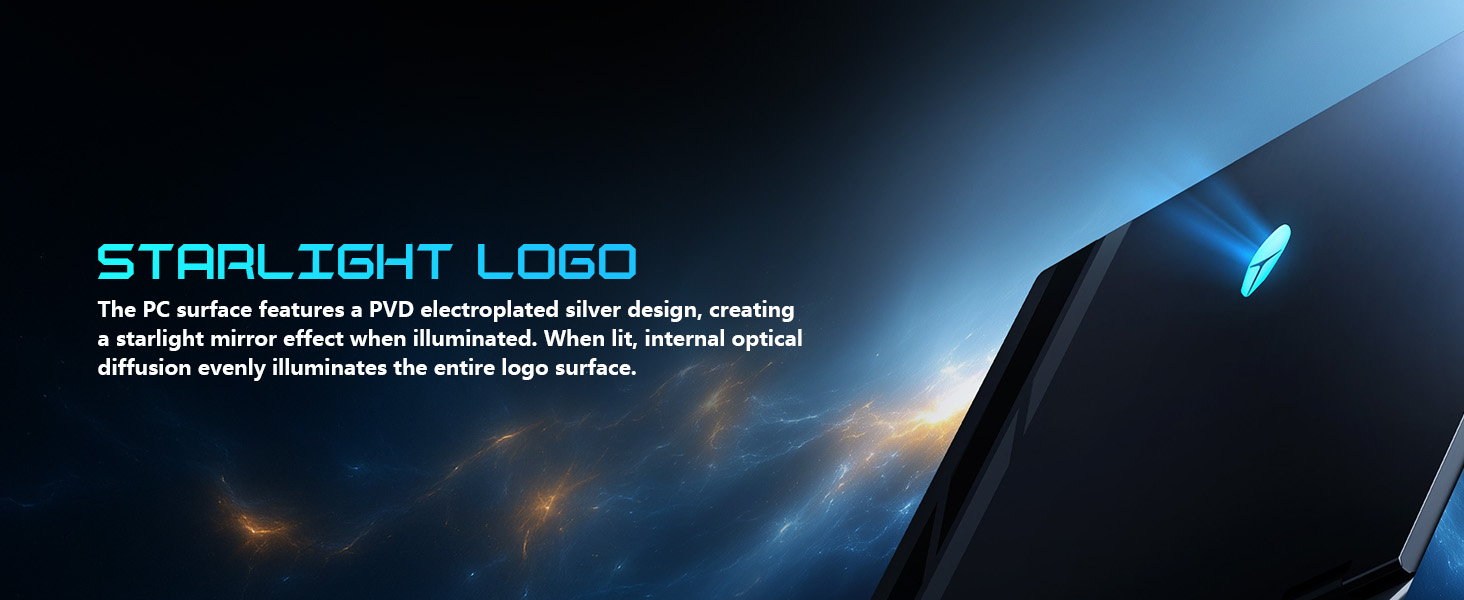
The Thunderobot Zero 18 Pro is equipped with high-performance components designed for demanding applications and gaming.
- Procesorius: Intel Core Ultra 9 275HX (24 Cores, 24 Threads, up to 5.40GHz)
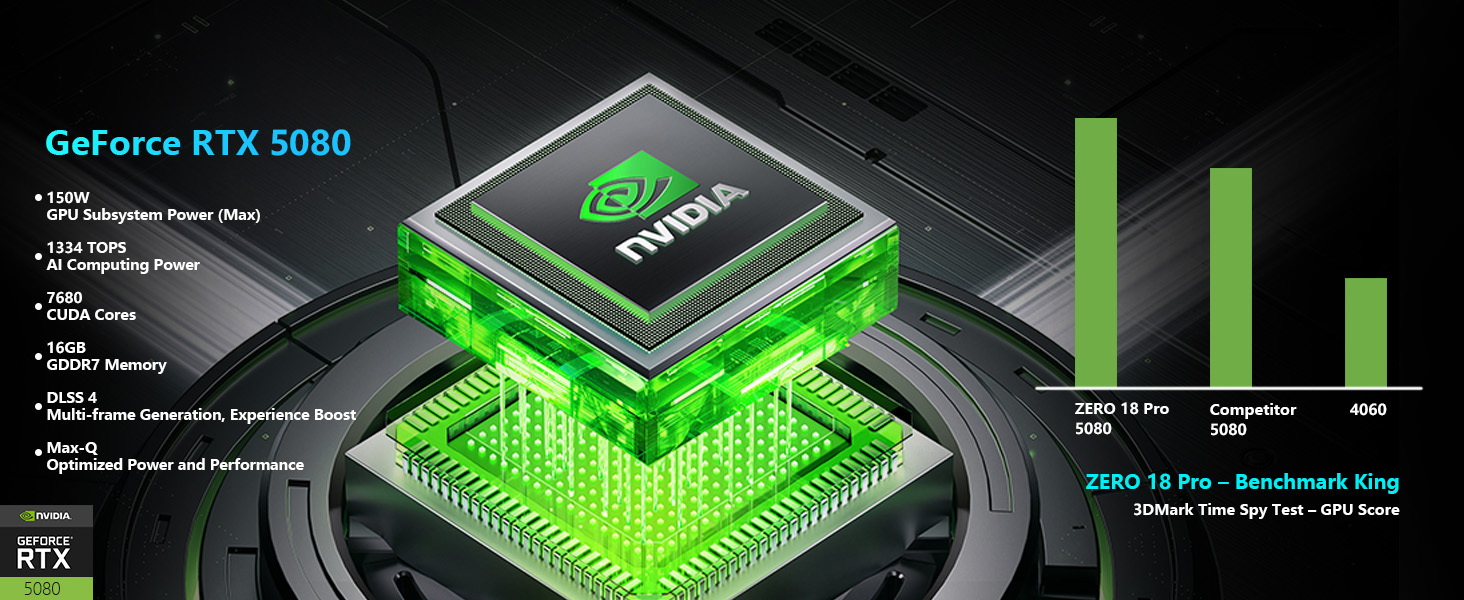
- Grafika: NVIDIA GeForce RTX 5080
- Atmintis: 32 GB DDR5 RAM
- Saugykla: 1TB PCIe M.2 SSD
Vaizdas: Išsamus view of the Intel Core Ultra 9 275HX processor and NVIDIA GeForce RTX 5080 graphics card, highlighting their specifications and capabilities.
2.2. Ekrano technologija
The laptop features an advanced display for clear and fluid visuals.
- Dydis: 18-inch QHD+ (2560x1600)
- Atnaujinimo dažnis: 240 Hz
- Technologija: Bionic Hummingbird Eye-Care Display with Anti-Glare and Anti-Reflection properties.
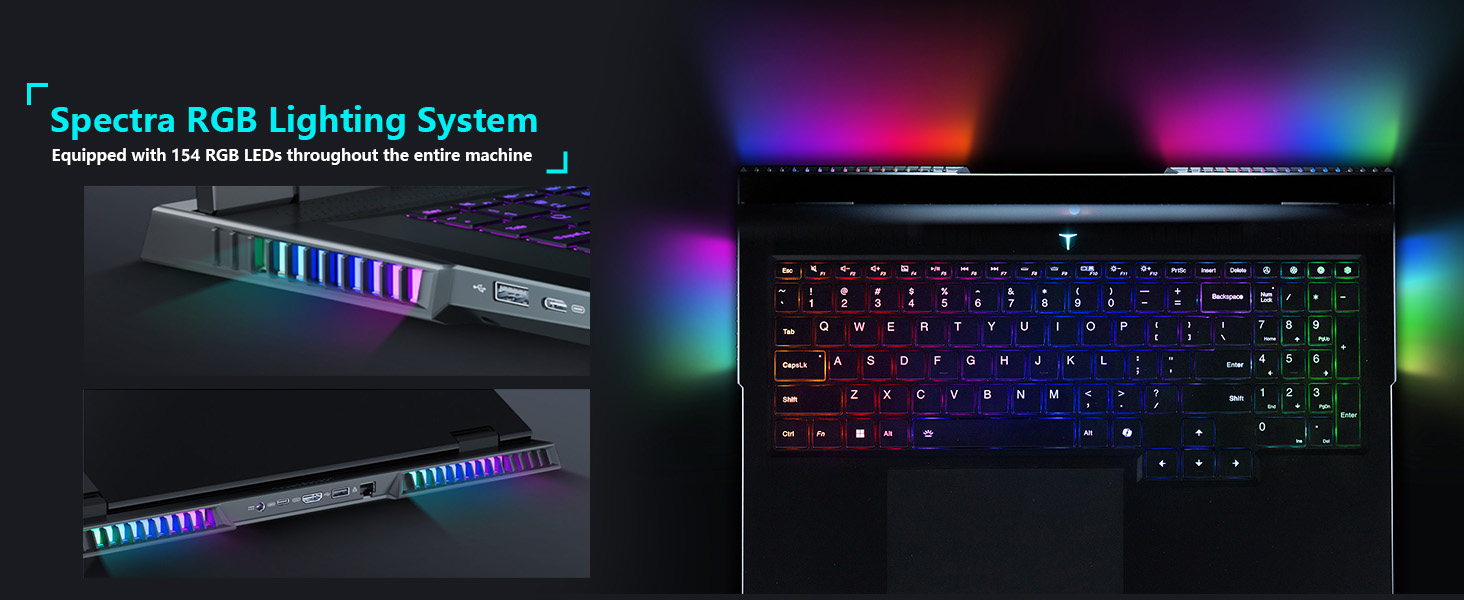
Image: The 18-inch Bionic Hummingbird Eye-Care Display showcasing its QHD+ resolution, 240Hz refresh rate, and anti-glare features.
Vaizdo įrašas: Užbaigtaview of the THUNDEROBOT Series Display features, including refresh rate and resolution.
2.3. Aušinimo sistema
The laptop incorporates an advanced cooling system to maintain optimal performance during intensive use.
- Ventiliatoriai: 3 Night Owl fans with high air volume.
- Šilumos vamzdžiai: 7 high-efficiency heat pipes.
- Pelekai: 338 pieces of 0.075mm ultra-thin copper fins.
- Power Release: Up to 270W total power release.
Paveikslėlis: vidinis view illustrating the laptop's heat dissipation architecture, including fans and heat pipes.
2.4. Keyboard and Lighting
The laptop features a customizable keyboard and integrated lighting.
- Klaviatūra: Per-Key RGB Backlit Keyboard with numeric keypad.
- Apšvietimo sistema: "Spectra" RGB Lighting System with 154 RGB light beads.
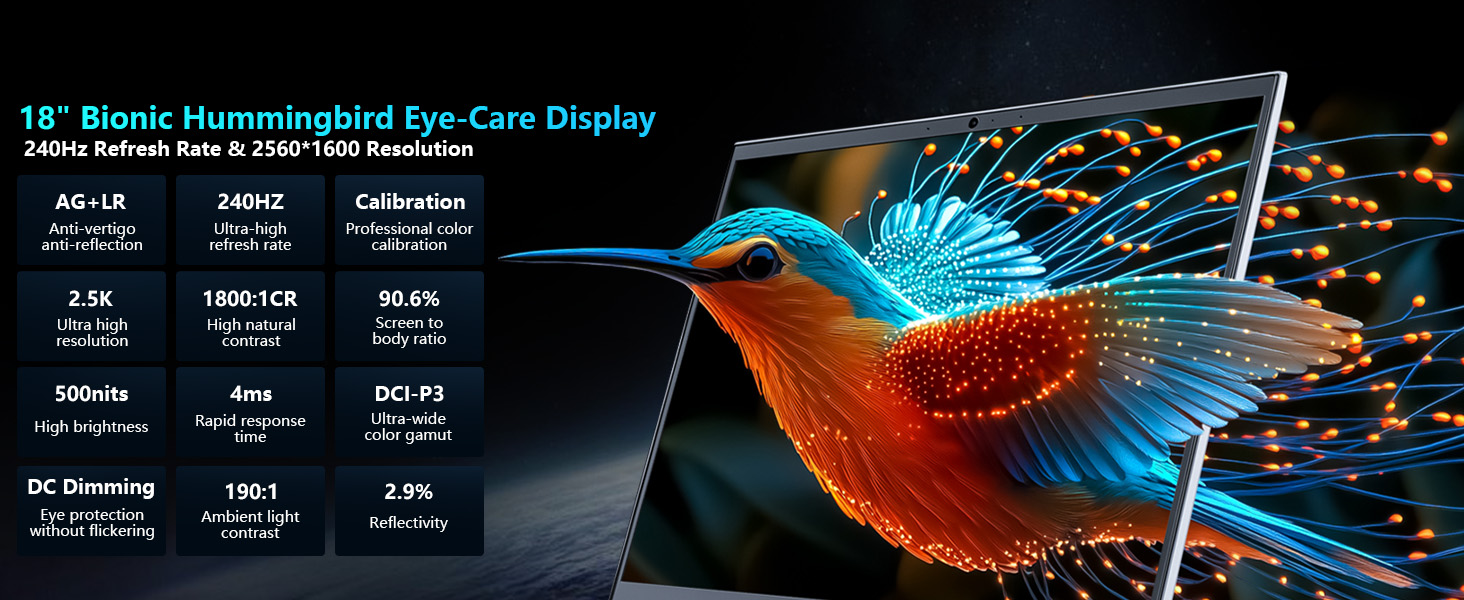
Image: Close-up of the laptop keyboard, highlighting the Per-Key RGB backlighting and dedicated mode switching keys.
Video: Demonstration of the Thunderobot RGB lighting features and customization options.
2.5. Ryšys
The Zero 18 Pro offers a range of ports for external devices and network connectivity.
- USB prievadai: 3 x Superspeed USB Type-A, 2 x Superspeed USB Type-C (Thunderbolt 5 compatible).
- Vaizdo įrašo išvestis: 1 x HDMI 2.1.
- Tinklas: 1 x RJ-45 (Ethernet), Wi-Fi 6E.
- Garsas: 1 x Audio Port.
- Belaidis ryšys: Bluetooth.
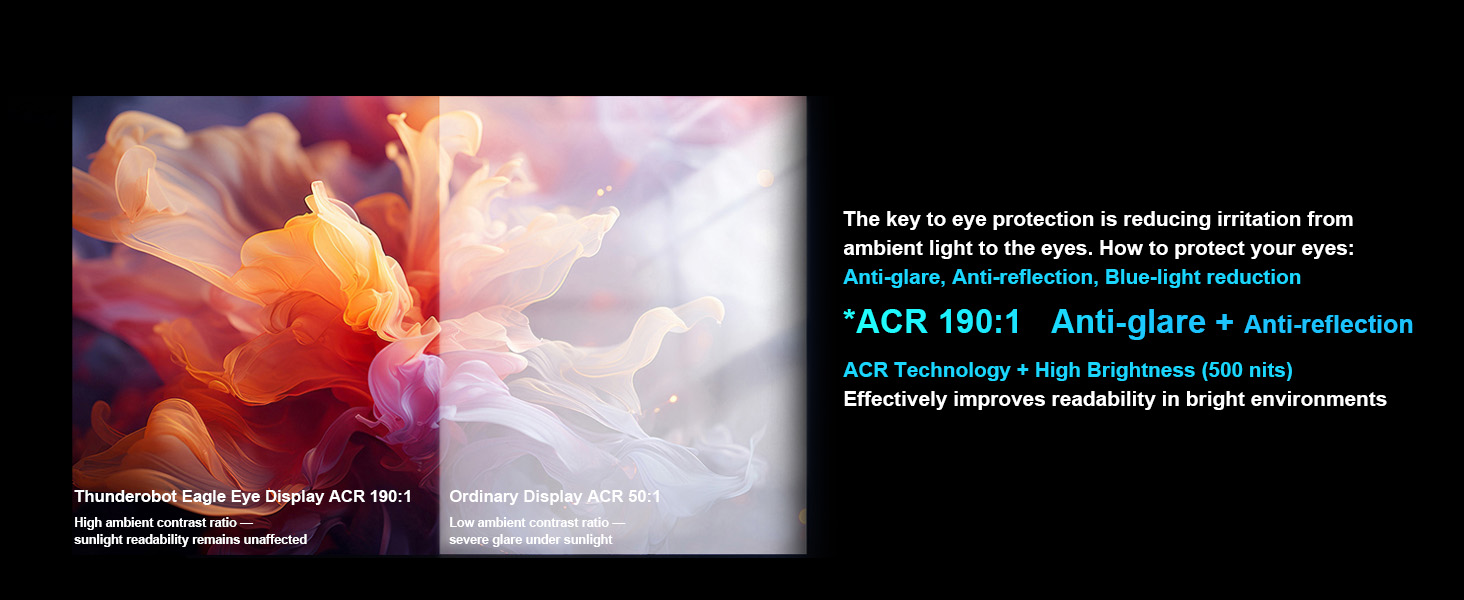
Image: Diagram illustrating the location and types of ports available on the Thunderobot Zero 18 Pro laptop.
3. Sąrankos vadovas
3.1. Išpakavimas ir pirminė apžiūra
- Atsargiai išimkite nešiojamąjį kompiuterį ir visus priedus iš pakuotės.
- Patikrinkite, ar yra visi komponentai, išvardyti skyriuje „Kas yra dėžutėje“.
- Apžiūrėkite nešiojamąjį kompiuterį, ar nėra fizinių pažeidimų. Jei pastebėsite pažeidimų, nedelsdami susisiekite su klientų aptarnavimo tarnyba.
3.2. Maitinimo prijungimas
- Connect the AC adapter to the power port on the laptop.
- Įjunkite maitinimo laidą į įžemintą elektros lizdą.
- Prieš pirmąjį naudojimą rekomenduojama visiškai įkrauti akumuliatorių.
3.3. First Boot and Operating System Setup
- Atidarykite nešiojamojo kompiuterio dangtį ir paspauskite maitinimo mygtuką.
- Vykdykite ekrane pateikiamus nurodymus, kad užbaigtumėte „Windows 11 Home“ sąrankos procesą. Tai apima regiono, kalbos pasirinkimą ir vartotojų paskyrų nustatymą.
- Connect to a Wi-Fi network when prompted to ensure the operating system can download necessary updates.
4. Naudojimo instrukcijos
4.1. Maitinimo įjungimas/išjungimas
- Maitinimas: Paspauskite maitinimo mygtuką, esantį klaviatūros bloke.
- Išjungti: „Windows“ sistemoje spustelėkite mygtuką „Pradėti“, tada pasirinkite „Maitinimas“ > „Išjungti“.
- Miegojimo rezimas: Uždarykite nešiojamojo kompiuterio dangtį arba spustelėkite mygtuką „Pradėti“, tada pasirinkite „Maitinimas“ > „Miego režimas“.
4.2. Klaviatūros funkcijos
The keyboard features Per-Key RGB backlighting and dedicated function keys.
- Funkciniai klavišai (Fn): Laikykite Fn key and press the corresponding F-key (F1-F12) for special functions like volume control, brightness adjustment, or toggling Wi-Fi.
- RGB pritaikymas: Use the pre-installed control software to customize the Per-Key RGB lighting effects and colors.
- Performance Mode Switching: Dedicated keys (Fn+Space) allow quick switching between performance profiles (e.g., Quiet, Balance, Turbo).
4.3. AI Intelligent Control Center
The AI Intelligent Control Center software provides comprehensive control over your laptop's performance, lighting, and system settings.
- Našumo derinimas: Adjust CPU/GPU power limits and fan speeds.
- Intelligent Light Adjustment: Customize RGB lighting zones (keyboard, strip, logo) with various effects.
- Comprehensive Adjustment: Access system monitoring, power plans, and other advanced settings.
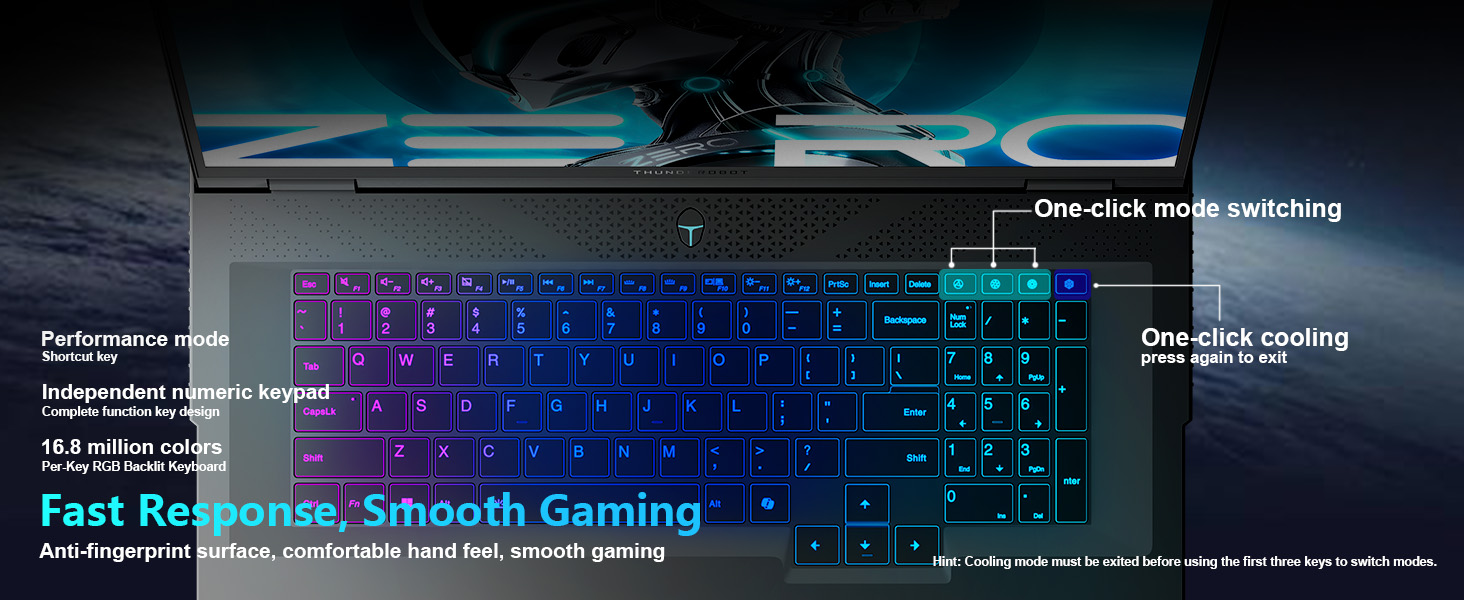
Image: Screenshot of the AI Intelligent Control Center, showing options for system, lighting, and settings adjustments.
Vaizdo įrašas: išsamus aprašymasview of the THUNDEROBOT Zero 18 Pro, showcasing its design, features, and the AI Intelligent Control Center.
5. Priežiūra
5.1. Valymas
- Ekranas: Lengvai naudokite minkštą, nepūkuotą audinį dampnuplaukite vandeniu arba ekrano valikliu. Venkite stiprių cheminių medžiagų.
- Klaviatūra ir korpusas: Use a soft cloth to wipe surfaces. A can of compressed air can remove dust from between keys and vents.
- angos: Regularly check and clean the cooling vents to prevent dust buildup, which can hinder airflow and lead to overheating.
5.2. Programinės įrangos atnaujinimai
- Reguliariai tikrinkite, ar yra „Windows“ naujinimų, ir juos įdiekite, kad užtikrintumėte sistemos stabilumą ir saugumą.
- Update graphics drivers (NVIDIA GeForce) and other device drivers through the manufacturer's website or dedicated software.
- Keep the AI Intelligent Control Center software updated for new features and performance optimizations.
5.3. Akumuliatoriaus priežiūra
- Venkite dažnai visiškai iškrauti akumuliatorių.
- If storing the laptop for an extended period, charge the battery to about 50-60% and store it in a cool, dry place.
- Use only the original AC adapter provided with the laptop.
6. Problemų sprendimas
6.1. Nešiojamasis kompiuteris neįsijungia
- Įsitikinkite, kad kintamosios srovės adapteris yra tvirtai prijungtas tiek prie nešiojamojo kompiuterio, tiek prie veikiančio maitinimo lizdo.
- Patikrinkite, ar maitinimo lizdas veikia, prijungdami prie jo kitą įrenginį.
- Jei akumuliatorius visiškai išsikrovęs, prieš bandydami įjungti, leiskite jam įkrauti bent 30 minučių.
6.2. Ekrano problemos (nėra vaizdo, mirga)
- Įsitikinkite, kad nešiojamas kompiuteris įjungtas ir nėra miego režime.
- Adjust screen brightness using the function keys (Fn + F-keys).
- If an external monitor is connected, try disconnecting it or switching display modes (Fn + F-key, usually F7 or F8).
- Atnaujinkite grafikos tvarkykles.
6.3. Perkaitimas
- Įsitikinkite, kad aušinimo angos nėra užblokuotos.
- Nuvalykite dulkes nuo ventiliacijos angų suslėgtu oru.
- Use the AI Intelligent Control Center to set the cooling mode to a higher fan speed (e.g., Turbo mode).
- Ensure the laptop is used on a hard, flat surface to allow proper airflow.
6.4. „Wi-Fi“ ryšio problemos
- Įsitikinkite, kad įjungtas „Wi-Fi“ ryšys (patikrinkite funkcinius klavišus arba „Windows“ nustatymus).
- Iš naujo paleiskite maršrutizatorių ir modemą.
- Atnaujinkite „Wi-Fi“ adapterio tvarkykles.
- Try connecting to a different Wi-Fi network to isolate the issue.
7. Specifikacijos
| Funkcija | Detalė |
|---|---|
| Prekės ženklas | Thunderobot |
| Modelio pavadinimas | ZERO 18 Pro |
| Ekrano dydis | 18 colių |
| Ekrano raiška | 2560 x 1600 pikselių (QHD+) |
| Procesorius | „Intel Core Ultra 9 275HX“ (iki 5.4 GHz) |
| RAM | 32 GB DDR5 |
| Atminties greitis | 4800 MHz |
| Kietasis diskas | 1 TB SSD (PCIe x 4) |
| Grafikos koprocesorius | GeForce RTX 5080 (Dedicated) |
| Operacinė sistema | Windows 11 Home |
| Belaidis tipas | 802.11ax („Wi-Fi 6E“) |
| USB 3.0 prievadai | 3 |
| Prekės svoris | 15 svaro |
| Gaminio matmenys | 16.04 x 11.78 x 1.41 colio |
| Spalva | Juoda |
| Maitinimo šaltinis | AC ir akumuliatorius |
| Ypatinga funkcija | Skaitmeninė klaviatūra |
8. Garantija ir palaikymas
Every Thunderobot laptop includes a 12-month warranty. This warranty offers expert support, thorough diagnostics, and genuine parts if a repair is needed. Additionally, a 90-day warranty is provided on all warranty replacement parts, ensuring hassle-free repairs. Your satisfaction is our commitment.
Image: Graphic detailing Thunderobot's warranty and service policy, including 12-month laptop warranty and 90-day replacement parts warranty.
8.1. Susisiekimas su palaikymo tarnyba
For technical assistance, warranty claims, or service inquiries, please refer to the contact information provided in your product packaging or visit the official Thunderobot support websvetainę.


