1. Įvadas
Thank you for choosing the Edifier T5s Powered Active Subwoofer. This manual provides essential information for setting up, operating, and maintaining your subwoofer to ensure optimal performance and longevity. The T5s is designed to deliver deep, powerful bass, enhancing your home audio and home theater experience with its 8-inch long-throw woofer and 70W RMS output.

Figure 1.1: Edifier T5s Powered Active Subwoofer, showcasing its sleek black finish and front-firing port.
2. Saugos informacija
Prieš naudodami šį gaminį, perskaitykite ir supraskite visas saugos instrukcijas. Išsaugokite šį vadovą ateičiai.
- Maitinimo šaltinis: Only use the power supply specified for this product. Ensure the voltage atitinka jūsų vietinį maitinimo šaltinį.
- Vėdinimas: Neužblokuokite jokių ventiliacijos angų. Palikite pakankamai vietos aplink žemųjų dažnių garsiakalbį tinkamam oro cirkuliavimui.
- Vanduo ir drėgmė: Saugokite įrenginį nuo lietaus, drėgmės ar lašančių/taškomų skysčių. Nestatykite ant įrenginio daiktų, pripildytų skysčių, pavyzdžiui, vazų.
- Šiluma: Laikykite įrenginį atokiau nuo šilumos šaltinių, tokių kaip radiatoriai, šildytuvai, viryklės ar kiti prietaisai (įskaitant ampkeltuvai), kurie gamina šilumą.
- Valymas: Unplug the unit from the power outlet before cleaning. Use only a dry cloth.
- Aptarnavimas: Nemėginkite patys aptarnauti šio gaminio. Visą techninę priežiūrą patikėkite kvalifikuotam aptarnavimo personalui.
3. Savybės
The Edifier T5s Subwoofer is engineered with advanced features to deliver superior bass performance:
- Deep & Powerful 8-Inch Bass: Experience 35Hz deep bass with the T5s powered subwoofer, which features an 8-inch long-throw woofer and a powerful 70W RMS output (driven by Class-D amplifier). Perfect for home audio and home theater.
- Built-in 70W Class-D Ampgyvybingesnis: High-efficiency power for punchy and consistent bass performance.
- Precision Control, Seamless Integration: Adjust the low-pass filter (30Hz–160Hz) and phase selector (0°/180°) to match any home stereo or active speaker setup.
- Slim Design, Low Distortion: This space-saving compact subwoofer fits into any spaces. The 18mm MDF cabinet with a front-firing driver and right-firing acoustic port minimizes resonance for clean, tight bass. Its wood grain finish and low-profile grille blend seamlessly with home decor.
- Smart & Energy-Efficient: Auto-standby saves power after 15 minutes of inactivity. The built-in amplifier ensures plug-and-play operation – no external receiver needed! Includes 3.5mm-to-RCA and RCA cables for instant setup.
- Universalus ryšys: The dual RCA inputs/outputs (Signal In/Out) enable easy daisy-chaining with Edifier R-Series speakers (e.g., R1280Ts, R2000DB) and other home audio systems, including desktop speakers, bookshelf systems, or home theater receivers.

Figure 3.1: The T5s delivers deep, clean, room-filling low-end with its 8-inch long-throw woofer and advanced DSP.
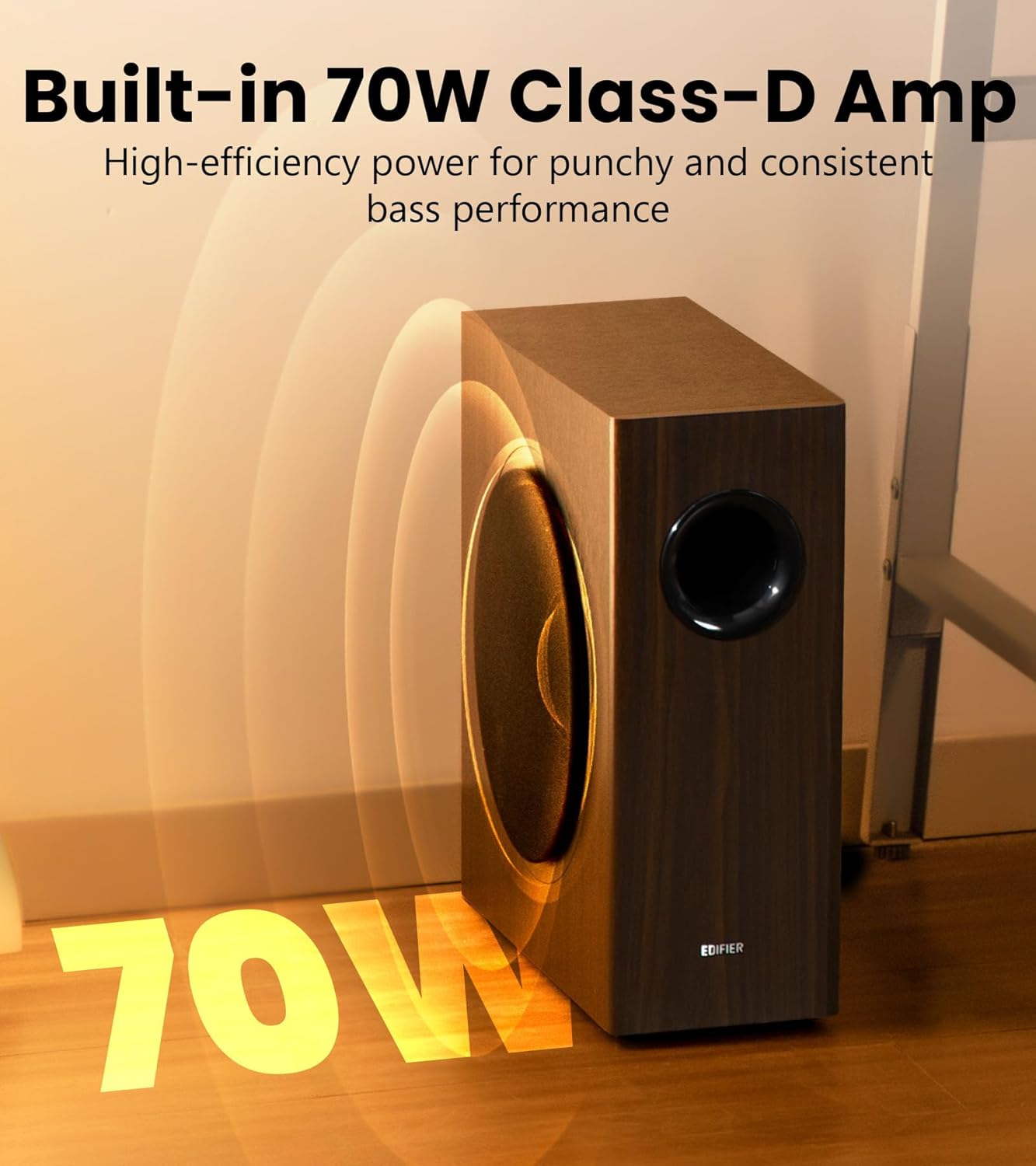
Figure 3.2: The integrated 70W Class-D amplifier ensures robust and efficient power delivery.

Figure 3.3: Fine-tune bass and phase for perfectly balanced sound performance using the precision DSP.

Figure 3.4: The 18mm MDF enclosure minimizes resonance for clean, accurate bass.

Figure 3.5: The T5s enters 0.5W sleep mode after 15 minutes of inactivity and instantly wakes on audio detection.

Figure 3.6: The compact dimensions (15.7 in D x 6.7 in W x 15.8 in H) allow for discreet placement.
4. Kas yra dėžutėje
Upon opening your Edifier T5s package, you should find the following items:
- Edifier T5s Subwoofer
- Maitinimo kabelis
- 3.5 mm iki RCA garso kabelis
- RCA į RCA garso kabelis
- Greitos pradžios vadovas
5. Sąranka
5.1 Fizinis išdėstymas
For optimal bass performance, consider placing the subwoofer in a corner of the room or along a wall. Experiment with different positions to find the best sound balance for your listening environment. Ensure there is adequate space for ventilation.
5.2 Jungtys
The Edifier T5s offers versatile connectivity options to integrate with various audio systems.
Method 1: If Your Speaker System Has a Sub-Out Port
This method is ideal for speaker systems equipped with a dedicated subwoofer output.
- Connect the RCA cable from your speaker system's 'Sub-Out' or 'LFE Out' port to the 'Signal In' (RCA) ports on the Edifier T5s subwoofer.
- Ensure the power cable is securely connected to the subwoofer and a power outlet.

Figure 5.1: Connection diagram for speaker systems with a dedicated subwoofer output.
Method 2: If Your Speaker System Does Not Have a Sub-Out Port
This method allows you to integrate the T5s with speaker systems that lack a dedicated subwoofer output, such as many desktop or bookshelf speakers.
- Connect the audio source (e.g., TV, PC, CD player) to the 'Signal In' (RCA) ports on the Edifier T5s subwoofer using the provided RCA cables.
- Connect your main speaker system's input to the 'Signal Out' (RCA) ports on the Edifier T5s subwoofer. This allows the subwoofer to pass the full-range audio signal to your main speakers after processing the low frequencies.
- Ensure the power cable is securely connected to the subwoofer and a power outlet.

Figure 5.2: Connection diagram for speaker systems without a dedicated subwoofer output.
6. Operacinis
6.1 Valdikliai
The Edifier T5s features controls on the rear panel for fine-tuning its performance to your listening preferences and room acoustics:
- Garsumo valdymas: Reguliuoja bendrą žemųjų dažnių garsiakalbio išvesties lygį. Pradėkite nuo žemo nustatymo ir palaipsniui didinkite, kol bosas sklandžiai susilies su pagrindiniais garsiakalbiais.
- Low-Pass Filter (Crossover Frequency): This knob allows you to set the upper frequency limit for the subwoofer, typically ranging from 30Hz to 160Hz. Frequencies above this setting will be rolled off. Adjust this to match the low-frequency capabilities of your main speakers. A common starting point is around 80Hz-100Hz.
- Phase Selector (0°/180°): This switch helps to ensure that the subwoofer's sound waves are in sync with your main speakers. If the bass sounds weak or hollow, try flipping this switch to the opposite setting. Listen for the setting that provides the most impactful and cohesive bass.
6.2 Auto-Standby Function
The T5s is equipped with an energy-efficient auto-standby feature. If no audio signal is detected for approximately 15 minutes, the subwoofer will automatically enter a low-power sleep mode (0.5W). It will instantly wake up and resume operation as soon as an audio signal is detected.
7. Priežiūra
Proper maintenance will help ensure the longevity and performance of your Edifier T5s Subwoofer.
- Valymas: Use a soft, dry cloth to clean the surface of the subwoofer. Do not use liquid cleaners, aerosols, or abrasive chemicals, as they may damage the finish.
- Dulkės: Regularly dust the unit, especially around the port and connections, to prevent dust buildup.
- Aplinka: Avoid placing the subwoofer in direct sunlight, near heat sources, or in areas with high humidity or extreme temperatures.
- Tvarkymas: Handle the subwoofer with care. Avoid dropping or subjecting it to strong impacts.
8. Problemų sprendimas
If you encounter any issues with your Edifier T5s Subwoofer, please refer to the following common problems and solutions:
- Nėra garso:
- Ensure the power cable is securely connected and the power outlet is active.
- Check all audio cables are correctly connected to both the subwoofer and your audio source/main speakers.
- Verify the volume control on the subwoofer is not set to minimum.
- Check the volume level of your audio source.
- Weak or Distorted Bass:
- Adjust the volume control on the subwoofer.
- Experiment with the Phase Selector (0°/180°) to find the optimal setting for your room and main speakers.
- Adjust the Low-Pass Filter (Crossover Frequency) to ensure it blends well with your main speakers.
- Check for proper placement; sometimes moving the subwoofer a small distance can significantly improve bass response.
- Įsitikinkite, kad garso šaltinis siunčia švarų signalą.
- Subwoofer Not Entering/Exiting Standby:
- The auto-standby feature requires a certain level of audio signal to detect activity. Ensure your audio source is playing at a sufficient volume.
- If the subwoofer does not wake up, try turning it off and on again using the power switch.
- Dūzgimas arba zvimbimas:
- Įsitikinkite, kad visi laidai yra tvirtai prijungti.
- Pabandykite prijungti žemųjų dažnių garsiakalbį prie kito elektros lizdo.
- Check if the noise persists when the audio cables are disconnected from the subwoofer. If it stops, the noise might be coming from the audio source or cables.
If the problem persists after trying these solutions, please contact Edifier customer support for assistance.
9. Specifikacijos
| Garsiakalbio tipas | Žemųjų dažnių garsiakalbis |
| Modelio pavadinimas | T5S-BLACK |
| Bendra išėjimo galia (RMS) | 70 vatų |
| Vairuotojų blokai | 8-inch (220mm) Long-Throw Woofer |
| Dažnio atsakas | 35Hz - 115Hz |
| Signalo ir triukšmo santykis | ≥ 85 dB (A) |
| Garso įėjimai | RCA |
| Įvesties jautrumas | 150 ± 20 mV |
| Gaminio matmenys (D x P x A) | 15.71 colio gylis x 6.69 colio plotis x 16.14 colio aukštis (399 mm x 170 mm x 410 mm) |
| Prekės svoris | 27.8 svaro (12.6 kg) |
| Maitinimo šaltinis | Su laidu elektra |
| UPC | 875674008481 |
10. Garantija ir palaikymas
10.1 Informacija apie garantiją
The Edifier T5s Powered Active Subwoofer comes with a Limited Warranty. Please refer to the warranty card included in your product packaging for specific terms and conditions, or visit the official Edifier websvetainėje rasite išsamią informaciją apie jūsų regione galiojančią garantiją.
10.2 Pagalba klientams
For technical assistance, troubleshooting beyond this manual, or warranty inquiries, please contact Edifier customer support. You can find contact information on the official Edifier websvetainėje arba per pardavėją, iš kurio įsigijote produktą.


