1. Įvadas
This manual provides essential information for setting up, operating, maintaining, and troubleshooting your HP 27-inch FHD Touchscreen All-in-One Desktop. Please read these instructions carefully before using your device to ensure optimal performance and longevity.
The HP 27-inch All-in-One Desktop is designed for versatile use, featuring an Intel Ultra 7 155U 12-Core processor, 32 GB DDR5 RAM, and a 1 TB SSD for efficient performance. Its 27-inch Full HD touchscreen display offers an interactive experience, complemented by Intel IrisX Graphics and Windows 11 Pro operating system.
2. Kas yra dėžutėje
Patikrinkite, ar pakuotėje yra visi komponentai:
- HP 27-inch All-in-One Desktop
- Laidinė klaviatūra
- Laidinė pelė
- Maitinimo adapteris ir laidas
- Webcam (integrated or separate, depending on model configuration)
- Dokumentacija (greito paleidimo vadovas, garantijos informacija)
3. Sąrankos vadovas
3.1 Išpakavimas ir įdėjimas
- Carefully remove the All-in-One desktop and all accessories from the packaging.
- Place the desktop on a stable, flat surface, ensuring adequate ventilation around the device. Avoid placing it near heat sources or in direct sunlight.
3.2 Išorinių įrenginių prijungimas
- Connect the wired keyboard to an available USB Type-A port on the back of the desktop.
- Connect the wired mouse to another available USB Type-A port.
- If your model includes a separate webcam, connect it to a USB port.
3.3 Maitinimo jungtis
- Connect the power adapter cable to the power input port on the desktop.
- Įjunkite maitinimo adapterį į įžemintą elektros lizdą.
3.4 Pradinis įjungimas
- Paspauskite maitinimo mygtuką, kuris paprastai yra ekrano šone arba apačioje.
- Follow the on-screen instructions to complete the Windows 11 Pro setup, including language selection, network connection (Wi-Fi 6E supported), and user account creation.

Image: HP 27-inch All-in-One Desktop showcasing its ultra-slim design and adjustable stand. The display is a 27-inch Full HD screen.
4. Naudojimo instrukcijos
4.1 Jutiklinio ekrano naudojimas
The 27-inch Full HD (1920 x 1080) IPS touchscreen allows for intuitive interaction. Use gestures similar to a tablet or smartphone for navigation, zooming, and scrolling. The display features a three-sided micro-edge design and wide-viewkampai įtraukiančiai vaizdinei patirčiai.

Image: Visual representation of the HP 27-inch All-in-One Desktop's display features, highlighting the three-sided micro-edge, wide-viewing angles, and a 90% screen-to-body ratio.
4.2 Ryšiai ir prievadai
Your desktop offers a variety of ports for connecting external devices:
- USB Type-C 5Gbps Signaling Rate: 1 port for modern peripherals and fast data transfer.
- USB Type-A 5Gbps Signaling Rate: 2 ports for standard USB devices.
- A tipo USB 2.0: 2 ports for basic peripherals like keyboards and mice.
- HDMI-out 1.4: 1 port for connecting an external monitor or display.
- RJ45 LAN Ethernet port: 1 prievadas laidiniam tinklo ryšiui.
- Ausinių / mikrofono derinys: 1 port for audio input/output.

Paveikslėlis: Detalus galas view of the HP 27-inch All-in-One Desktop, illustrating the arrangement and types of ports available, including USB Type-C, HDMI, Ethernet, USB Type-A, and the power supply connection.
4.3 Using the Privacy Camera and Audio
The HP True Vision 1080p FHD IR Tilt Privacy Camera features a pop-up mechanism for privacy. Push down to hide the camera when not in use. The integrated dual array digital microphones and dual 2W speakers provide clear audio for video calls and multimedia.

Image: The HP 27-inch All-in-One Desktop highlighting its pop-up privacy camera, dual microphones, and advanced noise reduction capabilities for enhanced communication.
5. Funkcijos Overview
- Procesorius: Equipped with the Intel Ultra 7 155U 12-Core processor, offering speeds up to 4.8 GHz, 12 MB Intel Smart Cache, and 14 threads for robust multitasking and performance.
- Grafika: Features Intel IrisX Graphics for clear visuals and support for everyday tasks and light creative work.
- Atmintis ir saugojimas: Comes with 32 GB DDR5 5600MHz RAM and a 1 TB SSD for fast boot times, quick application loading, and ample saugojimo talpa.
- Belaidis ryšys: Includes Realtek Rtl8852Be Wi-Fi 6 (2x2) and Bluetooth 5.3 for high-speed wireless networking and peripheral connections.
- Operacinė sistema: Pre-installed with Windows 11 Pro, providing a secure and productive computing environment.
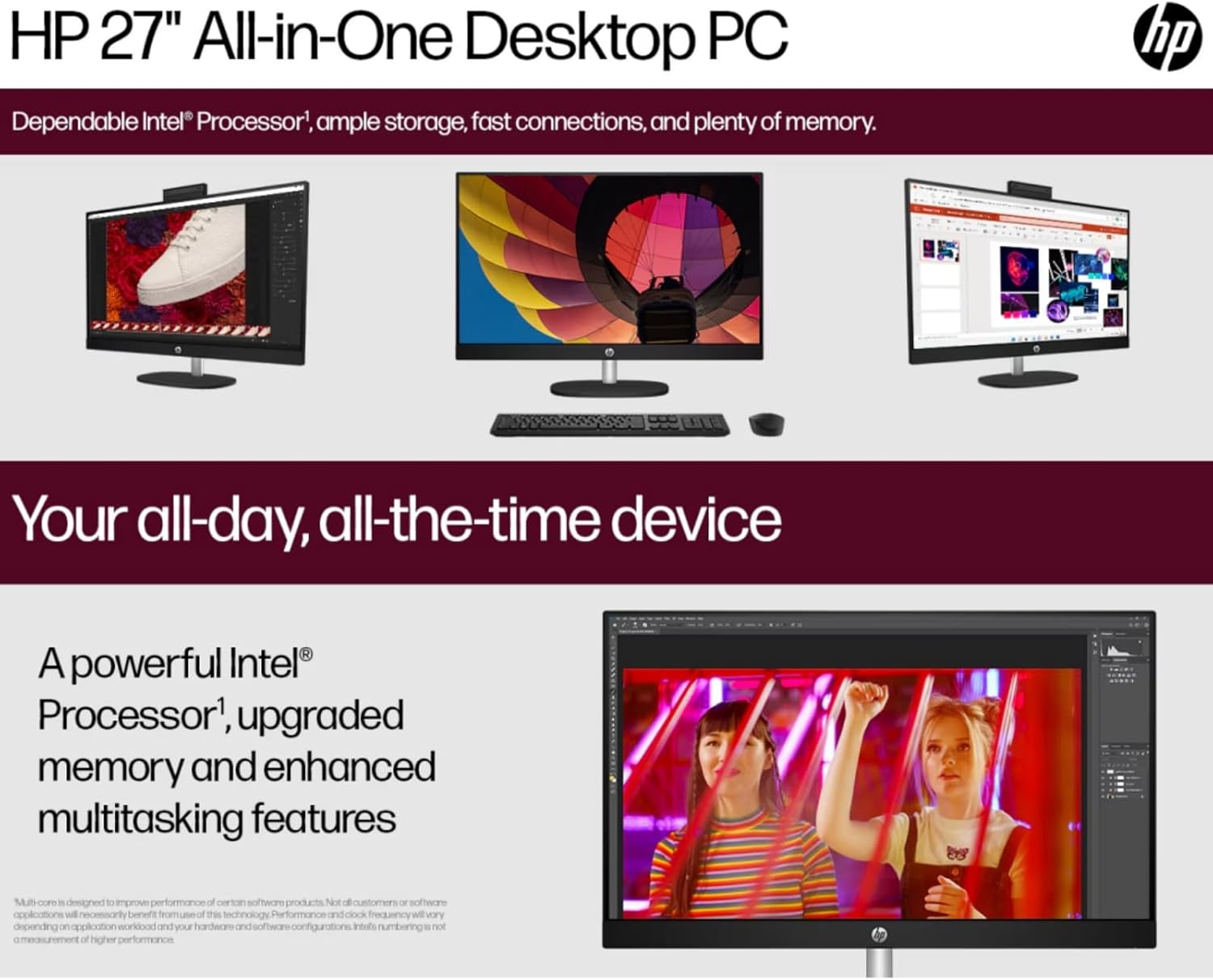
Image: The HP 27-inch All-in-One Desktop illustrating its capability for enhanced multitasking, powered by a robust Intel Processor and upgraded memory.
5.1 Aplinkosaugos aspektai
This product is designed with environmental responsibility in mind. It incorporates recycled materials, including post-consumer recycled and ocean-bound plastics, and is EPEAT Gold Registered and ENERGY STAR® Certified.

Image: An infographic showing the HP 27-inch All-in-One Desktop's commitment to sustainability, detailing the use of reclaimed coffee grounds and post-consumer recycled plastics in its construction.
6. Priežiūra
6.1 Ekrano ir korpuso valymas
- Turn off the desktop and unplug the power cord before cleaning.
- Šiek tiek naudokite minkštą, be pūkelių šluostę dampened with water or a non-abrasive screen cleaner to wipe the display. Avoid harsh chemicals.
- For the chassis, use a soft, dry cloth.
6.2 Programinės įrangos naujiniai
Regularly check for and install operating system updates (Windows Update) and driver updates (HP Support Assistant) to ensure optimal performance and security.
6.3 Vėdinimas
Ensure that the ventilation openings on the desktop are not blocked to prevent overheating. Keep the area around the desktop clear of obstructions.
7. Problemų sprendimas
Šiame skyriuje aptariamos dažniausiai pasitaikančios problemos, su kuriomis galite susidurti.
7.1 Nėra galios
- Įsitikinkite, kad maitinimo laidas yra tvirtai prijungtas tiek prie stalinio kompiuterio, tiek prie elektros lizdo.
- Patikrinkite, ar elektros lizdas veikia, prijungdami prie jo kitą įrenginį.
- Patikrinkite maitinimo adapterį, ar nėra matomų pažeidimų.
7.2 Ekrano problemos
- Jei ekranas tuščias, įsitikinkite, kad darbalaukis įjungtas.
- Koreguokite ekrano ryškumo nustatymus.
- Jei prijungtas išorinis monitorius, įsitikinkite, kad „Windows“ nustatymuose pasirinkta tinkama ekrano išvestis.
7.3 Periferinis įrenginys nereaguoja
- Įsitikinkite, kad klaviatūra arba pelė tinkamai prijungta prie USB prievado.
- Pabandykite prijungti periferinį įrenginį prie kito USB prievado.
- Paleiskite darbalaukį iš naujo.
7.4 „Wi-Fi“ ryšio problemos
- Patikrinkite, ar „Windows“ nustatymuose įjungtas „Wi-Fi“.
- Iš naujo paleiskite maršrutizatorių ir modemą.
- Įsitikinkite, kad esate savo „Wi-Fi“ tinklo diapazone.
8. Specifikacijos
| Funkcija | Detalė |
|---|---|
| Prekės ženklas | HP |
| Modelio numeris | HP 27 All-In-One Desktop |
| Operacinė sistema | Windows 11 Pro |
| Procesorius | Intel Ultra 7 155U (12 Cores, up to 4.8 GHz) |
| RAM | 32 GB DDR5 5600 MHz atmintis |
| Sandėliavimas | 1 TB SSD (PCIE x 2) |
| Grafika | Intel IrisX Graphics (Integrated) |
| Ekranas | 27-inch FHD (1920 x 1080) Touchscreen IPS, Anti-Glare, 300 Nits |
| Belaidis ryšys | „Wi-Fi 6E“ (802.11ax), „Bluetooth 5.3“ |
| Uostai | 1x USB Type-C 5Gbps, 2x USB Type-A 5Gbps, 2x USB 2.0 Type-A, 1x HDMI-out 1.4, 1x RJ45, 1x Headphone/Microphone Combo |
| Fotoaparatas | HP True Vision 1080p FHD IR Tilt Privacy Camera |
| Garsas | Dual 2W Speakers, Integrated Dual Array Digital Microphones |
| Matmenys (IxPxH) | 24.11 x 20.35 x 7.34 colio |
| Svoris | 14.81 svaro |
9. Garantija ir palaikymas
Išsamesnės informacijos apie garantiją ieškokite prie gaminio pridėtoje garantijos kortelėje arba apsilankykite oficialioje HP pagalbos svetainėje. websvetainę. HP teikia įvairius palaikymo išteklius, įskaitant tvarkykles, programinės įrangos atnaujinimus ir trikčių šalinimo vadovus.
Paprastai palaikymo galite gauti apsilankę support.hp.com and entering your product's serial number or model name.