1. Įvadas
The CNBRO Smart Bracelet Fitness Tracker is a screenless wearable device designed to monitor various health and fitness metrics. This manual provides essential information for setting up, operating, and maintaining your device to ensure optimal performance.
Kas yra dėžutėje?
- 1 x Smart Bracelet
- 1 x produkto dėžutė
- 1 x Vartotojo vadovas
- 1 x Charging Line
Pagrindinės savybės
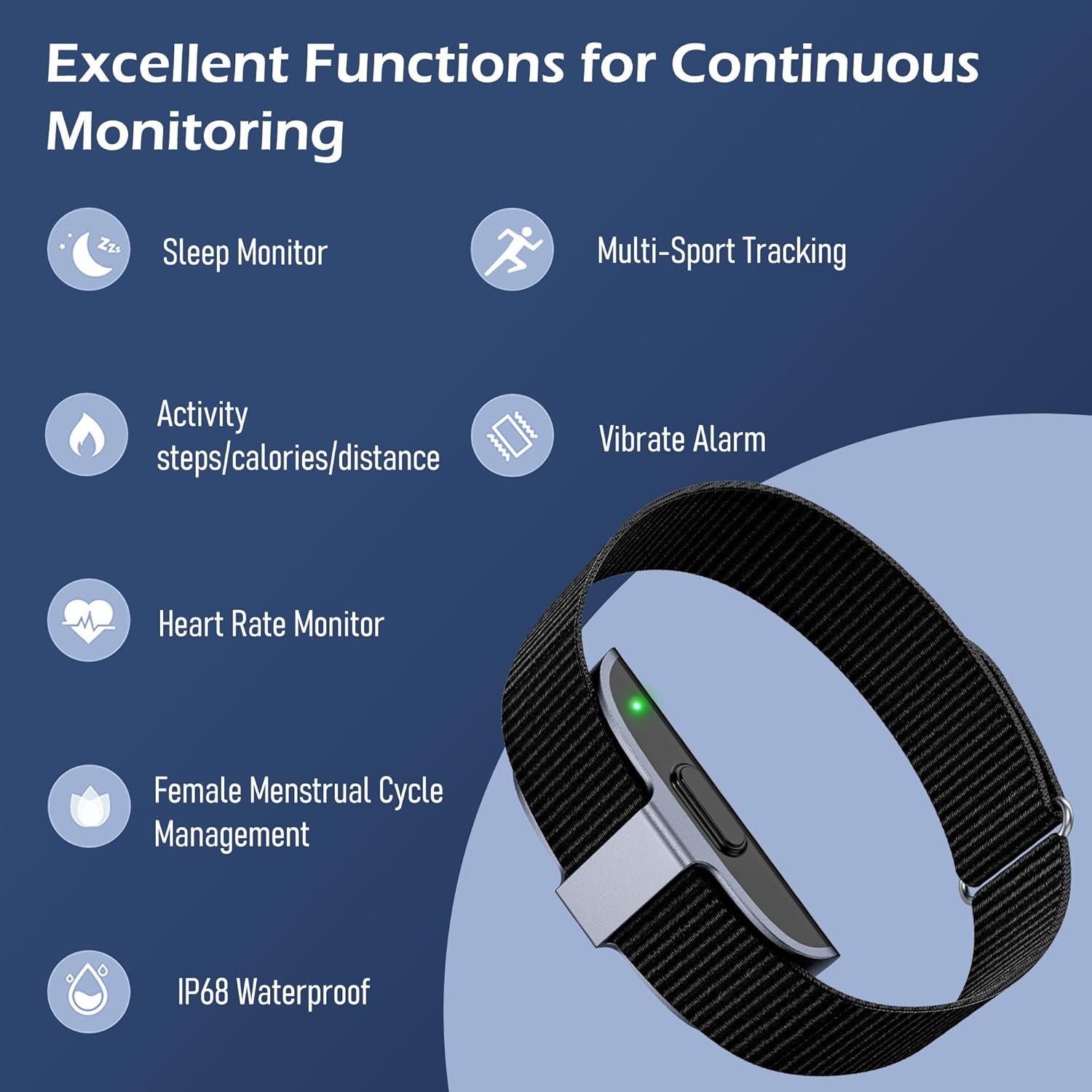
This image illustrates the primary functions of the smart bracelet, including sleep monitoring, multi-sport tracking, activity data (steps, calories, distance), vibrate alarm, heart rate monitoring, female menstrual cycle management, and IP68 waterproofing.
- Širdies ritmo monitorius: Continuous heart rate tracking and alerts for irregular patterns.
- Miego monitorius: Stebi miegątages (awake, REM, light, deep) and analyzes sleep quality.
- Veiklos stebėjimo priemonė: Records steps, calories burned, and distance covered.
- Keli sporto režimai: Supports over 50 sports modes for detailed exercise tracking.
- Vibrate Alarm: Silent alarms for reminders.
- Female Menstrual Cycle Management: Tracks and predicts menstrual and ovulation periods.
- IP68 atsparus vandeniui: Resistant to dust and water immersion up to 1.5 meters for 30 minutes.
- Screenless Design: Minimalist design for 24/7 wear with low power consumption.
2. Saugos informacija
Please read the following safety guidelines carefully before using your smart bracelet.
- Atsparumas vandeniui: The device is IP68 waterproof, suitable for hand washing, sweating, and rain. Do not use it for swimming, diving, or in hot water (e.g., hot showers or saunas), as this may damage the device.
- Medicinos prietaiso atsakomybės apribojimas: This device is not a medical device. Data provided is for reference only and should not be used for medical diagnosis or treatment. Consult a healthcare professional for any health concerns.
- Įkrovimas: Use only the provided charging cable. Do not attempt to disassemble or modify the device.
- Odos dirginimas: If you experience any skin irritation or discomfort, discontinue use and consult a doctor. Ensure the bracelet is worn comfortably, not too tight or too loose.
3. Sąranka
3.1 Įrenginio įkrovimas
Before first use, fully charge your smart bracelet. A full charge typically takes about 2 hours.
- Connect the charging cable to the charging port on the smart bracelet.
- Prijunkite įkrovimo laido USB galą prie standartinio USB maitinimo adapterio (nepridedamas) arba kompiuterio USB prievado.
- The device will indicate charging status (e.g., a light indicator).

This image displays the charging process of the smart bracelet and its IP68 waterproof capability during hand washing.
3.2 Programėlės atsisiuntimas ir įdiegimas
The smart bracelet requires the JCWear app to function and display data. Ensure your smartphone meets the system requirements:
- iOS: 10.0 ar naujesnė versija
- Android: 5.1 ar naujesnė versija
The app is not compatible with PCs, iPads, or tablets.
- Scan the QR code provided in the product packaging or search for "JCWear" in your smartphone's app store (Apple App Store for iOS, Google Play Store for Android).
- Atsisiųskite ir įdiekite programą.
- Vykdykite ekrane pateikiamus nurodymus, kad sukurtumėte paskyrą ir nustatytumėte savo profesionalą.file.

This image displays the JCWear app interface, highlighting its capabilities for tracking stress, daily activity, heart rate, sleep, and exercise, as well as women's health features.
3.3 Susiejimas su išmaniuoju telefonu
Įsitikinkite, kad jūsų išmaniajame telefone įjungtas „Bluetooth“.
- Open the JCWear app on your smartphone.
- Navigate to the device pairing section (usually found in settings or a dedicated 'Device' tab).
- The app will search for available devices. Select your smart bracelet from the list.
- Confirm the pairing request on both the app and, if prompted, on your phone's Bluetooth settings.
- Once paired, the app will synchronize data with your bracelet.
4. Naudojimo instrukcijos
Since the CNBRO Smart Bracelet is screenless, all data viewing and most settings adjustments are performed through the JCWear app.
4.1 Širdies ritmo stebėjimas
The bracelet continuously monitors your heart rate. Data is automatically synced to the JCWear app.
- Wear the bracelet snugly on your wrist.
- Open the JCWear app and navigate to the 'Heart Rate' section to view real-time data, historical trends, and receive alerts for irregular heartbeats.
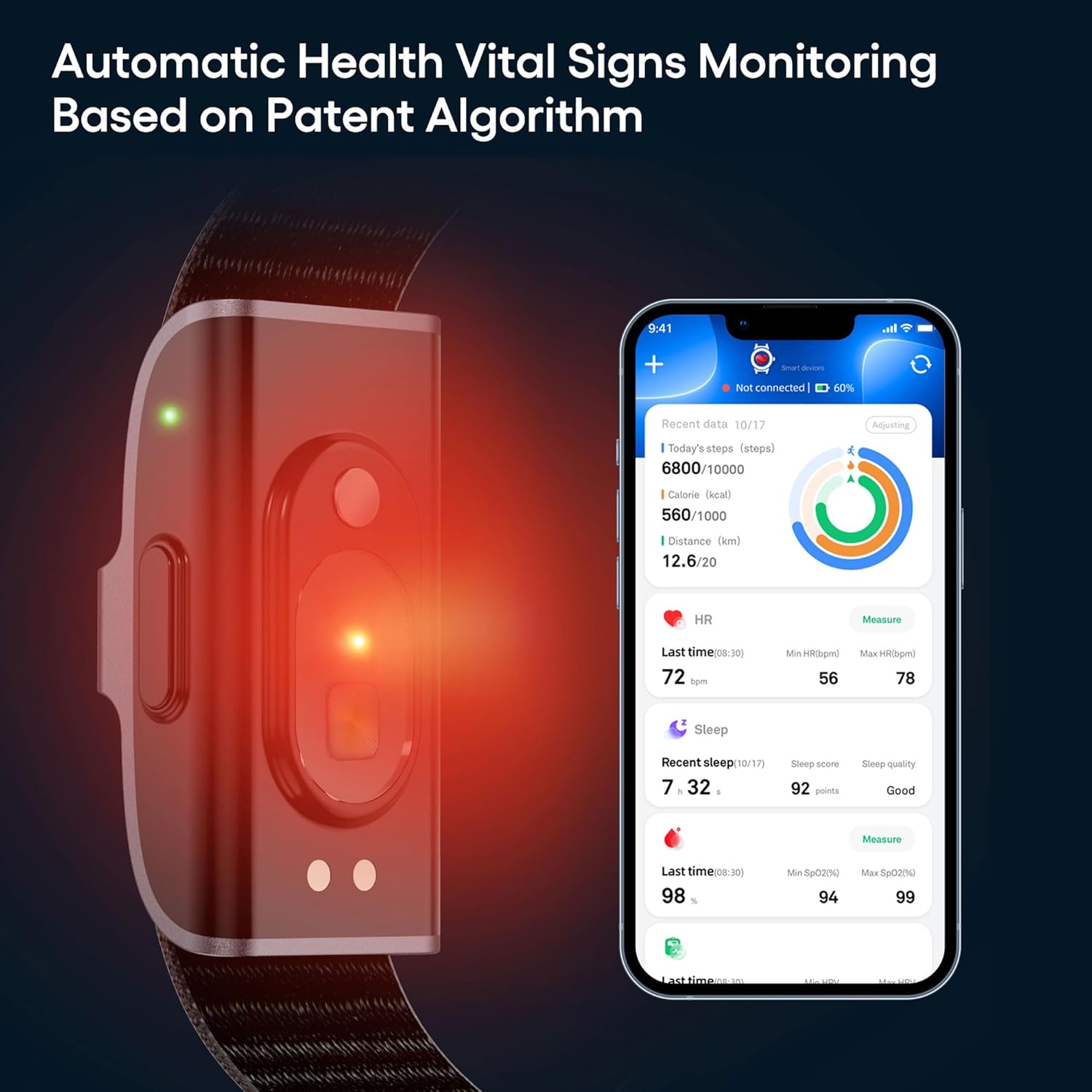
This image shows the smart bracelet actively monitoring vital signs, with the corresponding data for steps, calories, distance, heart rate, sleep, and SpO2 displayed on the JCWear app interface.
4.2 Miego stebėjimas
The bracelet automatically tracks your sleep patterns when worn during sleep.
- Wear the bracelet to bed.
- In the JCWear app, access the 'Sleep' section to view your sleep duration, quality analysis (awake, REM, light, deep sleep stages), and sleep scores.
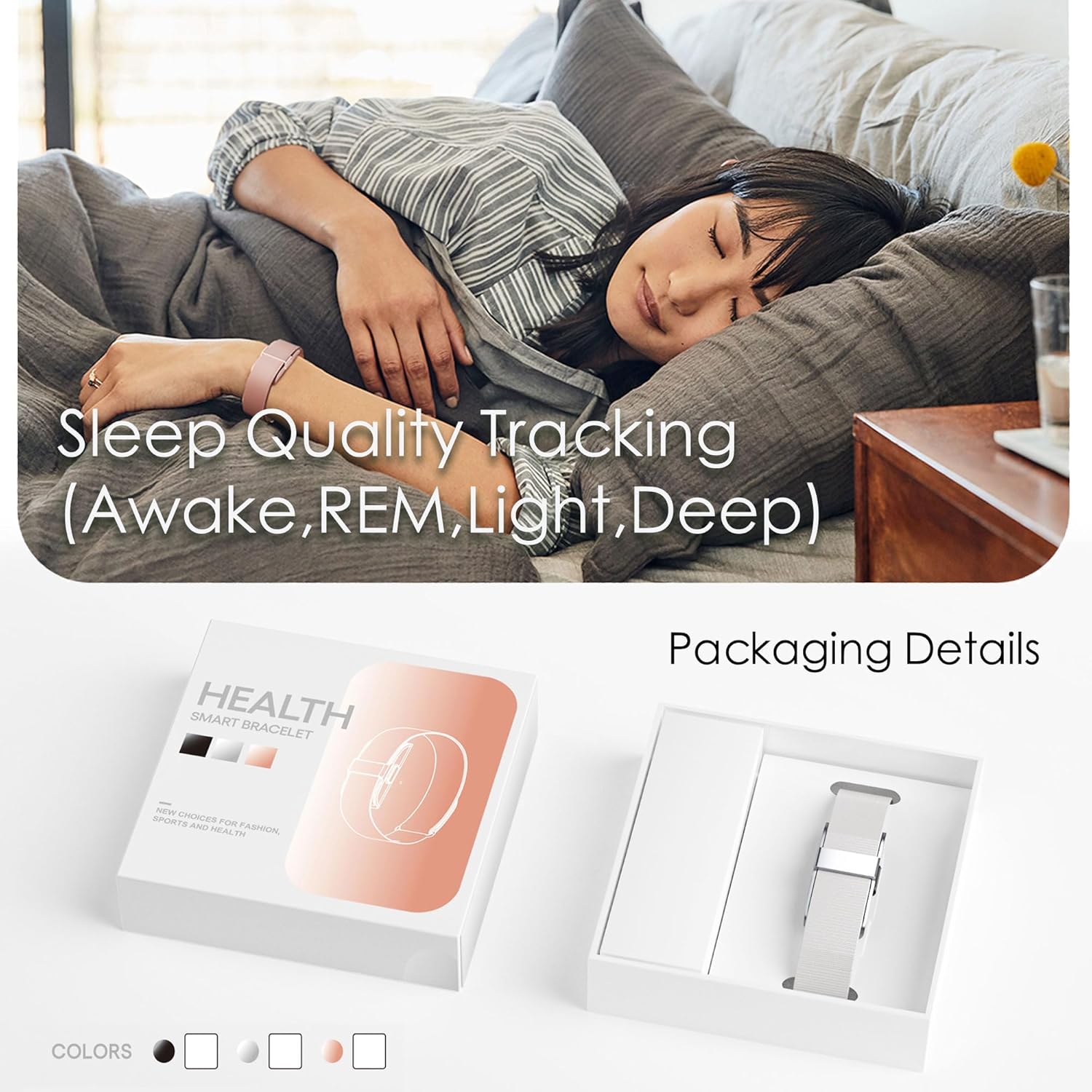
This image depicts the smart bracelet's sleep tracking function while a person is asleep, along with a view of the product's packaging.
4.3 Activity Tracking (Pedometer, Calories, Distance)
The bracelet continuously tracks your daily activity.
- Wear the bracelet throughout the day.
- Open the JCWear app to view your steps, calories burned, and distance covered in the 'Activity' or 'Dashboard' section.
4.4 Keli sporto režimai
The bracelet supports over 50 sports modes for detailed exercise tracking.
- In the JCWear app, navigate to the 'Exercise' or 'Sports' section.
- Select your desired sport (e.g., running, cycling, hiking).
- Start the activity tracking from the app. The bracelet will record relevant data such as exercise time, heart rate, and mileage.
- End the activity in the app to save the workout data.

This image illustrates the multi-sport tracking feature, showing a person exercising and the JCWear app interface with icons for over 50 different sports modes.
4.5 Vibrate Alarm
Set silent alarms through the JCWear app.
- Open the JCWear app and go to 'Settings' or 'Device'.
- Select 'Alarm' and set your desired time. The bracelet will vibrate at the set time.
4.6 Female Menstrual Cycle Management
This feature helps track and predict menstrual cycles and ovulation periods.
- In the JCWear app, navigate to the 'Women's Health' or 'Physiological Cycle' section.
- Input your menstrual cycle data as prompted.
- The app will provide predictions and reminders for menstrual cycles, pregnancy preparation, and pregnancy periods.
5. Priežiūra
5.1 Prietaiso valymas
Regular cleaning helps maintain hygiene and device performance.
- Wipe the bracelet and band with a soft, damp audinys.
- Venkite naudoti stiprių cheminių medžiagų ar abrazyvinių valiklių.
- Prieš įkrovimą įsitikinkite, kad įkrovimo kontaktai yra švarūs ir sausi.
5.2 Akumuliatoriaus priežiūra
Norėdami maksimaliai pailginti akumuliatoriaus veikimo laiką:
- Charge the device fully when the battery is low.
- Venkite ekstremalių temperatūrų, kurios gali turėti įtakos akumuliatoriaus veikimui.
- The 95mAh battery provides approximately 7-10 days of working time and up to 15-20 days of standby time on a full charge.
6. Problemų sprendimas
If you encounter issues with your smart bracelet, try the following solutions:
| Problema | Galimas sprendimas |
|---|---|
| Įrenginys neįsijungia / neįkraunamas |
|
| Nepavyksta susieti su išmaniuoju telefonu |
|
| Netikslūs duomenų rodmenys |
|
| Programa nesinchronizuoja duomenų |
|
7. Specifikacijos
| Funkcija | Detalė |
|---|---|
| Modelio numeris | JYYH2208FS |
| Ryšys | Bluetooth 5.0 |
| Baterijos talpa | 95mAh ličio polimeras |
| Pilnas įkrovimo laikas | Maždaug 2 val |
| Darbo laikas | 7–10 dienos (įprastas naudojimas) |
| Budėjimo laikas | Iki 15–20 dienų |
| Programos pavadinimas | JCWear |
| Sistemos reikalavimai | iOS 10.0 ar naujesnė versija, Android 5.1 arba naujesnė versija |
| Atsparumo vandeniui įvertinimas | IP68 |
| Bylos medžiaga | Cinko lydinys |
| Juostos medžiaga | Silikonas |
| Užsegimo tipas | Sagtis |
| Prekės svoris | 3.52 uncijos (0.1 kilogramo) |
| Ypatingos savybės | Alarm Clock, Calorie Counter, Distance Tracker, Pedometer, Water Resistance |
8. Garantija ir palaikymas
For any questions, technical support, or warranty inquiries regarding your CNBRO Smart Bracelet Fitness Tracker, please contact the manufacturer or your retailer. Refer to your purchase documentation for specific warranty terms and contact information.