Įvadas
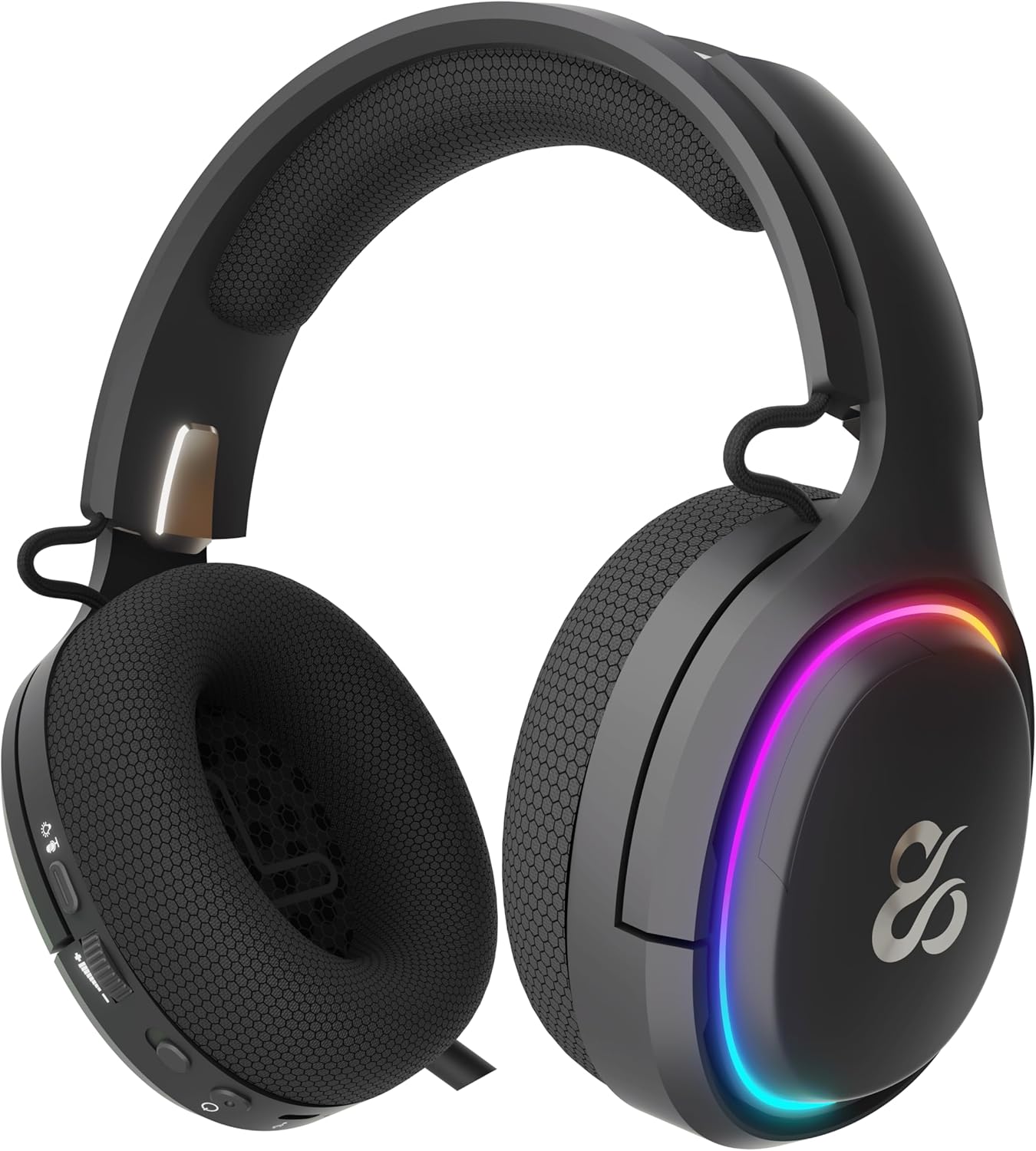
The NEWSKILL Aton V2 Gaming Headset offers versatile connectivity options including 2.4G wireless, Bluetooth 5.0, and a wired USB-C connection, ensuring compatibility across multiple platforms. Designed for an immersive audio experience, it features 50mm neodymium drivers, a flexible retractable microphone for clear communication, and customizable RGB lighting. This manual provides essential information for setting up, operating, and maintaining your headset.
1. Pakuotės turinys
- NEWSKILL Aton V2 Gaming Headset
- USB-C į USB-A įkrovimo / duomenų kabelis
- 2.4G USB belaidis raktas
- Vartotojo vadovas
2. Produktas baigtasview (Valdikliai ir prievadai)
Familiarize yourself with the various controls and ports on your NEWSKILL Aton V2 headset for optimal use.

This image displays the control layout on the left earcup, including the volume adjustment wheel, power button, microphone mute switch, and a button for managing RGB lighting effects.

The underside of the left earcup features the USB-C port for charging and wired connection, alongside the dedicated port for the retractable microphone.
- Maitinimo mygtukas: Located on the left earcup. Used to power the headset on/off and enter Bluetooth pairing mode.
- Tūrio volelis: A scroll wheel on the left earcup for adjusting audio output volume.
- Mikrofono nutildymo mygtukas: A dedicated button on the left earcup to quickly mute or unmute the microphone.
- RGB Control Button: Cycles through RGB lighting modes or turns the lighting off.
- USB-C prievadas: For charging the headset and establishing a wired connection.
- Mikrofono prievadas: Where the retractable microphone extends from.
3. Sąranka ir prijungimas
3.1. 2.4G Wireless Connection (PC, PS5, Nintendo Switch Docked)
- Insert the 2.4G USB wireless dongle into an available USB port on your device (PC, PS5, or Nintendo Switch dock).
- Paspauskite ir palaikykite Maitinimo mygtukas on the headset for 3 seconds to turn it on.
- The headset will automatically attempt to connect to the dongle. A solid indicator light on the headset signifies a successful connection.
- Įsitikinkite, kad sistemos nustatymuose ausinės pasirinktos kaip garso išvesties ir įvesties įrenginys.
3.2. Bluetooth 5.0 Connection (Mobile Devices, Nintendo Switch Handheld)
- Paspauskite ir palaikykite Maitinimo mygtukas on the headset for 3 seconds to turn it on.
- Norėdami įjungti „Bluetooth“ susiejimo režimą, paspauskite ir palaikykite Maitinimo mygtukas for an additional 5 seconds until the indicator light flashes rapidly (usually blue/red).
- On your mobile device or Nintendo Switch (in handheld mode), navigate to the Bluetooth settings and search for available devices.
- Select "NEWSKILL Aton V2" from the list to pair. A solid blue indicator light confirms a successful connection.
3.3. Laidinis ryšys (USB-C)
- Connect one end of the provided USB-C cable to the USB-C port on the headset.
- Connect the other end of the USB-C cable to an available USB-C port on your device.
- The headset will function as a wired audio device. No battery power is required for wired operation.
4. Naudojimo instrukcijos
4.1. Maitinimo įjungimas/išjungimas
- Maitinimas: Paspauskite ir palaikykite Maitinimo mygtukas 3 sekundes.
- Išjungti: Paspauskite ir palaikykite Maitinimo mygtukas for 5 seconds until the indicator light turns off.
4.2. Garsumo reguliavimas
- Pasukite Tūrio volelis upwards to increase the volume.
- Pasukite Tūrio volelis downwards to decrease the volume.
4.3. Mikrofono naudojimas
- Išplėsti mikrofoną: Gently pull the microphone out from its port on the left earcup. Adjust its position for optimal voice pickup.
- Įtraukite mikrofoną: Push the microphone back into its port until it is fully stored.
- Nutildyti / įjungti garsą: Paspauskite Mikrofono nutildymo mygtukas once to toggle mute on or off. An indicator light (if present) may show the mute status.
This image shows the headset with its flexible, omnidirectional microphone extended from the left earcup, positioned for clear voice communication.

The headset is shown with the microphone retracted, demonstrating its discreet storage when not in use.
4.4. RGB apšvietimo valdymas
- Paspauskite RGB valdymo mygtukas to cycle through various lighting effects or to turn the RGB lighting off.

The earcup's outer ring illuminates with a colorful RGB light effect, customizable via the dedicated control button.
4.5. Įkrovimas
- Connect the provided USB-C cable to the headset's USB-C port and to a power source (e.g., computer USB port, USB wall adapter).
- The indicator light will show the charging status (e.g., red for charging, off or green for fully charged).
- A full charge provides up to 60 hours of use without RGB lighting, or 38 hours with RGB lighting enabled.
5. Priežiūra
5.1. Valymas
- Ausinėms valyti naudokite minkštą, sausą, nepūkuotą šluostę.
- Nenaudokite stiprių cheminių medžiagų, valymo tirpiklių ar stiprių ploviklių.
- Do not immerse the headset in water or expose it to excessive moisture.
5.2. Sandėliavimas
- Laikykite ausines vėsioje, sausoje vietoje, toliau nuo tiesioginių saulės spindulių ir ekstremalių temperatūrų.
- Nedėkite sunkių daiktų ant ausinių, kad nepažeistumėte jų.
6. Problemų sprendimas
- Nėra garso:
- Check the headset's volume roller and ensure it is not at the minimum setting.
- Verify the headset is properly connected (2.4G dongle inserted, Bluetooth paired, or USB-C cable secure).
- Confirm the correct audio output device is selected in your computer or console's sound settings.
- Įsitikinkite, kad ausinės yra įkrautos.
- Mikrofonas neveikia:
- Įsitikinkite, kad mikrofonas yra ištiestas ir nėra nutildytas (patikrinkite nutildymo mygtuką).
- Verify the correct audio input device is selected in your computer or console's sound settings.
- Išbandykite mikrofoną su kita programa ar įrenginiu.
- Ryšio problemos:
- For 2.4G wireless, try re-inserting the USB dongle and restarting the headset.
- For Bluetooth, unpair the headset from your device and then re-pair it. Ensure no other Bluetooth devices are interfering.
- For wired connection, ensure the USB-C cable is fully inserted at both ends.
- Įkrovimo problemos:
- Įsitikinkite, kad USB-C laidas nepažeistas ir tvirtai prijungtas.
- Išbandykite kitą USB prievadą arba maitinimo adapterį.
7. Specifikacijos
- Modelio numeris:
- NS-HS-ATONV2
- Ryšys:
- 2.4G belaidis ryšys, „Bluetooth 5.0“, USB-C laidinis ryšys
- Vairuotojai:
- 50mm Neodymium Magnets
- Mikrofonas:
- Omnidirectional, Retractable
- Baterijos veikimo laikas:
- Iki 60 valandų (be RGB), 38 valandų (su RGB)
- Įkrovimo prievadas:
- USB-C
- Suderinami įrenginiai:
- PC, PlayStation 5 (PS5), Nintendo Switch, Mobile Phones
- Matmenys:
- 10 x 270 x 21 cm
- Svoris:
- 860 g
8. Saugos informacija
- Venkite ilgai klausytis dideliu garsumu, kad nepažeistumėte klausos.
- Saugokite ausines nuo vandens, drėgmės ar ekstremalių temperatūrų.
- Nebandykite ardyti ar modifikuoti ausinių. Tai gali panaikinti garantiją ir sukelti gedimų.
- Keep the headset and its accessories out of reach of children and pets.
- Bateriją utilizuokite atsakingai, laikydamiesi vietinių taisyklių.
9. Garantija ir palaikymas
This product is covered by a manufacturer's warranty. For detailed warranty information, technical support, or service inquiries, please refer to the official NEWSKILL websvetainėje arba susisiekite su jų klientų aptarnavimo skyriumi. Išsaugokite pirkimo įrodymą garantiniams reikalavimams.


