1. Produktas baigtasview
The UPERFECT 24.5" Portable Monitor (Model MT03) is designed to enhance your visual experience, whether for work, gaming, or entertainment. Featuring a 24.5-inch IPS matte screen with 1080P Full HD resolution and 100% sRGB color gamut, it offers a broad and vivid display. With a 240Hz refresh rate, FreeSync technology, and a 0.1ms response time, it delivers smooth and tear-free visuals, particularly beneficial for fast-paced gaming. Its portable design includes a built-in 180° adjustable stand and VESA compatibility, providing flexible placement options. Connectivity is simplified with two USB Type-C ports and one Mini HDMI port, ensuring wide compatibility with various devices.
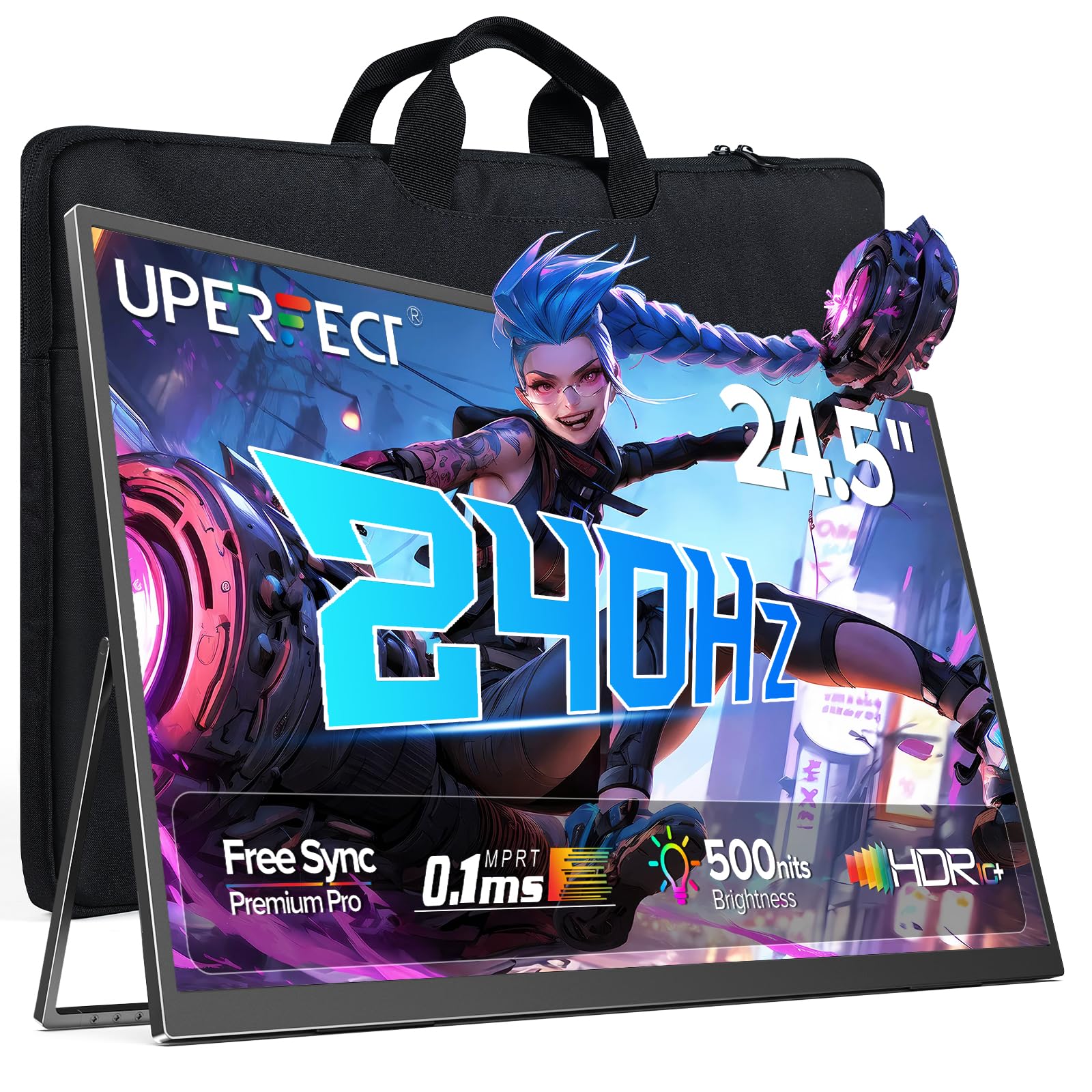
Figure 1: UPERFECT 24.5" Portable Monitor (Model MT03)
2. Pakuotės turinys
Please verify that all items are present in the package before proceeding with setup.
- UPERFECT 24.5" Portable Monitor (Model MT03)
- USB Type-C to Type-C Cable (for power and video signal)
- Mini HDMI to HDMI Cable (for video signal)
- Maitinimo adapteris
- Sandėliavimo krepšys
- Vartotojo vadovas (šis dokumentas)
Video 1: Unboxing and initial setup of the UPERFECT Portable Monitor, showing included accessories.
3. Sąrankos instrukcijos
3.1. Fizinė konfigūracija
- Išpakuokite monitorių: Atsargiai išimkite monitorių ir visus priedus iš pakuotės.
- Sureguliuokite stovą: The monitor features a built-in 180° adjustable stand. Gently pull out the stand from the back of the monitor and adjust it to your desired viewing kampas.

Figure 2: Adjusting the built-in 180° kickstand for optimal viewing.
- VESA tvirtinimas (neprivaloma): For alternative mounting solutions, the monitor supports VESA standard wall mounting (75x75 mm, M4x5 mm screws). Ensure the stand is folded back before mounting.

Figure 3: UPERFECT monitor mounted on a VESA-compatible arm.
3.2. Prisijungimas prie įrenginių
The monitor offers versatile connectivity options. Always ensure the monitor is powered via the provided adapter for optimal performance, especially when connecting to devices that do not supply sufficient power.

4 pav. Baigtaview monitoriaus įvesties / išvesties prievadų.
- C tipo USB jungtis: Use the included USB Type-C to Type-C cable to connect to compatible laptops, smartphones, or game consoles (e.g., Nintendo Switch). This single cable can transmit both power and video signal if your device supports it. If your device does not provide enough power, connect the monitor to the power adapter.
- Mini HDMI jungtis: Use the included Mini HDMI to HDMI cable to connect to devices such as PCs, Xbox, PlayStation 4/5, or other HDMI-enabled devices. An additional USB Type-C cable connected to the power adapter will be required for power.
- Garso išvestis: Connect headphones or external speakers to the 3.5mm audio jack for private listening or enhanced sound.

5 pav. Pvzamples of widely compatible devices and their connection methods.
4. Monitoriaus valdymas
4.1. Pagrindiniai valdikliai
The monitor's controls are typically located on the side or back panel.
- Maitinimo mygtukas: Press and hold to turn the monitor On or Off. A short press may activate/deactivate the OSD menu or confirm selections.
- Meniu / patvirtinimo mygtukas: Accesses the On-Screen Display (OSD) menu. Also used to confirm selections within the menu.
- Tūris +/-: Reguliuoja garso išvesties garsumą.
- Ryškumas +/-: Reguliuoja ekrano ryškumą.
- Return/Signal Source: Used to go back in the OSD menu or to switch between input sources (USB-C 1, USB-C 2, Mini HDMI).
4.2. Ekrano ekrano (OSD) meniu
OSD meniu leidžia tinkinti įvairius rodymo nustatymus.
- Paspauskite Meniu/Patvirtinti mygtuką, kad atidarytumėte OSD meniu.
- Naudokite Tūris +/- or Ryškumas +/- mygtukai, skirti naršyti meniu parinktis.
- Paspauskite Meniu/Patvirtinti button to select an option or enter a sub-menu.
- Norėdami reguliuoti nustatymus, naudokite naršymo mygtukus.
- Paspauskite Return/Signal Source button to exit a sub-menu or the main OSD menu.
Pagrindiniai OSD nustatymai:
- Vaizdo nustatymai: Reguliuokite ryškumą, kontrastą, aiškumą ir spalvų temperatūrą.
- Spalvų nustatymai: Fine-tune color balance, gamma, and saturation.
- Įvesties šaltinis: Manually select between USB-C 1, USB-C 2, and Mini HDMI inputs.
- Garso nustatymai: Sureguliuokite garsumą ir nutildykite.
- Sistemos nustatymai: Language, OSD timeout, reset to factory defaults.
- FreeSync: Enable or disable FreeSync for adaptive synchronization with compatible graphics cards.

Figure 6: FreeSync technology ensures a seamless gaming experience by eliminating screen tearing and stuttering.
5. Priežiūra
5.1. Monitoriaus valymas
- Prieš valydami visada išjunkite monitorių ir atjunkite jį nuo elektros tinklo.
- Lengvai naudokite minkštą, nepūkuotą audinį dampnuplaukite vandeniu arba neabrazyviniu ekrano valikliu.
- Nepurkškite valiklio tiesiai ant ekrano.
- Venkite naudoti alkoholio, amoniako ar abrazyvinių valiklių, nes jie gali pažeisti ekrano paviršių.
5.2. Sandėliavimas ir tvarkymas
- When not in use, store the monitor in its provided storage bag to protect it from dust and scratches.
- Nedėkite ant monitoriaus sunkių daiktų.
- Nelaikykite monitoriaus nuo ekstremalios temperatūros ar drėgmės.
- Handle the monitor by its edges to avoid touching the screen directly.

Figure 7: The monitor is designed for easy portability and comes with a storage bag for protection.
6. Problemų sprendimas
If you encounter issues with your UPERFECT portable monitor, refer to the following common problems and solutions.
| Problema | Galima priežastis | Sprendimas |
|---|---|---|
| Nėra ekrano / Nėra signalo |
|
|
| Ekrano mirgėjimas arba nestabilus vaizdas |
|
|
| Nėra garso |
|
|
| Monitorius neįsijungia |
|
|
7. Specifikacijos
Detailed technical specifications for the UPERFECT 24.5" Portable Monitor (Model MT03).
| Funkcija | Detalė |
|---|---|
| Modelio numeris | MT03 |
| Ekrano dydis | 24.5 colių |
| Skydelio tipas | IPS |
| Rezoliucija | 1920 x 1080 pikselių (FHD 1080p) |
| Atnaujinimo dažnis | 240 Hz |
| Reagavimo laikas | 0.1 ms |
| Kontrasto santykis | 2000:1 |
| Spalvų gama | 100% sRGB |
| Ekrano paviršius | Matinis |
| Krašto santykis | 16:9 |
| Ryšys | 2 x USB Type-C, 1 x Mini HDMI, 1 x 3.5mm Audio Jack |
| Gaminio matmenys | 21.65 x 11.81 x 0.31 colio |
| Prekės svoris | 5.4 svaro |
| VESA suderinamumas | 75x75 mm |
8. Garantija ir palaikymas
UPERFECT is committed to providing quality products and customer satisfaction.
- Pratęsta garantija: Information regarding extended warranty options and screen break replacement can be found on the warranty card included with your product.
- Points Program: Participate in the UPERFECT Points Program to earn rewards. Details are available on the warranty card or UPERFECT's official websvetainę.
- Earth-Care Plan: UPERFECT supports environmental sustainability through its Earth-Care Plan, encouraging reduction, reuse, and recycling.
- Klientų aptarnavimas: For any inquiries, technical assistance, or warranty claims, please refer to the contact information provided on your warranty card or visit the official UPERFECT website for 24/7 support.


