1. Produktas baigtasview
The MECHEER Digital Timer Switch (Model JK-TM02-BL) is a programmable timer socket designed to automate the control of electrical devices. It allows you to set specific ON/OFF times for appliances, helping to save energy and enhance home security. This timer features a clear LCD display with backlight, up to 16 programmable settings, and a random mode for holiday security.
Pagrindinės funkcijos:
- Up to 16 programmable ON/OFF settings for daily or weekly schedules.
- 24-hour and weekly scheduling options (weekdays, weekends, specific days).
- Large, high-contrast LCD display with soft white backlight for easy readability.
- Random mode to simulate occupancy for enhanced home security during absences.
- Built-in battery to retain programmed settings during power outages.
- Constructed from durable, heat-resistant PC material.
- Manual override function for immediate control.
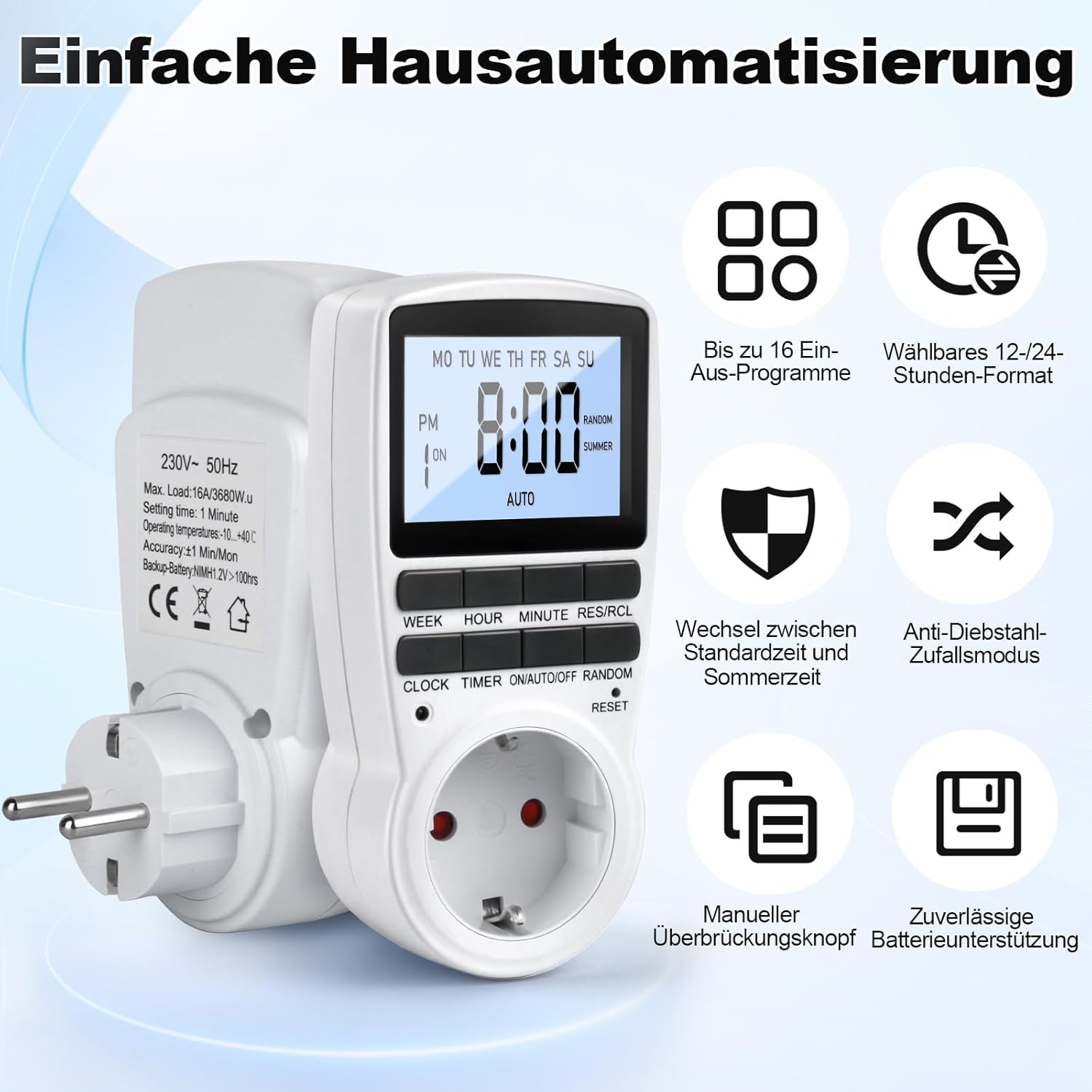
Figure 1: MECHEER Digital Timer Switch showing its display and control buttons, with icons illustrating key features like 16 programs and 12/24-hour format.
2. Saugos instrukcijos
- Nemerkite laikmačio į vandenį ar kitą skystį.
- Do not connect any appliance that exceeds the maximum load rating of 16A/3680W.
- Įsitikinkite, kad laikmatis yra tvirtai įjungtas į įžemintą lizdą.
- Neardykite ir nebandykite taisyti laikmačio patys. Dėl remonto kreipkitės į kvalifikuotus specialistus.
- Laikyti vaikams nepasiekiamoje vietoje.
- Use indoors only. This timer is not suitable for outdoor use.
- Prieš valydami atjunkite laikmatį nuo sieninio lizdo.
3. Pakuotės turinys
- 1 x MECHEER Digital Timer Switch (Model JK-TM02-BL)
- 1 x Vartotojo vadovas
4. Gaminio komponentai
Familiarize yourself with the buttons and display of your digital timer switch.
- LCD ekranas: Shows current time, day, ON/OFF status, program number, and mode.
- SAVAITĖS mygtukas: Nustato savaitės dieną.
- VALANDOS mygtukas: Nustato valandą.
- MINUČIŲ mygtukas: Nustato minutę.
- RES/RCL Button: Atkuria arba iškviečia programos nustatymus.
- LAIKRODŽIO mygtukas: Exits programming mode and returns to clock display.
- TIMER mygtukas: Įjungia arba išjungia programos nustatymo režimą.
- ĮJUNGIMO / AUTOMATINIO / IŠJUNGIMO mygtukas: Selects operating mode (ON, AUTO, OFF).
- ATSITIKTINĖS VERTĖS mygtukas: Activates or deactivates random mode.
- ATSTATYTI adatos skylutę: Atkuria įrenginio gamyklinius nustatymus.
2 pav. Išsamus view of the timer's LCD display and control buttons.
5. Sąranka
5.1 Pradinis nustatymas ir įkrovimas
- Plug the timer into a standard wall outlet for at least 5-10 minutes to charge the internal backup battery. This battery retains your settings during power outages.
- After charging, use a pointed object (like a pen tip) to press the RESET pinhole button located above the socket. This clears all current settings and ensures proper operation.

Figure 3: Pressing the RESET button to restore factory settings.
5.2 Dabartinio laiko nustatymas
- Paspauskite ir palaikykite LAIKRODIS mygtuką.
- Laikant LAIKRODIS, paspauskite SAVAITĖ pakartotinai spauskite mygtuką , kad nustatytumėte dabartinę savaitės dieną.
- Laikant LAIKRODIS, paspauskite VALANDA button repeatedly to set the current hour (12-hour or 24-hour format).
- Laikant LAIKRODIS, paspauskite MINUTĖ mygtuką kelis kartus, kad nustatytumėte dabartinę minutę.
- Atleiskite LAIKRODIS mygtuką. Dabartinis laikas ir diena nustatyti.
- Norėdami perjungti tarp 12 valandų ir 24 valandų formato, paspauskite LAIKRODIS ir LAIKMATIS mygtukus vienu metu.
6. Naudojimo instrukcijos
6.1 Įjungimo/išjungimo laikų programavimas
Laikmatis leidžia nustatyti iki 16 įjungimo/išjungimo programų. Kiekviena programa susideda iš įjungimo ir išjungimo laiko.
- Paspauskite LAIKMATIS button once to enter program setting mode. The display will show "1 ON".
- Paspauskite SAVAITĖ button to select the desired day(s) for this program. Options include: every day, specific weekdays, weekends, or custom combinations.
- Paspauskite VALANDA mygtuką, kad nustatytumėte norimą ĮJUNGIMO valandą.
- Paspauskite MINUTĖ mygtuką, kad nustatytumėte norimą įjungimo minutę.
- Paspauskite LAIKMATIS dar kartą paspauskite mygtuką. Ekrane bus rodoma „1 OFF“.
- Repeat steps 2-4 to set the desired OFF day(s), hour, and minute for the first program.
- Paspauskite LAIKMATIS button to advance to the next program ("2 ON", "2 OFF", etc.) and repeat the process for up to 16 programs.
- Nustatę visas norimas programas, paspauskite LAIKRODIS button to exit program mode and return to the current time display.

4 pav. Pvzample of 16 ON/OFF programs in action, automating devices like an aquarium light and a toaster.
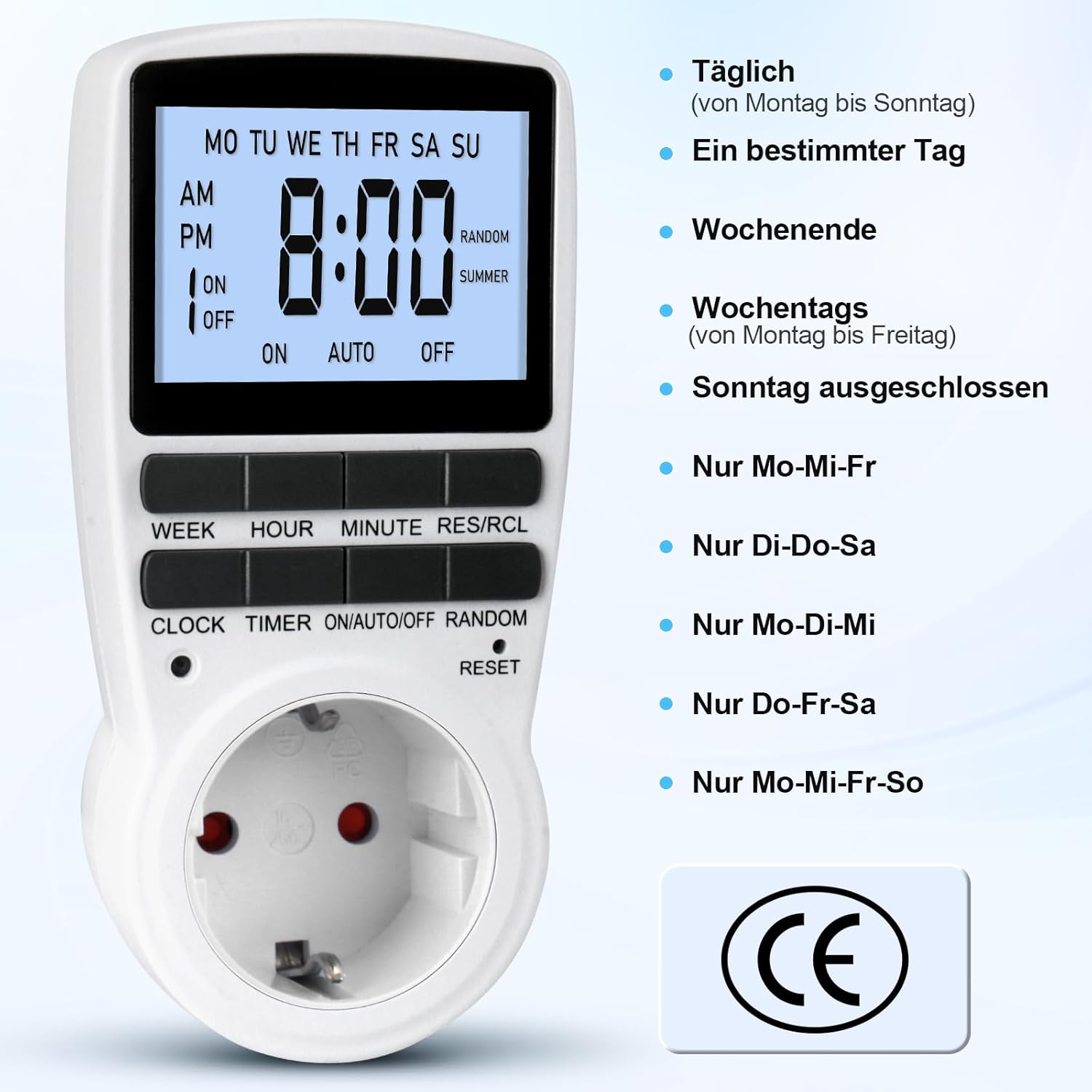
Figure 5: Different weekly programming options available, such as daily, specific days, weekends, or weekdays.
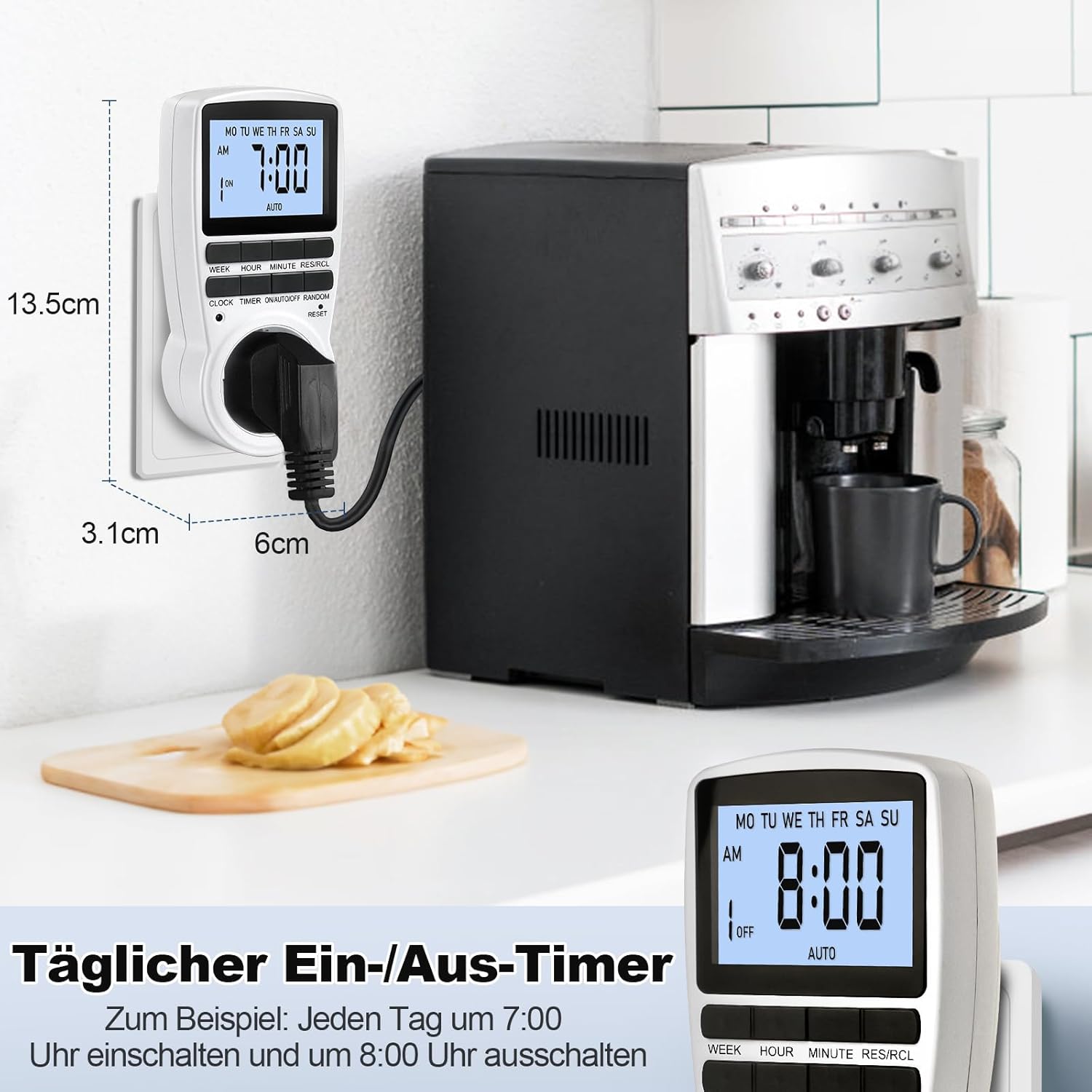
Figure 6: The timer in use, demonstrating a daily ON/OFF schedule and illustrating its compact dimensions.
6.2 Rankinis valdymas (ĮJUNGTA / AUTOMATINIS / IŠJUNGTA)
Paspauskite ON/AUTO/OFF button repeatedly to cycle through the operating modes:
- ĮJUNGTA: The connected appliance will remain ON, ignoring all programmed settings.
- AUTOMATINIS: The connected appliance will operate according to the programmed ON/OFF times.
- IŠJUNGTA: The connected appliance will remain OFF, ignoring all programmed settings.
For automatic operation, ensure the timer is set to AUTO režimu.
6.3 Random Mode (Holiday Security)
The random mode is designed to deter potential intruders by making your home appear occupied when you are away. When activated, the timer will randomly turn ON and OFF connected lights or appliances within a set period.
- To activate Random Mode, press the ATSITIKTINIAI button. The "RANDOM" indicator will appear on the LCD.
- To deactivate Random Mode, press the ATSITIKTINIAI button again. The "RANDOM" indicator will disappear.

Figure 7: The timer in holiday mode, randomly switching lights to enhance home security.
6.4 Foninio apšvietimo funkcija
The LCD display features a soft white backlight for improved visibility in low-light conditions.
- The backlight activates automatically when any button is pressed.
- It will turn off automatically after approximately 30 seconds of inactivity to conserve energy.
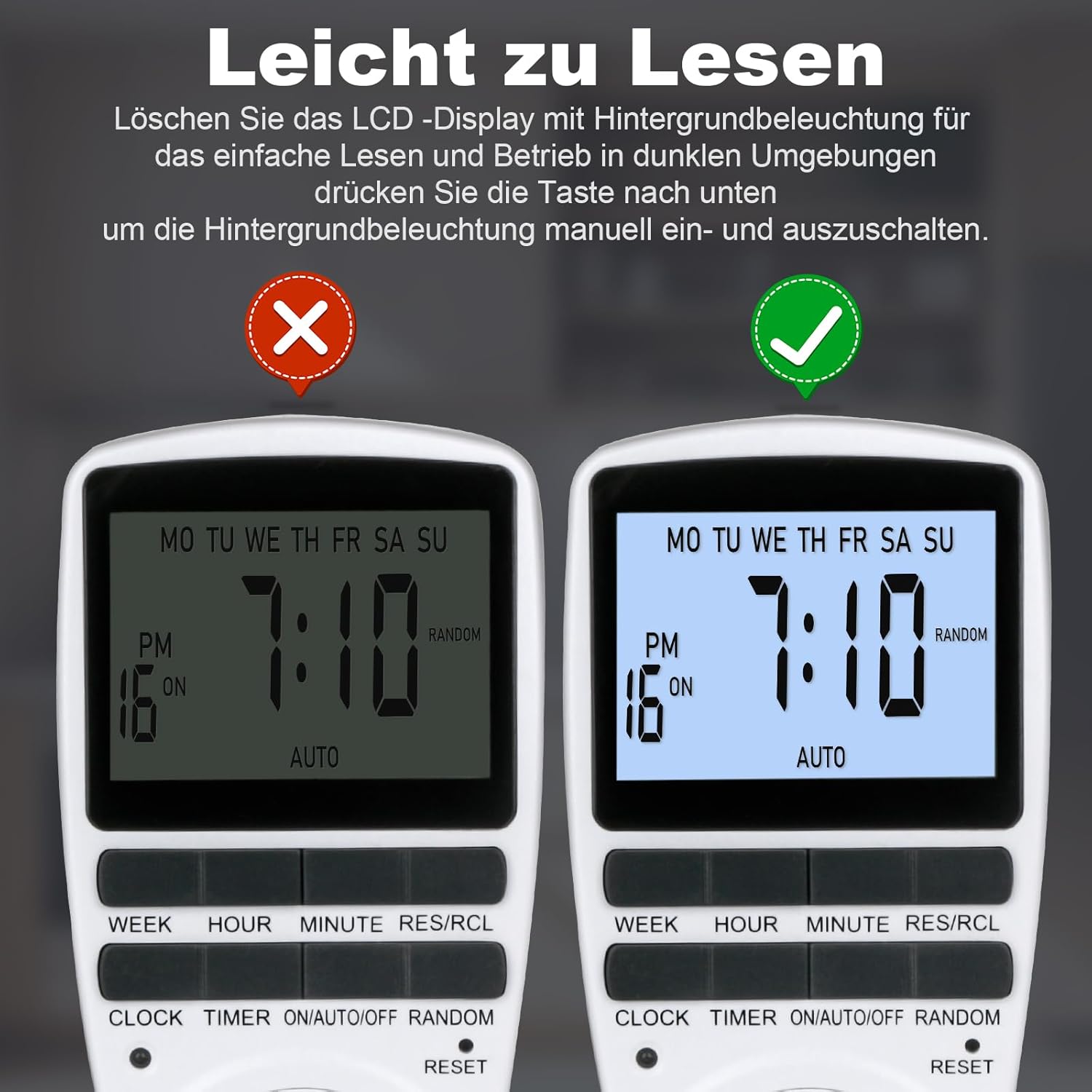
Figure 8: The timer's display with and without the backlight for clear readability.
6.5 Multi-functional Applications
The MECHEER Digital Timer Switch can be used to automate a wide range of household appliances and devices, helping to save energy and simplify your daily routine.

9 pav. Pvzamples of how the timer switch can be used with various devices such as lamps, ovens, aquariums, air purifiers, and routers.
7. Priežiūra
- Valymas: Prieš valydami atjunkite laikmatį nuo maitinimo lizdo. Išorę nuvalykite minkšta, sausa šluoste. Nenaudokite skystų valiklių ar abrazyvinių medžiagų.
- Baterija: The timer has a built-in rechargeable battery that maintains settings during power outages. This battery is not user-replaceable. Ensure the timer is regularly plugged in to keep the battery charged.
- Saugykla: If storing the timer for an extended period, ensure it is fully charged and stored in a cool, dry place.
8. Problemų sprendimas
| Problema | Galima priežastis | Sprendimas |
|---|---|---|
| Ekranas tuščias arba blankus. | Vidinė baterija išsikrovusi arba jos įkrova maža. | Įjunkite laikmatį į veikiantį elektros lizdą 5–10 minučių, kad įkrautumėte bateriją. |
| Timer programs are not activating. | Laikmatis nėra automatiniame režime. Neteisingi programos nustatymai. | Įsitikinkite, kad laikmatis nustatytas ties AUTO režimas. Pakartotinaiview and correct your program settings. |
| Appliance remains ON/OFF constantly. | Timer is in ON or OFF mode, not AUTO. | Paspauskite ON/AUTO/OFF mygtuką, kol pasirodys užrašas „AUTO“. |
| Timer is behaving erratically. | System glitch or interference. | Perform a full reset by pressing the RESET pinhole button. You will need to reprogram the time and settings. |
9. Specifikacijos
| Funkcija | Detalė |
|---|---|
| Modelio numeris | JK-TM02-BL |
| Prekės ženklas | MECHEER |
| Gaminio matmenys | 1.57 colio gylis x 1.97 colio plotis x 3.94 colio aukštis (4 x 5 x 10 cm) |
| Prekės svoris | 6.7 uncijos (190 gramų) |
| Maksimali apkrova | 16A / 3680W |
| Laiko nustatymas | 1 minutė |
| Darbinė temperatūra | -10 iki +40°C |
| Tikslumas | ±1 Min/Mon |
| Atsarginė baterija | NiMH 1.2V >100hrs |
| Spalva | Baltas |
10. Garantija ir palaikymas
MECHEER products are designed for reliability and performance. For warranty information, technical support, or any questions regarding your Digital Timer Switch, please contact MECHEER customer service through the retailer where you purchased the product or visit the official MECHEER website. Please have your model number (JK-TM02-BL) and purchase details ready when contacting support.


