1. Įvadas
This user manual provides comprehensive instructions for the NEC VersaPro VH-1 laptop. It covers setup, operation, maintenance, and troubleshooting to ensure optimal performance and user experience. Please read this manual thoroughly before using your device.
The NEC VersaPro VH-1 is a lightweight and high-performance 12.5-inch Full HD laptop, featuring a 7th Generation Intel Core i5-7Y54 processor. It is designed for efficient web browsing, business applications, and remote work. With pre-installed Windows 11 Pro and MS Office 2019, it is ready for immediate use upon arrival.
2. Produktas baigtasview
2.1 Pagrindinės savybės
- Lightweight & Thin Design: Weighing approximately 921g, this 12.5-inch FHD laptop is highly portable, fitting easily into a backpack for commuting, business trips, or mobile work.
- 7th Gen Intel Core i5-7Y54 Processor: Equipped with an efficient and power-saving Intel Core i5-7Y54 (up to 3.2GHz) processor, offering sufficient performance for browsing, online meetings, and Office applications. It also features quiet operation and low heat generation.
- High-Speed SSD Storage: Features an SSD for fast boot-up and smooth operation, handling large files and multiple applications without lag.
- Rich Connectivity & Type-C Expansion: Apima a Web camera, Wi-Fi, Bluetooth, HDMI, and a Type-C port for versatile connections to peripherals and external monitors. The Type-C port supports future expansion.
- Pre-installed Software: Comes with Windows 11 Pro and MS Office 2019 pre-installed, allowing immediate document creation, report preparation, and web konferencijos.
2.2 Komponento identifikavimas
Familiarize yourself with the various parts of your NEC VersaPro VH-1 laptop.

Vaizdas: Įvairūs views of the NEC VersaPro VH-1 laptop, showing the front, back, top, and keyboard layout.

Vaizdas: Šoninė view of the laptop highlighting available ports including USB 3.0, LAN, Headphone Jack, HDMI, SD Card Slot, and Power Connector.
3. Sąranka
3.1 Pradinis įjungimas
- Prijunkite maitinimą: Prijunkite kintamosios srovės adapterį prie nešiojamojo kompiuterio maitinimo prievado, o tada – prie sieninio lizdo.
- Maitinimas: Open the laptop lid and press the power button. The laptop will begin the initial boot process.
- "Windows" sąranka: Vykdykite ekrane pateikiamus nurodymus, kad užbaigtumėte „Windows 11 Pro“ sąranką, įskaitant kalbos, regiono, tinklo ryšio ir vartotojo paskyros kūrimą.
3.2 Programinės įrangos aktyvinimas
Your laptop comes with MS Office 2019 pre-installed. Follow the prompts to activate your Office suite using your Microsoft account or product key.

Image: The laptop displaying the Windows 11 interface, with logos indicating Windows 11 Pro and MS Office 2019 are installed and ready for use.
4. Naudojimo instrukcijos
4.1 Pagrindinis naudojimas
- Klaviatūra: The laptop features a Japanese layout keyboard designed for comfortable and accurate typing.
- Jutiklinė dalis: Use the integrated touchpad for navigation and gestures.
- Web Kamera: Įmontuotas web camera and dual microphones are ideal for remote work, online meetings, and video calls.

Image: A user engaged in a video conference call on the NEC VersaPro VH-1 laptop, demonstrating its web camera and dual microphone capabilities for remote work and online learning.
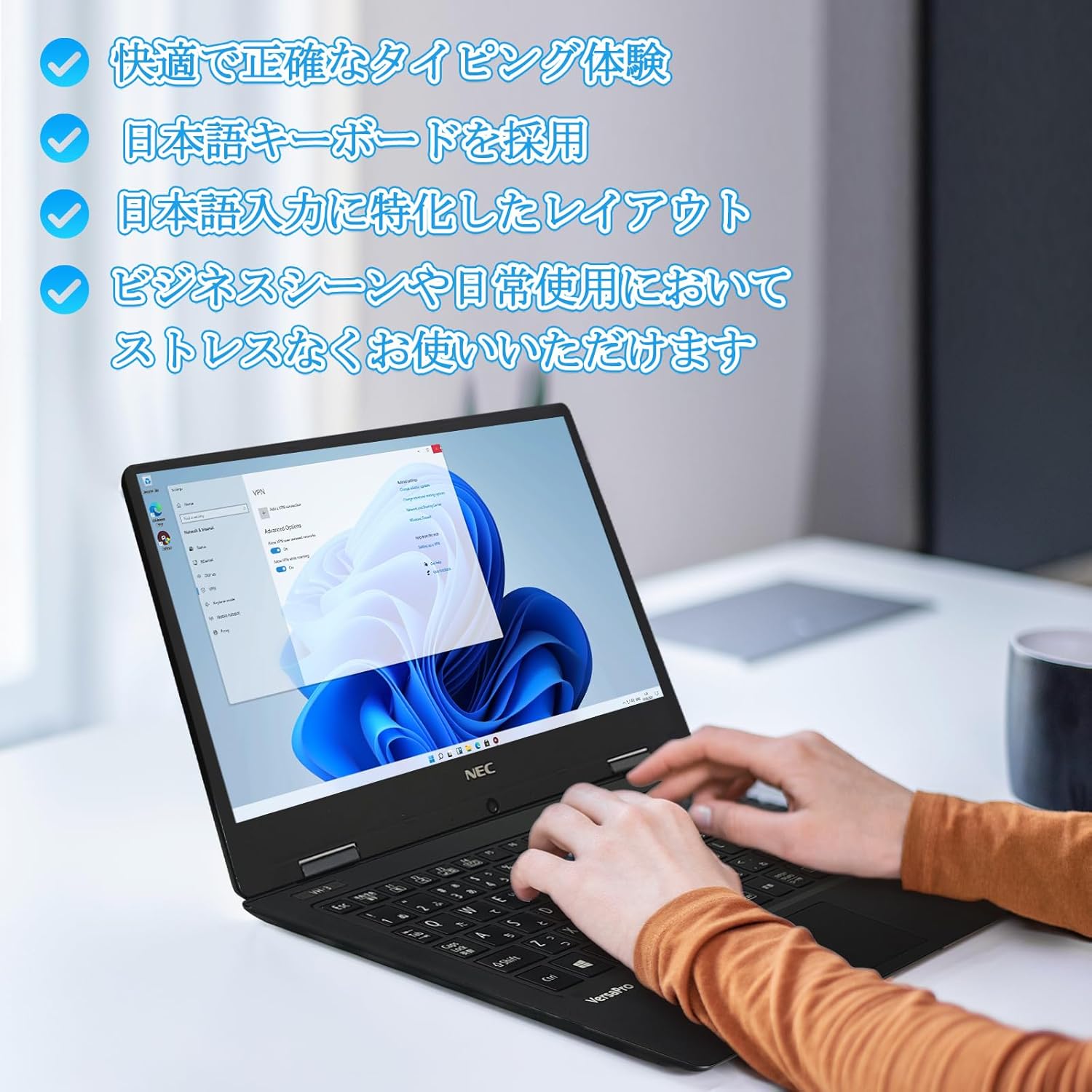
Image: Close-up of hands typing on the laptop's keyboard, illustrating the comfortable and precise typing experience provided by the Japanese layout keyboard.
4.2 Ryšys
- „Wi-Fi“: Prisijunkite prie belaidžių tinklų, kad galėtumėte naudotis internetu.
- Bluetooth: Pair with Bluetooth-enabled devices such as headphones or mice.
- HDMI: Prijunkite prie išorinių ekranų arba projektorių.
- C tipas: Use the Type-C port for data transfer, charging compatible devices, or connecting to a USB-C hub for additional ports.
5. Priežiūra
5.1 Valymas
- Ekranas: Šiek tiek naudokite minkštą, be pūkelių šluostę dampnuplaukite vandeniu arba ekrano valikliu. Nepurkškite skysčio tiesiai ant ekrano.
- Keyboard & Chassis: Paviršiams valyti naudokite minkštą šluostę. Įsisenėjusiam purvui šiek tiek nuvalykite.amp Galima naudoti audinį. Venkite stiprių cheminių medžiagų.
5.2 Akumuliatoriaus priežiūra
- Norėdami pailginti baterijos veikimo laiką, venkite ekstremalių temperatūrų.
- Jei nešiojamąjį kompiuterį ketinate laikyti ilgą laiką, įsitikinkite, kad akumuliatorius įkrautas iki maždaug 50–70 %.
6. Problemų sprendimas
6.1 Bendrosios problemos ir sprendimai
| problema | Galimas sprendimas |
|---|---|
| Nešiojamasis kompiuteris neįsijungia. | Ensure the AC adapter is securely connected to both the laptop and a working power outlet. Check if the power button is functioning correctly. |
| „Wi-Fi“ ryšio problemos. | Patikrinkite, ar „Windows“ nustatymuose įjungtas „Wi-Fi“. Paleiskite maršrutizatorių ir nešiojamąjį kompiuterį iš naujo. Patikrinkite, ar nėra atnaujintų tinklo tvarkyklių. |
| Išorinis ekranas neaptiktas. | Ensure the HDMI cable is securely connected. Press Windows key + P to cycle through display modes. Check external display input settings. |
| Lėtas veikimas. | Close unnecessary applications. Check for background processes consuming resources. Ensure sufficient free space on the SSD. Run a system scan for malware. |
If you encounter issues not listed here or require further assistance, please refer to the support section.
7. Specifikacijos
| Funkcija | Detalė |
|---|---|
| Prekės ženklas | NEC |
| Modelio pavadinimas | VasaPro VH-1 |
| Produkto modelio numeris | VKT12 |
| Ekrano dydis | 12.5 colių |
| Rezoliucija | 1920 x 1080 pikselių (Full HD) |
| Procesoriaus prekės ženklas | Intel |
| CPU tipas | Core i5 7Y54 |
| CPU greitis | 1.2 GHz (Max 3.2 GHz) |
| Procesoriaus skaičius | 2 |
| RAM atminties dydis | 4 GB |
| Palaikoma maksimali atmintis | 8 GB |
| Atminties tipas | DDR3 SDRAM |
| Kietojo disko dydis | 1 TB |
| Kietojo disko tipas | SSD |
| Grafikos koprocesorius | Intel HD Graphics 615 |
| Vaizdo plokštės aprašymas | Integruota |
| Operacinė sistema | Windows 11 Pro |
| Belaidis tipas | Bluetooth, Wi-Fi (802.11n) |
| USB 3.0 prievadai | 2 |
| HDMI prievadai | 1 |
| Optinio disko tipas | Nėra |
| Prekės svoris | 1.5 Kilograms (Shipping Weight) |
| Baterija | 1 12V battery (included), 24 Watt-hours, 4 Lithium Ion cells |
8. Garantija ir palaikymas
For warranty information and technical support, please refer to the documentation provided with your purchase or contact the retailer. Specific warranty terms may vary.