1. Įvadas
Welcome to the user manual for your new Samsung Galaxy Tab S11 WiFi Android Tablet. This guide provides essential information to help you get started, understand its features, and maintain your device for optimal performance. Please read these instructions carefully before using your tablet.
2. Sąranka
2.1 Išpakavimas ir pirminė apžiūra
Atidarę pakuotę, įsitikinkite, kad yra visi komponentai ir jie nepažeisti. Dėžutėje turi būti:
- Samsung Galaxy Tab S11
- S-Pen
- Duomenų kabelis (USB-C)
- Išstūmimo kaištis
- Greitos pradžios vadovas

Image: The Galaxy Tab S11, S Pen, data cable, and ejection pin laid out, representing the contents of the product box.
2.2 Įjungimas ir pradinė konfigūracija
- Paspauskite ir palaikykite planšetinio kompiuterio šone esantį maitinimo mygtuką, kol pasirodys „Samsung“ logotipas.
- Follow the on-screen prompts to select your language, connect to a Wi-Fi network, and set up your Samsung account or Google account.
- Review ir sutikite su sąlygomis, kad užbaigtumėte pradinę sąranką.
2.3 Įrenginio įkrovimas
Before first use, fully charge your Galaxy Tab S11. Connect the provided USB-C data cable to the tablet's charging port and the other end to a compatible power adapter (sold separately) or a computer's USB port. The charging indicator will appear on the screen.
3. Operating Your Galaxy Tab S11
3.1 Ekrano funkcijos
The Galaxy Tab S11 features an 11-inch Dynamic AMOLED 2X display with a resolution of 2560 x 1600 pixels and a peak brightness of 1600 nits, providing a crisp and vibrant visual experience.

Image: The Galaxy Tab S11 displaying a high-resolution image, highlighting its 11.0-inch screen size and 1600 nits peak brightness.
3.2 Našumas ir daugiafunkciškumas
Equipped with a 3nm MediaTek processor, the Galaxy Tab S11 is designed for efficient multitasking and smooth performance, whether streaming 4K content or managing complex projects.
3.3 „S Pen“ funkcionalumas
The redesigned S Pen offers an improved hexagonal and cone-shaped design for a natural writing and drawing experience. It allows for precise input, note-taking, and creative tasks.
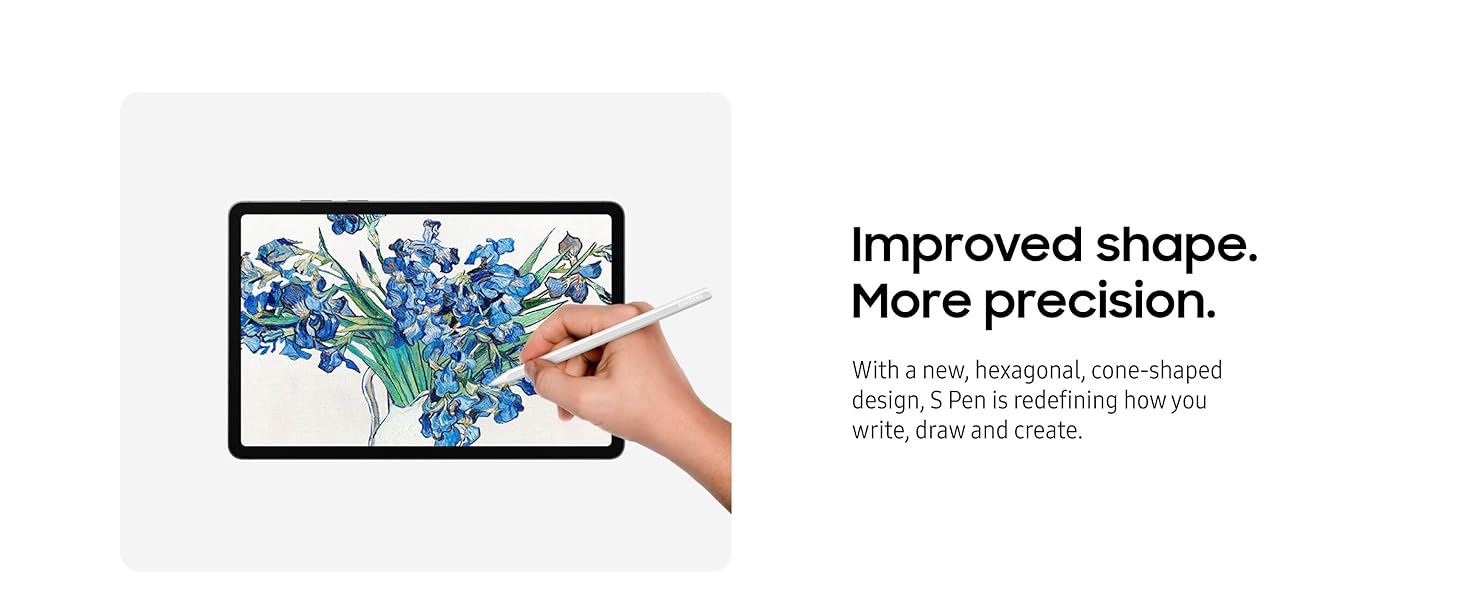
Image: A user's hand holding the S Pen, illustrating its use for drawing on the tablet's screen, emphasizing its improved shape and precision.
3.4 Dirbtinio intelekto funkcijos
- Pastaba: This feature summarizes and formats your notes, keeping them organized and easily searchable. Requires Samsung account login and internet connectivity.
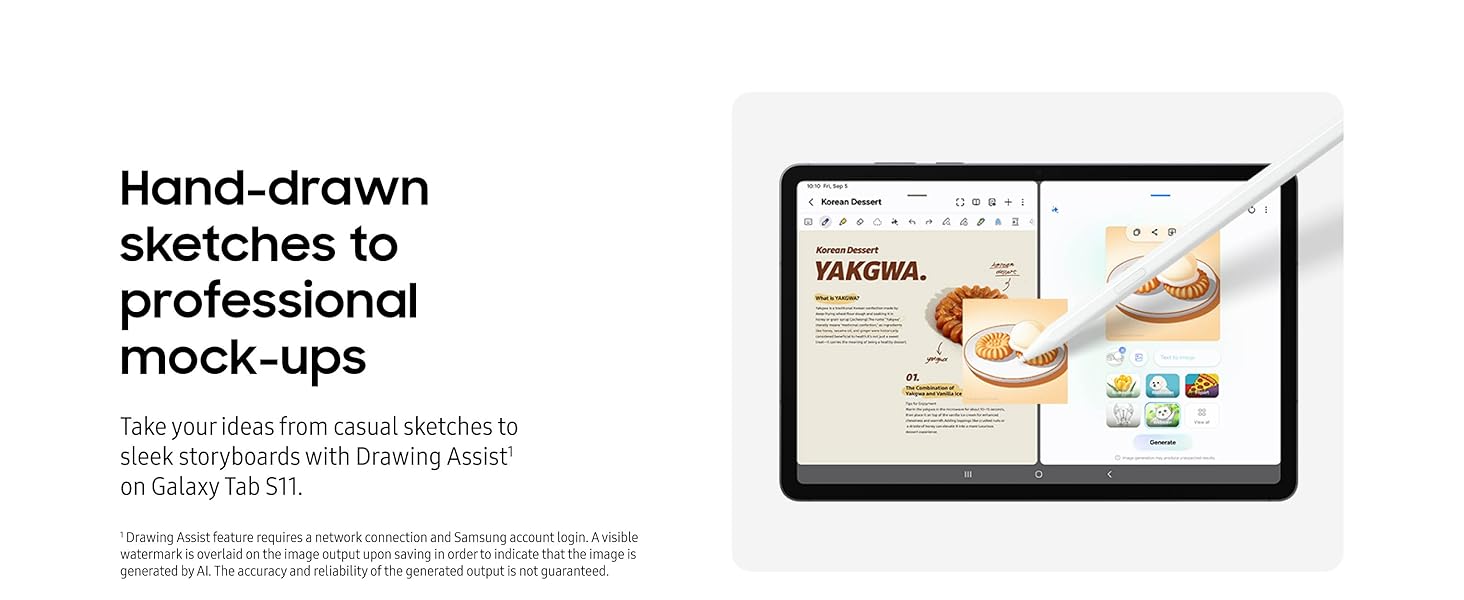
- Piešimo pagalba: Transform hand-drawn sketches into polished creations. This feature requires a network connection and Samsung account login. A visible watermark is applied to AI-generated images.
- Dvyniai gyvai: For streamlined assistance, open Gemini Live and use screen sharing or your camera to get information and on-the-spot help.
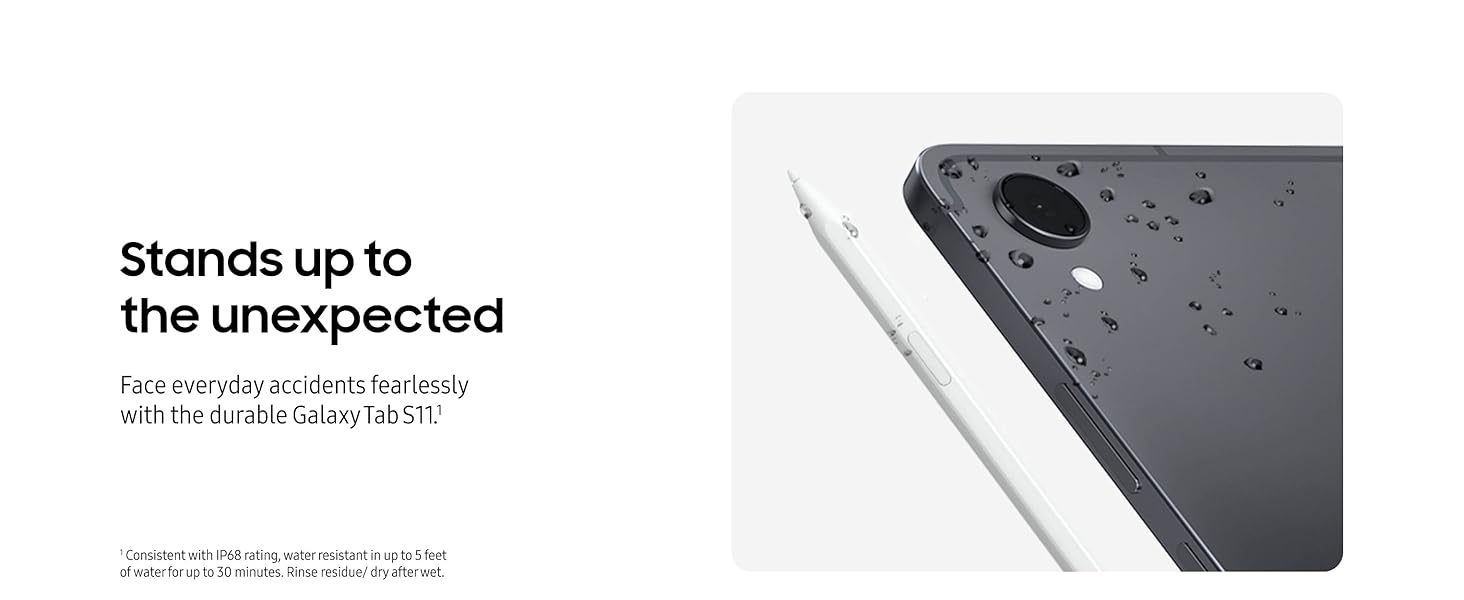
Image: The Galaxy Tab S11 screen showing a detailed diagram and text, with a prompt indicating Note Assist can organize the content.

Image: The Galaxy Tab S11 screen displaying a split view, with a rough sketch on one side and a refined, digital illustration on the other, demonstrating the Drawing Assist feature.

Image: The Galaxy Tab S11 screen showing a web page with an image of a dessert, and a Google Gemini chat overlay providing information and assistance related to the image.
3.5 „Galaxy Connected“ patirtis
Seamlessly switch, share, and move through your devices with the Galaxy Connected Experience, integrating your tablet with other compatible Samsung Galaxy devices.
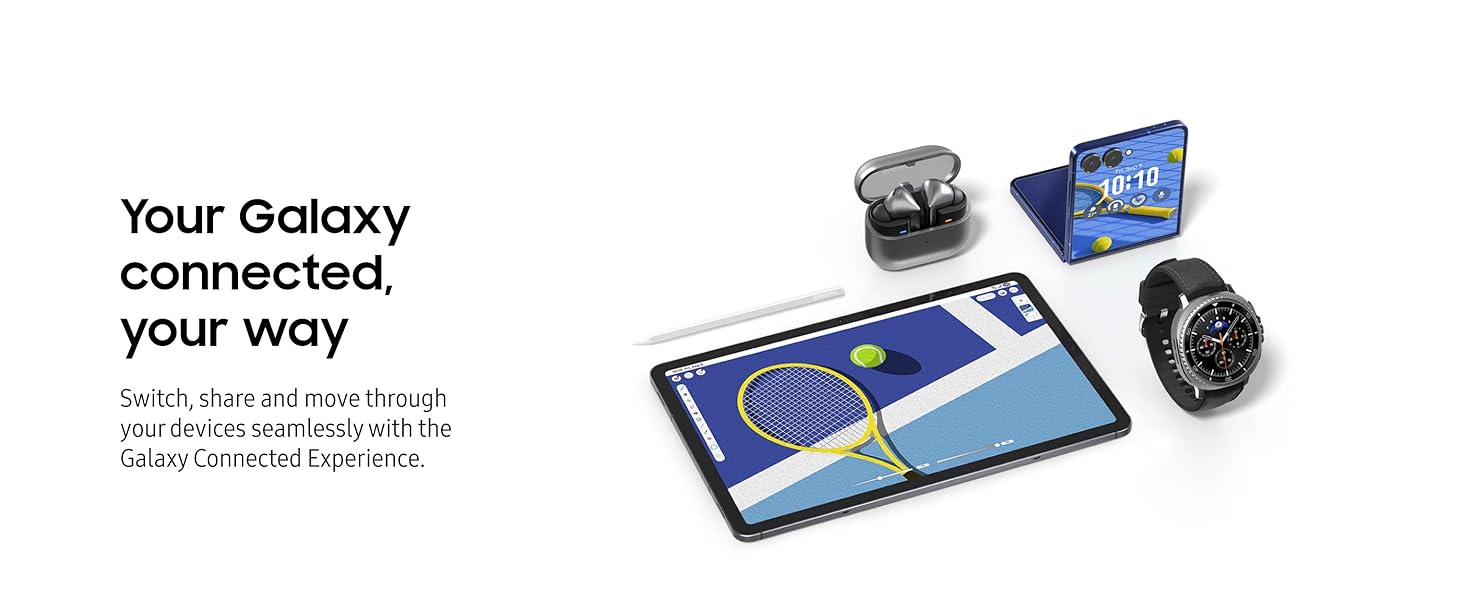
Image: An arrangement of Samsung Galaxy devices, including the Tab S11, a foldable phone, earbuds, and a smartwatch, demonstrating the interconnected ecosystem.
4. Priežiūra
4.1 Patvarumas ir atsparumas vandeniui
The Galaxy Tab S11 features an IP68 durability rating, making it resistant to dust and water. It can withstand immersion in up to 5 feet of fresh water for up to 30 minutes. After exposure to water, rinse any residue and dry the device thoroughly.
Vaizdas: Stambus planas view of the Galaxy Tab S11 with water droplets on its surface, illustrating its IP68 water resistance.
4.2 Baterijos veikimo laikas ir valdymas
The tablet is equipped with an 8,400mAh battery, providing up to 18 hours of video playback. To optimize battery life, adjust screen brightness, close unused applications, and enable power-saving modes when necessary.
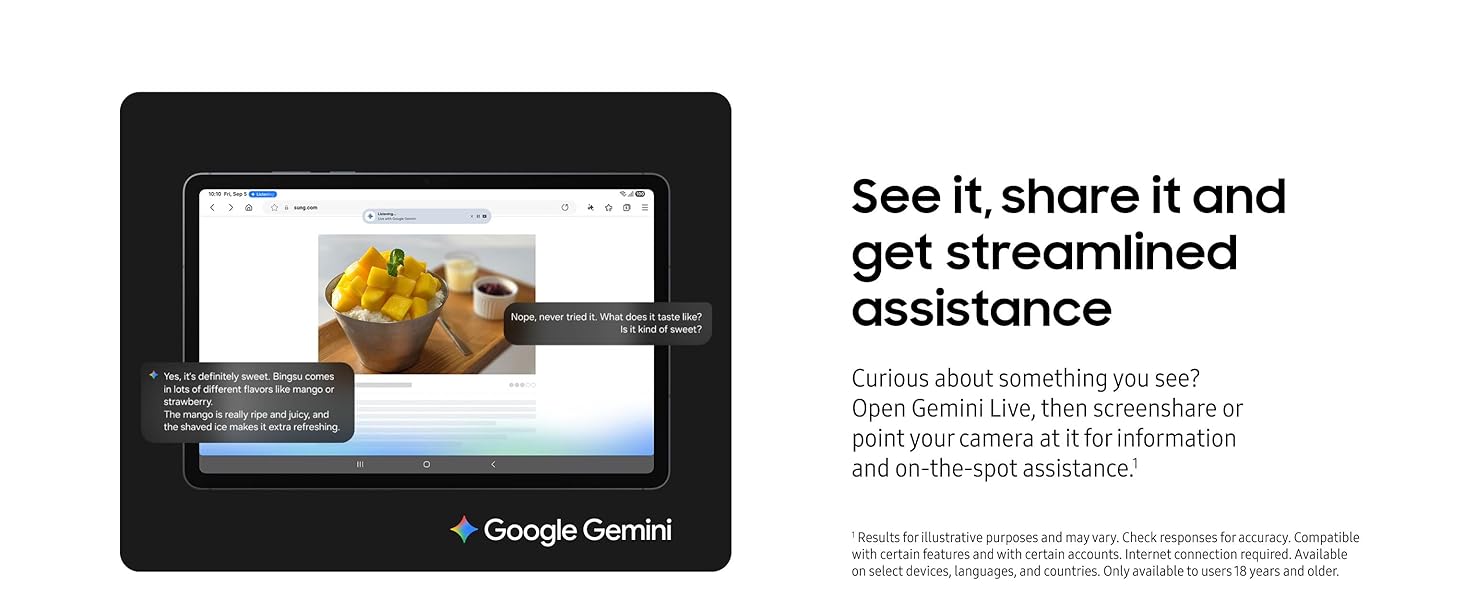
Image: The Galaxy Tab S11 screen displaying a night-time highway scene, with text highlighting its 8,400mAh battery capacity and up to 18 hours of video playback.
4.3 Bendroji priežiūra
- Keep the tablet clean using a soft, dry cloth. Avoid abrasive materials or harsh chemicals.
- Apsaugokite ekraną apsaugine plėvele ir naudokite apsauginį dėklą, kad išvengtumėte įbrėžimų ir pažeidimų.
- Avoid exposing the tablet to extreme temperatures or direct sunlight for extended periods.
5. Problemų sprendimas
If you encounter issues with your Galaxy Tab S11, try the following general troubleshooting steps:
- Paleiskite planšetinį kompiuterį iš naujo: Paprastas paleidimas iš naujo dažnai gali išspręsti nedidelius programinės įrangos trikdžius.
- Patikrinkite programinės įrangos naujinimus: Ensure your tablet's operating system is up to date. Go to Nustatymai > Programinės įrangos atnaujinimas > Atsisiųsti ir įdiegti.
- Išvalyti talpyklą: If an app is misbehaving, try clearing its cache (Nustatymai > Programos > [Programos pavadinimas] > Atmintis > Išvalyti talpyklą).
- Gamyklinių parametrų atkūrimas (paskutinė priemonė): Jei problemos išlieka, gali tekti atlikti gamyklinių parametrų atkūrimą. Įspėjimas: tai ištrins visus jūsų įrenginyje esančius duomenis. Prieš tęsdami sukurkite svarbių duomenų atsarginę kopiją. Eikite į Nustatymai > Bendrasis valdymas > Atkurti > Gamyklinių duomenų atkūrimas.
- Susisiekite su palaikymo komanda: If you cannot resolve the issue, refer to the Warranty and Support section for further assistance.
6. Specifikacijos
| Funkcija | Specifikacija |
|---|---|
| Prekės ženklas | Samsung |
| Modelio pavadinimas | Galaxy Tab S11 |
| Prekės modelio numeris | SM-X730NZANXAR |
| Operacinė sistema | Android |
| Ekrano dydis | 11 colių |
| Ekrano raiška | 2560 x 1600 pikselių |
| Procesorius | 3.05 GHz MediaTek (3nm) |
| Atminties talpa | 128 GB |
| Belaidis tipas | „802.11ax“ |
| Vidutinis baterijos veikimo laikas | 18 valandų |
| Prekės svoris | 1.06 svaro |
| Gaminio matmenys | 6.51 x 9.99 x 0.22 colio |
| Spalva | Pilka |
7. Garantija ir palaikymas
7.1 Gaminio garantija
Your Samsung Galaxy Tab S11 is covered by Samsung's standard limited warranty. Please refer to the warranty card included in your product packaging or visit the official Samsung websvetainėje, kur rasite išsamias sąlygas.
7.2 Išplėstinė apsauga
Apsvarstykite pirkimąasing Samsung Care+ Device Protection for extended coverage options, including accidental damage protection. Options include 2-year plans or monthly subscriptions.
7.3 Pagalba klientams
For technical assistance, service inquiries, or additional support, please visit the official Samsung support websvetainėje arba susisiekite tiesiogiai su „Samsung“ klientų aptarnavimo tarnyba. Kontaktinę informaciją paprastai galite rasti „Samsung“ svetainėje websvetainėje arba savo greitojo paleidimo vadove.
8. Produktų vaizdo įrašai
The following videos provide additional information and demonstrations of the Samsung Galaxy Tab S11's features. Please note that the creator type for these videos could not be verified from the provided data, but they are included as relevant product content.
8.1 Samsung Galaxy Tab S11 Overview (8:25)
Vaizdo įrašas: išsamus aprašymasview of the Samsung Galaxy Tab S11, detailing its design, performance, and key features.
8.2 Samsung Galaxy Tab S11 Features Deep Dive (7:01)
Video: An in-depth look at specific functionalities and advanced features of the Galaxy Tab S11.
8.3 AI Assist on Galaxy Tab S11 (0:34)
Video: A short demonstration of the AI Assist features available on the Galaxy Tab S11.