1. Įvadas
The Retevis A3 Ham Radio Handheld is a versatile communication device designed for amateur radio enthusiasts, emergency preparedness, and outdoor activities. It offers quad-band transmission, wideband reception including SSB, and essential features like NOAA weather alerts. This manual provides detailed instructions for setting up, operating, maintaining, and troubleshooting your Retevis A3 radio.
2. Produktas baigtasview
2.1 Pakuotės turinys
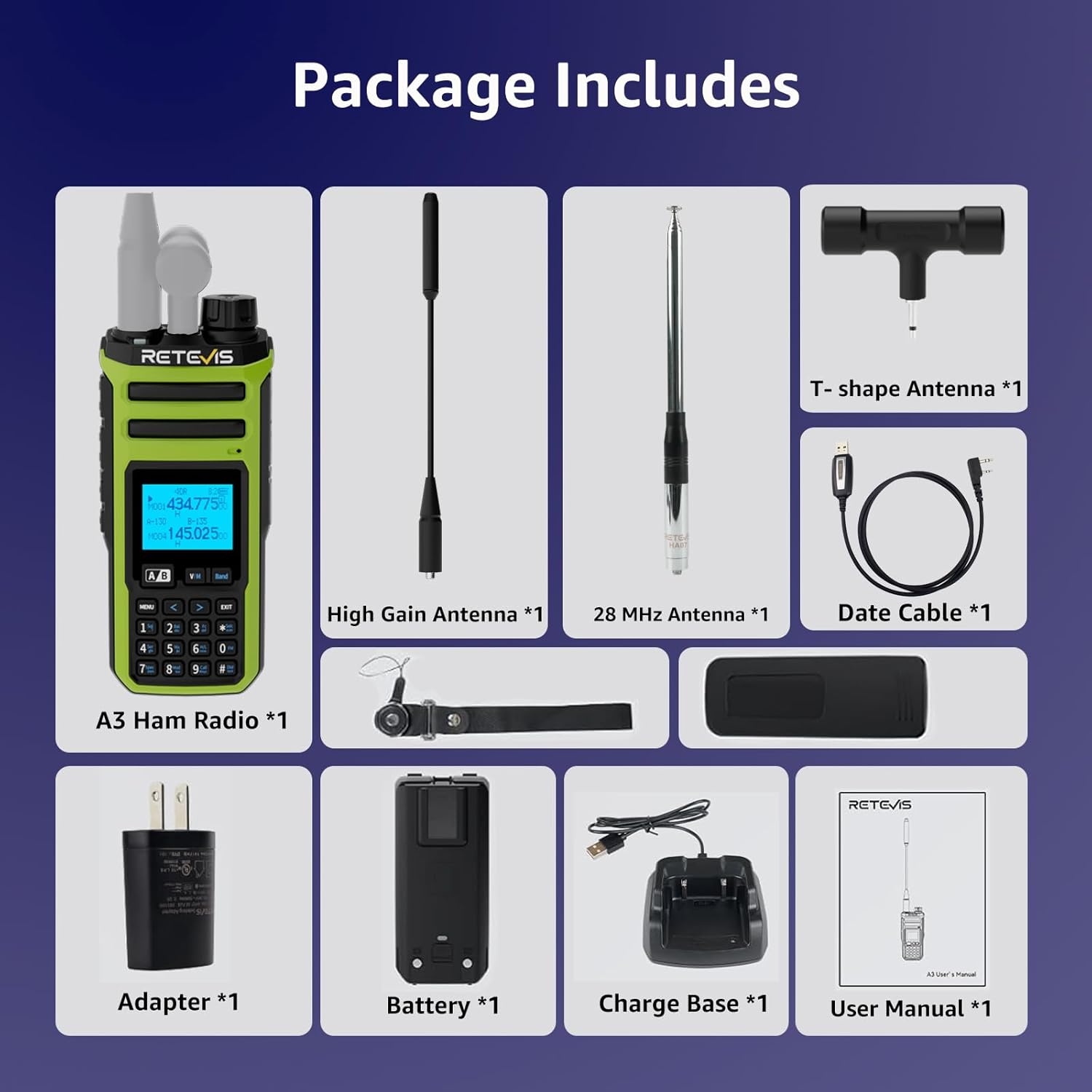
The Retevis A3 package includes the following items:
- A3 Ham Radio (x1)
- High Gain Antenna & T-shape Antenna (x1)
- 28 MHz Antenna (x1)
- 2500 mAh Battery & Desk Charger (x1)
- Date cable (x1)
2.2 Pagrindinės savybės
- Quad-Band Transmission: Supports 10m, 6m, 2m, and 70cm amateur radio bands.
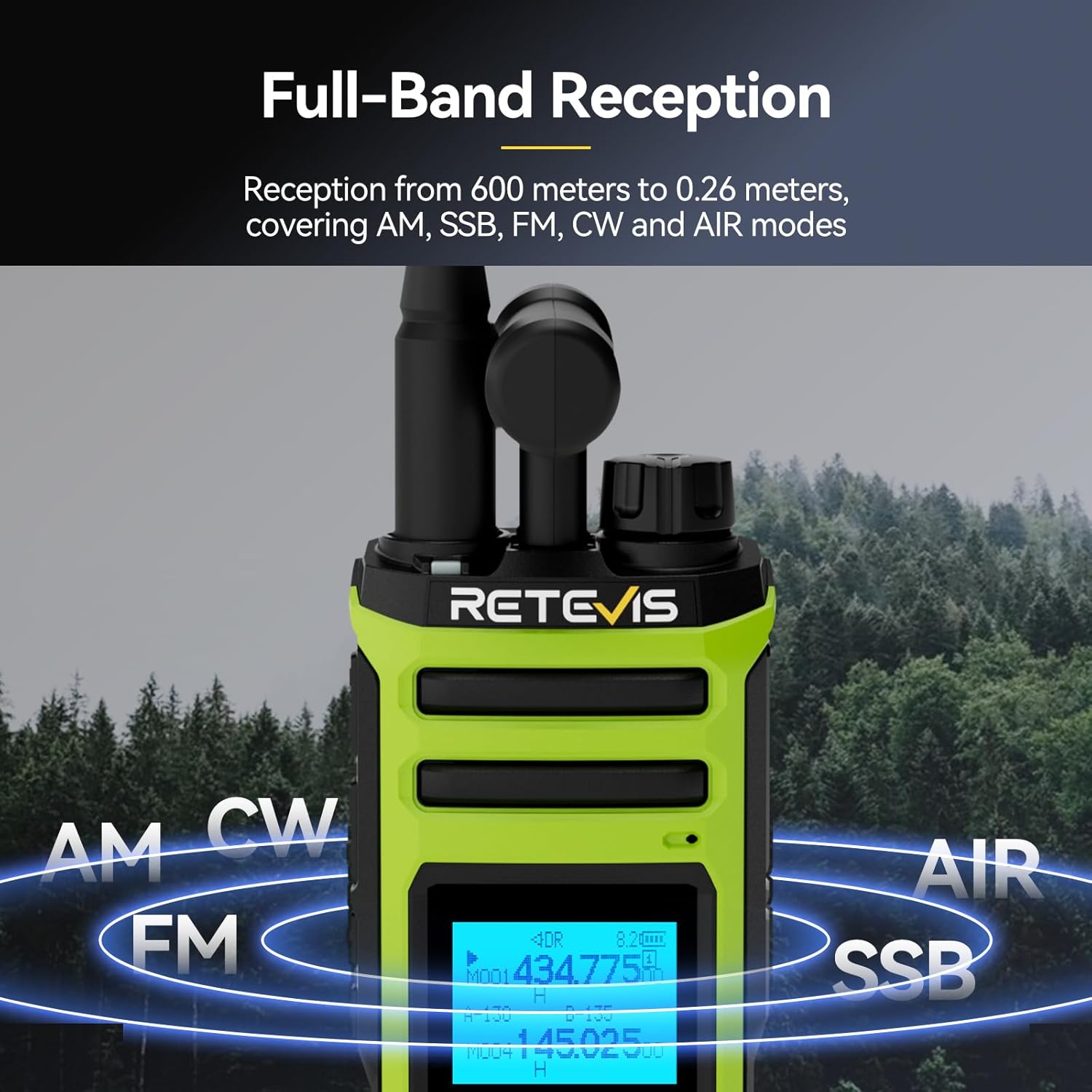
- Wideband Reception: Covers AM, SSB, FM, CW, and AIR modes from 600 meters to 0.26 meters.
- Dual Watch & PTT Control: Monitor two channels simultaneously with independent PTT buttons and volume control.
- NOAA Weather Alerts with SAME: Receive precise emergency weather warnings for your county.
- Didelė galia: Boost signal range on 2m/70cm for clear communication in challenging environments.
- Integrated Spectrum Analyzer: Real-time signal detection for enhanced situational awareness.
- Long-Life 2500mAh Battery: Užtikrina iki 16 valandų veikimo laiką.
- Pritaikomi šoniniai klavišai: Assign functions like High/Low Power, FM, VOX, 1750Hz tone, Flashlight, and Emergency alarm.
- Wireless Duplicate: One-key pairing for easy radio cloning.



3. Sąranka
3.1 Baterijos įdėjimas ir įkrovimas
- Norėdami įdėti bateriją, sulygiuokite ją su radijo imtuvo gale esančiais grioveliais ir stumkite ją aukštyn, kol ji spragtelės ir užsifiksuos vietoje.
- To remove, press the release button at the bottom of the battery and slide it downwards.
- Connect the USB-A cable from the charging cradle to the charging brick, then plug the brick into a standard wall outlet.
- Place the radio into the charging cradle. The indicator light on the cradle will show charging status.
- Alternatively, you can charge the battery directly via the USB-C port located under the rubber flap on the back of the radio.
3.2 Antenos pritvirtinimas
The Retevis A3 comes with multiple antennas for different frequency bands:
- A tri-band antenna for 2m, 70cm, and 6m.
- A 28MHz antenna for 10m.
- A T-shape antenna for HF reception.
To attach an antenna, screw it clockwise onto the SMA male connector on top of the radio until it is finger-tight. Ensure the correct antenna is used for the desired frequency band.

3.3 Pradinis įjungimas
Turn the rotary knob on top of the radio clockwise to power it on and adjust the volume. The LCD display will illuminate.
Setup Video: How to set up the Retevis A3 walkie talkie
This video provides a step-by-step guide on how to set up your Retevis A3 walkie talkie, covering initial assembly and basic configurations.
4. Pagrindinė operacija
4.1 Įjungimas / išjungimas ir garsumo valdymas
The top rotary knob controls both power and volume. Turn clockwise to power on and increase volume; turn counter-clockwise to decrease volume and power off.
4.2 Dažnio ir kanalo pasirinkimas
The radio operates in two main modes: VFO (Variable Frequency Oscillator) mode for direct frequency input and Memory mode for stored channels.
- VFO režimas: Press the 'Band' button to cycle through different frequency segments. Use the arrow keys or the numeric keypad to enter a desired frequency.
- Atminties režimas: Press the 'V/M' button to switch between VFO and Memory modes. Use the arrow keys to navigate through stored channels.
4.3 Dual Watch and Dual PTT
The Retevis A3 features dual watch capability, allowing you to monitor two different frequencies or channels simultaneously. The two PTT buttons on the side correspond to the upper (VFO A) and lower (VFO B) displays, enabling independent transmission on either frequency.
4.4 NOAA orų įspėjimai
The radio supports NOAA weather alerts with SAME (Specific Area Message Encoding). To access NOAA weather channels, use the 'Band' button to navigate to the NOAA band. The radio will provide precise emergency warnings for your county.

5. Išplėstinės funkcijos
5.1 SSB/AM/FM/CW Reception
The Retevis A3 is capable of receiving various modulation modes beyond standard FM, including Single Sideband (SSB), Amplitude Modulation (AM), and Continuous Wave (CW). This allows for monitoring a wider range of radio communications, including shortwave broadcasts and amateur SSB signals.
5.2 Spectrum Analyzer
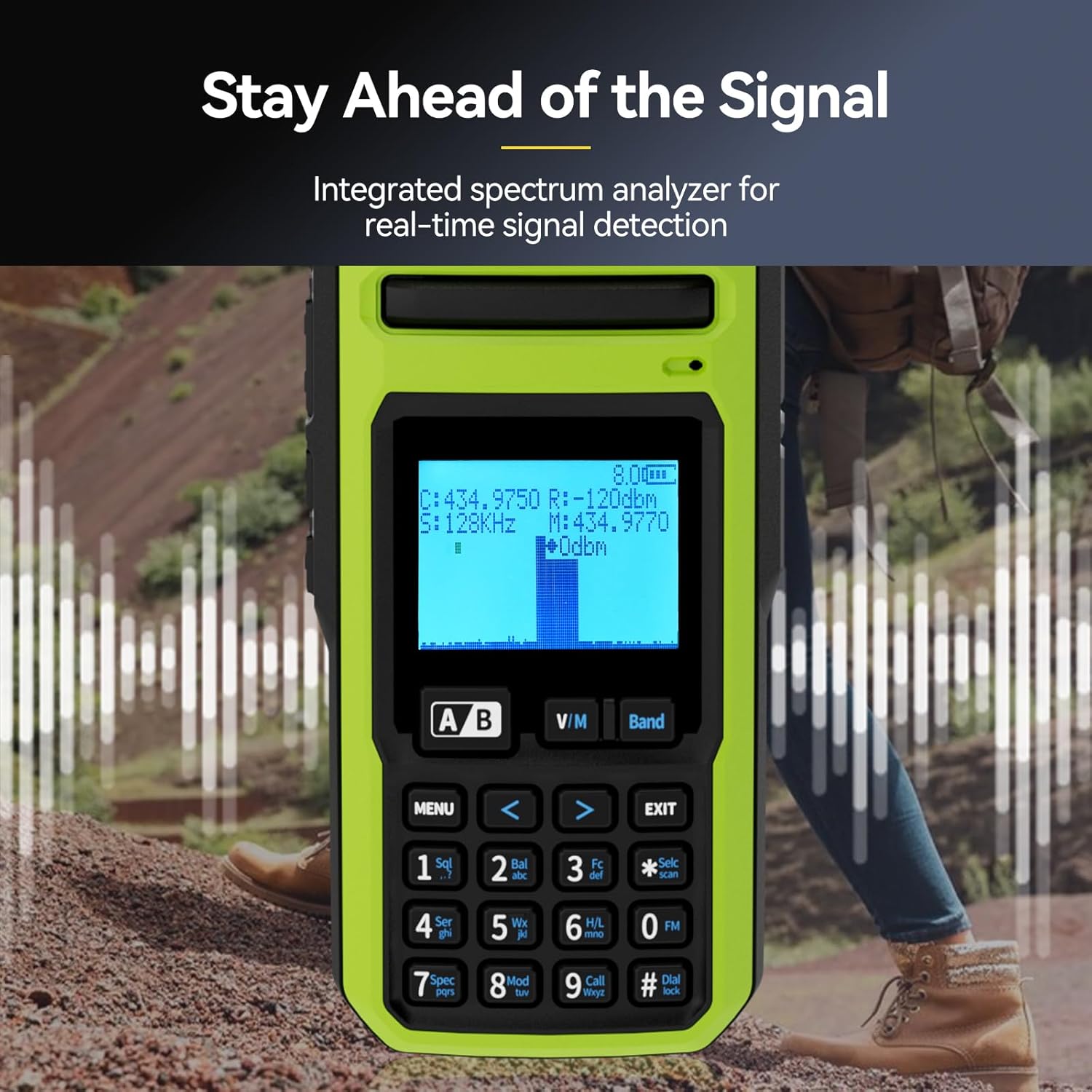
An integrated spectrum analyzer provides real-time visual feedback of signal activity across the frequency band. This feature is useful for identifying active frequencies and understanding band conditions.
5.3 Customizable Side Keys
The side keys on the radio can be programmed to quickly access frequently used functions such as:
- High/Low Power adjustment
- FM radio activation
- VOX (balsu valdomas perdavimas)
- Sending 1750Hz tone
- Žibintuvėlio įjungimas
- Avarinė signalizacija
Refer to the detailed menu options in the user manual for programming these keys.
5.4 Wireless Duplicate
The wireless duplicate function allows for quick and easy cloning of settings from one Retevis A3 radio to another. This is particularly useful for groups or teams using multiple devices.
6. Priežiūra
6.1 Akumuliatoriaus priežiūra
- Visada naudokite pateiktą įkroviklį ir akumuliatorių.
- Saugokite, kad akumuliatorius nepatektų į ekstremalias temperatūras.
- Do not disassemble, strike, squeeze, or put the battery into fire.
- If the battery gets wet, do not use it.
6.2 Valymas
Radijo imtuvo išorę valykite minkšta,amp cloth. Do not use harsh chemicals or abrasive cleaners. Ensure all ports are covered by their rubber flaps when not in use to prevent dust and moisture ingress.
6.3 Antenos priežiūra
Ensure antennas are securely attached but do not overtighten. Avoid bending or stressing the antennas, as this can damage the connector or the antenna itself.
7. Problemų sprendimas
This section addresses common issues you might encounter with your Retevis A3 radio. For more detailed troubleshooting, refer to the comprehensive user manual.
| Problema | Galima priežastis | Sprendimas |
|---|---|---|
| Radijas neįsijungia. | Baterija išsikrovusi arba netinkamai įdėta. | Charge the battery or ensure it is correctly installed. |
| Negalima perduoti ar priimti. | Incorrect frequency/channel, antenna not attached, or low power. | Verify frequency/channel settings, attach antenna, check battery level, ensure transmit power is set to 'High' if needed. |
| Poor audio quality on transmit. | Transmit bandwidth set to 'Narrow'. | Ensure transmit bandwidth (W/N) is set to 'Wide' for amateur radio use. |
| Programming software not connecting. | Driver issues or cable connection problems. | Install correct drivers, ensure programming cable is fully seated and not damaged. |
| Limited 6-meter band transmission. | Out-of-band transmit is disabled. | Refer to advanced settings in the manual to enable out-of-band transmit via button combination. |
8. Specifikacijos
| Funkcija | Specifikacija |
|---|---|
| Prekės svoris | 1.94 svaro |
| Pakuotės matmenys | 8.98 x 8.74 x 3.54 colio |
| Prekės modelio numeris | A3 |
| Baterijos | 1 AA batteries required. (included) - Note: Product description states 2500mAh Li-ion battery. Please verify. |
| Prekės ženklas | Retevis |
| Spalva | Žalia |
| Kanalų skaičius | 999 |
| Ypatinga funkcija | 999 Channels, Dual Receiving, Long Range |
| Dažnių diapazonas | 28-29.7Mhz, 50-52Mhz, 144-148Mhz, 420-450Mhz |
| Atsparumo vandeniui lygis | Neatsparus vandeniui |
| Baterijos veikimo laikas | 15.9 valandų |
9. Garantija ir palaikymas
9.1 Informacija apie garantiją
Retevis provides a 2-year warranty for the radio body and a 1-year warranty for accessories. A 30-day no-reason return policy is also offered. For service beyond the warranty period, maintenance services are available, with buyers responsible for corresponding costs.
9.2 Pagalba klientams
Jei turite klausimų ar reikia pagalbos, susisiekite su „Retevis“ klientų aptarnavimo tarnyba „Amazon“ svetainėje. Atsakymai paprastai pateikiami per 12 valandų.


