1. Saugos instrukcijos
Prieš surinkdami ir naudodami, atidžiai perskaitykite visas instrukcijas. Nesilaikant šių instrukcijų, galite susižaloti arba sugadinti gaminį.
- Prieš surinkdami įsitikinkite, kad visi komponentai yra ir nepažeisti.
- Kad išvengtumėte nelaimingų atsitikimų, darbo metu laikykite vaikus ir naminius gyvūnus atokiau nuo stalo.
- Neviršykite maksimalios keliamosios galios – 270 kg (122 svarų).
- Connect the power cord to a grounded outlet (100V-240V).
- Venkite pilti skysčius tiesiai ant valdymo skydelio arba šalia elektrinių komponentų.
- Ensure there are no obstructions in the desk's path during height adjustment.
- Nesėdėkite ir nestovėkite ant stalo rėmo.
2. Pakuotės turinys
Verify that all parts are included in your package. If any parts are missing or damaged, contact Okin customer support.
- Kėlimo kolonos (2)
- Pėdos (2)
- Skersinis (1)
- Šoniniai laikikliai (2)
- Valdymo skydelis (1)
- Valdymo langelis (1)
- Maitinimo adapteris (1)
- Maitinimo laidas (1)
- Prijungimo kabeliai
- Aparatūros rinkinys (varžtai, poveržlės, šešiabriauniai raktai)
- Instrukcijų vadovas
3. Surinkimo instrukcijos
Follow these steps to assemble your Okin standing desk frame. A complete set of tools and parts is included for convenience.
- Attach Feet to Lifting Columns: Securely fasten the feet to the bottom of each lifting column using the provided screws.
- Assemble the Crossbar: Connect the two sections of the crossbar. The crossbar is adjustable in length from 43.3 inches to 71 inches (110-180 cm) to accommodate various desktop sizes.
- Connect Lifting Columns to Crossbar: Attach the lifting columns to the assembled crossbar using the designated screws.
- Install Side Brackets: Mount the side brackets to the top of the lifting columns. These will support your desktop.
- Mount Control Box and Control Panel: Attach the control box to the underside of one of the side brackets. Install the control panel in a convenient location, typically on the front edge of your chosen desktop.
- Prijunkite kabelius: Plug the motor cables from the lifting columns and the control panel cable into the control box. Connect the power adapter to the control box and then to the power cord.
- Pritvirtinkite darbalaukį (nepridedama): Place your desktop onto the assembled frame. The frame is designed for desktops ranging from 47.2 to 78.7 inches (120-200 cm) in length and 24 to 35.5 inches (60-90 cm) in depth. Secure the desktop to the side brackets using appropriate screws (not included, as desktop material varies).

Vaizdas: Viršview of the Okin Standing Desk Frame components, including the lifting columns, feet, crossbar, and control panel.

Image: Diagram illustrating the recommended tabletop dimensions and the adjustable length of the desk frame's crossbar (43.3"-71").

Vaizdas: Stambus planas view highlighting the sturdy steel construction, T-shaped stability feet, and adjustable leveling feet of the desk frame.
4. Naudojimo instrukcijos
The Okin standing desk frame features an intuitive control panel for easy height adjustments.
- Aukščio reguliavimas: Naudokite Up ir Žemyn arrow buttons on the control panel to raise or lower the desk. The desk adjusts smoothly at a speed of 1.4 inches per second.
- Aukščio diapazonas: Stalo aukštį galima reguliuoti nuo minimalaus 23.6 colio (60 cm) iki maksimalaus 49.2 colio (125 cm) aukščio.
- Išankstiniai atminties nustatymai: The control panel includes 3 memory preset buttons (1, 2, 3). To save a desired height, adjust the desk to the preferred level, then press the M button followed by the desired number button (1, 2, or 3). The desk will beep to confirm the setting.
- Išankstinių nustatymų atšaukimas: Press the corresponding number button (1, 2, or 3) to automatically move the desk to your saved height.
- Skaitmeninis ekranas: The LED screen on the control panel displays the current desk height.
- Tylus veikimas: The dual motor system operates at a quiet level of approximately 48 dB, minimizing disruption.

Vaizdas: Išsamus view of the smart control panel, showing the Up/Down buttons, digital display, and memory preset buttons (M, 1, 2, 3).

Image: Illustration demonstrating the adjustable height range of the Okin standing desk, from 23.6 inches to 49.2 inches.
5. Priežiūra
Reguliarus valymas užtikrina jūsų stovimo stalo rėmo ilgaamžiškumą ir optimalų veikimą.
- Valymas: Wipe the desk frame with a dry cloth to remove dust and debris. Avoid using abrasive cleaners or solvents.
- Patikrinkite jungtis: Periodiškai patikrinkite visus varžtus ir veržles, ar jie gerai priveržti. Jei reikia, priveržkite.
- Kabelių valdymas: Ensure all cables are neatly managed and not pinched or tangled, which could affect operation.
6. Problemų sprendimas
If you encounter issues with your Okin standing desk frame, refer to the following common solutions:
- Nejudantis stalas:
- Check if the power cord is securely plugged into both the wall outlet and the control box.
- Ensure all motor cables are properly connected to the control box.
- Patikrinkite, ar sieninis lizdas veikia, išbandydami jį su kitu įrenginiu.
- Uneven Movement or Desk Stops:
- Perform a reset: Press and hold the 'Down' button until the desk reaches its lowest position and then slightly rises. Release the button. If this does not work, consult the full manual or contact support.
- Ensure the desk is not overloaded (maximum 270 lbs).
- Check for any obstructions preventing smooth movement.
- Klaidų kodai ekrane: If an error code appears, unplug the desk for 10 minutes, then plug it back in. If the error persists, contact customer support.
For further assistance, please contact Okin customer support.
7. Specifikacijos
| Prekės ženklas | Okin |
| Modelio numeris | DS2.451.3B.01WU111.C |
| Aukščio reguliavimo diapazonas | 23.6–49.2 colio (60–125 cm) |
| Reguliavimo greitis | 1.4"/second |
| Apkrova | 270 svarai (122 kg) |
| Triukšmo lygis | <48 dB |
| Crossbar Length Adjustment | 43.3–71 colio (110–180 cm) |
| Recommended Desktop Length | 47.2–78.7 colio (120–200 cm) |
| Recommended Desktop Depth | 24–35.5 colio (60–90 cm) |
| Medžiaga | Legiruotasis plienas |
| Spalva | Juoda |
| Item Weight (Frame Only) | 72.8 svarai (33 kg) |

Image: Visual representation of the desk frame's maximum load capacity of 270 lbs.
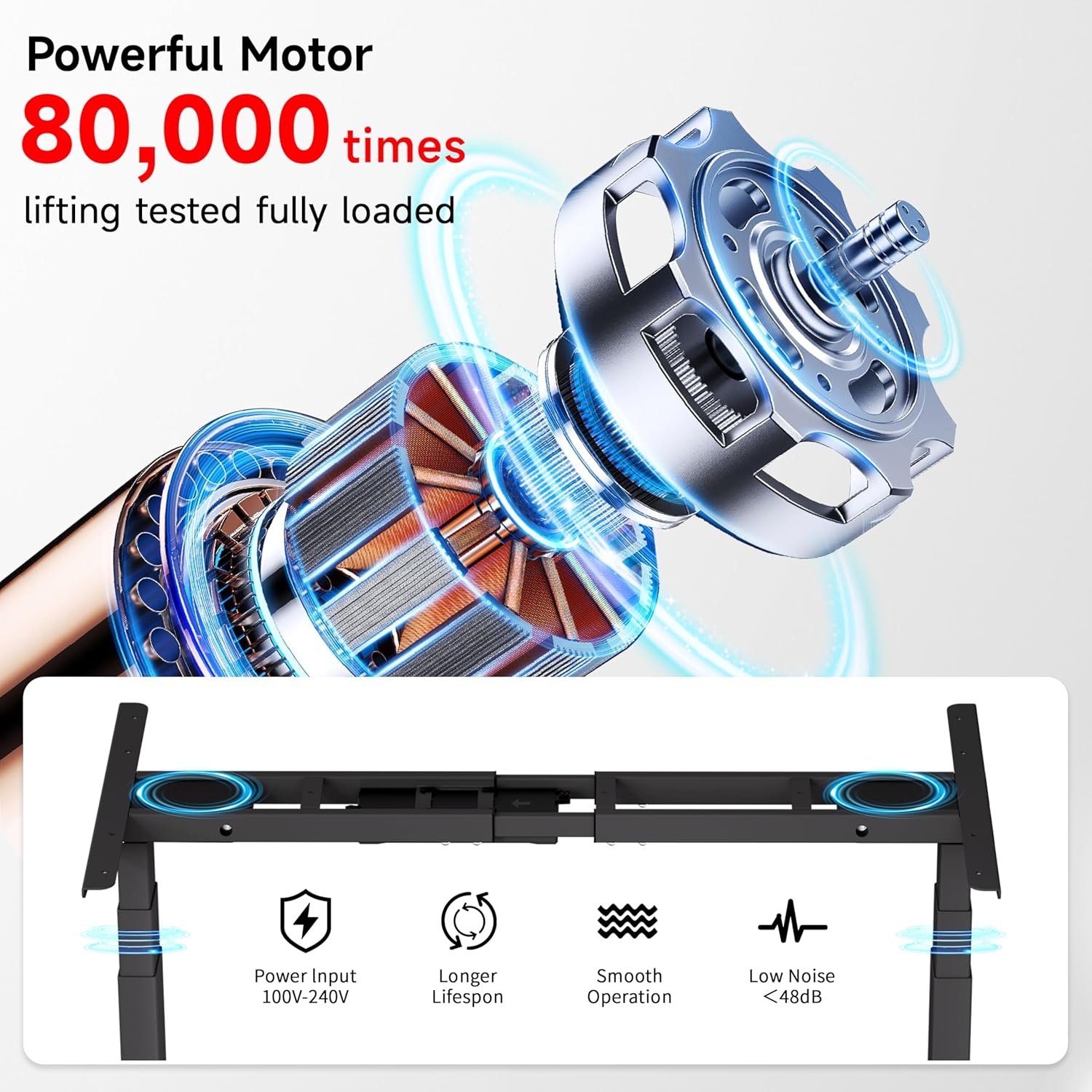
Image: Diagram illustrating the powerful dual motor system, highlighting its smooth operation, longer lifespan, and low noise level (<48dB).

Image: Comparison showing Okin's frame features, including 30% longer flanks, 30% thicker columns (3"x2"), and 30% wider feet for enhanced stability.
8. Garantija ir palaikymas
Okin is committed to providing quality products and customer satisfaction.
- Klientų aptarnavimas: A dedicated support team is available to assist with any questions or concerns regarding setup, operation, or troubleshooting.
- Grąžinimai: Enjoy a 30-day easy return policy.
- Apsaugos planai: Norint pratęsti apsaugą, galimi pasirenkami 2 ir 3 metų apsaugos planai.
For more information or to contact support, please visit the Okin Store on Amazon.


