Įvadas
The Masajoy Spark 06 Wireless Headset is designed for clear communication and versatile connectivity in professional and personal environments. It features Bluetooth V5.3, 2.4G wireless via a USB A/C dongle, and a wired 3.5mm audio connection. Equipped with an AI noise-cancelling microphone and comfortable earcups, this headset aims to provide a reliable audio experience for calls, meetings, and music.

Image: User wearing the Masajoy Spark 06 headset, demonstrating its use in a work setting.
Pakuotės turinys
Patikrinkite, ar pakuotėje yra visi reikalingi daiktai:
- Belaidės ausinės su mikrofonu
- USB A / C Dongle
- USB C to 3.5MM Audio Cable
- C tipo įkrovimo laidas
- Vartotojo vadovas
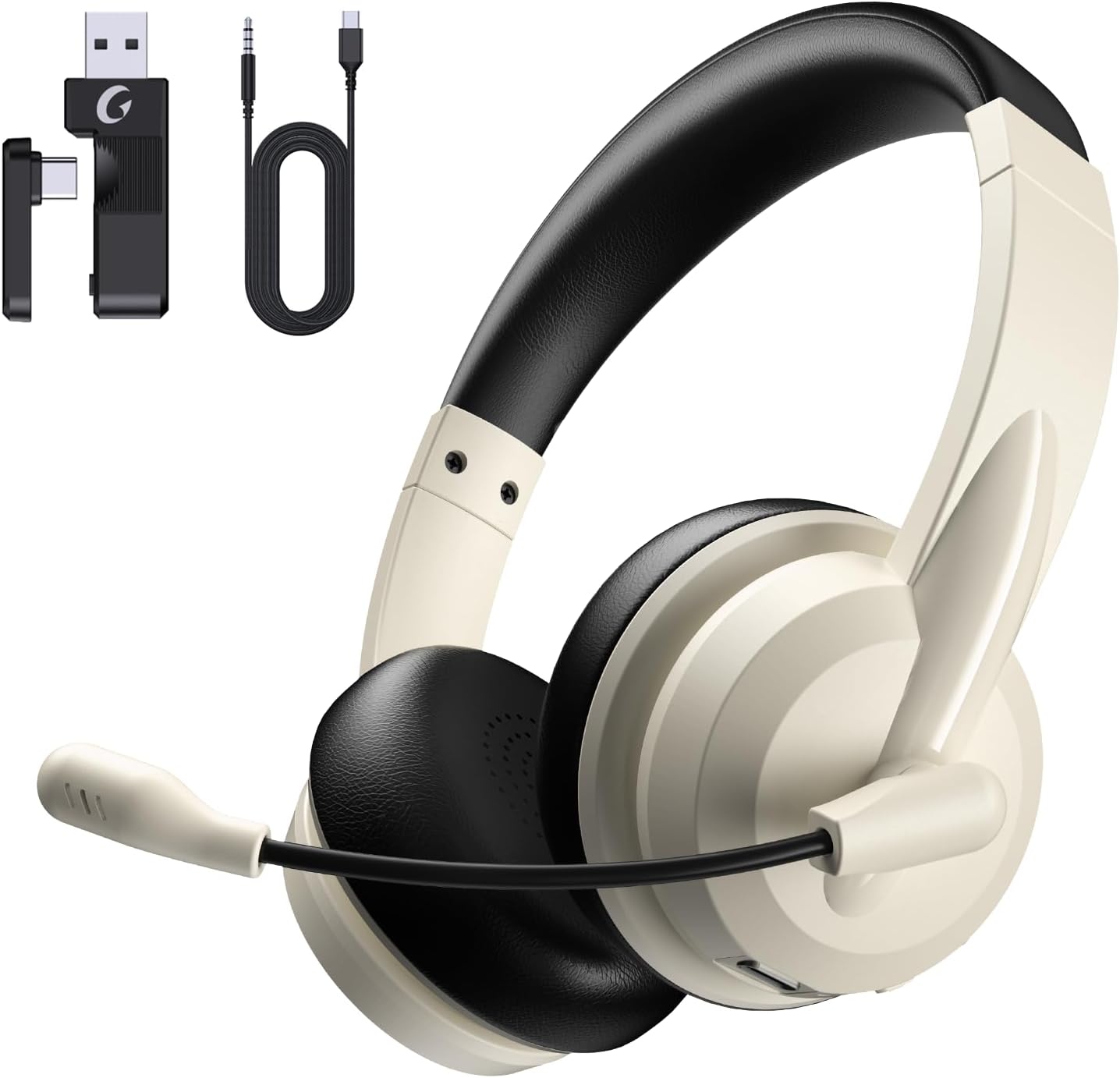
Image: The Masajoy Spark 06 headset shown with its accompanying accessories, including the USB A/C dongle and various cables.
Produktas baigtasview
The Masajoy Spark 06 headset features an ergonomic design for extended wear and clear audio performance.
- Reguliuojama galvos juosta: For a comfortable fit across various head sizes.
- Protein Memory Foam Earcups: Soft and breathable for all-day comfort.
- Rotatable Microphone Boom: Allows for precise positioning and mute function activation.
- 40 mm garso tvarkyklės: Deliver clear and balanced sound.

Vaizdas: Stambus planas view highlighting the soft, breathable protein memory foam earcups and the adjustable headband for comfort.

Paveikslėlis: vidinis view of the earcup, illustrating the 40mm audio drivers responsible for sound quality.
Sąranka
1. Ausinių įkrovimas
Before first use, fully charge the headset. Connect the included Type C Charging Cable to the headset's charging port and to a USB power source. The LED indicator will show charging status. A full charge takes approximately 2.5 hours.
2. Ausinių prijungimas
The Masajoy Spark 06 offers three connection methods:
Bluetooth V5.3 Connection
- Įsitikinkite, kad laisvų rankų įranga išjungta.
- Paspauskite ir palaikykite maitinimo mygtuką, kol LED indikatorius mirksės mėlynai ir raudonai, rodydamas susiejimo režimą.
- On your device (smartphone, laptop), enable Bluetooth and search for "Masajoy Spark 06".
- Select the headset to connect. The LED will turn solid blue once connected.
2.4G Wireless Connection (USB A/C Dongle)
- Plug the USB A or USB C side of the dongle into an available port on your computer.
- Įjunkite ausines. Jos automatiškai bandys prisijungti prie adapterio.
- The LED indicator on the headset will turn solid blue when connected.
Wired 3.5mm Audio Cable Connection
- Connect one end of the USB C to 3.5MM Audio Cable to the headset's USB-C port.
- Connect the other end (3.5mm jack) to your device's 3.5mm audio port.
- The headset will function as a wired headset. Power is not required for this mode.
Note: This headset does not support dual device connection simultaneously via Bluetooth and 2.4G wireless.

Image: Illustration of the Bluetooth V5.3 and 2.4GHz dual connection options, showing the USB A/C dongle and Bluetooth pairing with devices.
Naudojimo instrukcijos
Maitinimo įjungimas/išjungimas
- Maitinimas: Paspauskite ir 3 sekundes palaikykite maitinimo mygtuką.
- Išjungti: Paspauskite ir 3 sekundes palaikykite maitinimo mygtuką.
Skambučių valdymas
- Atsiliepti / Baigti skambutį: Vieną kartą paspauskite daugiafunkcį mygtuką.
- Atmesti skambutį: Paspauskite ir 2 sekundes palaikykite daugiafunkcį mygtuką.
Muzikos atkūrimas
- Leisti / pristabdyti: Vieną kartą paspauskite daugiafunkcį mygtuką.
- Pagarsink: Paspauskite garsumo + mygtuką.
- Patildyti: Paspauskite garsumo mygtuką.
- Kitas takelis: Paspauskite ir palaikykite nuspaudę garsumo didinimo mygtuką.
- Ankstesnis takelis: Paspauskite ir palaikykite nuspaudę garsumo mygtuką.
Mikrofono nutildymo funkcija
To mute the microphone, simply rotate the microphone boom to the upright (vertical) position. A voice prompt will confirm "MIC mute". To unmute, rotate the microphone boom back down to the speaking position.

Image: A diagram illustrating the 270-degree rotation capability of the microphone boom, which activates the mute function when moved to the upright position.
AI triukšmo panaikinimas
The headset features AI noise cancellation technology to reduce background noise during calls, ensuring clearer voice transmission. This feature is automatically active when using the microphone in Bluetooth connection mode.
Note: The AI Noise Cancellation feature is only available when the headset is connected via Bluetooth.

Image: Depiction of the AI noise-cancelling microphone in action, showing how it filters out background noise for clear communication.
Priežiūra
- Valymas: Ausinėms valyti naudokite minkštą, sausą šluostę. Nenaudokite stiprių cheminių medžiagų ar abrazyvinių medžiagų.
- Saugykla: Laikykite ausines vėsioje, sausoje vietoje, toliau nuo tiesioginių saulės spindulių ir ekstremalių temperatūrų.
- Akumuliatoriaus priežiūra: Norėdami pailginti baterijos veikimo laiką, venkite dažnai visiškai iškrauti ausines. Reguliariai jas įkraukite, net jei ilgą laiką nenaudojate.
Trikčių šalinimas
| Problema | Galima priežastis | Sprendimas |
|---|---|---|
| Nėra garso iš ausinių | Headset not connected; Volume too low; Device audio output incorrect. | Ensure headset is connected (Bluetooth, 2.4G, or wired). Increase headset and device volume. Check device's audio output settings. |
| Mikrofonas neveikia | Microphone muted; Incorrect input device selected; AI Noise Cancellation not active (if not Bluetooth). | Rotate mic boom down to unmute. Check device's microphone input settings. Ensure Bluetooth connection for AI Noise Cancellation. |
| Nepavyksta prisijungti per Bluetooth | Headset not in pairing mode; Device Bluetooth off; Interference. | Put headset in pairing mode (flashing blue/red). Enable Bluetooth on device. Move closer to device, away from other wireless devices. |
| 2.4G dongle not connecting | Dongle not properly inserted; Headset not powered on. | Ensure dongle is fully inserted into a working USB port. Power on the headset. |
| Trumpas baterijos veikimo laikas | Headset not fully charged; Battery degradation over time. | Ensure headset is fully charged (2.5 hours). If battery life significantly decreases, contact support. |
Specifikacijos
| Funkcija | Detalė |
|---|---|
| Modelio pavadinimas | Kibirkštis 06 |
| Ryšio technologija | Wireless (Bluetooth, 2.4G), Wired (3.5mm) |
| Bluetooth versija | 5.3 |
| Bluetooth diapazonas | Iki 36 pėdų (11 metrų) |
| Triukšmo valdymas | Passive Noise Cancellation (earcups), AI Noise Cancellation (microphone, Bluetooth mode only) |
| Garso tvarkyklės tipas | Dinaminis vairuotojas |
| Varža | 40 omų |
| Dažnių diapazonas | 20Hz - 20,000Hz |
| Įkrovimo laikas | 2.5 valandų |
| Pokalbių laikas | Iki 30 valandų |
| Muzikos atkūrimo laikas | Iki 25 valandų |
| Budėjimo laikas | Iki 400 valandų |
| Prekės svoris | 0.3 kilogramo (10.5 uncijos) |
| Medžiaga | Akrilnitrilo butadieno stirenas (ABS) |
| Suderinami įrenginiai | Laptops, Desktops, iPhones, Mac devices |
Garantija ir palaikymas
Masajoy products are designed for reliability and performance. For warranty information, please refer to the specific warranty card included with your product or visit the official Masajoy website. If you encounter any issues or require technical assistance, please contact Masajoy customer support through the contact information provided on the product packaging or the official websvetainę.


