1. Įvadas
Thank you for choosing the Maxcom Comfort MM834 4G Senior Flip Phone. This manual provides essential information for setting up, operating, and maintaining your device. Please read it carefully to ensure proper use and to maximize the phone's features.
2. Pakuotės turinys
Patikrinkite pakuotę, ar joje yra šie daiktai:
- Maxcom Comfort MM834L 4G Senior Flip Phone
- Battery (1000 mAh Li-ion)
- Įkrovimo kabelis
- Vartotojo vadovas
3. Įrenginys baigtasview
Familiarize yourself with the physical features of your Maxcom MM834L phone.
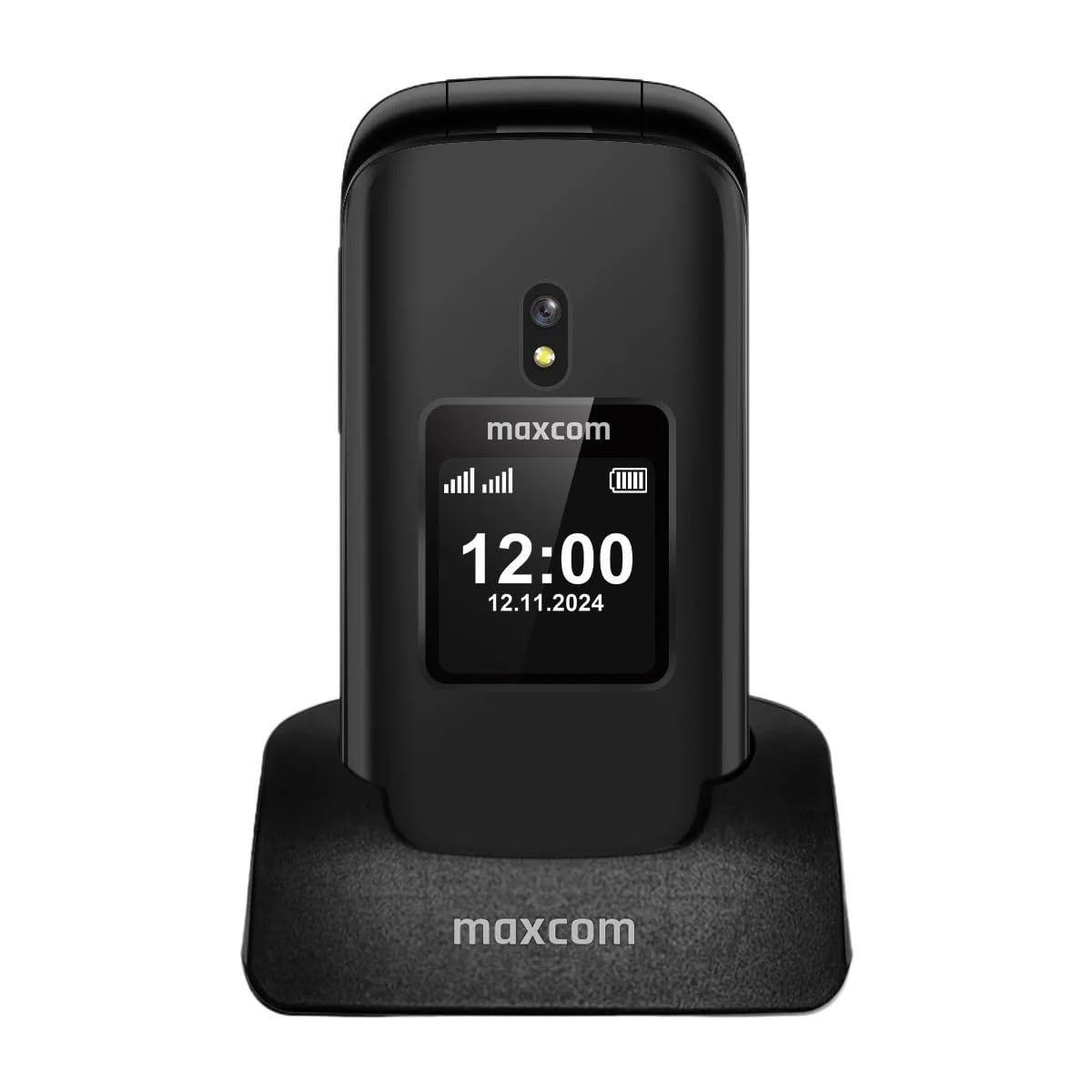
3.1 paveikslas: Priekyje view of the Maxcom MM834L phone when open, displaying the main screen and the large, easy-to-use keypad.
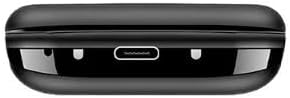
3.2 paveikslas: Apačia view of the phone, highlighting the USB-C charging port for convenient power connection.
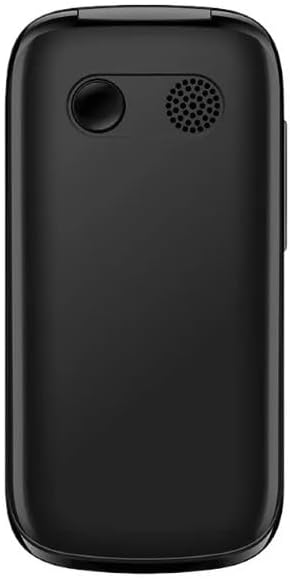
3.3 paveikslas: Galinis view of the phone, featuring the integrated camera and the external speaker for clear audio output.

3.4 paveikslas: Šoninė view of the phone, indicating the location of the volume control buttons.

3.5 paveikslas: The phone features two displays: a 2.4-inch main internal screen and a 1.44-inch external screen. The external display shows time, battery status, and caller information without needing to open the phone.
4. Sąranka
4.1. SIM kortelės (-ių) ir akumuliatoriaus įdėjimas
- Atidarykite telefono galinį dangtelį.
- Insert your SIM card(s) into the designated slot(s). The MM834L supports Dual SIM functionality. Ensure the gold contacts face downwards and the card is correctly oriented.
- Įdėkite bateriją į jos skyrių, sulygiuodami kontaktus.
- Uždėkite galinį dangtelį, įsitikindami, kad jis tvirtai užsifiksavo.

4.1 paveikslas: The Maxcom MM834L supports Dual SIM, allowing the use of two separate telephone numbers.
4.2. Akumuliatoriaus įkrovimas
Before first use, fully charge the phone's battery. Connect the charging cable to the phone's USB-C port and plug the other end into a power adapter. The battery indicator on the screen will show charging status. A full charge typically takes a few hours.

4.2 paveikslas: The 1000 mAh battery provides extended usage time for the MM834L phone.
4.3. Įjungimas/išjungimas
- Norėdami įjungti: paspauskite ir palaikykite Baigti skambutį / Maitinimas mygtuką (raudonas mygtukas), kol ekranas užsidegs.
- Norėdami išjungti: paspauskite ir palaikykite Baigti skambutį / Maitinimas mygtuką, kol pasirodys išjungimo parinktys, tada pasirinkite „Išjungti“.
5. Naudojimo instrukcijos
5.1. Skambinimas
- Open the flip to activate the main screen.
- Surinkite norimą telefono numerį naudodami klaviatūrą.
- Paspauskite Skambinti mygtuką (žalias mygtukas), kad pradėtumėte skambutį.
- Norėdami baigti pokalbį, paspauskite Baigti skambutį mygtukas (raudonas mygtukas).
5.2. Atsiliepimas į skambučius
- When the phone rings, open the flip to answer the call automatically, or press the Skambinti mygtuką.
- Norėdami atmesti skambutį, paspauskite Baigti skambutį mygtuką.
5.3. Pranešimų siuntimas ir gavimas
- Pagrindiniame meniu eikite į „Žinutės“.
- Pasirinkite „Rašyti žinutę“ arba „Nauja SMS žinutė“.
- Įveskite savo pranešimą naudodami klaviatūrą.
- Įveskite gavėjo telefono numerį arba pasirinkite jį iš savo kontaktų.
- Pasirinkite „Siųsti“.
5.4. SOS funkcija
The MM834L features a dedicated SOS button for emergencies.
- Norėdami įjungti: paspauskite ir palaikykite SOS mygtukas telefono gale kelias sekundes.
- The phone will automatically call and send an emergency SMS to pre-set contacts.
- Ensure emergency contacts are set up in the phone's settings under the SOS menu.

5.1 paveikslas: Key features include 4G VoLTE for clear calls, dual screens, a dedicated SOS button, and large, easy-to-press buttons.
6. Priežiūra
- Valymas: Telefono paviršių valykite minkšta, sausa šluoste. Venkite skystų valiklių ar abrazyvinių medžiagų.
- Saugykla: Telefoną laikykite vėsioje, sausoje vietoje, toliau nuo tiesioginių saulės spindulių ir ekstremalių temperatūrų.
- Akumuliatoriaus priežiūra: Do not expose the battery to high temperatures or dispose of it in fire. Recycle batteries according to local regulations.
- Atsparumas vandeniui: This phone is not waterproof. Avoid exposure to water or high humidity.
7. Problemų sprendimas
| Problema | Galima priežastis | Sprendimas |
|---|---|---|
| Telefonas neįsijungia | Baterija išsikrovusi arba netinkamai įdėta. | Įkraukite bateriją. Įsitikinkite, kad baterija tinkamai įdėta. |
| Negalima skambinti arba priimti skambučių | No SIM card, SIM card not active, or out of network coverage. | Įsitikinkite, kad SIM kortelė įdėta ir aktyvi. Patikrinkite tinklo signalo stiprumą. Susisiekite su savo paslaugų teikėju. |
| Prasta skambučio kokybė | Silpnas tinklo signalas arba trukdžiai. | Move to an area with better network coverage. Avoid sources of interference. |
| Baterija greitai išsikrauna | High usage, background applications, or old battery. | Sumažinkite ekrano ryškumą. Uždarykite nereikalingas programas. Apsvarstykite galimybę pakeisti bateriją, jei ji sena. |
8. Specifikacijos
| Funkcija | Specifikacija |
|---|---|
| Modelis | MM834L |
| Matmenys | 10 x 5 x 8 cm |
| Svoris | 210 gramų |
| Pagrindinio ekrano dydis | 2.4 colių |
| Išorinio ekrano dydis | 1.44 inches (implied from A+ content) |
| Ekrano tipas | LCD |
| Rezoliucija | 240 x 320 |
| Baterijos talpa | 1000 mAh (ličio jonų) |
| Korinio ryšio technologija | 4G (LTE, VoLTE) |
| SIM kortelių lizdai | Dvi SIM kortelės |
| Flash atmintis | 1 MB |
| Formos faktorius | Flip (Pieghevole) |
9. Garantija ir palaikymas
Your Maxcom Comfort MM834L phone is covered by a manufacturer's warranty. Please refer to the warranty card included in your package for details on coverage and duration. For technical support, service, or further inquiries, please contact Maxcom customer service through their official websvetainę arba perkant pateiktą kontaktinę informaciją.


