1. Įvadas
Thank you for choosing the OYIB S75 Real-Time Translator Earbuds. These earbuds are designed to facilitate seamless communication across language barriers, offering real-time translation in 164 languages. Beyond translation, they also function as high-quality wireless earbuds for music playback and phone calls. This manual will guide you through the setup, operation, and maintenance of your new device.

Image: OYIB S75 AI Translation Earbuds highlighting key features.
2. Pakuotės turinys
Pažymėkite langelį prie šių elementų:
- Įkrovimo dėklas
- OYIB S75 Wireless Earbuds (Left and Right)
- USB įkrovimo laidas
- Vartotojo vadovas
- Eartips (3 sizes: S/M/L)
- Translation Manual (with built-in authorization code)

Image: Contents of the OYIB S75 package.
3. Produktas baigtasview
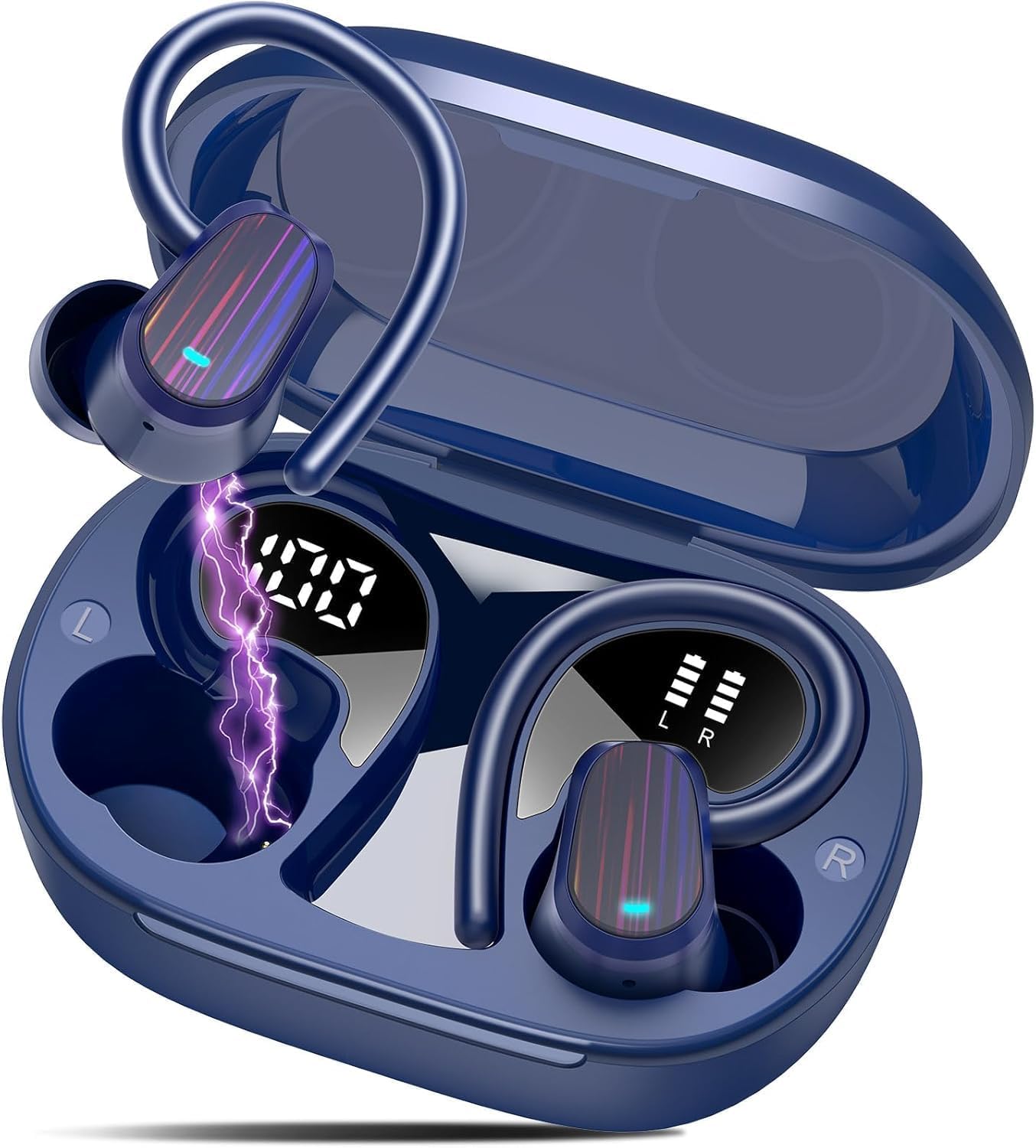
The OYIB S75 earbuds feature an ergonomic design with ear hooks for a secure fit, making them suitable for various activities including sports. They are equipped with advanced AI technology for real-time translation and Bluetooth 5.4 for stable connectivity.
Pagrindinės funkcijos:
- 3 viename funkcionalumas: Real-time translation, music playback, and phone calls.
- Platus kalbų palaikymas: Online translation for 164 languages.
- Keli vertimo režimai: AI Dialogue, Free Conversation, Earbud+Phone, Voice Note, Translation Machine, and AI Chat.
- Nuotraukos vertimas: Translate text from images in 20 languages with 98% accuracy.
- Išplėstinis garsas: HiFi 360° stereo sound with 13mm dynamic drivers and CVC8.0 noise reduction for clear calls.
- Ilgas baterijos veikimo laikas: Iki 10 valandų vienu įkrovimu, su įkrovimo dėklu pratęsiama iki 50 valandų.
- Greitas įkrovimas: USB-C fast charging, 1.5 hours for a full charge.
- Patvarus dizainas: IPX7 waterproof rating, suitable for daily use and workouts.
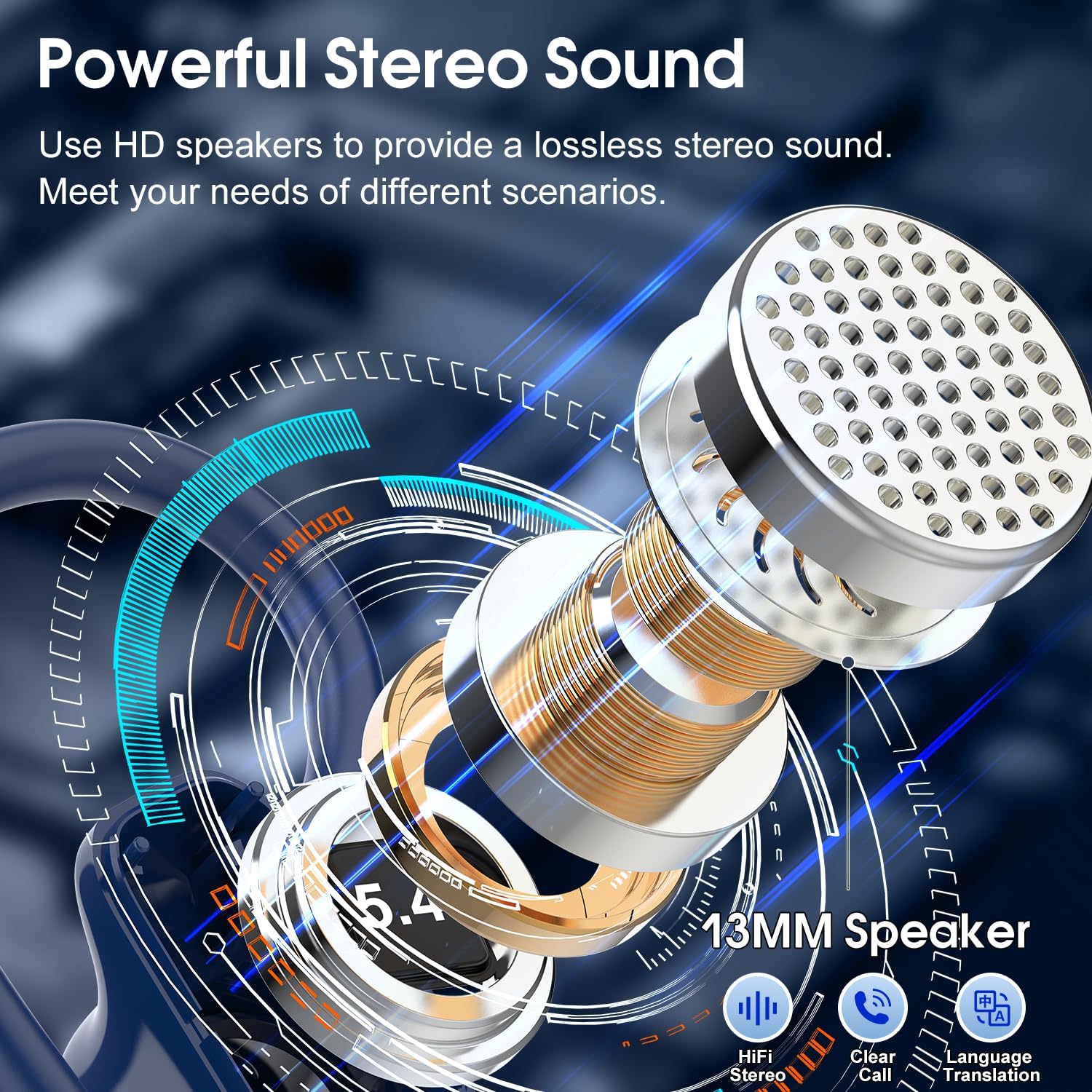
Image: OYIB S75 Earbuds and Charging Case.
Vaizdas: Išsamus view of an earbud's internal structure.
4. Sąranka
4.1 Ausinių ir dėklo įkrovimas
Before first use, fully charge the earbuds and the charging case. Connect the provided USB-C cable to the charging port on the case and a power source. The LED display on the case will show the battery level. A full charge takes approximately 1.5 hours.

Paveikslėlis: Baterijos veikimo laikas ir įkrovimo informacija.

Image: Bluetooth 5.4 and LED power display.
4.2 Programos diegimas
To unlock the full translation capabilities, download the "Ear Dance" application on your smartphone.
- 1 metodas (QR kodas): Nuskaitykite QR kodą, pateiktą naudojimo instrukcijoje arba ant gaminio pakuotės, kad atsisiųstumėte ir įdiegtumėte programėlę „Ear Dance“.
- 2 metodas („App Store“): Ieškokite „Ear Dance“ savo įrenginio programėlių parduotuvėje („Google Play Store“, jei naudojate „Android“, arba „Apple App Store“, jei naudojate „iOS“) ir įdiekite programėlę.
You can also download the app directly from this link: Ausų šokių programėlės atsisiuntimas

Image: Methods to connect to the "Ear Dance" app.
4.3 Bluetooth poravimas
Ausinės turi patogumo dėlei automatinį vieno žingsnio susiejimą.
- Atidarykite bylą: Atidarykite įkrovimo dėklą. Ausinės automatiškai įsijungs ir pradės veikti susiejimo režimu.
- Įjungti Bluetooth: On your smartphone, go to Bluetooth settings and ensure Bluetooth is enabled.
- Pasirinkite įrenginį: Look for "S75" in the list of available devices and select it to connect.
- Automatinis prisijungimas: Once paired, the earbuds will automatically connect to your phone when the case is opened.
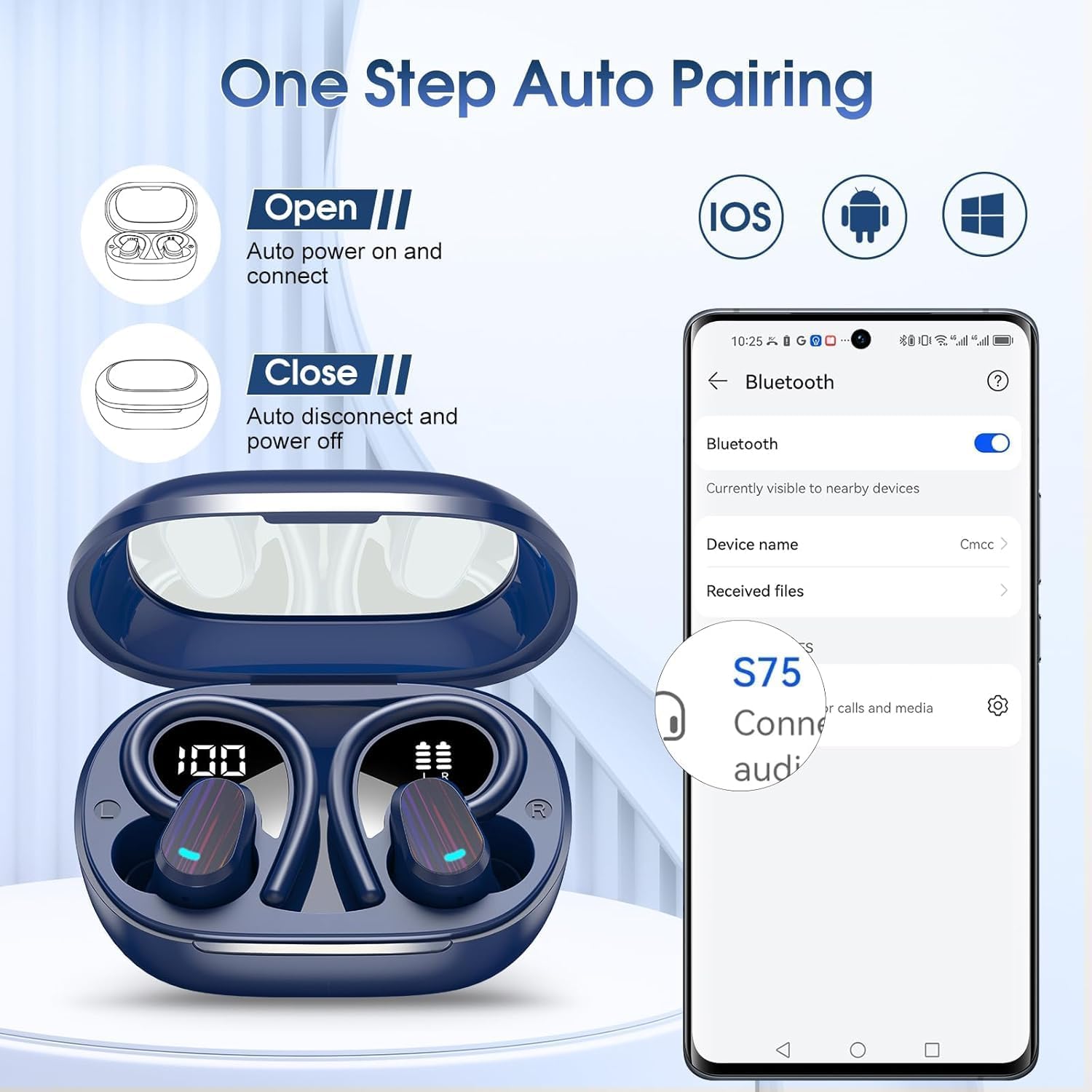
Image: One-step auto-pairing process.
4.4 Authorization Code
Some features of the "Ear Dance" app may require an authorization code. This code is typically found in the translation manual included in your package.
- Locate Code: Find the authorization code in your translation manual. (ExampLe: 12345678)
- Įveskite kodą: Follow the app's prompts to enter the authorization code when requested.
Pastaba: The authorization code is permanently valid. If you switch phones, you can re-bind the earbuds by re-entering the authorization code.

Image: Authorization code input process.
5. Naudojimo instrukcijos
5.1 Išmanieji jutikliniai valdikliai
The earbuds feature intuitive touch controls for managing music, calls, and activating the digital assistant.
| Veiksmas | Funkcija |
|---|---|
| Vienas bakstelėjimas (K/D) | Leisti / pristabdyti muziką |
| Vienas bakstelėjimas (K/D) | Atsiliepti / Baigti skambutį |
| Long Press 2s (L) | Ankstesnis takelis / Sumažinti garsumą |
| Long Press 2s (R) | Kitas takelis / garsumo didinimas |
| Trigubas bakstelėjimas (K/D) | Activate Digital Assistant |
| Ilgas paspaudimas (skambučio metu) | Atmesti skambutį |

Image: Smart touch control guide.
5.2 Vertimo režimai
The OYIB S75 earbuds offer various translation modes to suit different communication scenarios, all accessible via the "Ear Dance" app.
- Dirbtinio intelekto dialogo režimas: Engage in natural, fluid conversations with AI-based translation. This mode allows for seamless back-and-forth communication.
- Free Conversation Mode: Automatically detect and translate languages in real-time without needing to press buttons. Ideal for hands-free communication between speakers of different languages.

Image: Free Conversation Mode in action.
- Earbud + Phone Mode: Share one earbud with a friend for two-way translation. One person uses an earbud, and the other uses the smartphone. The system automatically detects when speech ends for direct bilingual conversation.

Image: Earbud + Phone Mode for shared translation.
- Vertimo mašinos režimas: This mode functions as a standard translator, integrating with Microsoft and Google Translate for up to 98% accuracy. Simply press the language button for instant translation, and the audio will play through your phone's speaker.

Image: Translation Machine Mode for direct translation.
- Balso užrašų režimas: Convert spoken words from conferences, classes, or videos into text notes, ensuring no important content is missed. Continuous recording is limited to 30 minutes; revise and restart recording as needed.

Image: Voice Note Mode for converting speech to text.
- Dirbtinio intelekto pokalbių režimas: Access a version of OpenAI ChatGPT 4.0 Mini for intelligent, efficient, and quick responses. This mode supports 8 languages and can provide accurate answers to your questions.

Image: AI Chat Mode for intelligent assistance.
- Photo Translation Function: Within the "Ear Dance" app, take a photo of any text, and it will be translated into your desired language in real-time. This is useful for reading foreign signs or menus. Supports 20 languages with 98% accuracy, recognizing both printed and handwritten text.

Vaizdas: Viršview of the 7 translation modes.
5.3 Muzikos atkūrimas ir skambučiai
The OYIB S75 earbuds deliver HiFi stereo sound for an immersive listening experience and clear calls thanks to CVC8.0 noise reduction.
- Muzika: Use the touch controls to play, pause, skip tracks, and adjust volume.
- Skambučiai: Answer, end, or reject calls using the touch controls. The CVC8.0 technology effectively reduces ambient noise, ensuring your voice is heard clearly during calls.

Image: High-Quality Stereo Sound components.

Image: ENC Noise Reduction for clear calls.
6. Priežiūra
6.1 Valymas
Reguliarus valymas padeda palaikyti optimalų našumą ir higieną.
- Švelniai nuvalykite ausines ir įkrovimo dėklą minkštu, sausu, nepūkuotu skudurėliu.
- Nenaudokite abrazyvinių valiklių, tirpiklių ar aerozolinių purškalų.
- Nuimkite ausų antgalius ir, jei reikia, nuvalykite juos švelniu muilu ir vandeniu, prieš vėl įdėdami, įsitikinkite, kad jie yra visiškai sausi.
6.2 Atsparumas vandeniui (IPX7)
The OYIB S75 earbuds are IPX7 waterproof, meaning they can withstand immersion in up to 1 meter of water for 30 minutes. They are resistant to sweat and rain, making them suitable for workouts and outdoor activities.
- Nenardinkite ausinių į vandenį tyčia ilgam laikui.
- Prieš įkraudami įsitikinkite, kad įkrovimo prievadas yra sausas, kad nesugadintumėte.
- Įkrovimo dėklas nėra atsparus vandeniui.

Image: Waterproof design for daily use.
6.3 Saugykla
Kai nenaudojate, laikykite ausines įkrovimo dėkle, kad jos būtų apsaugotos ir įkrautos. Venkite ekstremalių temperatūrų ir tiesioginių saulės spindulių.
7. Problemų sprendimas
Jei kyla problemų dėl OYIB S75 ausinių, žr. šiuos dažniausiai pasitaikančius sprendimus:
| Problema | Sprendimas |
|---|---|
| Ausinės nesusiejamos |
|
| Nėra garso ar mažas garsumas |
|
| Vertimas neveikia |
|
| Ausinės neįkraunamos |
|
8. Specifikacijos
| Funkcija | Detalė |
|---|---|
| Modelio numeris | S75 |
| Prekės ženklas | OYIB |
| Ryšio technologija | Belaidis ryšys („Bluetooth 5.4“) |
| Medžiaga | Audinys, Plastikas |
| Ausinių baterijos veikimo laikas | Iki 10 valandų |
| Bendras grojimo laikas (su dėklu) | Iki 50 valandų |
| Įkrovimo laikas | Maždaug 1.5 valandos (USB-C) |
| Atsparumo vandeniui įvertinimas | IPX7 |
| Svoris | 120g (total package) |
| Suderinami įrenginiai | Phones, Desktops, Laptops, Tablets, TVs |
| Kontrolės metodas | Application, Touch |
| Ypatingos savybės | Real-time translation, AI technology, Multi-mode translation app |
9. Informacija apie garantiją
OYIB products are manufactured to high-quality standards. This product is covered by a limited warranty from the date of purchase. Please refer to the warranty card included in your package or contact customer support for specific warranty terms and conditions.
10. Parama
For further assistance, technical support, or inquiries regarding your OYIB S75 Real-Time Translator Earbuds, please contact OYIB customer service through the contact information provided in your product packaging or on the official OYIB website. Our support team is available to help you with any questions or issues you may have.


