1. Įvadas
The AWANFI GL-528 Walkie Talkies are designed for reliable and clear communication, suitable for various activities such as camping, hiking, and general outdoor use. Featuring a built-in rechargeable battery, multiple channels, and user-friendly controls, these two-way radios ensure you stay connected.
2. Pakuotės turinys
- AWANFI GL-528 Walkie Talkies (4 units)
- 1000mAh Li-ion Batteries (4 units, built-in)
- USB-C įkrovimo laidai (2 vnt.)
- Lanyards (4 units)
- Diržo segtukai (4 vnt.)
- Vartotojo vadovas (1 vnt.)
3. Produktas baigtasview
Familiarize yourself with the components of your AWANFI GL-528 Walkie Talkie:

- Antena: Signalams perduoti ir priimti.
- LCD ekranas: Rodo kanalą, baterijos būseną ir kitus indikatorius.
- „Push to Talk“ (PTT) mygtukas: Paspauskite ir palaikykite, kad perduotumėte savo balsą.
- Volume/Menu Up/Down Buttons: Reguliuokite garsumą arba naršykite meniu parinktis.
- Skambučio tonas / užrakto mygtukas: Send a call tone or lock/unlock the keypad.
- Mikrofonas: Kalbėjimui į įrenginį.
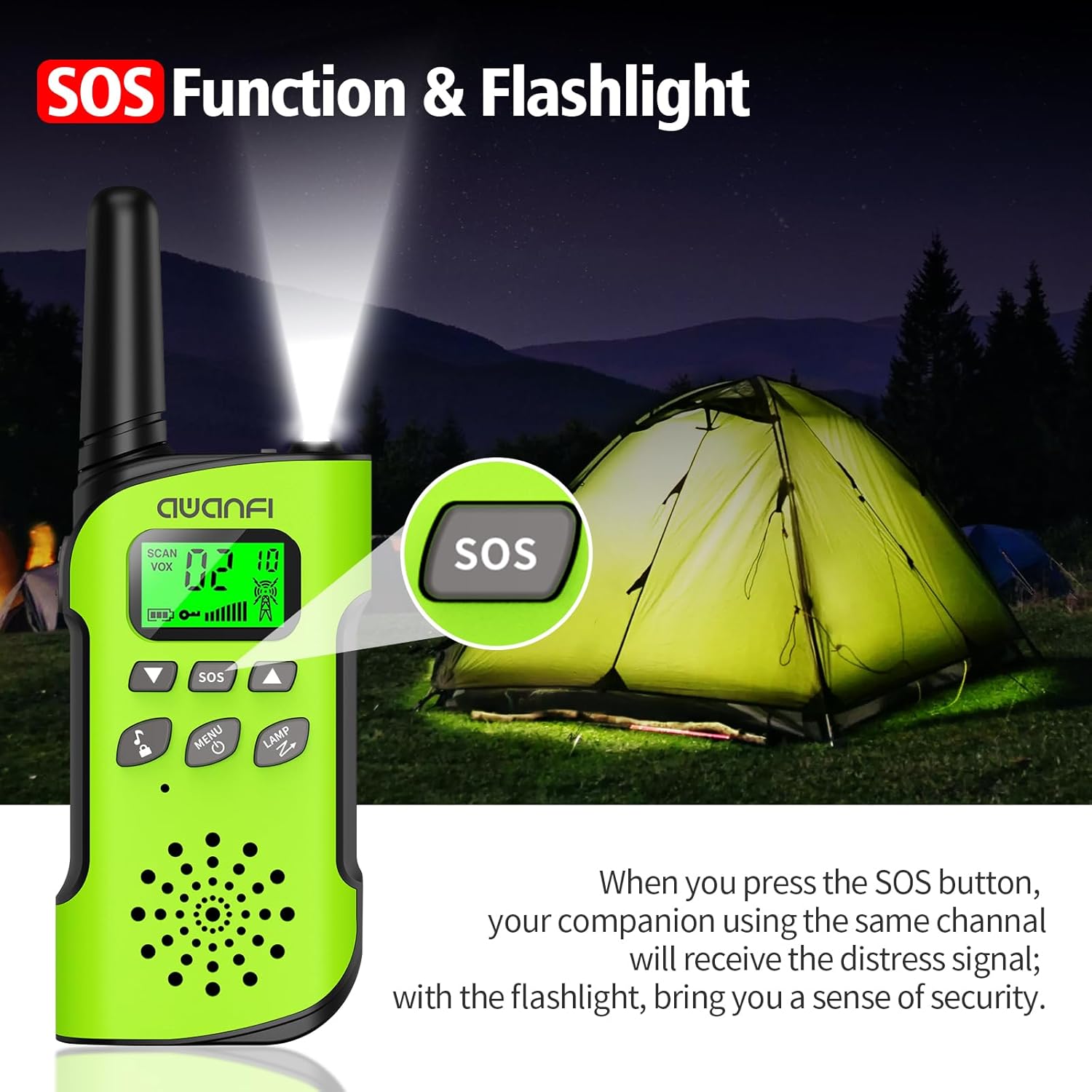
- SOS mygtukas: Activates the SOS alert function.
- Flashlight/Scan Button: Turns on the flashlight or initiates channel scanning.
- Maitinimo / meniu mygtukas: Long press to power on/off, short press to access menu.
- Pranešėjas: Skirta girdėti gaunamus pranešimus.
- C tipo įkrovimo prievadas: Įmontuotai baterijai įkrauti.
- Žibintuvėlis: Integruotas LED apšvietimas apšvietimui.
4. Sąranka
4.1 Baterijos įdėjimas ir įkrovimas
The AWANFI GL-528 Walkie Talkies come with built-in 1000mAh Li-ion rechargeable batteries. Before first use, ensure the batteries are fully charged.


To charge the walkie talkie:
- Connect the provided USB-C charging cable to the Type-C charging port on the walkie talkie.
- Kitą USB-C laido galą prijunkite prie suderinamo USB maitinimo adapterio (nepridedamas) arba kompiuterio USB prievado.
- The battery indicator on the LCD display will show charging status. A full charge typically provides 24 hours of talk time and 2 days of standby.
4.2 Diržo segtuko ir virvelės pritvirtinimas
The walkie talkies come with belt clips and lanyards for convenient carrying.
- For Lanyard: Insert the thin loop of the lanyard through the small hole at the top of the walkie talkie, near the antenna. Thread the rest of the lanyard through the loop and pull to secure.
- For Belt Clip: Align the belt clip with the grooves on the back of the walkie talkie and push it down firmly until it clicks into place.
5. Naudojimo instrukcijos
5.1 Maitinimo įjungimas/išjungimas
- Norėdami įjungti: Ilgai paspauskite mygtuką Maitinimas/meniu button (usually labeled with a power icon) until the LCD screen illuminates.
- Norėdami išjungti: Ilgai paspauskite mygtuką Maitinimas/meniu mygtuką dar kartą, kol išsijungs LCD ekranas.
5.2 Kanalo pasirinkimas
The AWANFI GL-528 features 22 main channels and 121 sub-channels (CTCSS/DCS codes) for secure communication. All walkie talkies must be set to the same main channel and sub-code to communicate.
- Select Main Channel: Trumpai paspauskite Meniu button. The channel number on the LCD will flash. Use the Up or Žemyn arrow buttons to select your desired main channel (1-22). Short press Meniu dar kartą patvirtinti.
- Select Sub-Channel (CTCSS/DCS): After confirming the main channel, the walkie talkie will move to the sub-channel setting. Use the Up or Žemyn arrow buttons to select your desired sub-channel (0-121). Press the PTT mygtuką, kad patvirtintumėte ir išeitumėte iš meniu.
5.3 Tiesioginio ryšio funkcija (PTT)
To communicate, press and hold the PTT button on the side of the walkie talkie. Speak clearly into the microphone. Release the PTT mygtuką, kad išklausytumėte atsakymą.
5.4 Garsumo reguliavimas
Naudokite Padidinti garsumą (▲) ir Sumažinti garsumą (▼) buttons to adjust the listening volume. These are typically the same buttons used for menu navigation when not in menu mode.
5.5 VOX Function (Voice-Activated Transmission)
The VOX function allows for hands-free communication. When activated, the walkie talkie will automatically transmit when it detects your voice.
To activate/adjust VOX:
- Trumpai paspauskite Meniu button repeatedly until the VOX setting appears on the LCD.
- Naudokite Up or Žemyn arrow buttons to select the desired sensitivity level (1-3, or OFF to disable).
- Paspauskite PTT patvirtinti ir išeiti.
5.6 Žibintuvėlis
The walkie talkie includes an integrated LED flashlight.
To turn the flashlight on/off, short press the LAMP button (often combined with the Scan button).
5.7 SOS funkcija
In case of emergency, the SOS function can be activated to alert other users on the same channel.
To activate the SOS function, press the dedicated SOS button. This will send out a distress signal to other walkie talkies on the same channel.
5.8 Klavišų užraktas
The key lock feature prevents accidental changes to settings.
- Užrakinti: Ilgai paspauskite mygtuką Call Tone/Lock button (usually labeled with a lock icon). A lock icon will appear on the LCD.
- Norėdami atrakinti: Ilgai paspauskite mygtuką Call Tone/Lock button again. The lock icon will disappear.
6. Priežiūra
To ensure the longevity and optimal performance of your AWANFI GL-528 Walkie Talkies, follow these maintenance guidelines:
- Laikykite įrenginį sausą. Saugokite jį nuo lietaus, drėgmės ar skysčių.
- Prietaisą valykite minkšta, damp audinys. Nenaudokite stiprių cheminių medžiagų ar abrazyvinių valiklių.
- Venkite ekstremalių temperatūrų. Nelaikykite labai karštoje arba šaltoje aplinkoje.
- Do not attempt to disassemble the walkie talkie. This will void the warranty and may cause damage.
7. Trikčių šalinimo vadovas
If you encounter any issues with your walkie talkie, refer to the following troubleshooting guide:
| Reiškiniai | Analizė | Sprendimas |
|---|---|---|
| Negalite įjungti radijo. | Akumuliatorius gali būti įdėtas netinkamai. Gali išsekti akumuliatoriaus energija. Akumuliatorius gali nukentėti nuo prasto kontakto, kurį sukelia nešvarūs arba pažeisti akumuliatoriaus kontaktai. | Išimkite ir vėl įdėkite akumuliatorių. Įkraukite arba pakeiskite bateriją. Išvalykite akumuliatoriaus kontaktus arba pakeiskite akumuliatorių. |
| Gavimo metu balsas silpnas arba nutrūksta. | Baterijos ttage gali būti mažas. Garsumo lygis gali būti žemas. Antena gali būti laisva arba neteisingai sumontuota. | Įkraukite arba pakeiskite bateriją. Padidinkite garsumą. Išjunkite radiją, tada nuimkite ir vėl prijunkite anteną. |
| Jūs negalite bendrauti su kitais grupės nariais. | Gal užblokuotas garsiakalbis. Dažnis arba signalizacijos tipas gali nesutapti su kitų narių dažniu arba signalo tipu. Jus gali pertraukti radijo imtuvai, naudojantys tą patį dažnį. | Nuvalykite garsiakalbio paviršių. Patikrinkite, ar jūsų TX/RX dažnis ir signalo tipas yra teisingi. Pereikite prie kitų narių. |
| Girdite nežinomus balsus ar triukšmą. | Radijas analoginiu režimu gali būti nustatytas be signalizacijos. Galbūt esate per toli nuo kitų narių. | Paprašykite savo pardavėjo nustatyti signalą esamam kanalui, kad išvengtumėte trikdžių. Pereikite prie kitų narių. |
| Negalite nieko girdėti dėl per didelio triukšmo ir šnypštimo. | Galite atsidurti nepalankioje padėtyje. Pavyzdžiui,ample, jūsų ryšį gali blokuoti aukšti pastatai arba užblokuoti požeminė zona. Tai gali būti išorinių trikdžių (pvz., elektromagnetinių trukdžių) rezultatas. | Pereikite į atvirą ir plokščią vietą, iš naujo paleiskite radiją ir bandykite dar kartą. Laikykitės atokiai nuo įrangos, kuri gali sukelti trikdžius. |
| Radijas toliau siunčia. | VOX gali būti įjungtas arba ausinės neįdėtos vietoje. | Išjunkite VOX funkciją. Patikrinkite, ar ausinės yra savo vietoje. |
Pastaba: Jei pirmiau minėti sprendimai negali išspręsti jūsų problemų arba turite kitų klausimų, susisiekite su pardavėju, kad gautumėte daugiau techninės pagalbos.
8. Specifikacijos
- Prekinis ženklas: AWANFI
- Modelis: GL-528
- Tuner technologija: UHF
- Prekių skaičius: 4
- Vidutinis akumuliatoriaus veikimo laikas: 24 Hours (talk time)
- Baterijos tipas: 1000mAh Li-ion (built-in)
- Kanalų skaičius: 22
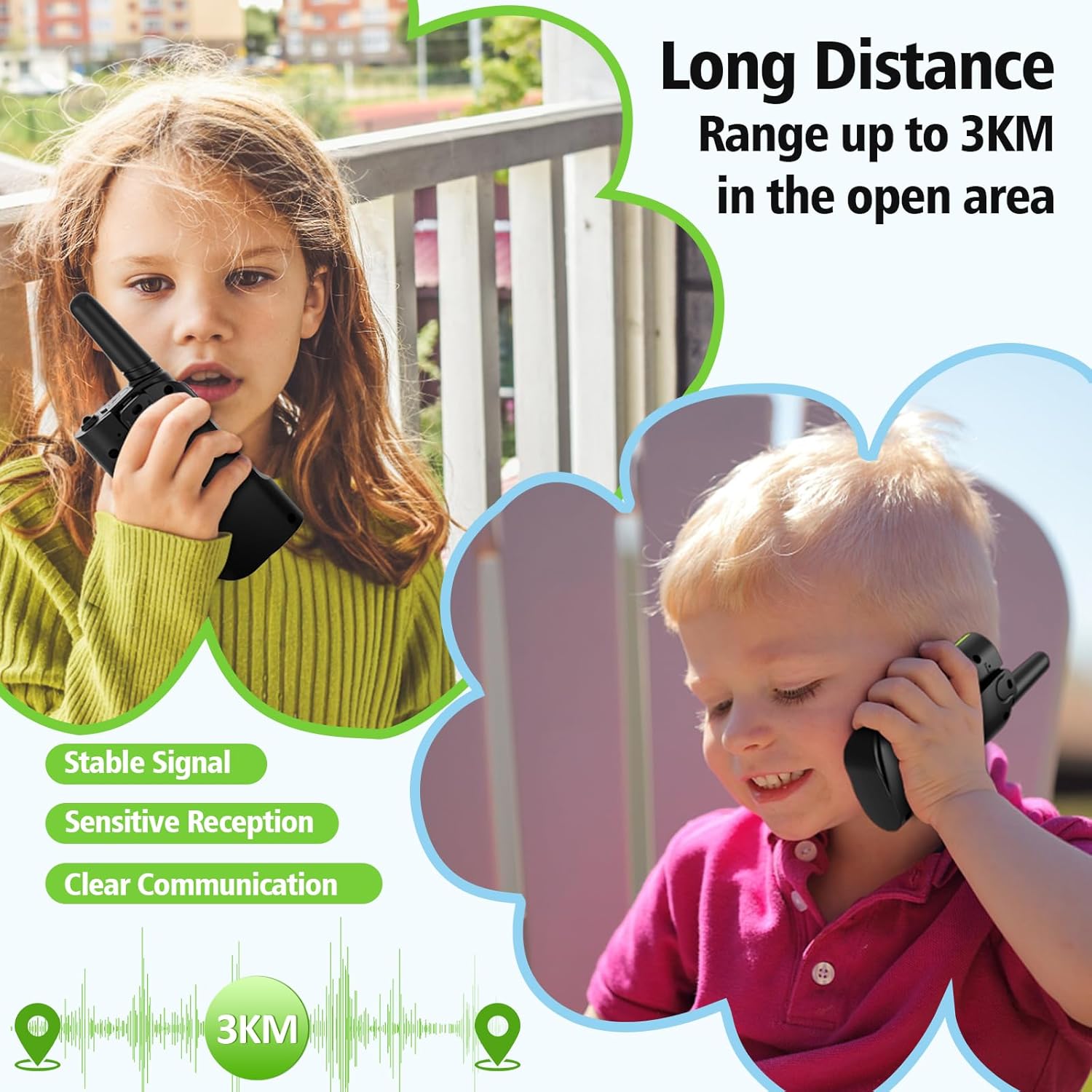
- Maksimalus pokalbio diapazonas: Up to 3 Kilometers (in open areas)
- Atsparumo vandeniui lygis: Neatsparus vandeniui
- Ypatingos savybės: 4 Pack, Integrated Flashlight, Keypad Lock, Long Range, Rechargeable
- Gamintojas: Shenzhen Geling Technology Co., Ltd.
9. Garantija ir palaikymas
For warranty information or technical support, please contact the manufacturer, Shenzhen Geling Technology Co., Ltd., or your product retailer. Keep your purchase receipt for any warranty claims.


