1. Įvadas
Welcome to the user manual for your DOOGEE Note58 Pro Android 16 Smartphone. This guide provides essential information to help you set up, operate, maintain, and troubleshoot your device. Please read this manual thoroughly to ensure optimal performance and longevity of your smartphone.
2. Pagrindinės savybės
- „Android 16“ operacinė sistema: Experience the latest Android 16 OS, optimized for 64-bit applications, offering enhanced startup and response times. Enjoy a user-friendly interface with features like Private Space for sensitive data and App Pair for efficient multitasking.
- Generous Memory & Storage: Equipped with 32GB RAM (8GB physical + 24GB expandable virtual RAM) and 256GB internal storage, expandable up to 2TB via a TF card. This configuration supports smooth multitasking and amperdvės visiems jūsų files.
- Immersive 90Hz HD+ Display: Features a 6.75-inch HD+ IPS display with a 90Hz refresh rate and 1600x720 resolution for a fluid visual experience. Includes two eye-care modes to reduce strain during extended use.
- High-Resolution Camera System: Capture vivid images with the 16MP main camera and natural selfies with the 8MP front camera. Additional depth and macro cameras enhance photographic capabilities.
- Ilgai veikianti baterija: A large 6250mAh battery provides extended usage, allowing you to comfortably use your phone for photography, gaming, and work throughout the day without frequent recharging.
- Advanced Connectivity & Navigation: Supports Bluetooth 5.2 for stable, low-power connections and Wi-Fi 5 for fast data transfer. Integrated GPS, GLONASS, Galileo, and BeiDou systems ensure accurate navigation in diverse environments.
- Elegantiškas dizainas: Boasts an ultra-thin 8.6mm profile with a dirt-resistant finish and a smooth sand-textured back cover for a stylish and comfortable grip.
3. Sąranka
3.1 SIM ir TF kortelių įdėjimas
- Suraskite SIM kortelės dėklą savo įrenginio šone.
- Įkiškite pateiktą SIM kortelės išstūmimo įrankį į mažą skylutę šalia dėklo ir švelniai stumkite, kol dėklas iššoks.
- Įdėkite nano-SIM ir (arba) TF korteles į tam skirtus dėklo lizdus. Įsitikinkite, kad auksiniai kontaktai yra nukreipti žemyn.
- Atsargiai įstumkite dėklą atgal į įrenginį, kol jis bus lygus.
3.2 Įjungimas / išjungimas
- To power on: Press and hold the Power button (located on the right side) until the DOOGEE logo appears.
- Norėdami išjungti: paspauskite ir palaikykite maitinimo mygtuką, tada ekrane rodomoje parinkčių sąraše pasirinkite „Išjungti“.
- Norėdami paleisti iš naujo: paspauskite ir palaikykite maitinimo mygtuką, tada ekrane rodomoje parinktyje pasirinkite „Paleisti iš naujo“.
3.3 Pradinio nustatymo vedlys
Pirmą kartą įjungę įrenginį, vykdykite ekrane pateikiamus nurodymus, kad atliktumėte pradinę sąranką, įskaitant kalbos pasirinkimą, „Wi-Fi“ ryšį, prisijungimą prie „Google“ paskyros ir saugos nustatymus.
4. Naudojimo instrukcijos
4.1 Jutiklinio ekrano gestai
- Bakstelėkite: Norėdami pasirinkti elementą, atidaryti programėlę arba paspausti mygtuką, vieną kartą palieskite ekraną.
- Palieskite ir palaikykite: Touch and hold an item to access contextual menus or drag items.
- Perbraukimas: Norėdami slinkti, perjungti ekranus arba atmesti pranešimus, braukite pirštu per ekraną.
- Žiupsnelis: Nuotraukoms priartinti arba atitolinti naudokite du pirštus ir web puslapių.
4.2 Naršymo juosta
The navigation bar at the bottom of the screen typically includes:
- Atgal mygtukas: Grįžta į ankstesnį ekraną.
- Pagrindinis mygtukas: Grįžta į pagrindinį ekraną.
- Recents button: Rodo neseniai naudotas programas.
4.3 Saugos funkcijos
The Note58 Pro supports multiple security options:
- Piršto atspaudo atrakinimas: Register your fingerprint for quick and secure unlocking. The fingerprint sensor is typically integrated into the power button.
- Atrakinimas pagal veidą: Norėdami atrakinti įrenginį naudodami veido atpažinimo funkciją, naudokite priekinę kamerą.
- Šablonas, PIN kodas, slaptažodis: Standartinės „Android“ saugos parinktys.

Image: Face Unlock and Fingerprint Sensor
5. Kameros naudojimas
The DOOGEE Note58 Pro features a versatile camera system to capture your moments.
5.1 Main Camera (16MP)
The 16MP main camera captures clear and detailed photos. Open the Camera app and select "Photo" mode for standard shots.

Image: Rear Camera Setup
5.2 Priekinė kamera (8 MP)
The 8MP front camera is ideal for natural-looking selfies and video calls. Switch to the front camera within the Camera app.

Image: 8MP Front Camera
5.3 AI Camera Features
Utilize Google AI Camera features for enhanced photography, including object recognition, text extraction, and scene analysis.

Image: Google AI Camera Features
6. Ryšys
6.1 „Wi-Fi“ ryšys
Norėdami prisijungti prie „Wi-Fi“ tinklo:
- Eikite į Nustatymai > Tinklas ir internetas > Wi-Fi.
- Įjunkite „Wi-Fi“.
- Iš sąrašo pasirinkite norimą tinklą ir, jei reikia, įveskite slaptažodį.

Image: High-Speed Wi-Fi 5
6.2 Bluetooth poravimas
Norėdami susieti su „Bluetooth“ įrenginiu:
- Eikite į Nustatymai > Prijungti įrenginiai > Bluetooth.
- Įjunkite „Bluetooth“.
- Make sure your other device is in pairing mode.
- Select the device from the list and follow any on-screen prompts.
6.3 NFC funkcionalumas
The Note58 Pro supports NFC for contactless payments and data transfer. Ensure NFC is enabled in settings to use this feature.

Image: Multifunctional NFC
*Note: Mobile payment services like Google Pay may not be supported in all regions.
7. Baterijos valdymas
The DOOGEE Note58 Pro is equipped with a 6250mAh large-capacity battery for extended use.
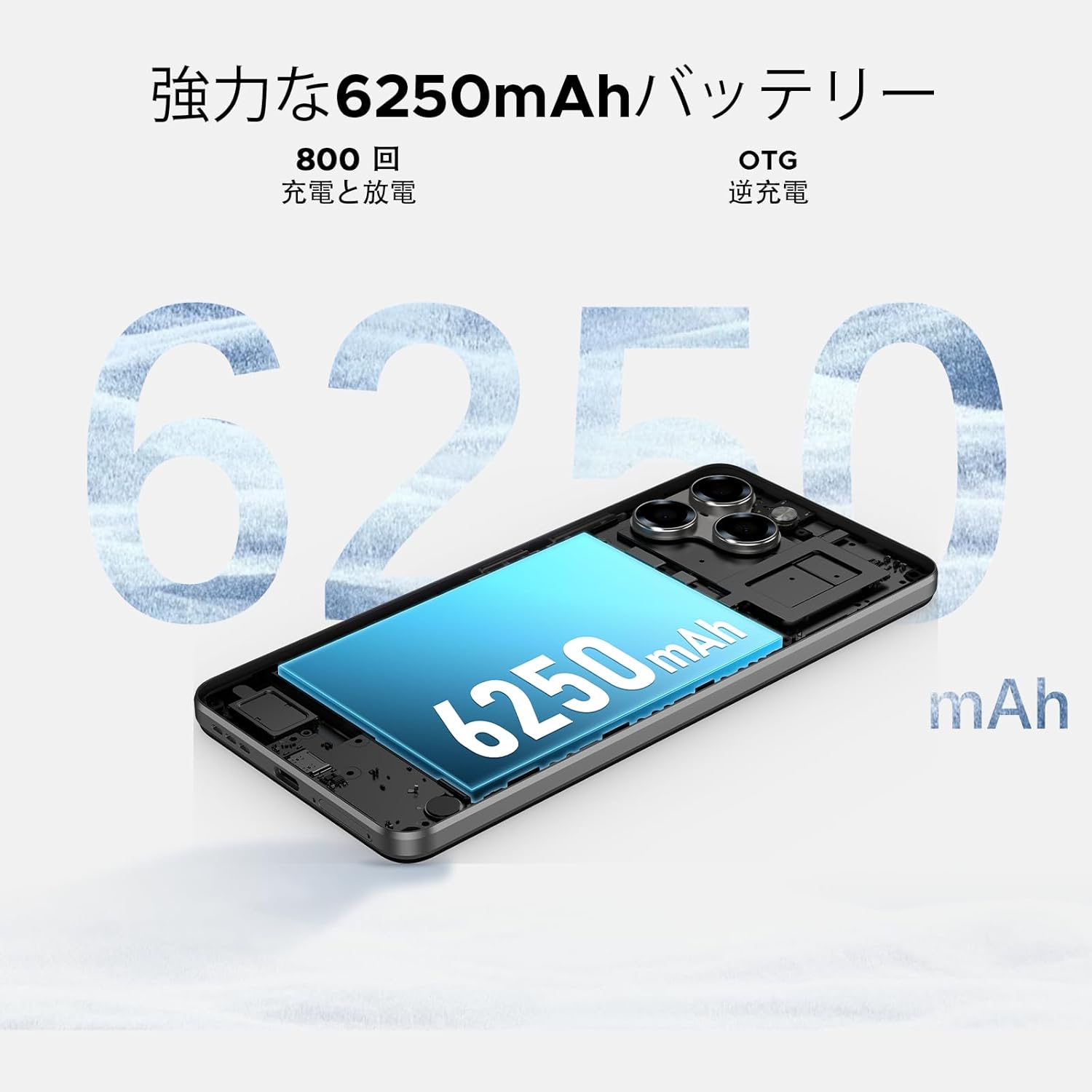
Image: 6250mAh Large Capacity Battery
7.1 Įrenginio įkrovimas
Use the provided Type-C cable and charger to charge your smartphone. Connect the Type-C end to the phone's charging port and the adapter to a power outlet. The battery icon on the screen will indicate charging status.
7.2 Baterijos optimizavimas
To maximize battery life, consider the following:
- Sumažinkite ekrano ryškumą.
- Išjunkite „Wi-Fi“, „Bluetooth“ ir GPS, kai nenaudojate.
- Uždarykite fonines programas.
- Įjunkite akumuliatoriaus tausojimo režimą nustatymuose.
8. Storage & Performance
The Note58 Pro offers robust performance and ample storage for your needs.
8.1 Memory (RAM)
With 32GB of RAM (8GB physical + 24GB expandable virtual RAM), the device ensures smooth multitasking and efficient app handling, even under heavy usage.
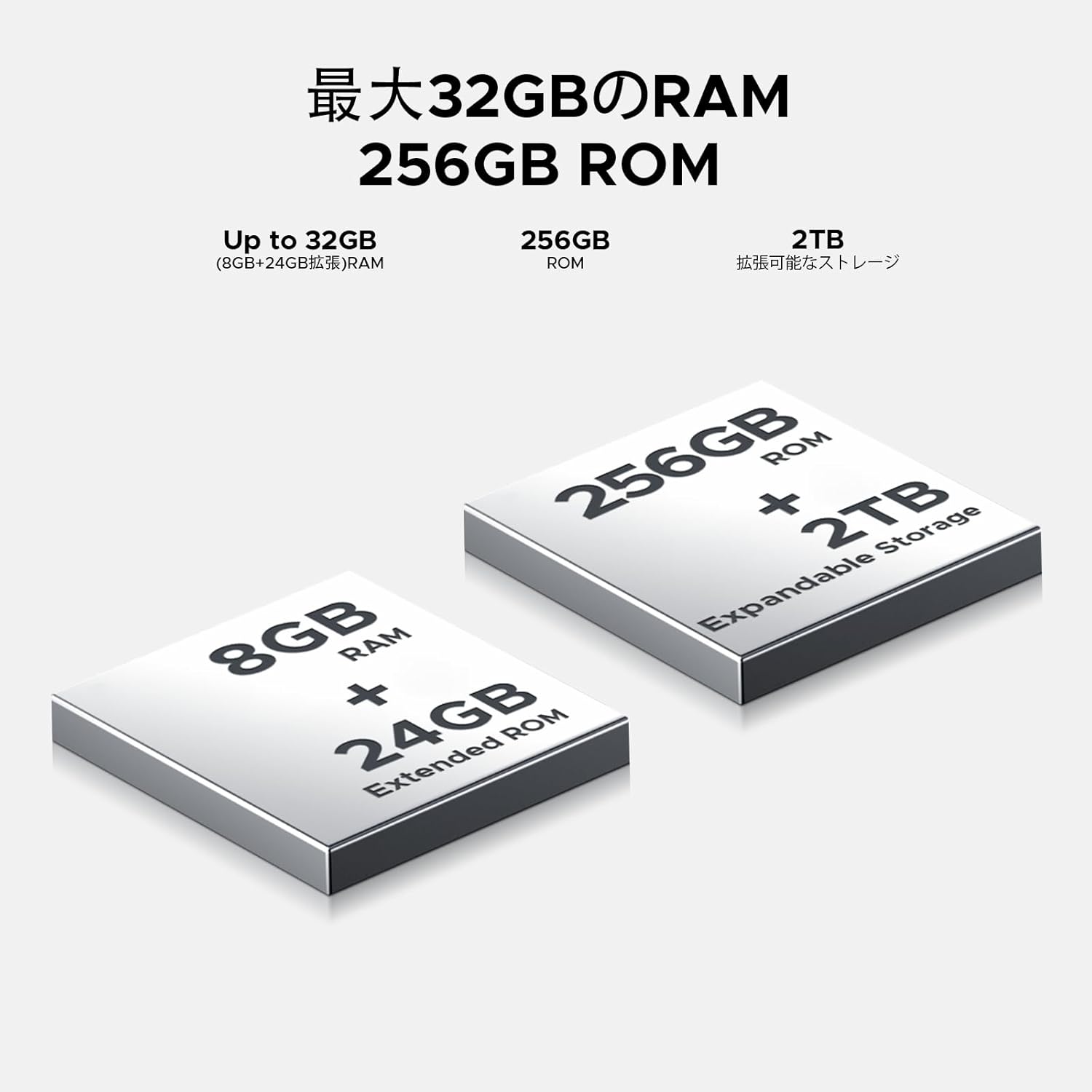
Image: 32GB RAM + 256GB ROM
8.2 Internal Storage (ROM)
The 256GB internal storage provides sufficient space for your apps, photos, and videos. For additional storage, you can expand it up to 2TB using a TF (microSD) card.

Image: 256GB ROM with 2TB Expandable Storage
8.3 procesorius
Powered by the Unisoc T7250 Octa-core processor, the device delivers reliable performance for daily tasks, gaming, and multimedia consumption.

Image: Powerful T7250 Octa-core Processor
9. Ekranas
The DOOGEE Note58 Pro features a 6.75-inch HD+ IPS display with a 90Hz refresh rate, providing a smooth and vibrant visual experience.

Image: 6.75-inch 90Hz HD+ Display
9.1 Eye-Care Modes
To reduce eye strain, activate the eye-care modes available in the display settings. These modes adjust color temperature to provide a more comfortable viewpatirtį, ypač esant prastam apšvietimui.
9.2 „Widevine“ 1 lygio palaikymas
The device supports Widevine L1, allowing you to stream high-definition content from popular platforms like Hulu, Amazon Prime Video, and HBO Max.

Image: Seamless Visual Experience with Widevine L1
10. Navigacija
The DOOGEE Note58 Pro integrates four major global positioning systems for accurate navigation.

Image: Precise Navigation System
10.1 Palaikomos sistemos
- GPS: Pasaulinė padėties nustatymo sistema
- GLONASS: Globalnaya Navigatsionnaya Sputnikovaya Sistema
- Galileo: European satellite navigation system
- BeiDou: Chinese satellite navigation system
These systems ensure reliable location tracking and navigation whether you are in urban areas, mountainous regions, or remote locations.
11. Priežiūra
11.1 Įrenginio valymas
To clean your smartphone, use a soft, lint-free cloth. Avoid using harsh chemicals or abrasive materials, as these can damage the screen and finish. For stubborn smudges, lightly dampNuvalykite šluostę vandeniu arba elektronikos ekranams skirtu valikliu.
11.2 Programinės įrangos naujiniai
Reguliariai tikrinkite, ar yra programinės įrangos atnaujinimų, ir juos įdiekite, kad jūsų įrenginyje būtų naujausios funkcijos, saugos pataisymai ir našumo patobulinimai. Eikite į Nustatymai > Sistema > Sistemos atnaujinimas norėdami patikrinti, ar nėra atnaujinimų.
11.3 Saugojimo valdymas
Periodiškai review jūsų saugoma files and applications. Delete unnecessary items to free up space and maintain optimal device performance. You can also offload large files to cloud storage or an external TF card.
12. Problemų sprendimas
If you encounter issues with your DOOGEE Note58 Pro, try the following common troubleshooting steps:
- Įrenginys neįsijungia: Įsitikinkite, kad akumuliatorius įkrautas. Prijunkite įkroviklį ir palaukite kelias minutes, prieš bandydami vėl įjungti.
- Programėlės stringa arba užstringa: Close the problematic app and reopen it. If the issue persists, restart your device. Clear the app's cache and data in Nustatymai > Programėlės > [Programėlės pavadinimas] > Saugykla ir talpykla.
- Prastas „Wi-Fi“ / „Bluetooth“ ryšys: Ensure Wi-Fi/Bluetooth is enabled and you are within range of the network/device. Try forgetting the network/device and reconnecting. Restart your router if it's a Wi-Fi issue.
- Lėtas veikimas: Close unnecessary background apps. Clear cached data. Check for available software updates. Consider performing a factory reset as a last resort (back up your data first).
- SIM kortelė neaptikta: Ensure the SIM card is correctly inserted and that your carrier's frequency bands are supported by the device. Restart the phone.
- Baterija greitai išsikrauna: Review akumuliatoriaus naudojimas Nustatymai > Baterija to identify power-hungry apps. Reduce screen brightness, disable unnecessary features (GPS, Bluetooth, Wi-Fi), and enable battery saver mode.
Jei šie veiksmai neišsprendžia problemos, daugiau pagalbos rasite skyriuje „Garantija ir palaikymas“.
13. Specifikacijos
| Funkcija | Specifikacija |
|---|---|
| Prekės ženklas | DOOGEE |
| Modelio numeris | N58 Pro |
| Operacinė sistema | Android 16 |
| Ekrano dydis | 6.75 colių |
| Ekrano tipas | LCD |
| Įdiegtos RAM atminties dydis | 32 GB |
| Atminties talpa | 256 GB (išplečiama iki 2 TB naudojant TF kortelę) |
| Baterijos talpa | 6250 mAh |
| Pagrindinė kamera | 16 MP |
| Priekinė kamera | 8 MP |
| Ryšio technologija | Bluetooth 5.2, Wi-Fi 5, 4G Dual SIM, NFC |
| Navigacijos sistemos | GPS, GLONASS, Galileo, BeiDou |
| Prekės svoris | 199 gramų |
| Pakuotės matmenys | 19.2 x 10.4 x 5.2 cm |
| Išleidimo metai | 2025 |
14. Garantija ir palaikymas
The DOOGEE Note58 Pro comes with a one-year warranty from the date of purchase.
14.1 Frequency Band Compatibility
Before purchase, please verify that the device's supported frequency bands are compatible with your local carrier. Supported bands include:
- GSM: B2/3/5/8
- WCDMAB: 1/2/4/5/8
- TDD: 38/40/41
- FDD: B1/2/3/4/5/7/8/18/19/20/25/26/28A/28B/66
14.2 Techninė pagalba
Should you encounter any issues or require technical assistance, please contact our customer support. Our technical specialists are committed to responding within 48 hours.

Image: Customer Service Information
15. Pakuotės turinys
The following items are included in your DOOGEE Note58 Pro package:
- 1x DOOGEE Note58 Pro Smartphone
- 1x tipo C laidas
- 1x pakrovėjas
- 1x SIM kortelės kontaktas
- 1x Pakavimo dėžutė
- 1x telefono dėklas

Paveikslėlis: Pakuotės turinys
16. Spalvų parinktys
The DOOGEE Note58 Pro is available in the following colors:
- Inkstone Black
- Amber Gold
- Silver (as seen in product videos)

Image: Color Options
17. Produktų vaizdo įrašai
17.1 DOOGEE Note58 Pro Overview
Vaizdo įrašas: šiame vaizdo įraše pateikiama trumpa apžvalgaview of the DOOGEE Note58 Pro, showcasing its unboxing, design, camera features, and multimedia capabilities. It highlights the phone's sleek appearance and user experience.


