1. Įvadas
Thank you for choosing the HTC N15 Wireless Clip-On Earbuds. These open-ear earphones are designed to provide audio while allowing you to remain aware of your surroundings. This manual provides detailed instructions for setup, operation, and maintenance to ensure optimal performance and longevity of your device.

Image 1.1: HTC N15 Wireless Clip-On Earbuds and Charging Case.
2. Pakuotės turinys
Išpakuodami patikrinkite pakuotės turinį. Jei trūksta kokių nors daiktų arba jie pažeisti, susisiekite su klientų aptarnavimo tarnyba.
- 1 Pair HTC N15 Clip-On Earbuds
- 1 Įkrovimo dėklas
- 1 USB-C įkrovimo laidas
- 1 Naudotojo vadovas (šis dokumentas)
Video 2.1: Unboxing the HTC N15 Wireless Clip-On Earbuds, showing the earbuds, charging case, and USB-C cable.
3. Produktas baigtasview
3.1 Ausinių funkcijos
- Atvirų ausų dizainas: Allows awareness of surroundings.
- Prisegamas prigludimas: Secure and comfortable for various activities.
- Jutiklinis valdymas: Intuitive control for audio and calls.
- Integruotas mikrofonas: For clear communication.
- Lengvas: Kiekvienos ausinės svoris yra maždaug 4.7 g.
- 13mm Driver: For enhanced sound quality.
3.2 Įkrovimo dėklo funkcijos
- USB-C įkrovimo prievadas: Patogiam įkrovimui.
- Baterijos indikatorius: LEDs show charging status and battery level.

3.1 vaizdas: Baigtaview of HTC N15 earbuds and charging case, highlighting battery life and Type-C charging port.
4. Sąranka
4.1 Ausinių ir dėklo įkrovimas
Prieš pirmą kartą naudodami, visiškai įkraukite ausines ir įkrovimo dėklą.
- Įdėkite ausines į įkrovimo dėklą.
- Prijunkite USB-C įkrovimo laidą prie dėklo įkrovimo prievado ir prie maitinimo šaltinio.
- The LED indicators on the case will illuminate to show charging status. A full charge for the case takes approximately 1.5 hours.
- The earbuds provide up to 8 hours of playback on a single charge, and the charging case extends total playtime to 22 hours.

Image 4.1: Visual representation of charging times and battery life for the HTC N15 earbuds and case.
4.2 Susiejimas su įrenginiu
The HTC N15 earbuds use Bluetooth 6.0 for fast and stable connections.
- Įsitikinkite, kad ausinės yra įkrautos ir yra įkrovimo dėkle.
- Atidarykite įkrovimo dėklą. Ausinės automatiškai įsijungs susiejimo režimą, tai nurodys mirksinčios LED lemputės.
- Savo įrenginyje (išmaniajame telefone, planšetiniame kompiuteryje, nešiojamajame kompiuteryje) eikite į „Bluetooth“ nustatymus ir įjunkite „Bluetooth“.
- Ieškokite galimus įrenginius ir iš sąrašo pasirinkite „HTC NE15“.
- Prijungus, ausinių šviesos diodai nustos mirksėti ir išgirsite patvirtinimo toną.
Ausinės automatiškai vėl prisijungs prie paskutinio suporuoto įrenginio, kai bus išimtos iš dėklo, jei įrenginyje įjungtas „Bluetooth“.

Image 4.2: The HTC N15 earbuds offer flexible connectivity with various devices including notebooks, TVs, desktops, watches, phones, and iPads.
5. Dėvėjimo instrukcijos
For optimal sound and comfort, ensure the earbuds are worn correctly.
- Atpažinkite kairįjį (L) ir dešinįjį (R) ausinių antgalius.
- Confirm the direction of the earbud, ensuring the clip is oriented to hook over the top of your ear.
- Gently clip the earbud onto the thinnest part of your ear, sliding it down until it feels secure.
- Adjust the earbud tip to align with your ear canal for the best sound experience and comfort.

Image 5.1: Step-by-step guide on how to properly wear the HTC N15 Clip-On Earbuds for a secure and comfortable fit.

Image 5.2: Illustration of the ergonomic open-ear clip design and wearing tips for optimal sound alignment.
6. Naudojimo instrukcijos
The HTC N15 earbuds feature smart touch controls for easy management of audio and calls.

Image 6.1: Diagram illustrating the touch control functions for the HTC N15 earbuds.
6.1 Muzikos valdymas
- Leisti / pristabdyti: Dukart spustelėkite bet kurią ausinę.
- Kita daina: Triple-click the Right (R) earbud.
- Ankstesnė daina: Triple-click the Left (L) earbud.
- Pagarsink: Click the Right (R) earbud.
- Patildyti: Click the Left (L) earbud.
6.2 Skambučių valdymas
- Atsiliepti / Baigti skambutį: Click either earbud.
- Atmesti skambutį: Paspauskite ir 2 sekundes palaikykite bet kurią ausinę.
6.3 Voice Assistant & Game Mode
- Suaktyvinti „Voice Assistant“: Hold the Left (L) earbud for 2 seconds.
- Žaidimo režimas: Hold the Right (R) earbud for 2 seconds to activate low-latency mode.

Image 6.2: The HTC N15 earbuds feature a low-latency Game Mode, reducing audio delay to 40ms for an improved gaming experience.
7. Priežiūra
7.1 Valymas
- Reguliariai valykite ausines ir įkrovimo dėklą minkštu, sausu, nepūkuotu skudurėliu.
- Nenaudokite abrazyvinių valiklių, alkoholio ar cheminių tirpiklių.
- Įsitikinkite, kad abiejų ausinių ir dėklo įkrovimo kontaktai yra švarūs ir sausi.
7.2 Saugykla
- Kai nenaudojate, laikykite ausines įkrovimo dėkle, kad apsaugotumėte ir liktų įkrautos.
- Venkite laikyti ekstremaliose temperatūrose arba didelėje drėgmėje.
7.3 Atsparumas vandeniui ir dulkėms
The HTC N15 earbuds are rated IP45 for water and dust resistance. This means they are protected against dust ingress and low-pressure water jets from any direction. They are suitable for workouts and light rain but should not be submerged in water.
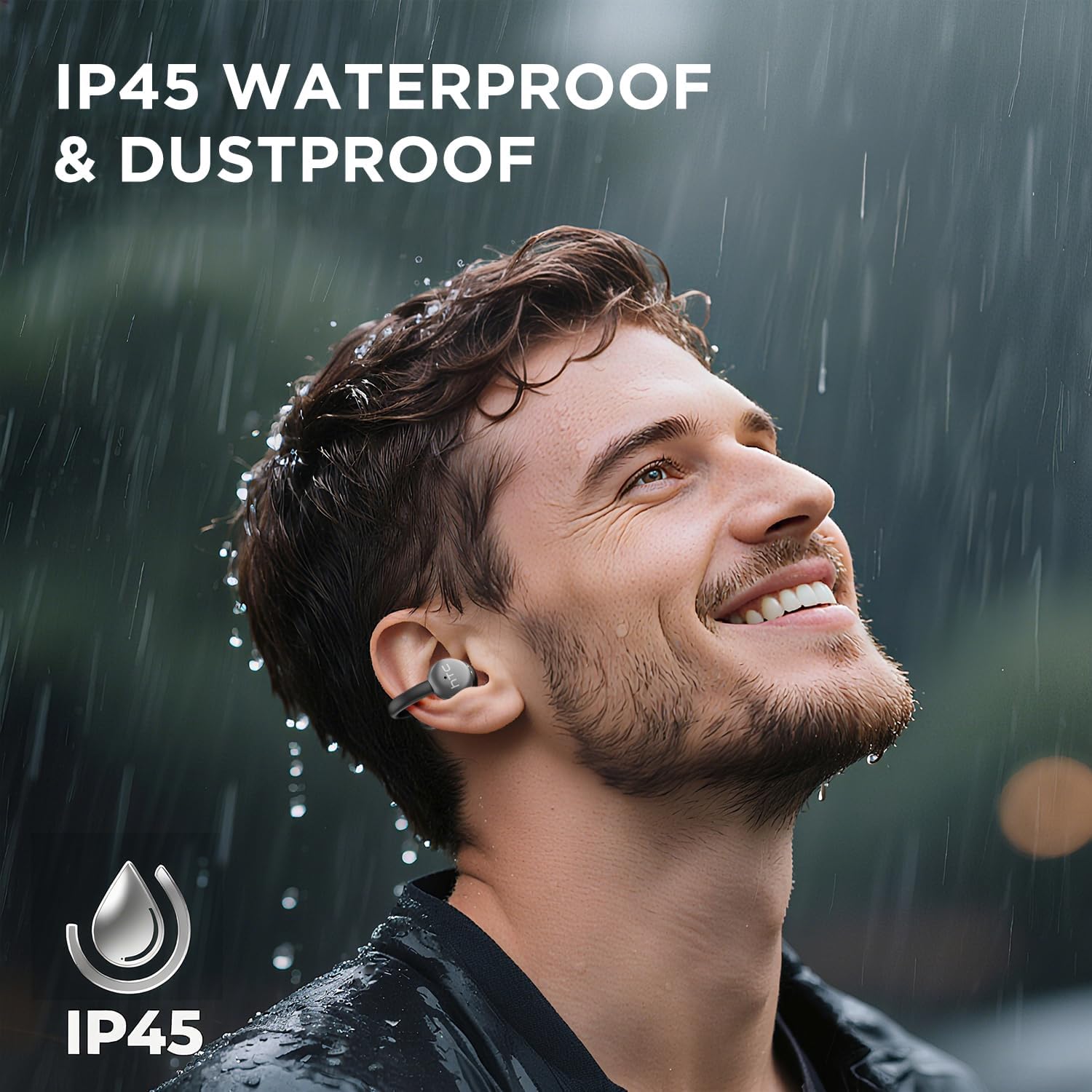
Image 7.1: The HTC N15 earbuds are IP45 rated, offering protection against dust and water splashes, making them suitable for outdoor activities.
8. Problemų sprendimas
| Problema | Galima priežastis | Sprendimas |
|---|---|---|
| Ausinės nesusiejamos | Low battery; Bluetooth off on device; Earbuds not in pairing mode; Interference. | Charge earbuds and case. Ensure Bluetooth is enabled on your device. Place earbuds in case, close, then open to re-enter pairing mode. Move closer to your device. |
| Nėra garso arba prasta garso kokybė | Volume too low; Earbuds not properly seated; Device not connected; Dirty earbuds. | Increase device volume. Adjust earbuds for a proper fit. Reconnect earbuds to your device. Clean earbuds as per maintenance section. |
| Ausinės neįkraunamos | Charging cable not connected properly; Dirty charging contacts; Faulty cable/adapter. | Ensure USB-C cable is securely connected. Clean charging contacts. Try a different USB-C cable or power adapter. |
| Jutikliniai valdikliai nereaguoja | Earbuds not active; Moisture on touch surface; Software glitch. | Ensure earbuds are active and connected. Wipe touch surface dry. Place earbuds back in case, close, then reopen to reset. |
9. Specifikacijos
| Funkcija | Specifikacija |
|---|---|
| Modelio pavadinimas | HTC NE15 |
| Bluetooth versija | 6.0 |
| Ryšio technologija | Belaidis ryšys („Bluetooth“) |
| Ausinių tipas | Clip-On, Open-Ear |
| Vairuotojo dydis | 13 mm |
| Kontrolės metodas | Palieskite |
| Mikrofonas | Įmontuotas |
| Vieno įkrovimo grojimo laikas | Iki 8 valandų |
| Bendras grojimo laikas (su dėklu) | Iki 22 valandų |
| Case Fast Charging | apytiksliai 1.5 valandas |
| Įkrovimo prievadas | USB-C |
| Atsparumas vandeniui | IP45 (atsparus vandeniui ir dulkėms) |
| Ausinės svoris | Maždaug 4.7 g (kiekvienas) |
| Suderinami įrenginiai | Smartphones, Tablets, Bluetooth-enabled Devices (iOS, Android) |
| UPC | 768649989642 |
10. Garantija ir palaikymas
HTC provides customer support for its products. If you encounter any issues or have questions not covered in this manual, please contact our support team.
- Klientų aptarnavimas: 7*24 Live Chat Support is available. Refer to the product packaging or official HTC websvetainė, kurioje rasite kontaktinius duomenis.
- Informacija apie garantiją: Please retain your proof of purchase for warranty claims. Specific warranty terms and conditions may vary by region. Refer to the warranty card included in your package or the official HTC websvetainėje, kur rasite išsamią informaciją.


