Įvadas
This manual provides detailed instructions for the New Bee M53 Bluetooth Headset. Please read this manual carefully before using the product to ensure proper operation and to maximize its performance and lifespan. Keep this manual for future reference.
Pakuotės turinys
Patikrinkite, ar pakuotėje yra visi reikalingi daiktai:
- Bluetooth Earpiece (1 unit)
- 500mAh Charging Case (1 unit)
- Ear Tips (3 sizes: S/M/L)
- Type-C Cable (1 unit, AC adapter not included)
- Vartotojo vadovas (1 vnt.)
Produktas baigtasview
The New Bee M53 Bluetooth Headset features an ergonomic design for comfortable wear and intuitive controls. Below is a general view of the headset and its charging case.
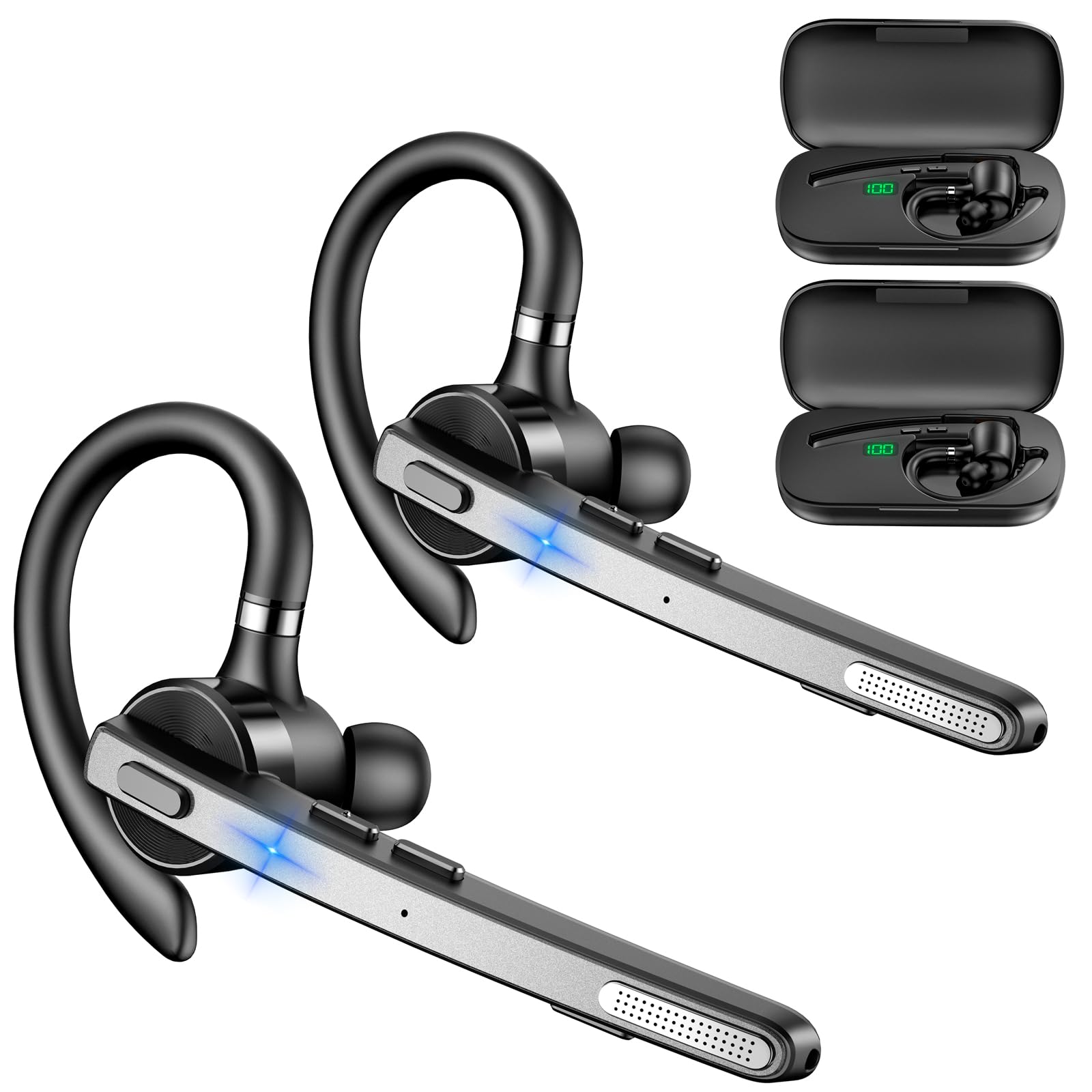
Image: New Bee M53 Bluetooth Headset with its charging case and included ear tips.
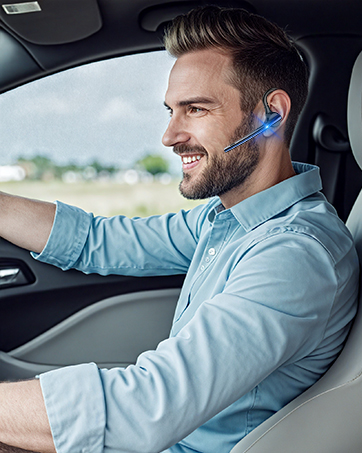
Image: Diagram illustrating the various buttons and their functions on the New Bee M53 Bluetooth Headset, including power, volume, call control, mute, and Type-C charging port.
Sąranka
1. Ausinių ir dėklo įkrovimas
Before first use, fully charge the headset and its charging case. The charging case has a digital display to indicate the remaining power.
- Connect the provided Type-C cable to the charging port on the case and to a USB power source (e.g., computer, wall adapter).
- Place the headset into the charging case.
- Pilnas įkrovimas trunka maždaug 2 valandų.
- The 500mAh charging case provides approximately 72 hours of total playtime for the headset.
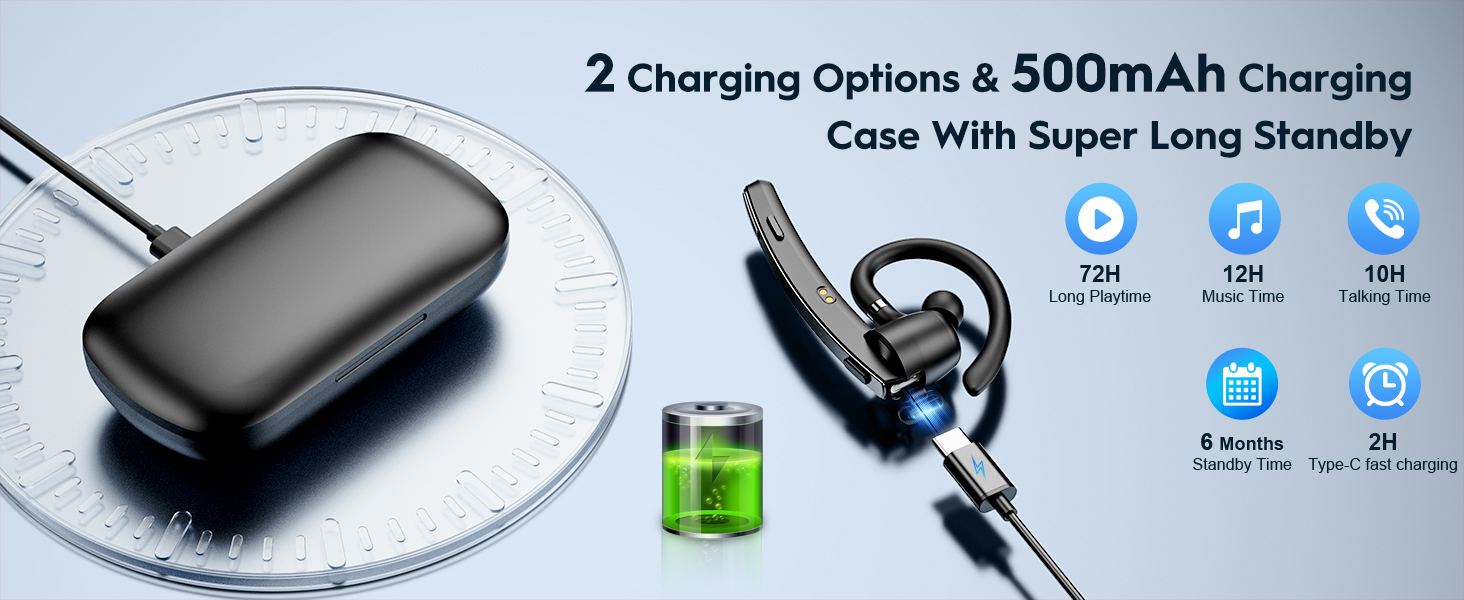
Image: The New Bee M53 charging case displaying battery level, with the headset inside, illustrating its long battery life capabilities.
2. Ausinių dėvėjimas
The headset is designed for comfortable and secure fit. It can be worn on either the left or right ear.
- The flexible ear hook can be rotated 180° to fit either ear.
- The earphone arm can be rotated 270° to adjust the microphone position.
- Choose from the three included ear tip sizes (S, M, L) for the best fit and comfort.
- The headset weighs only 13.6 grams, ensuring comfort during extended wear.

Image: Illustration of the headset's adjustable ear hook for left/right ear use and the three available ear tip sizes (S, M, L).
3. „Bluetooth“ poravimas
The headset uses Bluetooth 5.1 technology for quick and stable connections.
- Įsitikinkite, kad ausinės yra įkrautos ir išjungtos.
- Press and hold the Power button for 3-5 seconds until the indicator light flashes blue and red, indicating pairing mode.
- Savo įrenginyje (išmaniajame telefone, nešiojamajame kompiuteryje ir kt.) įjunkite „Bluetooth“ ir ieškokite galimų įrenginių.
- Select "M53" from the list of devices.
- Prijungus, indikatoriaus lemputė lėtai mirksės mėlynai.
The headset supports connecting to two devices simultaneously within a 15-meter (49 feet) range.

Image: The headset shown connecting to a mobile phone, demonstrating Bluetooth 5.1 quick connection and dual device capability.
Naudojimo instrukcijos
Pagrindinės funkcijos
- Maitinimo įjungimas/išjungimas: Press and hold the Power button for 3 seconds to power on, 5 seconds to power off.
- Leisti / pristabdyti: Vieną kartą paspauskite paleidimo/pauzės mygtuką.
- Garsumo valdymas: Garsumo lygiui reguliuoti naudokite garsumo +/- mygtukus.
- Kita/ankstesnė daina: Press and hold Volume + for next song, Volume - for previous song (3 seconds).
Skambučių valdymas
- Atsiliepti / nutraukti skambutį: Press the Answer/Hang Up button once.
- Atmesti skambutį: Press and hold the Answer/Hang Up button for 2 seconds.
- Perrink paskutinį numerį: Double-press the Answer/Hang Up button.
- Mikrofono nutildymas: Press the Mic Mute button once during a call to mute/unmute the microphone.
The headset features dual-mic noise reduction and CVC8.0 technology for clear calls by reducing ambient noise and echo.

Image: Illustration of the headset's one-button call answering and mute features for hands-free communication.

Image: Visual representation of the dual-mic noise cancelling technology, showing how external background noise is reduced for clear calls.
Priežiūra
To ensure the longevity and optimal performance of your New Bee M53 Bluetooth Headset, follow these maintenance guidelines:
- Valymas: Use a soft, dry, lint-free cloth to clean the headset and charging case. Do not use abrasive cleaners, solvents, or aerosol sprays.
- Saugykla: Store the headset in its charging case when not in use to protect it from dust and damage. Avoid extreme temperatures.
- Vandens ekspozicija: Ausinės nėra atsparios vandeniui. Venkite vandens, drėgmės ar per didelio drėgnumo.
- Įkrovimas: Always use the provided Type-C cable for charging. Do not attempt to disassemble or modify the device.
Trikčių šalinimas
Jei kyla problemų dėl ausinių, žr. šiuos dažniausiai pasitaikančius sprendimus:
| Problema | Sprendimas |
|---|---|
| Ausinės neįsijungia. | Ensure the headset is fully charged. Place it in the charging case and connect the case to a power source. |
| Nepavyksta susieti su įrenginiu. |
|
| Nėra garso arba garsas per mažas. |
|
| Skambučių kokybė prasta. |
|
Specifikacijos
| Funkcija | Detalė |
|---|---|
| Modelio pavadinimas | M53 |
| Bluetooth versija | 5.1 |
| Bluetooth diapazonas | Iki 15 metrų (49 pėdų) |
| Battery Life (Talktime/Music) | Maždaug 12 valandos vienu įkrovimu |
| Bendras žaidimo laikas su įkrovimo dėklu | Iki 72 valandų |
| Įkrovimo dėklo talpa | 500 mAh |
| Įkrovimo laikas | Maždaug 2 valandos (C tipo) |
| Svoris | 13.6 grams (earpiece) |
| Triukšmo valdymas | Dual-Mic Noise Reduction, CVC8.0 |
| Suderinamumas | iOS, Android, Windows (Cellphones, Laptops, Desktops) |
| Valdymo tipas | Mygtukų valdymas |

Image: The headset demonstrating its wide compatibility with devices such as tablets, cellphones, laptops, PCs, and Kindles.
Garantija ir palaikymas
New Bee provides a 3-year customer support service for this product. If you encounter any issues or have questions, please contact our customer support team. Refer to the contact information provided with your purchase or visit the official New Bee webpagalbos svetainę.
Garantinių pretenzijų atveju, prašome išsaugoti pirkimo įrodymą.


