1. Įvadas
Ačiū, kad pirkoteasing the TOPTRO TP2 Mini Projector. This manual provides essential information for setting up, operating, and maintaining your projector. Please read it thoroughly before use and keep it for future reference.
2. Saugos informacija
- Nežiūrėkite tiesiai į projektoriaus objektyvą, kai lamp yra įjungtas.
- Užtikrinkite tinkamą vėdinimą, kad išvengtumėte perkaitimo. Neužblokuokite ventiliacijos angų.
- Naudokite tik su prietaisu pateiktą maitinimo adapterį.
- Projektorių saugokite nuo vandens, drėgmės ir ekstremalių temperatūrų.
- Venkite projektoriaus numetimo ir stiprių smūgių.
- Nebandykite patys ardyti ar taisyti projektoriaus. Dėl pagalbos kreipkitės į klientų aptarnavimo tarnybą.
3. Pakuotės turinys
Patikrinkite, ar pakuotėje yra visi reikalingi daiktai:
- TOPTRO TP2 Mini Projector
- Nuotolinio valdymo pultas
- Maitinimo adapteris
- HDMI kabelis
- Valymo rinkinys
- Vartotojo vadovas (šis dokumentas)
4. Produktas baigtasview
The TOPTRO TP2 Mini Projector is a compact and versatile device designed for various entertainment and presentation needs. It features an Android 13 operating system, Wi-Fi 6, Bluetooth 5.4, and automatic image correction.
1 pav.: priekis view of the TOPTRO TP2 Mini Projector, showcasindėl savo kompaktiško dizaino ir objektyvo.
4.1. Prievadai ir jungtys
2 pav.: galinis view of the TOPTRO TP2 Mini Projector, showing the various input and output ports.
- HDMI prievadas: Connect to laptops, gaming consoles, TV sticks, etc.
- USB prievadai: Connect USB drives for media playback or external devices.
- 3.5 mm garso lizdas: Prijunkite išorinius garsiakalbius arba ausines.
- Maitinimo įvestis: Prijunkite pridedamą maitinimo adapterį.
4.2. Pagrindinės savybės
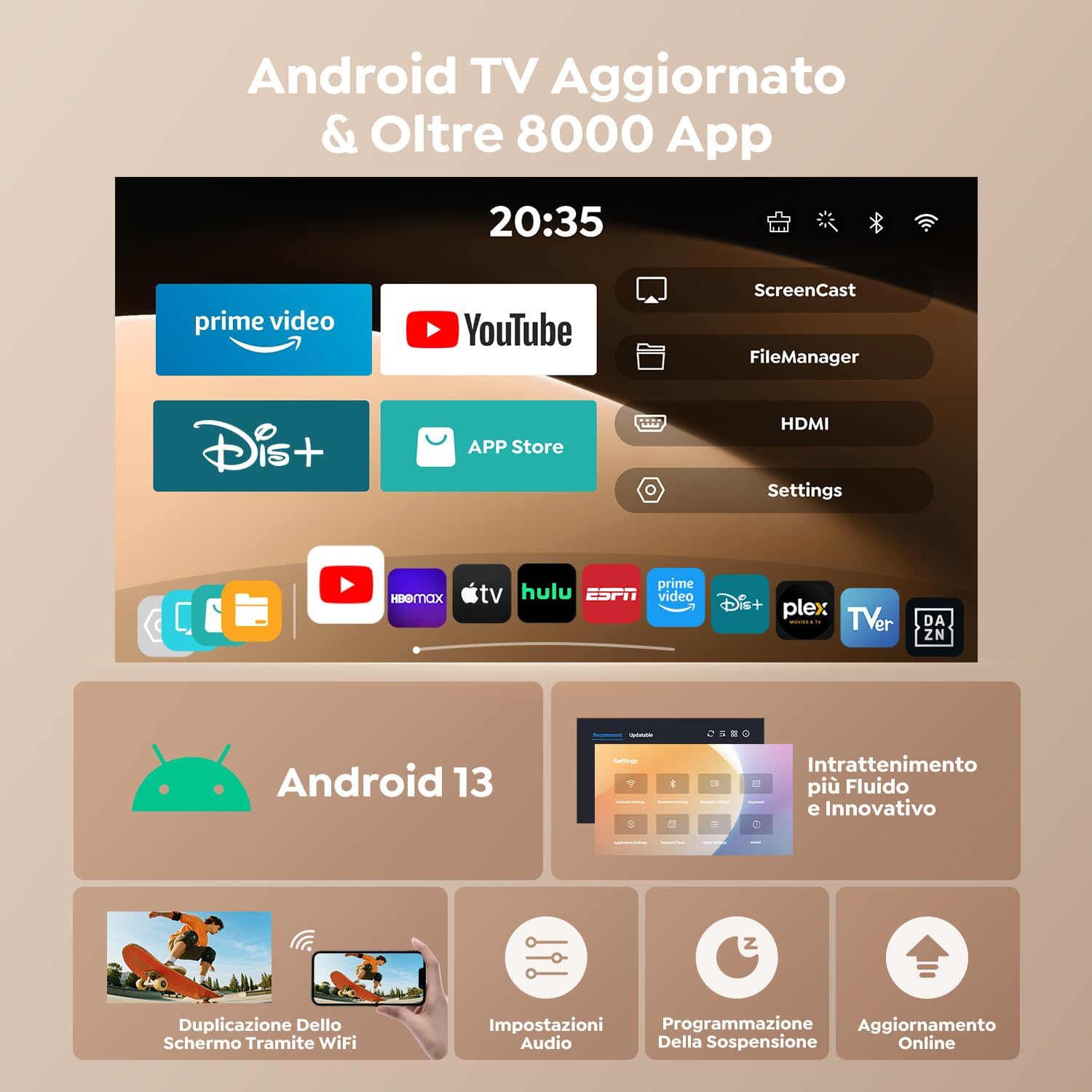
- Android 13 OS: Access to over 8,000 official apps including streaming services.
- 270° pasukamas dizainas: Flexible projection angles for various setups.
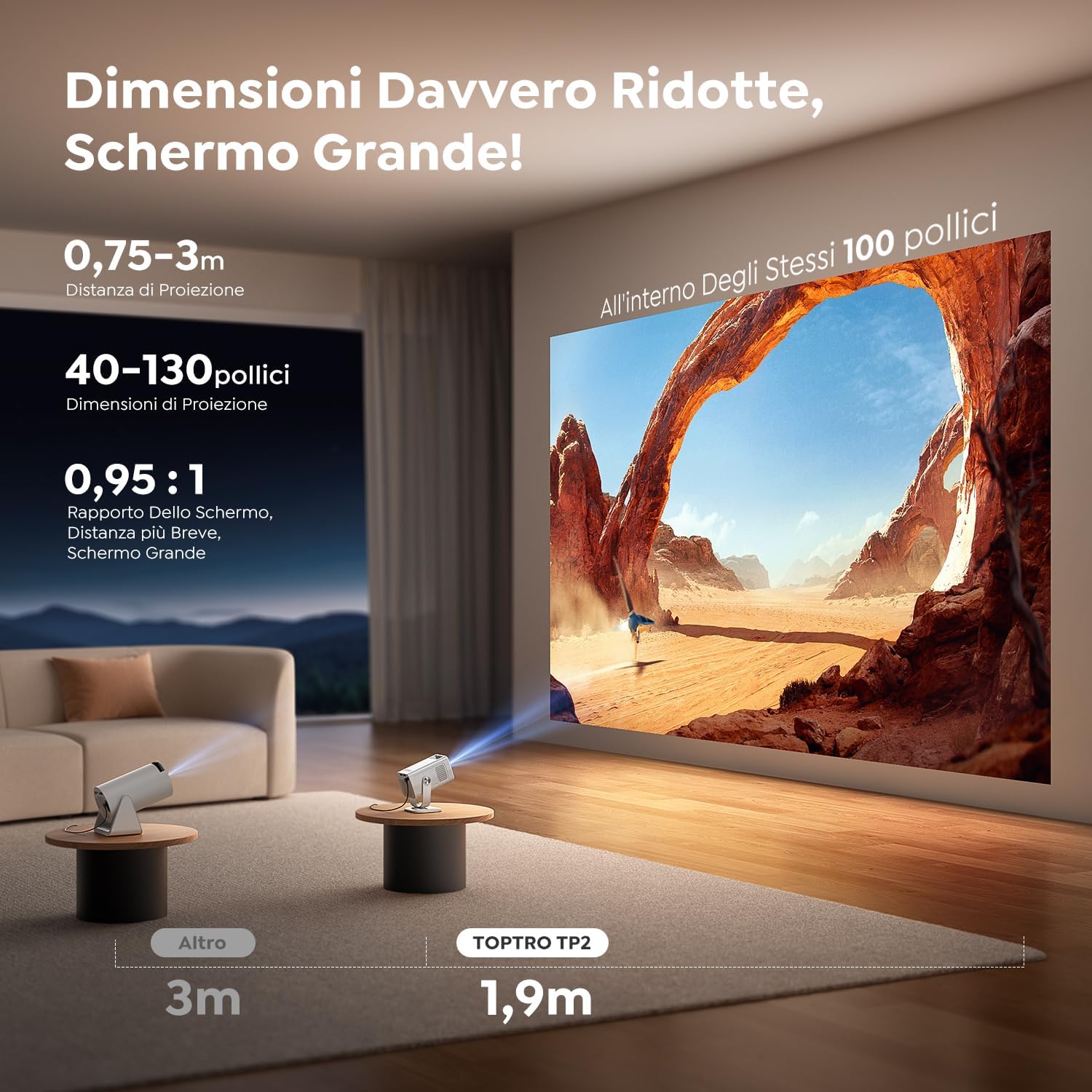
- Short Throw Ratio (0.95:1): Projects large images from a short distance.
- 1080P Native Resolution (4K Support): Delivers clear and vivid images.
- „Wi-Fi 6“ ir „Bluetooth 5.4“: Fast and stable wireless connectivity.
- Automatinė vertikalaus trapecijos korekcija: Instantly corrects image distortion.
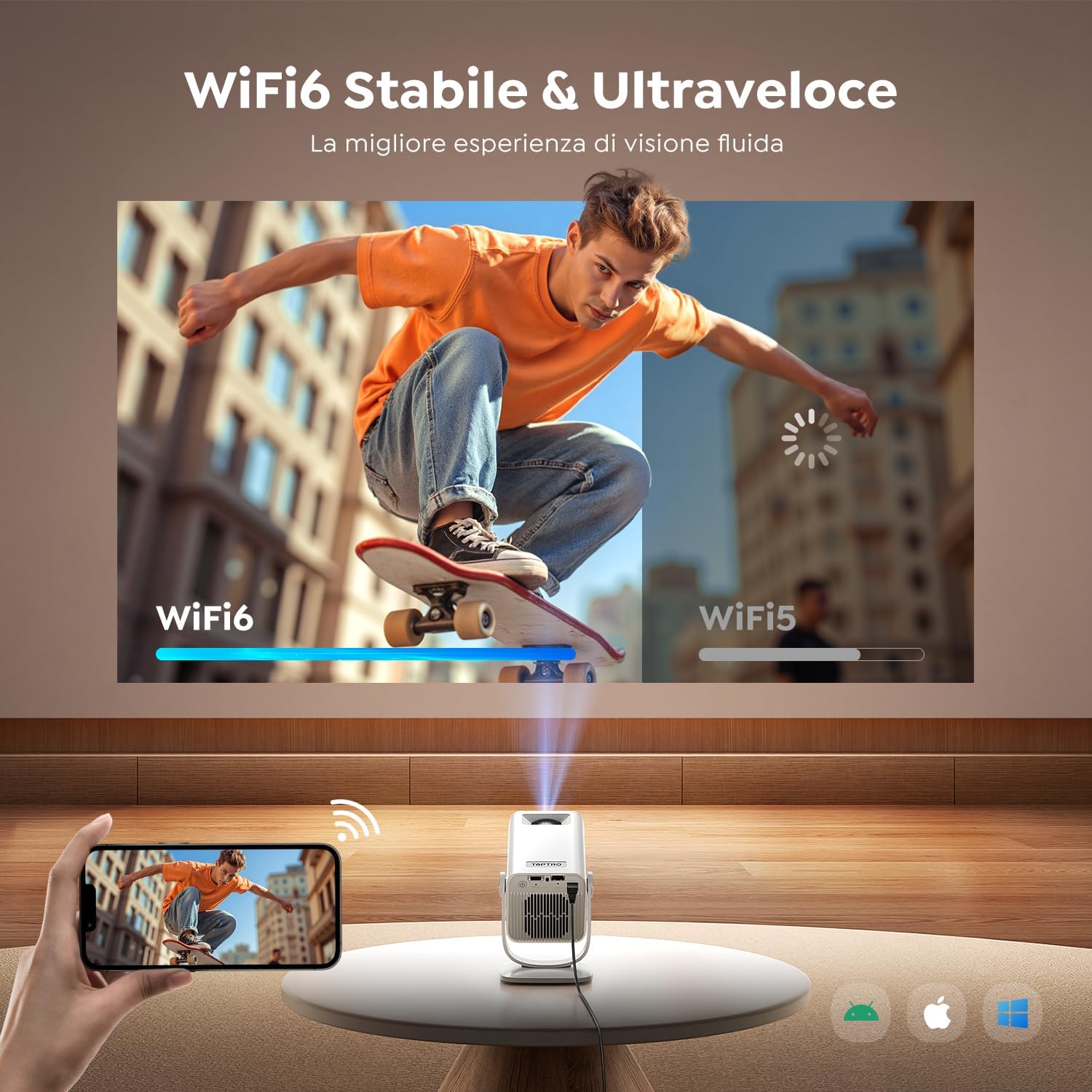
Figure 3: The projector's 270° rotatable design allows for flexible projection onto walls or ceilings.
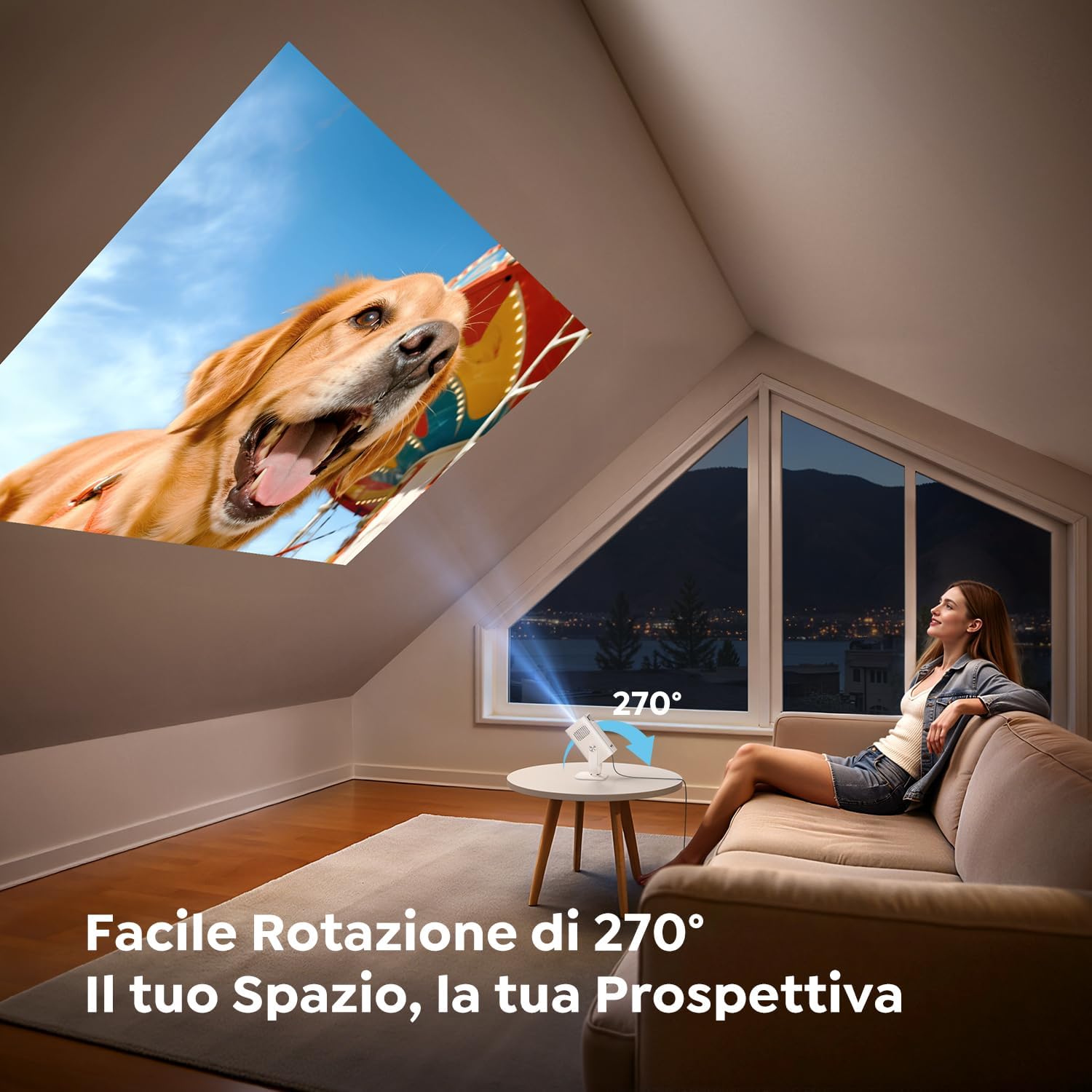
Figure 4: Illustration of the short throw capability, projecting a large image from a close distance.

Figure 5: The compact and portable design of the TOPTRO TP2, shown next to a soda can for size comparison.
5. Sąranka
5.1. Maitinimo prijungimas
- Prijunkite maitinimo adapterį prie projektoriaus maitinimo įvesties prievado.
- Įkiškite maitinimo adapterį į sieninį lizdą.
5.2. Placement and Angle Adjustment
Position the projector on a stable surface. Utilize the 270° rotatable design to adjust the projection angle as needed for wall, ceiling, or table projection.
5.3. Fokuso reguliavimas
The projector features automatic vertical keystone correction. For fine-tuning, use the manual focus wheel or the remote control.
Video 1: Demonstrates the motorized focus adjustment feature of the projector, ensuring a clear image.
5.4. Ryšys
- HDMI: Connect an HDMI cable from your source device (e.g., laptop, game console) to the projector's HDMI port.
- USB: Insert a USB drive into a USB port for direct media playback.
- „Wi-Fi 6“: Navigate to the network settings to connect to your Wi-Fi network for online streaming and screen mirroring.
- "Bluetooth 5.4": Pair with Bluetooth headphones or external speakers for enhanced audio. The projector can also act as a Bluetooth speaker for your phone.
6. Naudojimo instrukcijos
6.1. Maitinimo įjungimas/išjungimas
Norėdami įjungti arba išjungti įrenginį, paspauskite projektoriaus arba nuotolinio valdymo pulto maitinimo mygtuką.
6.2. Naršymas „Android 13“ sąsajoje
The TOPTRO TP2 runs on Android 13, providing a user-friendly interface. Use the remote control to navigate through menus, select apps, and adjust settings.

Figure 6: The Android 13 user interface of the TOPTRO TP2, displaying pre-installed applications like Prime Video and YouTube.
Video 2: Illustrates the Android 14 interface (similar to Android 13) and its functionalities, including app access and navigation.
6.3. App Installation and Streaming
The projector comes with Android TV pre-installed, offering access to over 8,000 official apps. Simply connect to Wi-Fi and download your preferred streaming services (e.g., Dazn, Prime Video, Disney+, YouTube, HBO Max).
6.4. Ekrano atspindėjimas
Use the Wi-Fi 6 feature to wirelessly mirror content from your smartphone, tablet, or laptop to the projector for a larger display.
6.5. Vaizdo koregavimas
- Automatic Vertical Keystone: The built-in precision sensor automatically corrects image distortion in less than 2 seconds.
- Priartinimo funkcija: Adjust projection size from 100% to 80% without compromising image quality.
Video 3: Shows automatic focus, keystone correction, and screen adaptation features, enhancing ease of use.
7. Priežiūra
7.1. Valymas
Use the provided cleaning kit to gently clean the lens and exterior of the projector. Do not use abrasive cleaners or solvents.
7.2. Sandėliavimas
When not in use, store the projector in a cool, dry place, away from direct sunlight and dust. Ensure the lens is covered to protect it from scratches.
8. Problemų sprendimas
- Nėra galios: Check if the power adapter is securely connected to both the projector and the power outlet.
- Nėra paveiksliuko: Ensure the input source is correctly selected (HDMI, USB, or streaming app). Check cable connections.
- Neryškus vaizdas: Adjust the focus using the manual wheel or remote. Ensure the projector is placed within the recommended projection distance.
- Vaizdo iškraipymas: The projector has automatic vertical keystone correction. If issues persist, check projector placement.
- Nėra garso: Check the volume settings on both the projector and the source device. Ensure Bluetooth audio is correctly paired if using external speakers/headphones.
- „Wi-Fi“ / „Bluetooth“ ryšio problemos: Restart the projector and your router/Bluetooth device. Ensure the projector is within range.
9. Specifikacijos
| Funkcija | Specifikacija |
|---|---|
| Prekės ženklas | TOPTRO |
| Modelis | TP2 |
| Gaminio matmenys | 13.5 x 9 x 17.8 cm |
| Svoris | 400 gramų |
| Modelio metai | 2025 |
| Techninės įrangos sąsaja | 3.5 mm garso jungtis, HDMI, USB |
| Suderinami įrenginiai | Speaker, Laptop, Game Console, Smartphone, Tablet |
| Papildomos funkcijos | Trumpas metimas |
| Ekrano technologija | LCD |
| Vaizdo kontrasto santykis | 15000:1 |
| Krašto santykis | 16:10, 16:9, 4:3 |
| Native Screen Resolution | 1280 x 720 (720p) |
| Maksimali ekrano raiška | 4096 x 2160 (4K palaikymas) |
| Triukšmo lygis | 32 decibelų |
| Vattage | 60 vatvalandės |
| Ryšio tipas | Bluetooth, HDMI, IR, USB, Wi-Fi |
| Formos faktorius | Kišenės dydžio |
| Diegimo tipas | Ceiling Mount/Floor Mount/Table Mount/Tripod Mount/Wall Mount |
| Rekomenduojami naudojimo būdai | Business, Educational, Home Cinema, Video Games |
10. Garantija ir palaikymas
TOPTRO projectors come with comprehensive support:
- 24/7 palaikymas: Assistance available around the clock.
- 2-Year Hassle-Free Return Policy: For peace of mind.
- 3 metų garantija: Covering manufacturing defects.
- Techninis palaikymas visą gyvenimą: Ongoing assistance for any technical queries.
For any questions or support, please contact TOPTRO customer service.


