1. Įvadas
Welcome to the user manual for your JLab Go Pods ANC True Wireless Earbuds. These earbuds are designed to provide a high-quality audio experience with features like Hybrid Active Noise Canceling, Be Aware mode for safe listening, and clear calls. This manual will guide you through the setup, operation, and maintenance of your new earbuds.
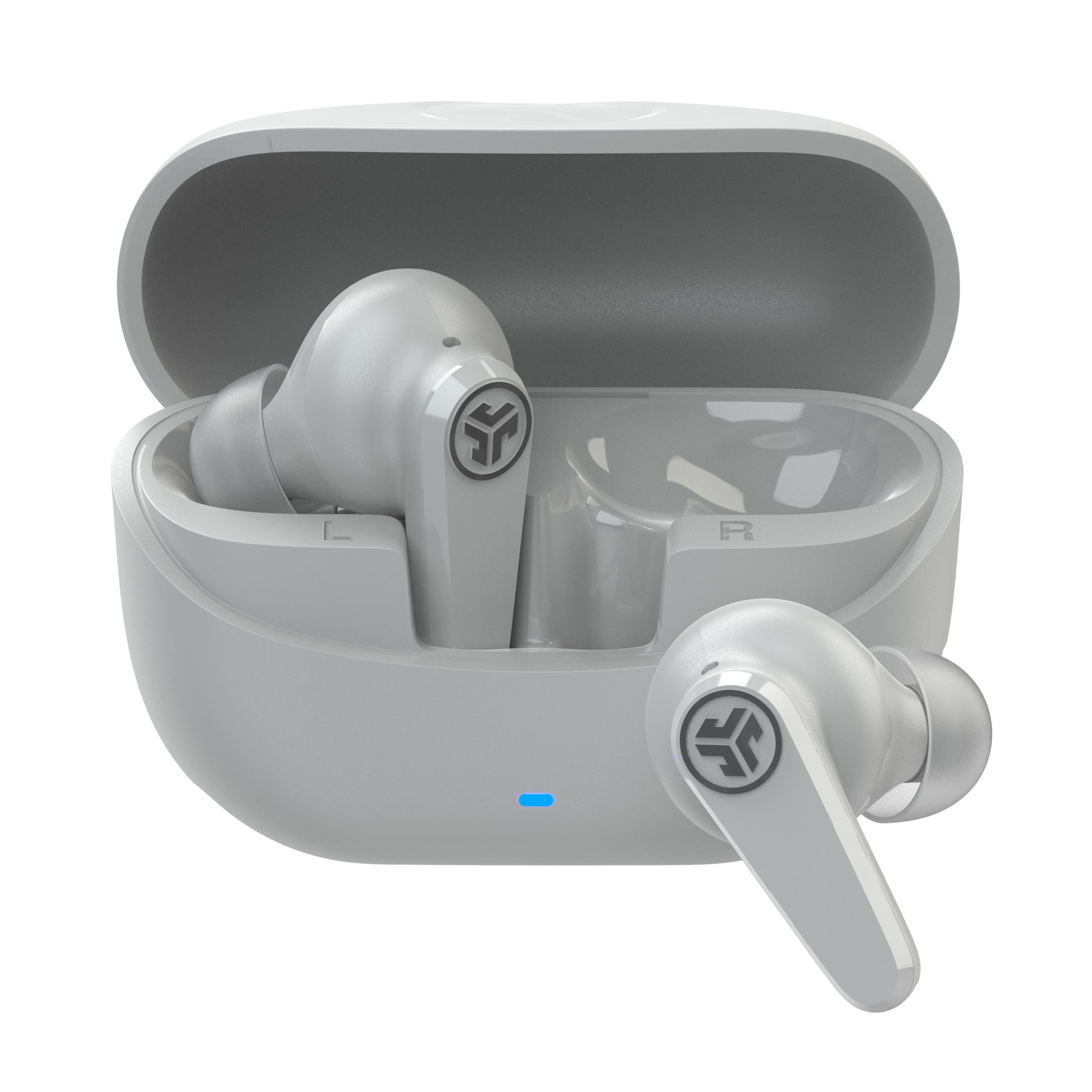
Image: JLab Go Pods ANC True Wireless Earbuds in Cloud White, showcasindėl jų elegantiško dizaino.
2. Kas yra dėžutėje
Your JLab Go Pods ANC package includes the following items:
- Go Pods ANC Earbuds
- Įkrovimo dėklas su integruotu USB-C laidu
- 3 sets of Gel Eartips (various sizes for optimal fit)
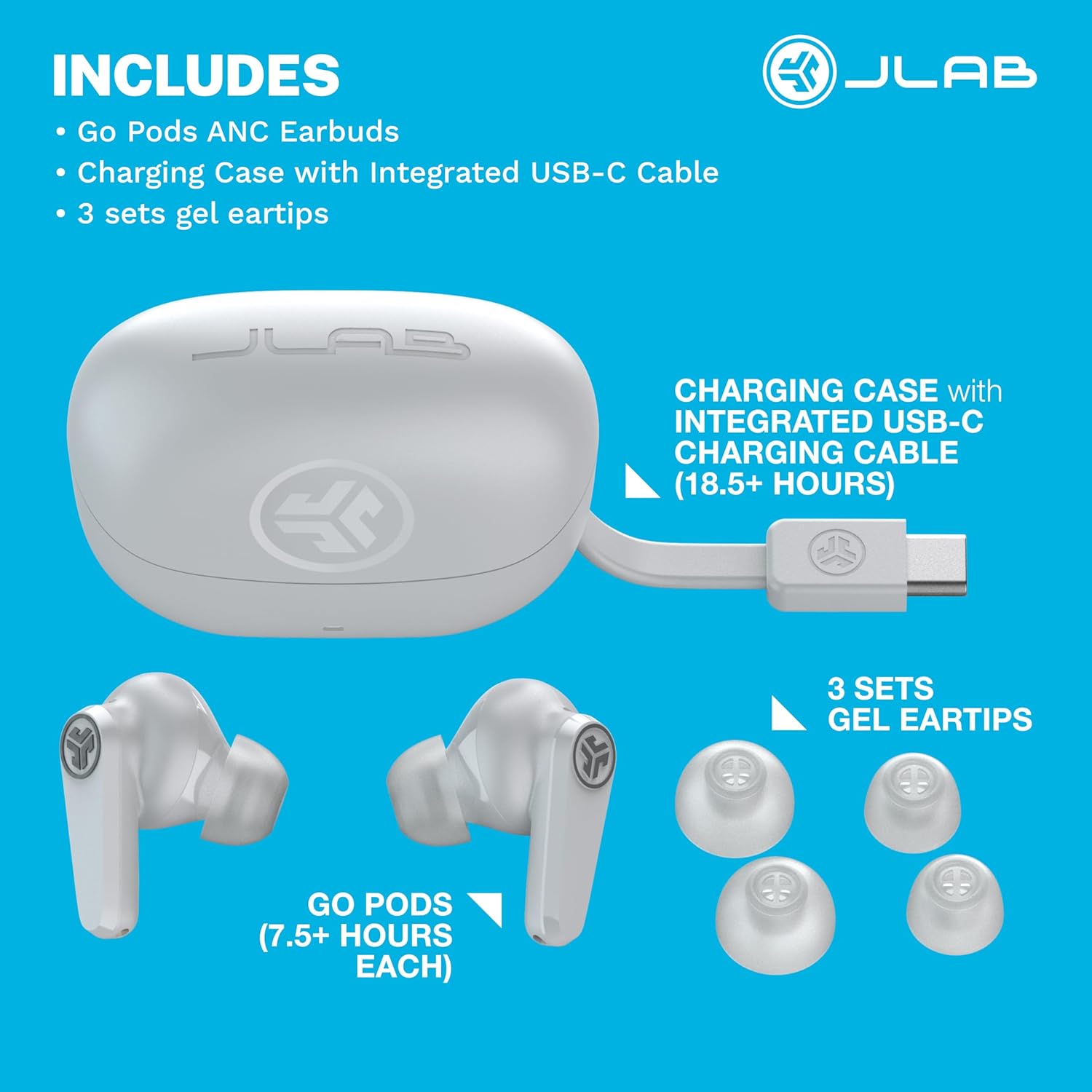
Image: A visual representation of the JLab Go Pods ANC package contents, showing the earbuds, charging case with its integrated USB-C cable, and multiple sizes of gel eartips.
3. Sąranka
3.1. Ausinių ir dėklo įkrovimas
Before first use, ensure your JLab Go Pods ANC earbuds and charging case are fully charged.
- The earbuds provide up to 7.5+ hours of playtime on a single charge.
- The charging case offers an additional 18.5+ hours, totaling over 26 hours of playtime.
- The case features an integrated USB-C charging cable for convenience.
- A quick 10-minute charge provides 1 hour of playtime.

Image: A woman wearing the JLab Go Pods ANC earbuds, illustrating the long battery life feature.
3.2. Pradinis „Bluetooth“ susiejimas
Norėdami prijungti ausines prie įrenginio:
- Išimkite ausines iš įkrovimo dėklo. Jie automatiškai persijungs į poravimo režimą.
- Savo įrenginyje (išmaniajame telefone, planšetiniame kompiuteryje, nešiojamajame kompiuteryje) eikite į „Bluetooth“ nustatymus.
- Select "JLab GO Pods ANC" from the list of available devices.
- For Android devices, Google Fast Pair offers effortless connection.
The JLab App allows for further customization and software updates. It is available on the App Store and Google Play Store.
Video: An official JLab video demonstrating the JLab Go Pods ANC earbuds, including a close-up of the integrated charging cable and the earbuds in their case.
4. Ausinių naudojimas
4.1. Triukšmo valdymo režimai
The JLab Go Pods ANC offer three noise control modes:
- ANC įjungta: Engages hybrid active noise canceling to reduce ambient sounds.
- ANC išjungta: Disables active noise canceling.
- Žinokite: Allows ambient noise to pass through for safe listening and awareness of your surroundings.
You can switch between these modes using the JLab App or the touch controls on the earbuds.
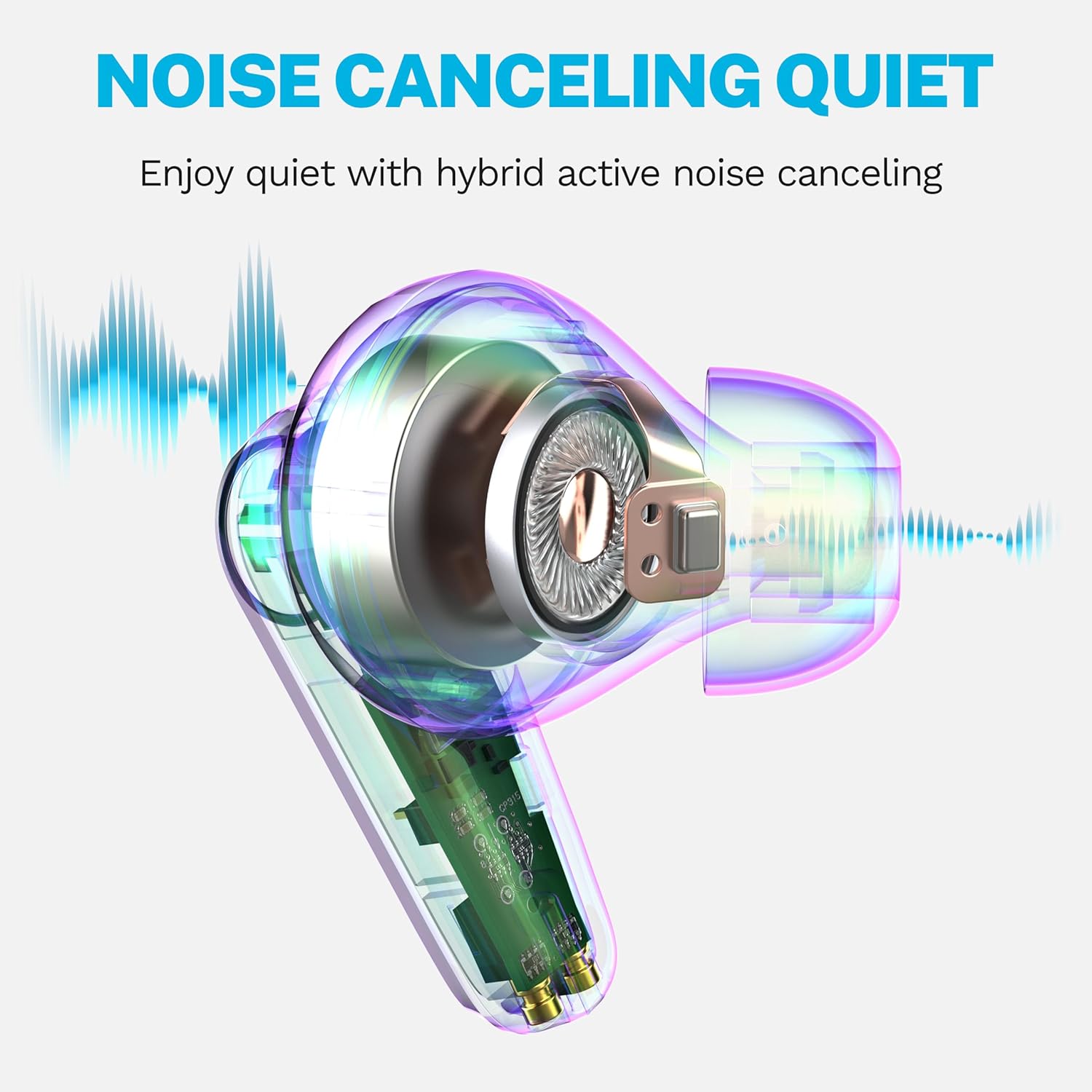
Image: A diagram illustrating how the hybrid active noise canceling feature of the JLab Go Pods ANC earbuds works to create a quiet listening experience.
4.2. Customizing Sound and Controls
The JLab App provides extensive customization options:
- Adjust ANC/Be Aware settings.
- Suasmeninkite jutiklinius valdiklius.
- Select sound presets (JLab Signature, Balance, Bass Boost) or create custom equalizer settings.
- Enable a safe hearing option with volume limits to protect your ears.
- Gaukite savo produkto programinės įrangos atnaujinimus.
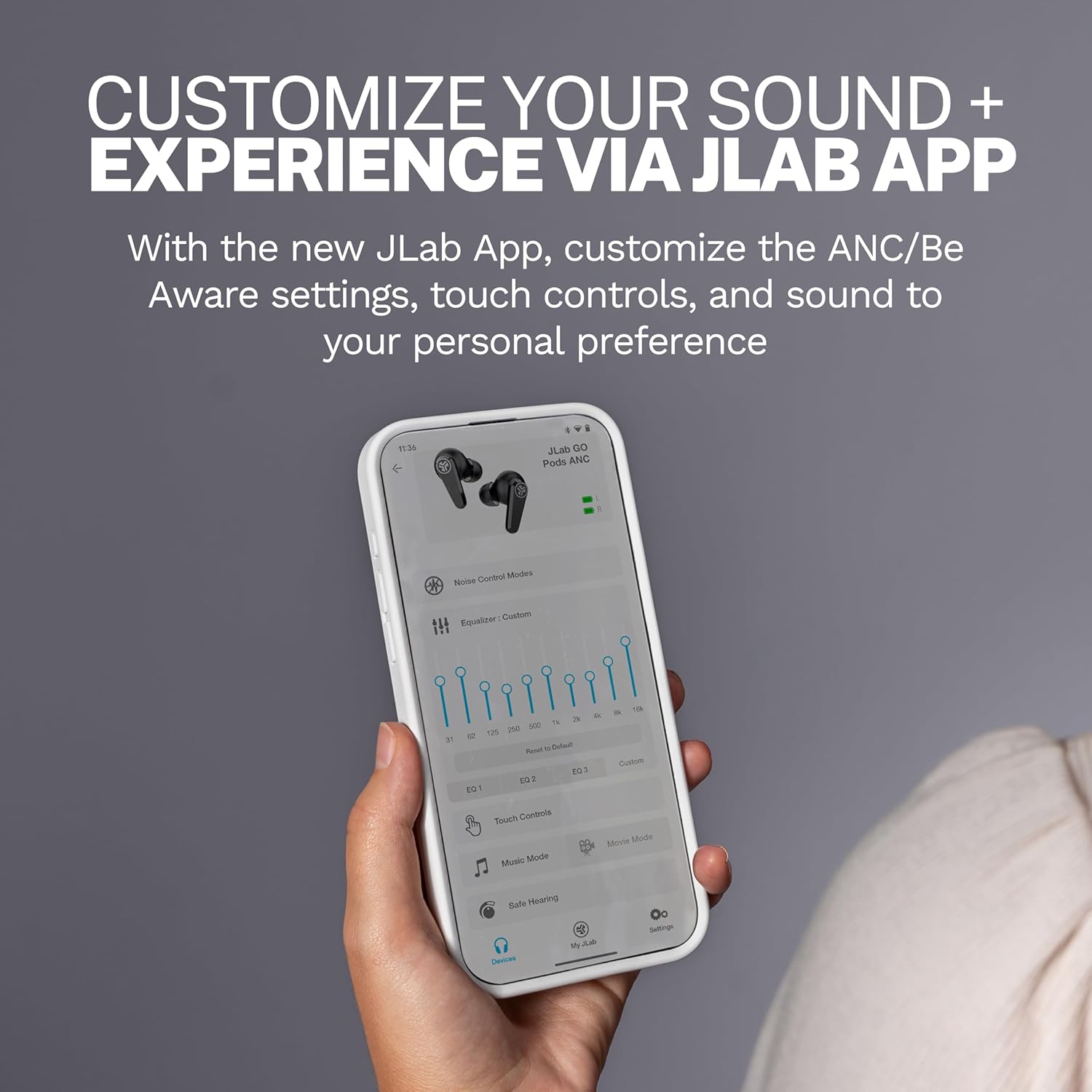
Image: A close-up of the JLab App on a smartphone, demonstrating the various customization options available for the earbuds.
4.3. Aiškūs skambučiai
The Go Pods ANC earbuds are equipped with two environmental noise-canceling microphones on each earbud. These MEMS mics help eliminate background noise, ensuring your voice is heard clearly during calls, even in noisy environments.

Image: A woman using the JLab Go Pods ANC earbuds for a clear call, highlighting the microphone technology.
4.4. Connect to Multiple Devices (Bluetooth Multipoint)
With Bluetooth Multipoint, you can seamlessly transition between two connected devices simultaneously. For example, you can listen to a podcast on your laptop and instantly switch to answer a call on your mobile phone without re-pairing.

Image: A woman wearing JLab Go Pods ANC earbuds, illustrating the convenience of connecting to multiple devices simultaneously.
5. Priežiūra
5.1. Patvarumas ir atsparumas vandeniui
The JLab Go Pods ANC earbuds have an IP55 rating, making them sweat and splashproof. This ensures durability for active lifestyles and protection against light moisture.

Image: A woman wearing JLab Go Pods ANC earbuds, demonstrating their suitability for active use due to their IP55 sweat and splashproof rating.
5.2. Ear Tip Care
To maintain optimal sound quality and comfort, regularly clean the gel eartips. Use a soft, dry cloth to gently wipe away any earwax or debris. Ensure the eartips are securely attached before use.
6. Problemų sprendimas
If you encounter issues with your JLab Go Pods ANC, try the following:
- Nėra garso / prasta garso kokybė: Ensure earbuds are charged and properly paired. Check the volume levels on both the earbuds and your connected device.
- Susiejimo problemos: Turn off Bluetooth on your device, then turn it back on. Forget the device in your Bluetooth settings and attempt to re-pair. Ensure earbuds are out of the case when attempting to pair.
- Neįkraunamos ausinės: Verify the charging cable is securely connected to both the case and a power source. Check for any debris in the charging ports.
- Nepatogus prigludimas: Experiment with the three sets of gel eartips included in the package to find the size that provides the most secure and comfortable fit for your ears.
- Programos ryšio problemos: Ensure the JLab App is updated to the latest version. Restart the app and try connecting again.
7. Specifikacijos
| Funkcija | Detalė |
|---|---|
| Modelio pavadinimas | Go Pods |
| Prekės modelio numeris | EBGOPODSWHT50WEB |
| Ryšio technologija | Belaidis ryšys („Bluetooth 5.3“) |
| Triukšmo valdymas | Hibridinis aktyvus triukšmo slopinimas |
| Baterijos veikimo laikas (ausinės) | Iki 7.5 valandų |
| Bendras grojimo laikas (su dėklu) | 26+ valandos |
| Įkrovimo laikas (greitas įkrovimas) | 10 minutės 1 valandos trukmės grojimo laikui |
| Atsparumo vandeniui lygis | IP55 (Sweat and Splashproof) |
| Kontrolės metodas | Lietimas, garsumo valdymas |
| Suderinami įrenginiai | Nešiojamieji kompiuteriai, staliniai kompiuteriai, planšetiniai kompiuteriai, telefonai, išmanieji garsiakalbiai, televizoriai, mobilieji telefonai |
| Įtraukti komponentai | Įkrovimo dėklas |
| Prekės svoris | 36 gramų (1.27 uncijos) |
| UPC | 810119074942 |
8. Garantija ir palaikymas
Your JLab Go Pods ANC earbuds come with a 2-Year Protection from Manufacturer Defects. Additionally, your purchase is covered by Amazon's 30-day return protection.
Dėl papildomos pagalbos apsilankykite oficialioje „JLab“ pagalbos svetainėje website or contact their customer service. You can also find more information and FAQs on the JLab parduotuvė „Amazon“ platformoje.

Image: JLab Go Pods ANC earbuds highlighting the 2-year manufacturer defect protection and Amazon's 30-day return policy.


