1. Įvadas
This manual provides detailed instructions for the setup, operation, maintenance, and troubleshooting of your Jectse WiFi 6 4G/5G CPE LTE Router. Please read this manual carefully before using the device to ensure optimal performance and safety.
Pagrindinės funkcijos:
- Didelis našumas: Connects up to 32 devices simultaneously, covering an area of approximately 300 square meters. Ideal for home or small office environments.
- Comprehensive 4G LTE Support: Compatible with a wide range of 4G LTE bands including FDD (B1, 3, 5, 7, 8, 20), TDD (B38, 40, 41), and WCDMA (B1, 5, 8), ensuring stable connectivity across various network providers.
- 6 Antenna Design: Equipped with six antennas for enhanced signal coverage and faster network speeds, providing a stable and consistent internet experience.
- Fast Internet Speeds: Achieves 4G download speeds up to 150 Mbps, upload speeds up to 50 Mbps, and wireless transfer rates up to 300 Mbps for smooth streaming, gaming, and browsing.
- Lengvas nustatymas: Simply insert a standard SIM card to convert 4G LTE into a WiFi hotspot, allowing multiple devices to connect without complex installations.
2. Pakuotės turinys
Patikrinkite pakuotę, ar joje yra šie daiktai:
- Jectse WiFi 6 4G/5G CPE LTE Router
- Maitinimo adapteris
- Ethernet kabelis
- Vartotojo vadovas (šis dokumentas)

Image: Package contents including the router, power adapter, and Ethernet cable.
3. Produktas baigtasview
Priekyje ir viršuje View:
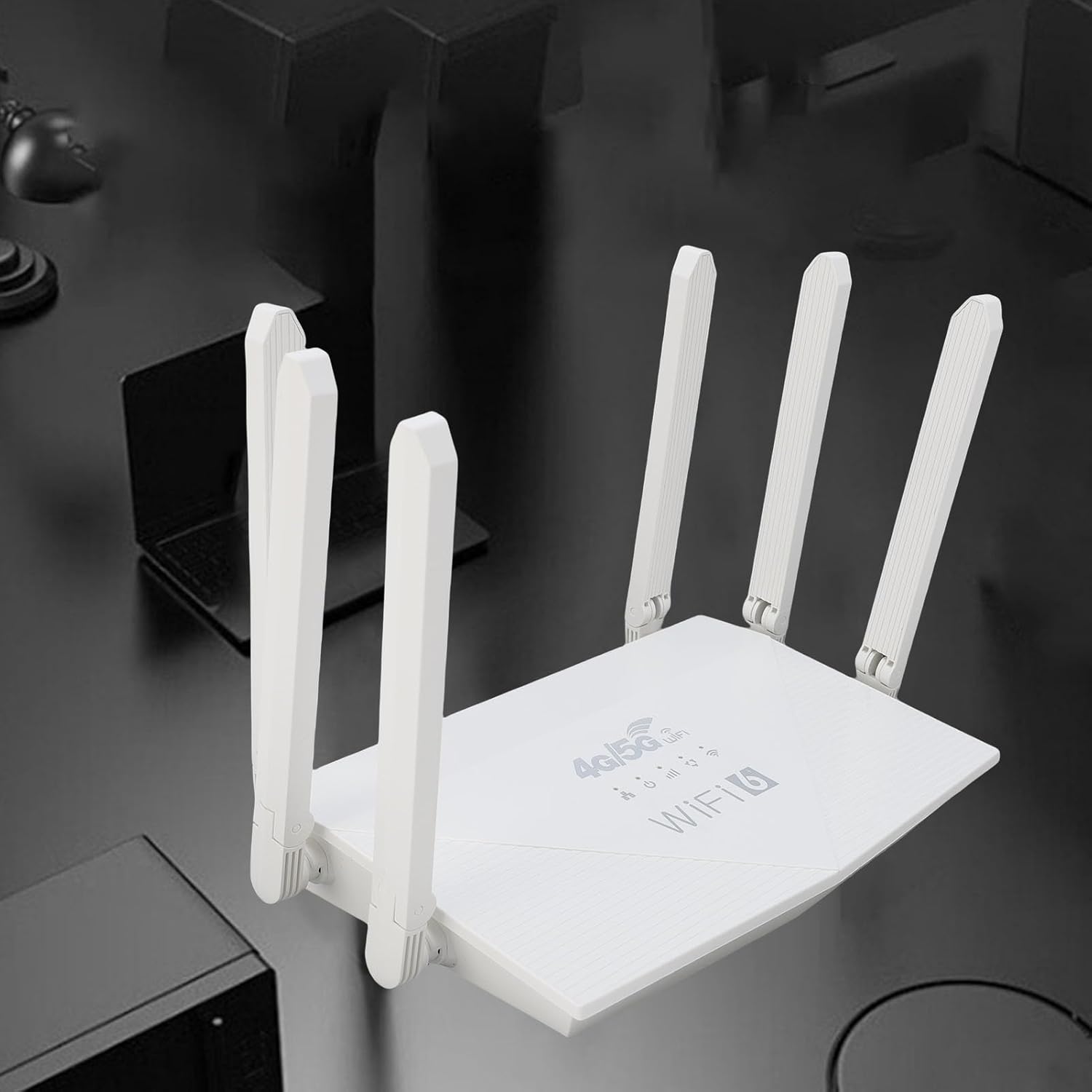
Vaizdas: Viršus view of the router, showing the '4G/5G LTE WiFi 6' branding and six external antennas.
Rear Panel and Ports:

Vaizdas: Galinis view of the router, displaying the various ports and antenna connections.
- Atkūrimo mygtukas: Naudojamas gamykliniams nustatymams atkurti.
- C tipo prievadas: For power input (if applicable, check power adapter type).
- Maitinimo prievadas: DC maitinimo įvestis.
- SIM kortelės lizdas: For inserting a standard 4G/5G SIM card.
- ETH1-ETH4 Ports: Four Ethernet LAN ports for wired connections.

Image: Close-up of the reset button, Type-C port, power port, and SIM card slot.

Image: Close-up of the four Ethernet LAN ports (ETH1, ETH2, ETH3, ETH4).
Bottom Label:
The bottom label contains important information such as the default WiFi name, WiFi key, IP address, and login credentials.

Image: Bottom label of the router with essential network details.
4. Sąrankos instrukcijos
- Įdėkite SIM kortelę: Locate the SIM card slot on the rear panel. Gently insert a standard-sized 4G/5G SIM card until it clicks into place. Ensure the SIM card is correctly oriented.
- Prijunkite maitinimą: Connect the provided power adapter to the router's power port and then plug the adapter into a power outlet.
- Maitinimas: The router will automatically power on. Wait for the indicator lights to stabilize, which typically takes a few minutes.
- Prijunkite įrenginius:
- Belaidis ryšys: On your device (smartphone, tablet, laptop), search for available Wi-Fi networks. Select the network name (SSID) found on the router's bottom label. Enter the default Wi-Fi key (password) also found on the label.
- Laidinis ryšys: Connect one end of the Ethernet cable to any of the ETH1-ETH4 ports on the router and the other end to the Ethernet port on your computer or other wired device.
- Prieiga Web Sąsaja (neprivaloma): Atidarykite a web browser and enter the default IP address (e.g., 192.168.0.1) found on the bottom label. Use the default username and password (e.g., admin/admin) to log in and configure advanced settings.
5. Naudojimo instrukcijos
Prisijungimas prie tinklo:
Once the router is powered on and the SIM card is active, your devices can connect to the internet:
- „Wi-Fi“: Use the SSID and password printed on the router's bottom label to connect your wireless devices.
- Ethernet: Connect devices directly to the ETH ports for a stable wired connection.
Maršrutizatoriaus nustatymų valdymas:
To customize your network, such as changing the Wi-Fi name or password, or configuring advanced features:
- Ensure your device is connected to the router (via Wi-Fi or Ethernet).
- Atidarykite a web browser and enter the router's IP address (e.g., 192.168.0.1).
- Log in using the username and password from the bottom label.
- Naršykite sąsajoje, kad prireikus pakoreguotumėte nustatymus.
6. Priežiūra
- Valymas: Maršrutizatorių laikykite švarų ir be dulkių. Naudokite minkštą, sausą šluostę. Nenaudokite skystų valiklių.
- Vėdinimas: Ensure the router is placed in a well-ventilated area to prevent overheating. Do not cover ventilation holes.
- Firmware atnaujinimai: Periodiškai tikrinkite gamintojo website for firmware updates. Keeping your router's firmware up-to-date can improve performance and security.
- Paleidimas iš naujo: Jei kyla tinklo problemų, pabandykite iš naujo paleisti maršrutizatorių atjungdami maitinimo adapterį, palaukite 10 sekundžių ir vėl jį prijunkite.
7. Problemų sprendimas
Nėra interneto ryšio:
- Patikrinkite, ar SIM kortelė tinkamai įdėta ir ar ji aktyvi.
- Verify that the router's indicator lights are stable.
- Iš naujo paleiskite maršrutizatorių ir prijungtą įrenginį.
- Įsitikinkite, kad jūsų SIM kortelėje yra aktyvus duomenų planas.
- Pasiekite maršrutizatoriaus web interface to check the network status and APN settings.
Lėtas interneto greitis:
- Įsitikinkite, kad maršrutizatorius yra atviroje vietoje, atokiau nuo kliūčių ir trukdžių šaltinių.
- Sumažinkite prijungtų įrenginių skaičių arba pralaidumą eikvojančią veiklą.
- Check your 4G/5G signal strength in the router's web sąsaja.
- Contact your mobile network provider to inquire about network congestion or data plan limits.
Nepavyksta pasiekti maršrutizatoriaus nustatymų:
- Įsitikinkite, kad jūsų įrenginys prijungtas prie maršrutizatoriaus tinklo.
- Patikrinkite, ar naršyklėje įvedate teisingą IP adresą (pvz., 192.168.0.1).
- Confirm the username and password are correct (check the bottom label).
- Išbandykite kitą web naršyklę arba išvalykite naršyklės talpyklą.
- If all else fails, perform a factory reset by pressing the reset button for 5-10 seconds (note: this will erase all custom settings).
8. Specifikacijos
| Funkcija | Aprašymas |
|---|---|
| Prekės ženklas | Jectse |
| Modelio numeris | Jectse7yitc28aer |
| Spalva | Baltas |
| Operacinė sistema | RouterOS |
| Ryšio technologija | LTE, „Wi-Fi“ |
| Ypatingos savybės | Integrated firewall, full 4G LTE support, fast internet speeds |
| Suderinami įrenginiai | Smartphone, tablet, computer |
| Dažnių juostos klasė | Vienos juostos |
| Belaidžio ryšio standartas | 802.11b, 802.11g, 802.11n |
| Rekomenduojami naudojimo būdai | Namai, Profesionalus |
| 4G atsisiuntimo greitis | Iki 150 Mbps |
| 4G įkėlimo greitis | Iki 50 Mbps |
| Wireless Transfer Rate | Iki 300 Mbps |
| Maksimalus prijungtų įrenginių skaičius | 32 |
| Aprėpties sritis | 300 ㎡ |
| Palaikomos LTE juostos | FDD (B1, 3, 5, 7, 8, 20), TDD (B38, 40, 41), WCDMA (B1, 5, 8) |
| Antenos | 6 išorinės antenos |
9. Garantija ir palaikymas
Informacija apie garantiją:
This Jectse router comes with a 2 metų gamintojo garantijaPrašome išsaugoti pirkimo įrodymą garantiniams reikalavimams. Garantija taikoma medžiagų ir gamybos defektams, atsiradusiems įprasto naudojimo sąlygomis.
Klientų aptarnavimas:
If you encounter any issues or have questions not covered in this manual, please contact Jectse customer support or your retailer for assistance. You may find contact information on the product packaging or the official Jectse websvetainę.