Įvadas
This manual provides comprehensive instructions for the installation, operation, and maintenance of your Inefala 4+128GB Android 15 Car Stereo. This unit is specifically designed for Peugeot 3008 models manufactured between 2009 and 2015, featuring a 9-inch In-Cell screen and advanced functionalities like wireless CarPlay, Android Auto, Mirror Link, GPS navigation, WiFi, Bluetooth 5.0, FM/RDS radio, equalizer, rear camera support, and steering wheel control integration. Please read this manual thoroughly before use to ensure proper functionality and safety.
Produktas baigtasview
The Inefala Car Stereo enhances your driving experience with its powerful Android 15 operating system, offering fast performance and a fluid interface. The 9-inch In-Cell screen provides a thinner, clearer, and more responsive display. Key features include:
- „Android 15“ sistema: Latest and most advanced operating system for vehicle devices.
- 4 GB RAM + 128 GB atminties: Powerful and stable performance with ample saugykla.
- 9-inch In-Cell Screen: Thinner, clearer, and more responsive display with integrated touch sensors.
- Belaidis „CarPlay“ ir „Android Auto“: Seamless smartphone integration for navigation, music, calls, and messages.
- Veidrodinė nuoroda: Display your smartphone screen on the car stereo via WiFi (for iOS and Android).
- GPS navigacija: Palaiko internetinius ir neprisijungus pasiekiamus žemėlapius su realaus laiko kelio sąlygomis.
- WiFi ryšys: High-speed internet access for app downloads, online shopping, and music streaming.
- "Bluetooth 5.0": Wireless music streaming, hands-free calling, and file perkėlimas.
- FM/RDS radijas: Supports 54 preset radio stations and online music transmission.
- 32 juostų ekvalaizeris DSP: Advanced sound tuning for an optimized audio experience.
- Galinio kameros palaikymas: Automatic display of the rear view when reversing (AHD camera included).
- Vairo valdikliai (SWC): Integrate with existing vehicle controls for safe operation.
- Dual Screen & Picture-in-Picture: Run two applications simultaneously.
- UI darbalaukio temos: Customizable interface with a large selection of wallpapers.
Sąranka ir diegimas
This section outlines the general steps for installing your Inefala Car Stereo. Professional installation is recommended. Ensure the vehicle's power is disconnected before beginning installation.
Pakuotės turinys
Patikrinkite, ar pakuotėje yra visi komponentai:
- Peugeot 3008 Radio Unit
- Maitinimo kabelis
- Canbus Box
- RCA kabelis
- GPS antena
- Galinės kameros įvesties kabelis
- AHD galinio vaizdo kamera
- Išorinis mikrofonas
- 2 USB laidai
- USB adapterio kabelis
- Radijo antena
- 2 Priedai
- Palaikymo laikikliai
- Diegimo įrankiai

Image: Package List and Unit Dimensions. This image illustrates the various components included in the package and the dimensions of the 9-inch car stereo unit.
Laidai ir jungtys
Refer to the wiring diagrams for correct connections. Ensure all cables are securely connected to prevent signal interference.

Image: Port Details. This diagram labels the various ports on the back of the car stereo unit and provides a detailed view of the RCA cable connections.
Rear Camera Wiring
Svarbu: Atbulinės eigos įvestis turi būti įjungta, net jei galinio vaizdo kamera nenaudojama. Priešingu atveju gali būti paveikti jūsų „Wi-Fi“ ir „Bluetooth“ signalai.
- Prijunkite 1 ir 5 laidus prie automobilio atbulinės eigos žibinto laido teigiamo poliaus.
- Prijunkite 2 kabelį prie automobilio atbulinės eigos žibinto kabelio neigiamo poliaus.
- Connect Cable 3 and Cable 4 to the reverse trigger wire of the power cable. (No need to connect if this wire is not used. Pull it out and connect it if the last step doesn't work).

Image: Reversing Camera Wiring. This technical diagram shows the installation steps and wiring configuration for the backup camera system.
Vairo valdymo (SWC) sąranka
- Be CANBUS dėžutės: Vairo valdiklių aktyvavimui reikia išmokti pagrindinius nustatymus.
- Su CANBUS dėže:
- Connect the 20-pin white port in the power cable to the Canbus itself, and the remaining 8-pin white port to the corresponding port on the back of the radio.
- Match the car model. CANBUS Matching Path: Settings -> Factory Setup (Password 1234) -> Can Settings.

Image: Steering Wheel Control Setup. This image displays the steering wheel and the corresponding on-screen menu for customizing control functions.
Diegimo efektas
After installation, the product screen will be positioned higher than the center control frame, providing an elevated display effect.

Image: Installation Effect. This comparison shows the dashboard before and after the car stereo installation, highlighting the integrated look.
Naudojimo instrukcijos
Belaidis „CarPlay“ ir „Android Auto“
Connect your smartphone to the car stereo via WiFi or Bluetooth to use Wireless CarPlay or Android Auto. This allows you to access navigation, make calls, send messages, and listen to music directly from your phone's interface on the car's screen. Note: For Huawei and some Samsung phones, Google Services and the Android Auto app must be supported and installed on the phone.

Image: Wireless CarPlay and Android Auto. This image highlights the various functions available through wireless smartphone integration, such as music, navigation, and communication.
Veidrodinė nuoroda
Mirror Link allows you to display your smartphone's screen directly onto the car stereo's display. This feature supports both iOS and Android devices, enabling you to view apps and content from your phone on the larger car screen.

Image: Mirror Link. This image demonstrates how a smartphone's display can be wirelessly or wired mirrored onto the car stereo screen.
GPS navigacija ir „Wi-Fi“
The unit supports both online and offline GPS navigation. You can download navigation apps via WiFi and receive real-time road condition updates to avoid traffic. High-speed internet access through WiFi also allows for app downloads, online streaming, and browsing.

Image: GPS Navigation. The car stereo displays a detailed map with navigation routes and points of interest.
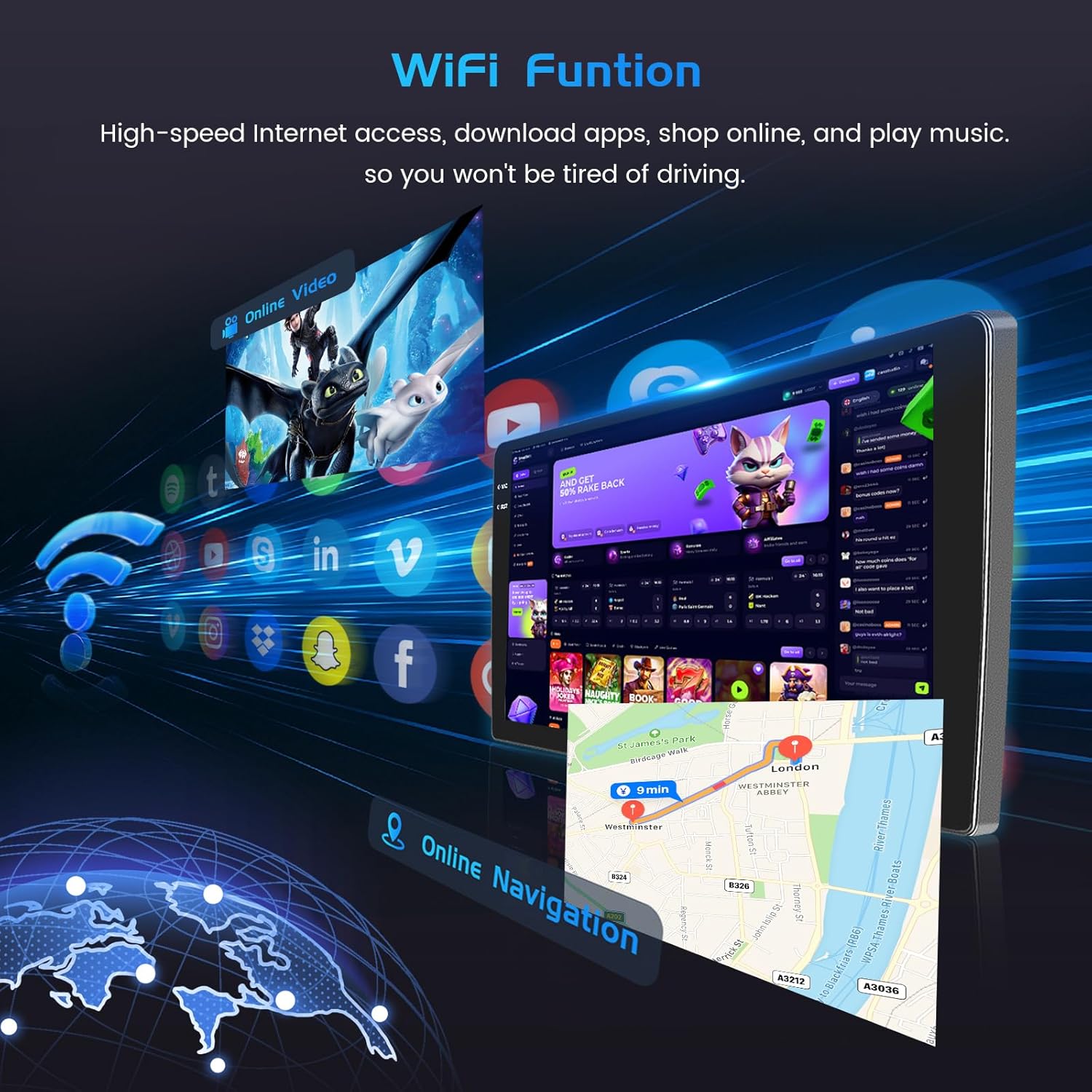
Image: WiFi Function. This image illustrates the car stereo's ability to connect to WiFi, enabling online navigation and access to various applications.
Bluetooth 5.0 and FM/RDS Radio
Pair your device via Bluetooth 5.0 for wireless music streaming, hands-free calls, and file transfers. The FM/RDS radio supports 54 preset stations and allows for online music transmission, ensuring a quality audio experience.

Image: FM/RDS Radio and Bluetooth. This image displays the radio tuning interface and a hands-free Bluetooth call screen on the car stereo.
Valdymas balsu
The system supports voice control, enhancing driving intelligence and security. Use voice commands to operate various functions, keeping your hands on the wheel and eyes on the road.
Video: Product Features Exhibit. This video demonstrates various features of the car stereo, including UI themes, CarPlay/Android Auto music and navigation, video playback, hands-free calls, voice control, dual screen functionality, FM/RDS radio, weather forecast, network radio, Bluetooth calls, 32-band EQ, GPS navigation, and rear view fotoaparato ekranas.
Dual Screen and UI Themes
Utilize the dual screen feature to run two applications simultaneously, such as navigation and music. Customize your interface with a wide selection of UI desktop themes and wallpapers to personalize your driving experience.

Image: In-Cell Touch Screen Features. This image highlights the high resolution of the In-Cell screen and its capabilities for split-screen multitasking and picture-in-picture viewing.

Image: UI Desktop Themes. This image showcases a selection of customizable desktop themes for the car stereo's user interface.
Priežiūra
Norėdami užtikrinti „Inefala“ automobilio stereofoninio garso ilgaamžiškumą ir optimalų veikimą, laikykitės šių bendrųjų priežiūros gairių:
- Valymas: Ekraną ir išorę valykite minkšta, sausa šluoste. Venkite abrazyvinių valiklių ar tirpiklių.
- Programinės įrangos atnaujinimai: Periodically check for software updates to ensure the system runs efficiently and has the latest features.
- Aplinkos sąlygos: Venkite įrenginio ilgalaikio laikymo tiesioginiuose saulės spinduliuose, itin aukštose temperatūrose ar drėgmės.
- Kabelių jungtys: Reguliariai tikrinkite visas kabelių jungtis, kad įsitikintumėte, jog jos yra saugios ir nepažeistos.
Trikčių šalinimas
Jei kyla problemų dėl automobilio garso sistemos, žr. šiuos įprastus trikčių šalinimo veiksmus:
- Nėra galios: Check all power connections. Ensure the vehicle's ignition is on. Verify fuses.
- Nėra garso: Check speaker connections. Ensure volume is not muted or too low. Verify audio settings.
- „Bluetooth“ ryšio problemos: Įsitikinkite, kad „Bluetooth“ įjungtas ir stereo sistemoje, ir telefone. Ištrinkite ankstesnius susiejimus ir bandykite prisijungti iš naujo.
- GPS signalo praradimas: Įsitikinkite, kad GPS antena tinkamai sumontuota ir turi laisvą view dangaus.
- Vairo valdikliai neveikia: Recheck CANBUS connections or perform key learning in settings if no CANBUS is used.
- Ekranas nereaguoja: Pabandykite paleisti įrenginį iš naujo. Jei problema išlieka, gali tekti atkurti gamyklinius nustatymus (pastaba: tai ištrins visus naudotojo duomenis).
- „WiFi“ problemos: Ensure the WiFi antenna is connected. Check network settings and password.
Jei problemos išlieka, susisiekite su klientų aptarnavimo tarnyba.
Specifikacijos
| Funkcija | Detalė |
|---|---|
| Gamintojas | Inefala |
| Modelio numeris | Inefala-A7506A4294H6MI2IT53-C490 |
| ASIN | B0FJQKX22L |
| Matmenys (paketas) | 41 x 26.8 x 14.9 cm |
| Prekės svoris | 2.45 kg |
| Ekrano dydis | 9 colių |
| Ekrano tipas | In-Cell Screen |
| Operacinė sistema | Android 15 |
| Atminties talpa | 128 GB |
| Ryšio technologija | „Bluetooth“, USB, „Wi-Fi“ |
| Ypatingos savybės | In-Cell Screen, 4+128G, Carplay, Android Auto, Mirror Link, Radio FM/RDS, EQ, WIFI, Bluetooth, GPS, SWC |
| Transporto priemonės paslaugos tipas | Automobilis |
| Montavimo tipas | On Dashboard, On Panel |
Garantija ir palaikymas
Your Inefala Car Stereo comes with a standard manufacturer's warranty. For specific warranty terms and conditions, please refer to the documentation included with your purchase or contact Inefala customer support. For technical assistance, troubleshooting, or any product-related inquiries, please reach out to the seller or manufacturer directly. Keep your purchase receipt as proof of purchase for warranty claims.


