1. Įvadas
This manual provides essential information for the safe and efficient operation of your TOPTRO Quadra Projector. Please read it thoroughly before using the device and retain it for future reference. The TOPTRO Quadra Projector offers a native 1080p resolution with true 4K HDR10/HLG support, running on a Linux OS with pre-installed streaming applications.
2. Pakuotės turinys
Patikrinkite, ar pakuotėje yra visi reikalingi daiktai:
- TOPTRO Quadra Projector
- Nuotolinio valdymo pultas
- Maitinimo kabelis
- Vartotojo vadovas (šis dokumentas)
3. Sąranka
3.1 Įdėjimas
Place the projector on a stable, flat surface or mount it to the ceiling. Ensure adequate ventilation around the device. For optimal viewing, position the projector to achieve the desired screen size. The projector supports a maximum projection size of 300 inches.

Image: Optimal projection distances for various screen sizes.
3.2 Maitinimo jungtis
Connect the power cable to the projector's power input and then to a suitable electrical outlet.
3.3 Išorinių įrenginių prijungimas
The TOPTRO Quadra Projector features multiple connectivity options:
- HDMI: Connect laptops, Blu-ray players, gaming consoles (e.g., PS4), or TV sticks using the dual HDMI ports. One port supports HDMI ARC for enhanced audio return.
- USB: Įkiškite USB atmintines medijos atkūrimui.
- 3.5 mm garso išvestis: Prijunkite išorinius garsiakalbius arba ausines.
- "Bluetooth 5.2": Sujunkite su „Bluetooth“ garsiakalbiais arba ausinėmis, kad gautumėte belaidį garsą.
- Dual Band WiFi (2.4GHz + 5GHz): Connect to your home network for online streaming and updates.
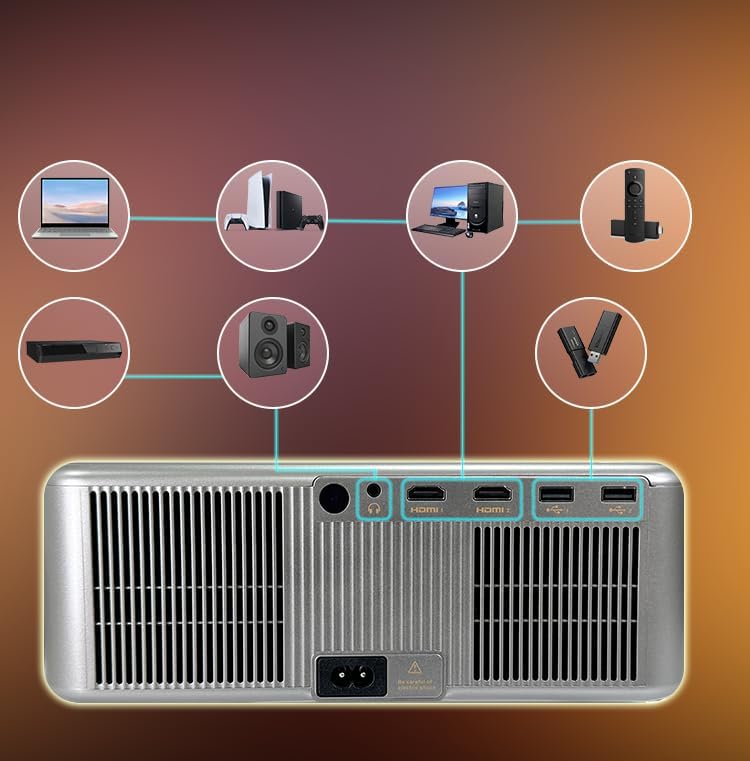
Image: Rear panel connectivity ports.
3.4 Pradinis įjungimas ir automatiniai nustatymai
Press the power button on the projector or remote control to turn on the device. The projector features fully automatic adjustments:
- Automatinis fokusavimas: Projektorius automatiškai reguliuos vaizdo aiškumą.
- Auto Keystone korekcija: The image will be automatically squared to compensate for angled projection.
- Automatinis kliūčių vengimas: The projection area will adjust to avoid objects in the path.
- Automatinis ekrano pritaikymas: The image will automatically fit within the boundaries of your projection surface.

Image: Automatic image adjustment features.
4. Naudojimo instrukcijos
4.1 Navigating the Linux OS
The TOPTRO Quadra Projector runs on a Linux operating system. Use the provided remote control to navigate the user interface. The home screen provides access to pre-installed applications and settings.

Image: Projector displaying the Linux OS interface with streaming apps.
4.2 Srautinio perdavimo programos
The projector comes with pre-installed and certified applications such as Netflix, YouTube, and Prime Video. Access these directly from the home screen for 4K content streaming.

Image: Remote control with quick access buttons for streaming services.
4.3 Belaidis ekrano veidrodinis atspindėjimas
The projector supports Miracast for wireless screen mirroring from Android and iOS devices. Refer to your device's instructions for initiating screen mirroring and select the projector from the available devices.
4.4 Image and Sound Settings
Access the settings menu to adjust image parameters such as brightness, contrast, and color. The projector supports HDR10/HLG for enhanced dynamic range. Audio settings allow for volume control and selection of output devices (internal speakers, Bluetooth, 3.5mm jack, HDMI ARC).
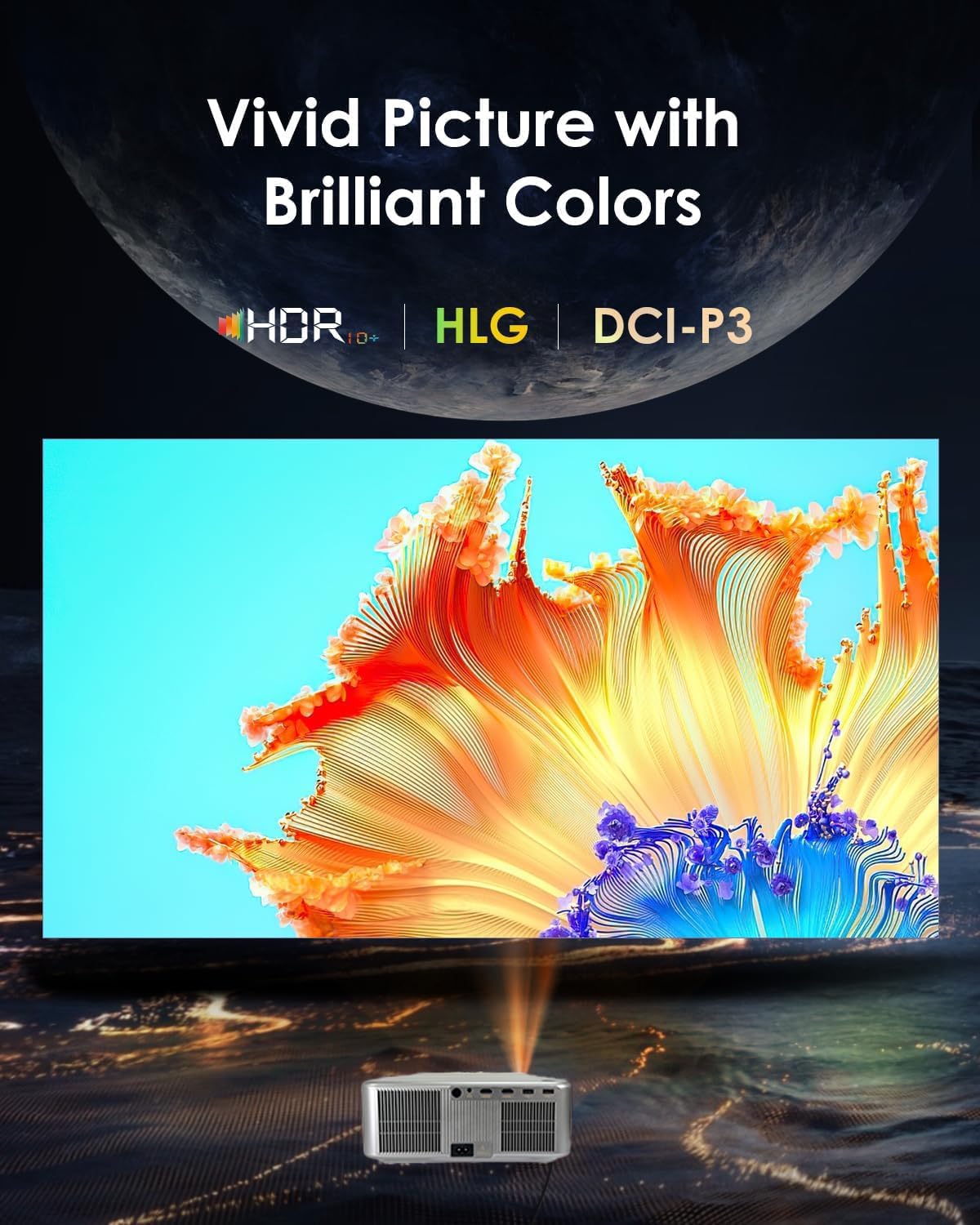
Image: Displaying vivid picture quality with HDR10+, HLG, and DCI-P3 color support.
5. Priežiūra
5.1 Objektyvo valymas
Švelniai nuvalykite projektoriaus objektyvą minkštu, nepūkuotu audiniu, specialiai skirtu optiniams paviršiams. Venkite naudoti abrazyvinius valiklius ar per didelę jėgą.
5.2 Ventiliacijos angų valymas
Regularly clean the air vents to prevent dust buildup, which can affect performance and lead to overheating. Use a soft brush or compressed air to clear the vents.
5.3 Lamp Gyvenimas
Projektorius lamp has an estimated life of 50,000 hours. No user replacement is typically required during the product's lifespan under normal usage conditions.
6. Problemų sprendimas
6.1 Nėra paveikslėlio
- Įsitikinkite, kad projektorius įjungtas ir maitinimo laidas yra tvirtai prijungtas.
- Check the input source. Verify that the correct HDMI or other input is selected.
- Confirm that the connected device (laptop, media player) is powered on and outputting a signal.
- Patikrinkite kabelių jungtis, ar jos nėra atsilaisvinusios ar pažeistos.
6.2 Nėra garso
- Sureguliuokite projektoriaus ir prijungto šaltinio įrenginio garsumą.
- Ensure external speakers or headphones are properly connected if used.
- If using Bluetooth, confirm the projector is paired with the correct audio device.
- Check audio settings in the projector's menu to ensure the correct audio output is selected.
6.3 Vaizdas neryškus arba iškraipytas
- Allow the projector's auto-focus feature to complete its adjustment.
- Ensure the projector is placed perpendicular to the screen for best results, allowing auto-keystone to function optimally.
- Patikrinkite, ar priešais objektyvą nėra fizinių kliūčių.
6.4 Ryšio problemos („Wi-Fi“ / „Bluetooth“)
- For WiFi, ensure the projector is within range of your router and the password is entered correctly. Try restarting your router.
- „Bluetooth“ ryšiu įsitikinkite, kad įrenginys, kurį bandote prijungti, yra susiejimo režime ir yra diapazone.
7. Specifikacijos
| Prekės ženklas | TOPTRO |
| Modelis | Quadra Certified (X6) |
| Ekrano technologija | LCD |
| Gimtoji raiška | 1920 x 1080 (1080p) |
| Palaikoma rezoliucija | Iki 3840 x 2160 (4 tūkst.) |
| Vaizdo ryškumas | 30000 liumenų (2500 ANSI liumenų) |
| Vaizdo kontrasto santykis | 10000:1 |
| Krašto santykis | 16:9 |
| Atnaujinimo dažnis | 60 Hz |
| Ypatingos savybės | 4K HDR 10/HLG, Net - Flix Certified Linux OS, 2GB RAM, 32GB ROM, Auto Focus & Keystone, Auto Obstacle Avoidance, Auto Screen Fit, 15W Speakers, HDMI ARC, Dual HDMI, Dual 5G & 2.4G WiFi 6, Bluetooth 5.2, WiFi Display, Electronic Focus & 6D Electronic correction, AI Image Tech (Color Correction, Noise Reduction, Edge Enhancement), MEMC Motion Compensation, Dolby Audio. |
| Techninės įrangos sąsaja | 3.5mm Audio, Bluetooth 5, Ethernet, HDMI, USB |
| Suderinami įrenginiai | Laptop, Speaker, Television, Gaming Consoles, TV Sticks |
| Lamp Gyvenimas | 50,000 valandų |
| Gaminio matmenys | 28 x 13 x 30 cm |
| Prekės svoris | 3 kg |

Vaizdas: Viršview of advanced features and specifications.
8. Informacija apie garantiją
The TOPTRO Quadra Projector comes with a 1 metų garantija provided by TOPTRO from the date of purchase. For detailed warranty terms and conditions, please visit the official TOPTRO websvetainę.
9. Parama
For technical assistance, customer service, or warranty claims, please contact TOPTRO support:
- Websvetainė: toptro.in
- El. paštas: support@toptro.in or sreeprojectors@gmail.com
- WhatsApp: 8341888860


