1. Įvadas
Thank you for choosing the AVMATRIX SD1242-4K HDMI Splitter. This device is designed to distribute a single HDMI 2.0 input signal to four HDMI 2.0 outputs, supporting resolutions up to 4K@60Hz with RGB 4:4:4 color space. It features EDID management and dual power supply options (USB-C and DC) for versatile use in various professional and home environments.
2. Saugos informacija
- Įsitikinkite, kad prietaisas yra gerai vėdinamoje vietoje, kad išvengtumėte perkaitimo.
- Saugokite įrenginį nuo drėgmės, lietaus ar ekstremalių temperatūrų.
- Naudokite tik pateiktą maitinimo adapterį arba suderinamą maitinimo šaltinį.
- Avoid disassembling the unit; refer all servicing to qualified personnel.
- Saugokite įrenginį nuo stiprių magnetinių laukų.
3. Pakuotės turinys
Patikrinkite pakuotę, ar joje yra šie daiktai:
- AVMATRIX SD1242-4K HDMI Splitter Unit
- Maitinimo adapteris
- C tipo USB kabelis
- Vartotojo vadovas (šis dokumentas)
4. Produktas baigtasview
The AVMATRIX SD1242-4K is a compact and robust HDMI splitter designed for high-quality video distribution. It features one HDMI input and four HDMI outputs, allowing a single source to be displayed on up to four screens simultaneously.
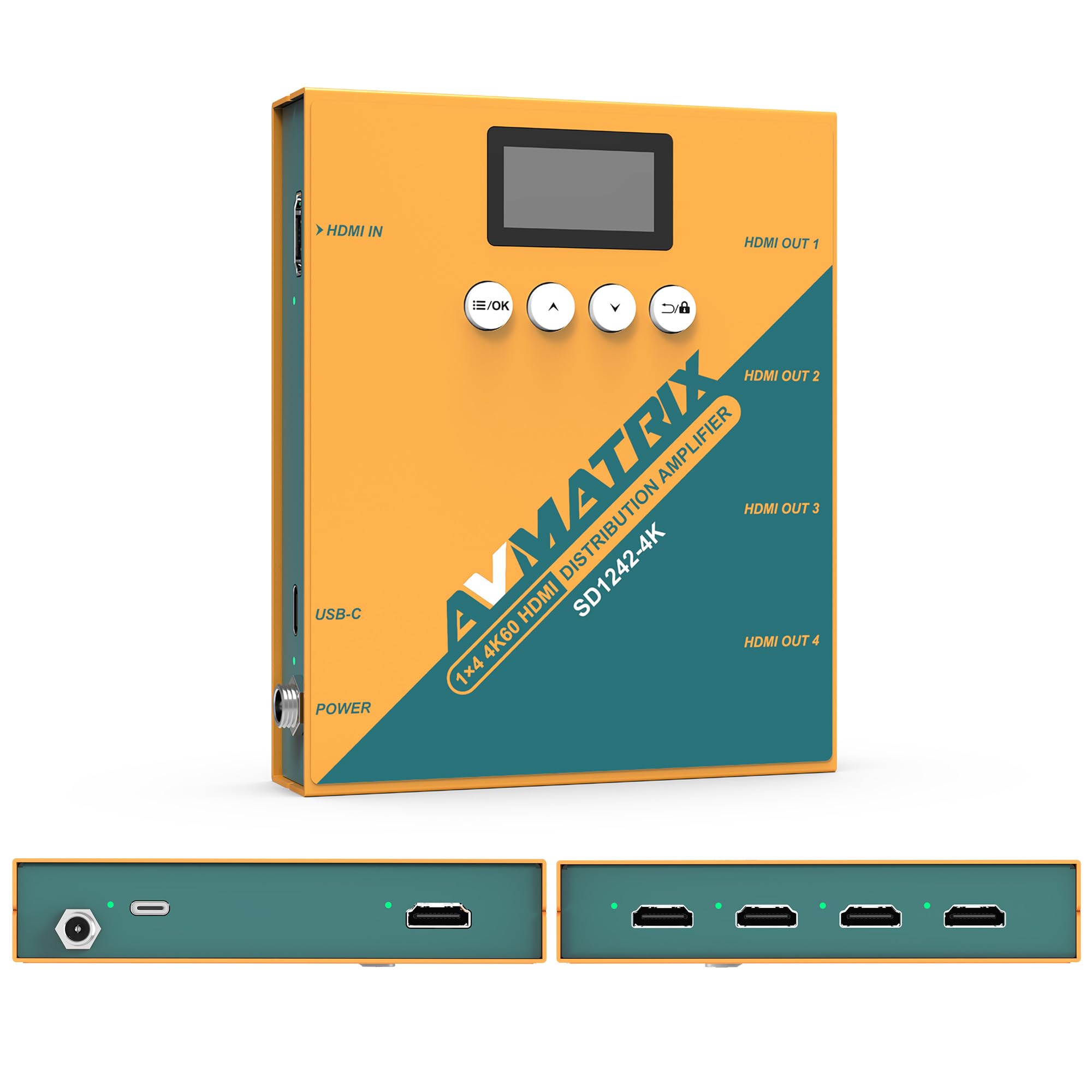
1 pav.: Priekinė ir galinė dalys view of the AVMATRIX SD1242-4K HDMI Splitter, showing HDMI input, four HDMI outputs, USB-C, and DC power ports.

Figure 2: The AVMATRIX SD1242-4K HDMI Splitter highlighting its HDMI 2.0 inputs/outputs and support for up to 4K@60Hz resolution for ultra-high-definition picture quality.
4.1 Savybės
- 1 HDMI 2.0 input to 4 HDMI 2.0 outputs.
- Supports resolutions up to 4K@60Hz (RGB 4:4:4).
- EDID management with Auto, Standard, Customize, and EDID Copy modes.
- Dual power supply: USB Type-C and DC 12V.
- Built-in OLED display for real-time status.
- Control via front panel buttons or PC software.
5. Sąranka
Follow these steps to set up your AVMATRIX SD1242-4K HDMI Splitter:
- Prijunkite HDMI šaltinį: Connect your HDMI source device (e.g., PS4, Blu-ray player, computer) to the HDMI IN port on the splitter using a high-quality HDMI 2.0 cable.
- Prijunkite HDMI ekranus: Connect up to four HDMI display devices (e.g., HDTVs, monitors, projectors) to the HDMI OUT 1-4 ports on the splitter using high-quality HDMI 2.0 cables.
- Prijunkite maitinimą: Connect the provided power adapter to the DC 12V port on the splitter, or connect a USB Type-C cable to the USB-C port and a compatible USB power source. The device supports both power options.
- Maitinimas: Ensure all devices (source, splitter, displays) are powered on. The splitter's OLED display will show its status.
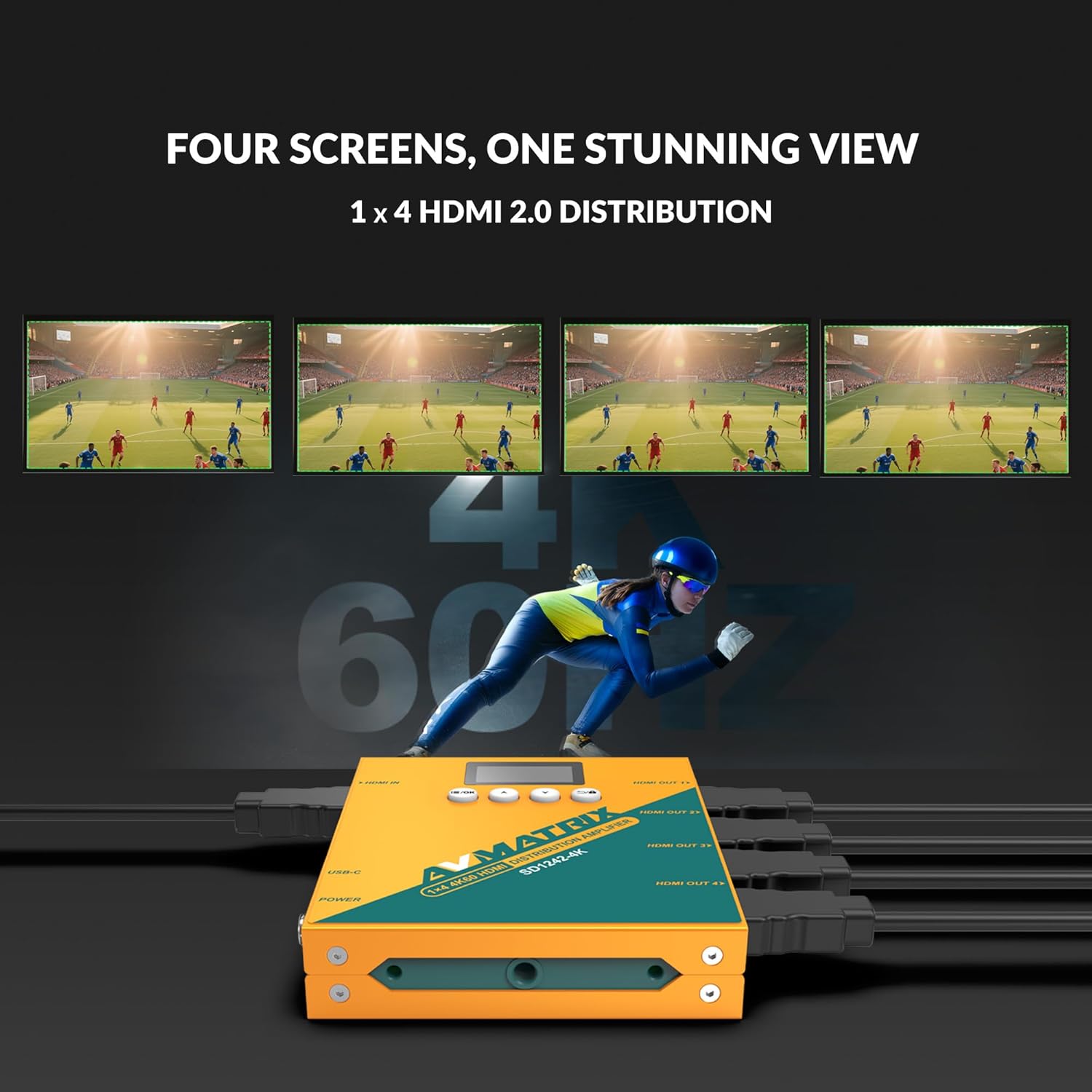
Figure 3: Illustration of the AVMATRIX SD1242-4K HDMI Splitter distributing a single video source to four separate display screens, demonstrating its 1x4 distribution capability.
6. Naudojimo instrukcijos
6.1 EDID valdymas
The SD1242-4K features EDID management to ensure optimal compatibility and performance between your source and display devices. You can configure EDID settings using the front panel buttons or the PC control software.

Figure 4: Comparison of a display without EDID management (left, showing potential compatibility issues) and with EDID management (right, showing seamless communication and optimal display).
There are four EDID modes available:
- Auto: The splitter automatically detects and selects the best EDID settings based on the connected displays.
- Standartas: Uses a default, common EDID setting for broad compatibility.
- Tinkinti: Allows users to upload a custom EDID file via PC software.
- EDID kopija: Copies the EDID from a specific output display (e.g., Output 1) to be used for all outputs.
6.2 Valdymo parinktys
The device can be controlled via its front panel buttons or through dedicated PC software.

Figure 5: Demonstrates the two primary control methods for the AVMATRIX SD1242-4K: direct interaction with the front panel buttons and comprehensive control via PC software interface.
- Priekinis mygtukas: Use the buttons located on the front panel to navigate menus on the OLED display and adjust basic settings, including EDID modes.
- Kompiuterio programinės įrangos valdymas: Connect the splitter to a computer via its USB port. Install the AVMATRIX control software to access advanced settings, customize EDID, and monitor device status.
6.3 Maitinimo parinktys
The SD1242-4K offers flexible power options for convenience.

Figure 6: Illustrates the dual power supply capabilities of the AVMATRIX SD1242-4K, showing both the traditional DC power input and the modern USB Type-C power input.
- DC maitinimo šaltinis: Use the included 12V DC power adapter for stable and continuous power.
- USB Type-C Power Supply: For portability or when a DC outlet is unavailable, power the device using a standard USB Type-C cable connected to a compatible USB power source (e.g., power bank, computer USB port).
7. Priežiūra
- Valymas: Įrenginio išorę valykite minkšta, sausa šluoste. Nenaudokite skystų ar aerozolinių valiklių.
- Saugykla: Kai prietaisas ilgą laiką nenaudojamas, laikykite jį vėsioje, sausoje vietoje, apsaugotoje nuo tiesioginių saulės spindulių.
- Firmware atnaujinimai: Patikrinkite AVMATRIX oficialią informaciją websvetainėje periodiškai ieškokite programinės įrangos atnaujinimų, kad būtų užtikrintas optimalus našumas ir suderinamumas.
8. Problemų sprendimas
If you encounter issues with your AVMATRIX SD1242-4K, refer to the following common problems and solutions:
| Problema | Galima priežastis | Sprendimas |
|---|---|---|
| Ekranuose nėra vaizdo išvesties. | Loose HDMI cables, incorrect EDID setting, power issue. | Check all HDMI cable connections. Ensure the splitter is powered on. Try different EDID modes (Auto or Standard). Test with a different HDMI source or display. |
| Video flickering or unstable image. | Poor quality HDMI cables, signal interference, EDID mismatch. | Use certified high-speed HDMI 2.0 cables. Ensure cables are not excessively long. Adjust EDID settings. Reduce cable length if possible. |
| Displays show different resolutions. | EDID setting not optimized for all displays. | Use EDID Copy mode from the lowest resolution display or a custom EDID that all displays can support. |
| Įrenginys neįsijungia. | Power adapter not connected, faulty power source. | Verify power adapter is securely connected to both the splitter and a working power outlet. Try the USB-C power option if DC fails, or vice-versa. |
9. Specifikacijos
| Funkcija | Detalė |
|---|---|
| Modelis | SD1242-4K |
| Vaizdo įvestis | 1x HDMI tipas A |
| Vaizdo išvestis | 4x HDMI tipas A |
| HDMI standartas | HDMI 2.0 |
| Maksimali skiriamoji geba | 4096x2160p 60/59.94/50/30/29.97/25/24/23.98 |
| Color Space & Precision | RGB 4:4:4 8 bit, YUV 4:2:2 8 bit, YUV 4:4:4 8 bit |
| Maitinimo šaltinis | DC 12V / USB-C |
| Energijos suvartojimas | 6W |
| ttage Range (USB) | USB 5V-5.5V |
| ttage diapazonas (DC) | DC 5.5V-24V |
| Matmenys (LWD) | 125.5 x 104 x 24.5 mm |
| Grynasis svoris | 471g |
| Darbinė temperatūra | -20°C ~ 60°C |
| Laikymo temperatūra | -30°C ~ 70°C |
10. Informacija apie garantiją
AVMATRIX products are covered by a limited warranty against defects in materials and workmanship. The warranty period typically begins from the date of purchase. Please retain your proof of purchase for warranty claims. For specific warranty terms and conditions, refer to the warranty card included with your product or visit the official AVMATRIX websvetainę.
This warranty does not cover damage caused by improper installation, accident, misuse, abuse, natural disaster, or unauthorized modification of the product.
11. Pagalba klientams
If you require further assistance or have questions not covered in this manual, please contact AVMATRIX customer support:
- Websvetainė: www.avmatrix.net (for product information, drivers, and firmware updates)
- El. paštas: Kreipkitės į pareigūną webkonkrečių palaikymo el. pašto adresų svetainėje.
- Telefonas: Kreipkitės į pareigūną webregioninių kontaktinių numerių svetainė.
When contacting support, please have your product model (SD1242-4K) and a detailed description of your issue ready.


